Solved

Remove file using API

  • July 15, 2022
  • 17 replies
  • 600 views

Forum|alt.badge.img

Hello. Im trying to remove image file from stock item using api.

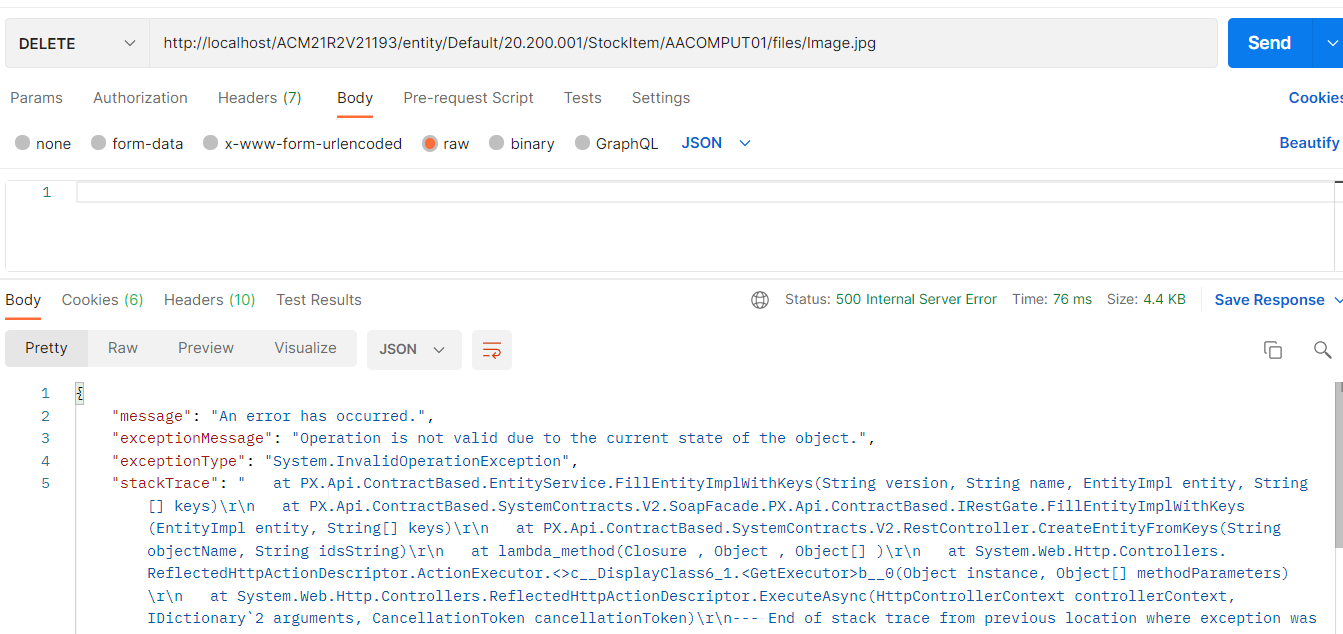
Trying to process DELETE request to url 

/entity/Default/20.200.001/files/85c85649-8fbc-4a31-b8ce-5380ac3730fb

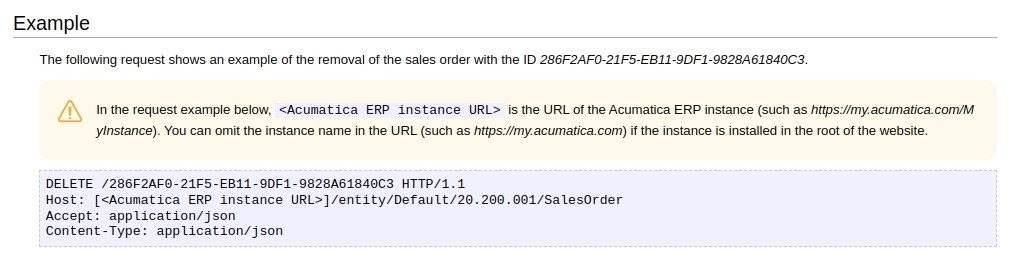
but getting an error “You are not logged in.”. But there is access token in request present and all other requests work fine. Could you help me with it? Thanks.

Best answer by jinin

Hi @skater4 
You can create a new screen with the list of images and create an endpoint entity for this screen then make an API call to delete the record. This will work.

17 replies

Naveen Boga
Captain II
Forum|alt.badge.img+19
  • Captain II
  • July 16, 2022

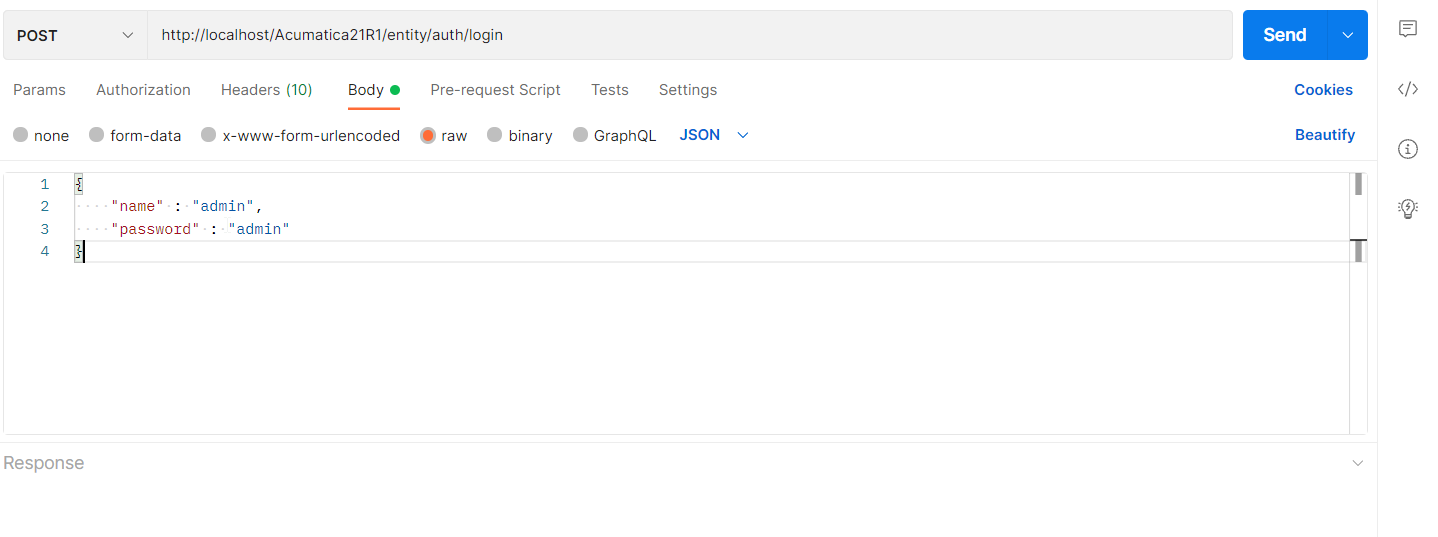
Hi @skater4  Have you logged in to the instance by making an API call like below?


Forum|alt.badge.img
  • Author
  • Freshman II
  • July 16, 2022

Hi @skater4  Have you logged in to the instance by making an API call like below?


Seems to be yes 


jinin
Pro I
Forum|alt.badge.img+11
  • Pro I
  • July 18, 2022

Hi @skater4 

Did you try with GET or POST call? able to get success? Can you please check once?  If the connection is lost only we will get the logout message, You can log in the same like the above(Naveen shared screenshot)  request and try with Delete and Get calls


Forum|alt.badge.img
  • Author
  • Freshman II
  • July 19, 2022

Hi @skater4 

Did you try with GET or POST call? able to get success? Can you please check once?  If the connection is lost only we will get the logout message, You can log in the same like the above(Naveen shared screenshot)  request and try with Delete and Get calls

Script processes stock update request right before the delete request, and its success


jinin
Pro I
Forum|alt.badge.img+11
  • Pro I
  • July 19, 2022

Hi @skater4 

Did you try with GET or POST call? able to get success? Can you please check once?  If the connection is lost only we will get the logout message, You can log in the same like the above(Naveen shared screenshot)  request and try with Delete and Get calls

Script processes stock update request right before the delete request, and its success

Hi @skater4 

As I know REST API doesn't support deletion of the files directly. You can create a custom page/screen showing the list of the attachments and work with that page from the REST API. Then try with the delete 


Forum|alt.badge.img
  • Author
  • Freshman II
  • July 19, 2022

Hi @skater4  Have you logged in to the instance by making an API call like below?


Im authorizing via bearer token


Forum|alt.badge.img
  • Author
  • Freshman II
  • July 19, 2022

Hi @skater4 

Did you try with GET or POST call? able to get success? Can you please check once?  If the connection is lost only we will get the logout message, You can log in the same like the above(Naveen shared screenshot)  request and try with Delete and Get calls

Script processes stock update request right before the delete request, and its success

Hi @skater4 

As I know REST API doesn't support deletion of the files directly. You can create a custom page/screen showing the list of the attachments and work with that page from the REST API. Then try with the delete 


U mean create GI and match it to endpoint?


Forum|alt.badge.img
  • Author
  • Freshman II
  • July 19, 2022

Hi @skater4 

Did you try with GET or POST call? able to get success? Can you please check once?  If the connection is lost only we will get the logout message, You can log in the same like the above(Naveen shared screenshot)  request and try with Delete and Get calls

Script processes stock update request right before the delete request, and its success

Hi @skater4 

As I know REST API doesn't support deletion of the files directly. You can create a custom page/screen showing the list of the attachments and work with that page from the REST API. Then try with the delete 


U mean create GI and match it to endpoint?

Just tried, also not logged in


Forum|alt.badge.img
  • Author
  • Freshman II
  • July 19, 2022

jinin
Pro I
Forum|alt.badge.img+11
  • Pro I
  • July 19, 2022

Do you want to delete the file or a record?

The above one will help you to delete a record from the screen. 

can you please tell me which screen file you are trying to delete? 


Forum|alt.badge.img
  • Author
  • Freshman II
  • July 19, 2022

Do you want to delete the file or a record?

The above one will help you to delete a record from the screen. 

can you please tell me which screen file you are trying to delete? 

Stock Item has attached images. I need delete all images of stock item by id. im obtaining image file ids when updating stock item and need to delete them


jinin
Pro I
Forum|alt.badge.img+11
  • Pro I
  • July 20, 2022

Do you want to delete the file or a record?

The above one will help you to delete a record from the screen. 

can you please tell me which screen file you are trying to delete? 

Stock Item has attached images. I need delete all images of stock item by id. im obtaining image file ids when updating stock item and need to delete them


You can insert files through REST API but Delete won't support it. 


Forum|alt.badge.img
  • Author
  • Freshman II
  • July 20, 2022

Do you want to delete the file or a record?

The above one will help you to delete a record from the screen. 

can you please tell me which screen file you are trying to delete? 

Stock Item has attached images. I need delete all images of stock item by id. im obtaining image file ids when updating stock item and need to delete them


You can insert files through REST API but Delete won't support it. 


So no way to delete them in php script? 


jinin
Pro I
Forum|alt.badge.img+11
  • Pro I
  • Answer
  • July 20, 2022

Hi @skater4 
You can create a new screen with the list of images and create an endpoint entity for this screen then make an API call to delete the record. This will work.


  • Freshman I
  • April 18, 2024

Hi Team, 

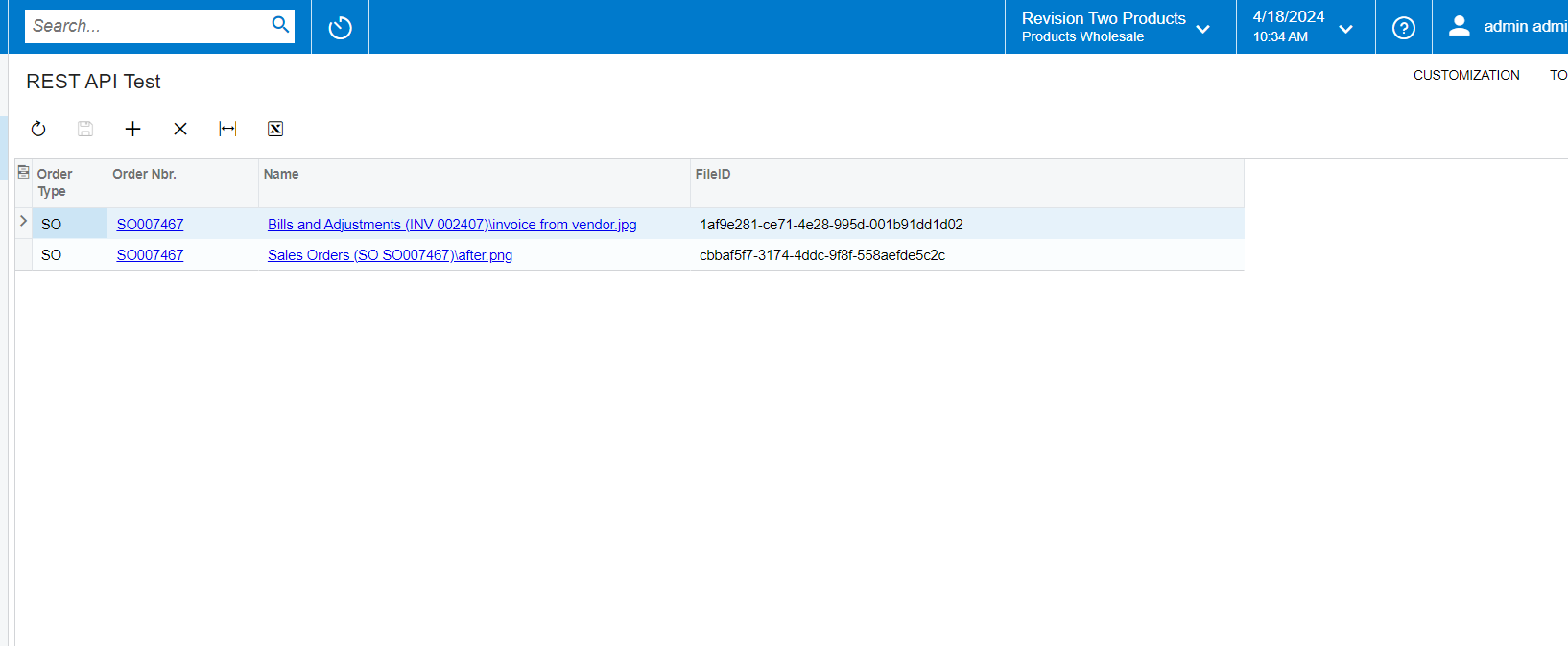
  1. As suggested we created a new custom screen to bring order and files


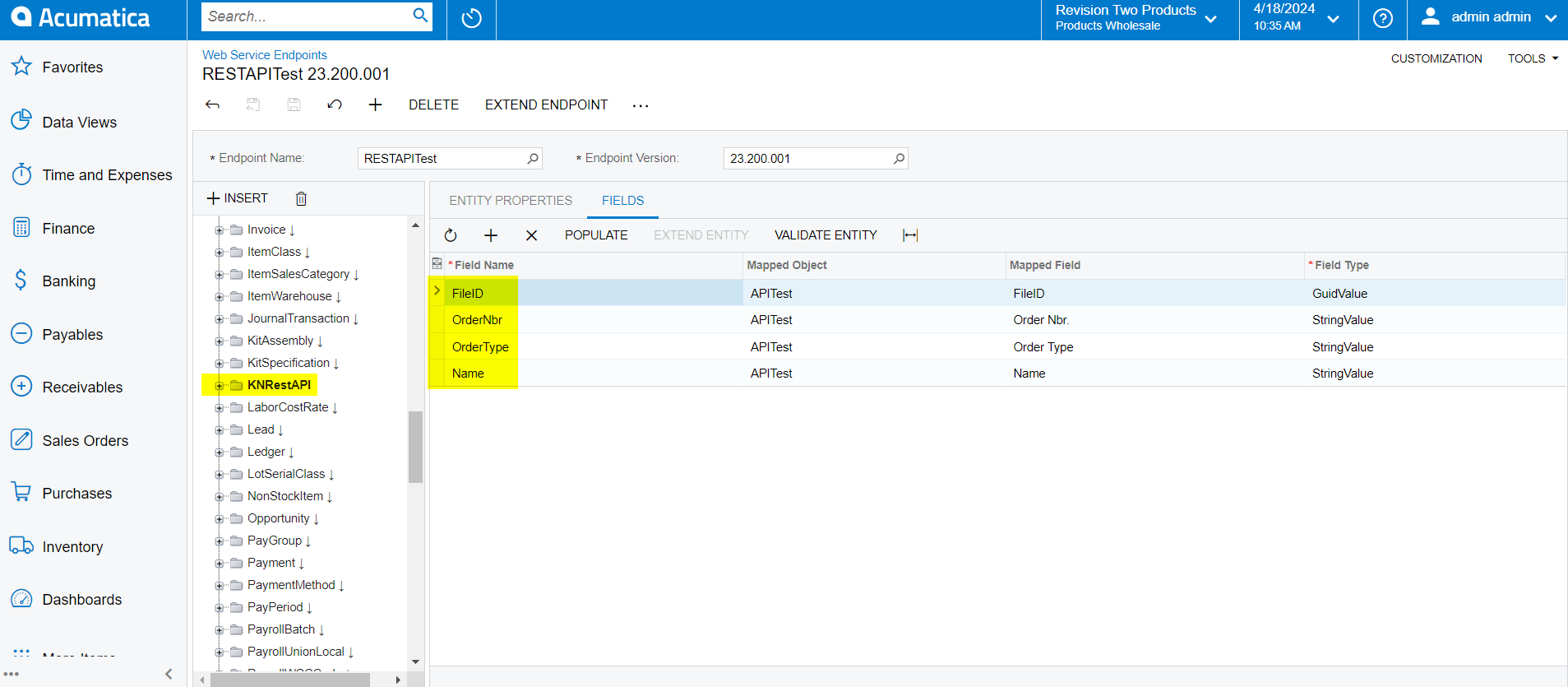
  2. we also created custom endpoint for this custom screen


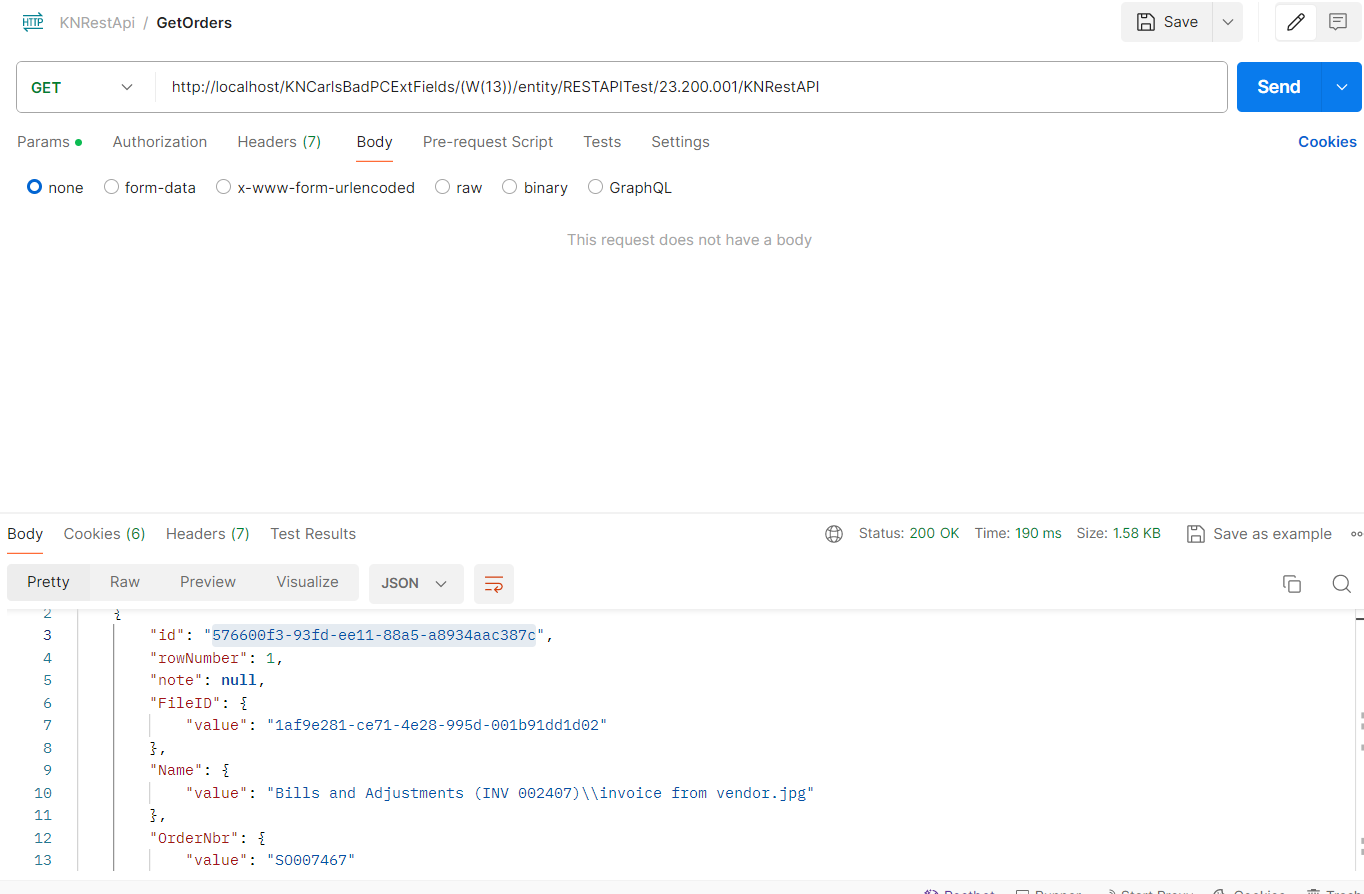
  3. through get call we are getting the order id and file ID


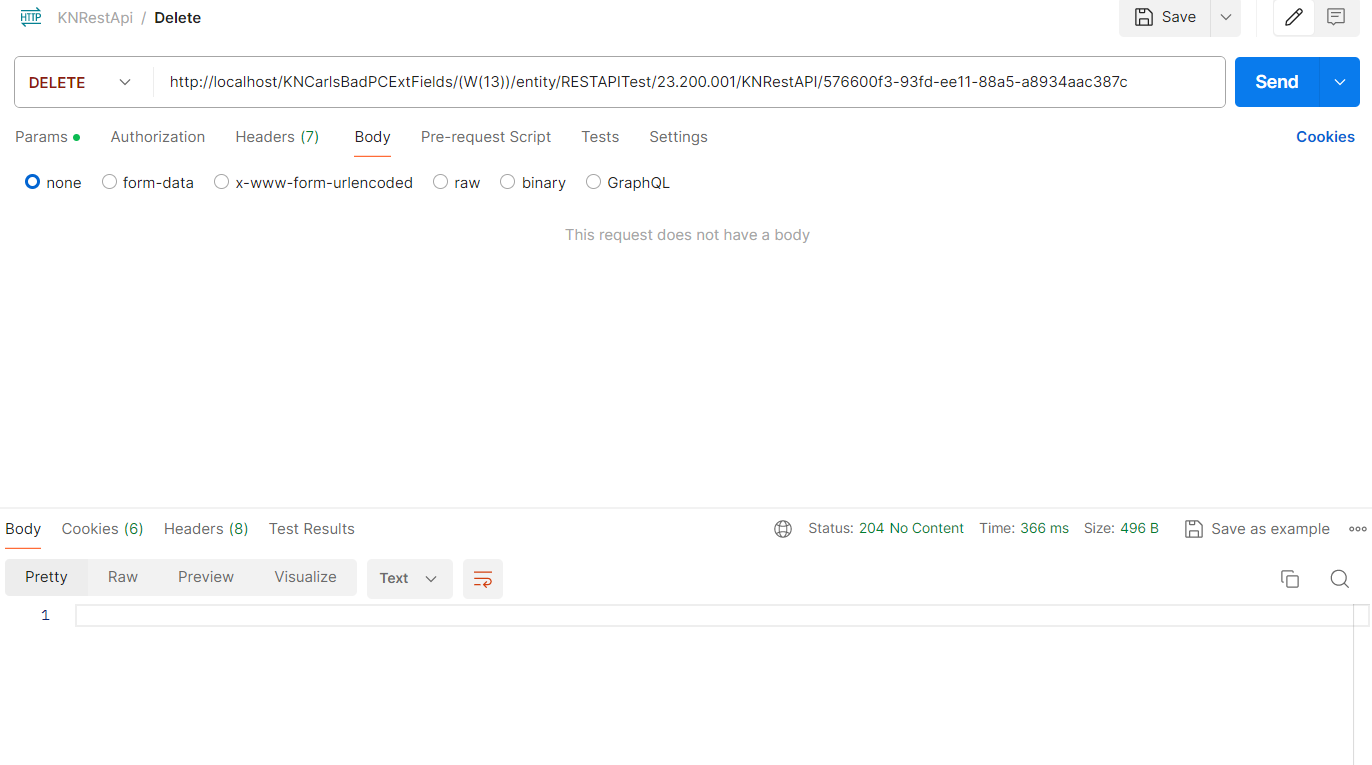
  4. using order ID we are able to delete the file


  5. But facing an issue, where if the order is having multiple files then using file ID we are not able to delete the respective file. But using id (order id - order note id) delete is happening but only one file is deleting.
  6. Can anyone help with this as how can we delete one single file, if the order is having multiple files

    Thanks & Regards,

Forum|alt.badge.img+1
  • Varsity II
  • November 26, 2024

Hi,

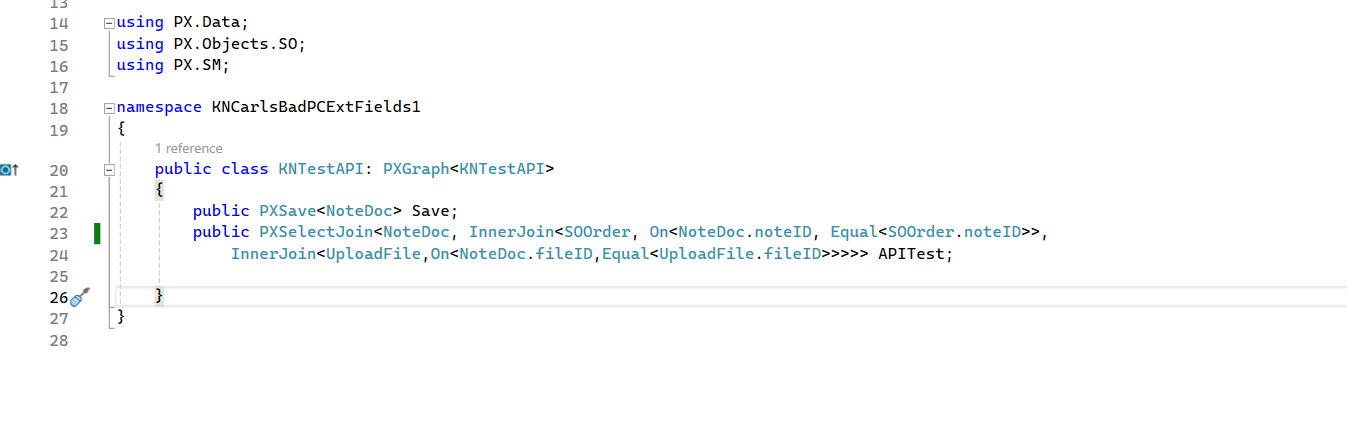
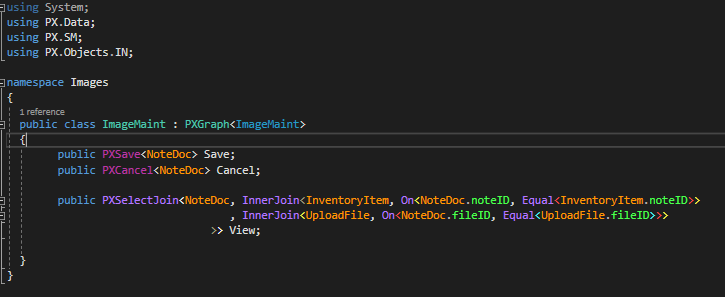
Did anyone find an answer to the above around multiple files (ie question 5 and 6 by SanthoshB09)? I have the same problem. This solution works fine when there is only one file involved, but as soon as you have multiple files doesn’t seem to allow you to target specific files. My setup is very similar to the above with the Custom Graph below:


Have set up the endpoint.  An example of a GET API call to the end point is https://www.scpt.co.nz:5011/GVG_20240911/entity/imageApi/1/Image?$filter=InventoryID%20eq%20'C3PR-MBLU-W18' which returns an array with two objects:

[
  {
    "id": "3937f14c-3d1f-ef11-ac42-0298c66b99f3",
    "rowNumber": 1,
    "note": null,
    "File": {
      "value": "071b1c96-fc8e-47f5-a046-4968aa9f5c54"
    },
    "FileID": {
      "value": "071b1c96-fc8e-47f5-a046-4968aa9f5c54"
    },
    "InventoryID": {
      "value": "C3PR-MBLU-W18"
    },
    "Name": {
      "value": "Stock Items (C3PR-MBLU-W18       )\\Test 1.jpg"
    },
    "custom": {},
    "_links": {
      "self": "/GVG_20240911/entity/imageApi/1/Image/3937f14c-3d1f-ef11-ac42-0298c66b99f3",
      "files:put": "/GVG_20240911/entity/imageApi/1/files/Images.ImageMaint/View/3937f14c-3d1f-ef11-ac42-0298c66b99f3/{filename}"
    }
  },
  {
    "id": "3937f14c-3d1f-ef11-ac42-0298c66b99f3",
    "rowNumber": 2,
    "note": null,
    "File": {
      "value": "7e84c5de-8c44-4d56-b45a-faeaf3f1279f"
    },
    "FileID": {
      "value": "7e84c5de-8c44-4d56-b45a-faeaf3f1279f"
    },
    "InventoryID": {
      "value": "C3PR-MBLU-W18"
    },
    "Name": {
      "value": "Stock Items (C3PR-MBLU-W18       )\\WEB CHICK 3 PACK Mist Blue.png"
    },
    "custom": {},
    "_links": {
      "self": "/GVG_20240911/entity/imageApi/1/Image/3937f14c-3d1f-ef11-ac42-0298c66b99f3",
      "files:put": "/GVG_20240911/entity/imageApi/1/files/Images.ImageMaint/View/3937f14c-3d1f-ef11-ac42-0298c66b99f3/{filename}"
    }
  }
]

I can delete one of these objects with DEL https://www.scpt.co.nz:5011/GVG_20240911/entity/imageApi/1/Image/3937f14c-3d1f-ef11-ac42-0298c66b99f3 but not the other. 


Also, what would the API call be to target a specific image for deletion?  The Id in both objects is the same, so how would the API call above know which to target?  Is there something around the rowNumber?

Also, the custom form allows deletion through the UI, so I don’t think there is a problem there.  

Any advice?


Thanks,

John.


Forum|alt.badge.img+1
  • Varsity II
  • November 26, 2024

Hey,


I think I have figured this out (after a few hours of trial and error).

The delete call needs to be of the form /{fileID/{Iid}.  So, in my case to delete the second object in the JSON payload above:

https://www.scpt.co.nz:5011/GVG_20240911/entity/imageApi/1/Image/7e84c5de-8c44-4d56-b45a-faeaf3f1279f/3937f14c-3d1f-ef11-ac42-0298c66b99f3

If there is only one file you can omit the FileId.

Thanks,

John.