Solved

Release button method is called inside Process All method from Release Payments tab

  • January 31, 2022
  • 5 replies
  • 258 views

Forum|alt.badge.img+2

Hi,

I have two methods that extend functionality of 2 UI elements

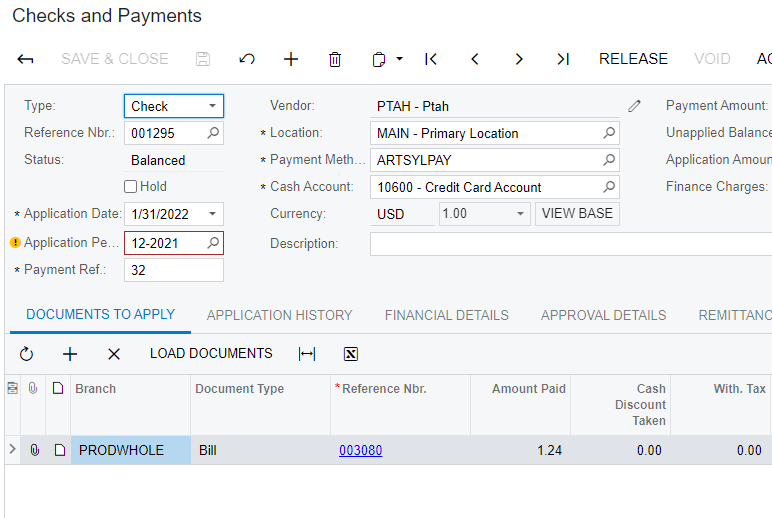
1)Release from Check and Payments tab
  1. Process from Release Payments tab 

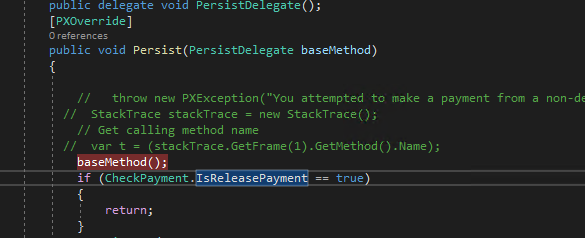
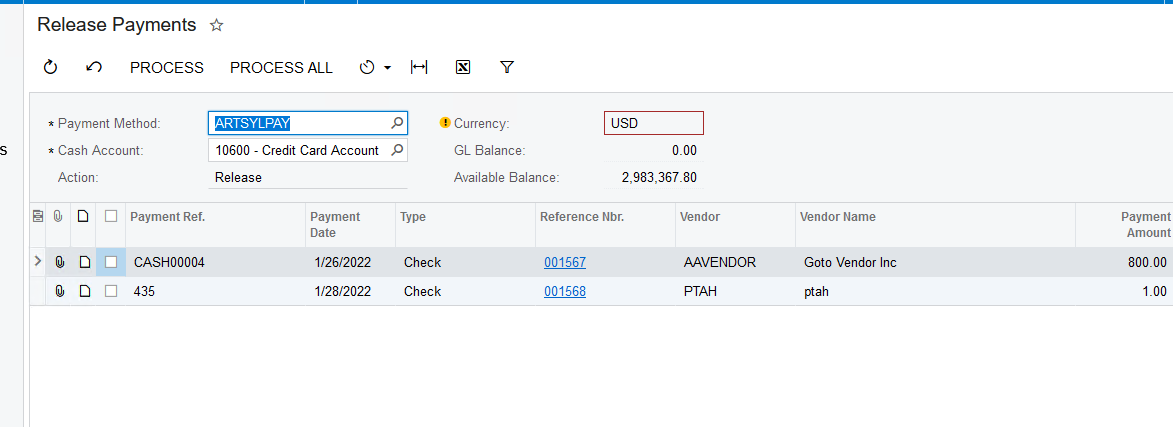
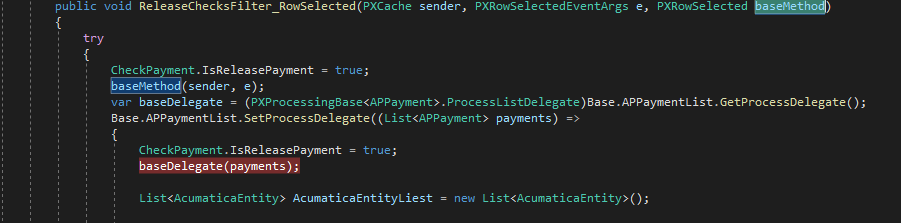
    Unfortunately, when I press process from Release Payments tab, it calls persist methods which is responsible for Release button in Checks and Payments and executes it’s logic, that I have wrote. I tried to omit this by using static class , checking if the flag was set to true in class which responsible for Release Payment tab, but it’s not working as I expected due to method is called arbitrary

 

How to prevent calling of Persist method of Release button when  Processed button is pressed ?

Best answer by deebhane

hi @Ivan ,

if you have specific  requirement to have different logic  to be executed when  release is performed at screen level and from processing screen, then you can go with Screen ID condition in the persist method to find from where the  operation is invoked. 

example 

  if (Base.Accessinfo.ScreenID.Replace(".", "") == "AP302000")
 {

   del.Invoke();

 }

else  if (Base.Accessinfo.ScreenID.Replace(".", "") == "AP505200")
 {

    del.Invoke();

 }

else 

{

    del.Invoke();  // invoked from any other screen.

}

5 replies

deebhane
Semi-Pro I
Forum|alt.badge.img+1
  • Semi-Pro I
  • January 31, 2022

Hi @Ivan ,

The framework of all the processing screen will invoke the respective record screen, will trigger persist and then the respective action.

In your example from the release payment processing , it is intended to navigate to  “check and payment” persist and then perform the release action.

May I know why do you want to avoid invoking persist.


Forum|alt.badge.img+2
  • Author
  • Varsity I
  • January 31, 2022

Hi @Ivan ,

The framework of all the processing screen will  invoke the respective record screen and will trigger  persist and then the respective action.

In your example from the release payment processing , it is intended to navigate to  “check and payment” persist and then perform the release action.

May I know why do you want to avoid invoking persist.

Hi @deebhane 

I need to ignore it, because it has logic that need to be executed when user presses Release at Checks and Application tab, not when pressing PROCESSING at Release Payments tab, because in this case another logic must be done 


deebhane
Semi-Pro I
Forum|alt.badge.img+1
  • Semi-Pro I
  • Answer
  • January 31, 2022

hi @Ivan ,

if you have specific  requirement to have different logic  to be executed when  release is performed at screen level and from processing screen, then you can go with Screen ID condition in the persist method to find from where the  operation is invoked. 

example 

  if (Base.Accessinfo.ScreenID.Replace(".", "") == "AP302000")
 {

   del.Invoke();

 }

else  if (Base.Accessinfo.ScreenID.Replace(".", "") == "AP505200")
 {

    del.Invoke();

 }

else 

{

    del.Invoke();  // invoked from any other screen.

}


Forum|alt.badge.img+2
  • Author
  • Varsity I
  • January 31, 2022

@deebhane  I am much obliged for your assistance, you helped me a lot  

Thank you 


deebhane
Semi-Pro I
Forum|alt.badge.img+1
  • Semi-Pro I
  • February 1, 2022

@deebhane  I am much obliged for your assistance, you helped me a lot  

Thank you 

Great to hear @Ivan . The solution worked.