Solved

Purchase Order API: Bug when placing a PO on Hold

  • March 26, 2025
  • 2 replies
  • 47 views

When I attempt to release a purchase order from hold via the API, sometimes I get the following error:

Operation failed: At least one line is not present in the cost budget of the project. Either add the corresponding budget lines to the project or select the Allow Adding New Items on the Fly check box on the Summary tab of the Projects (PM301000) form


I get the same error when try to do so from the user interface:
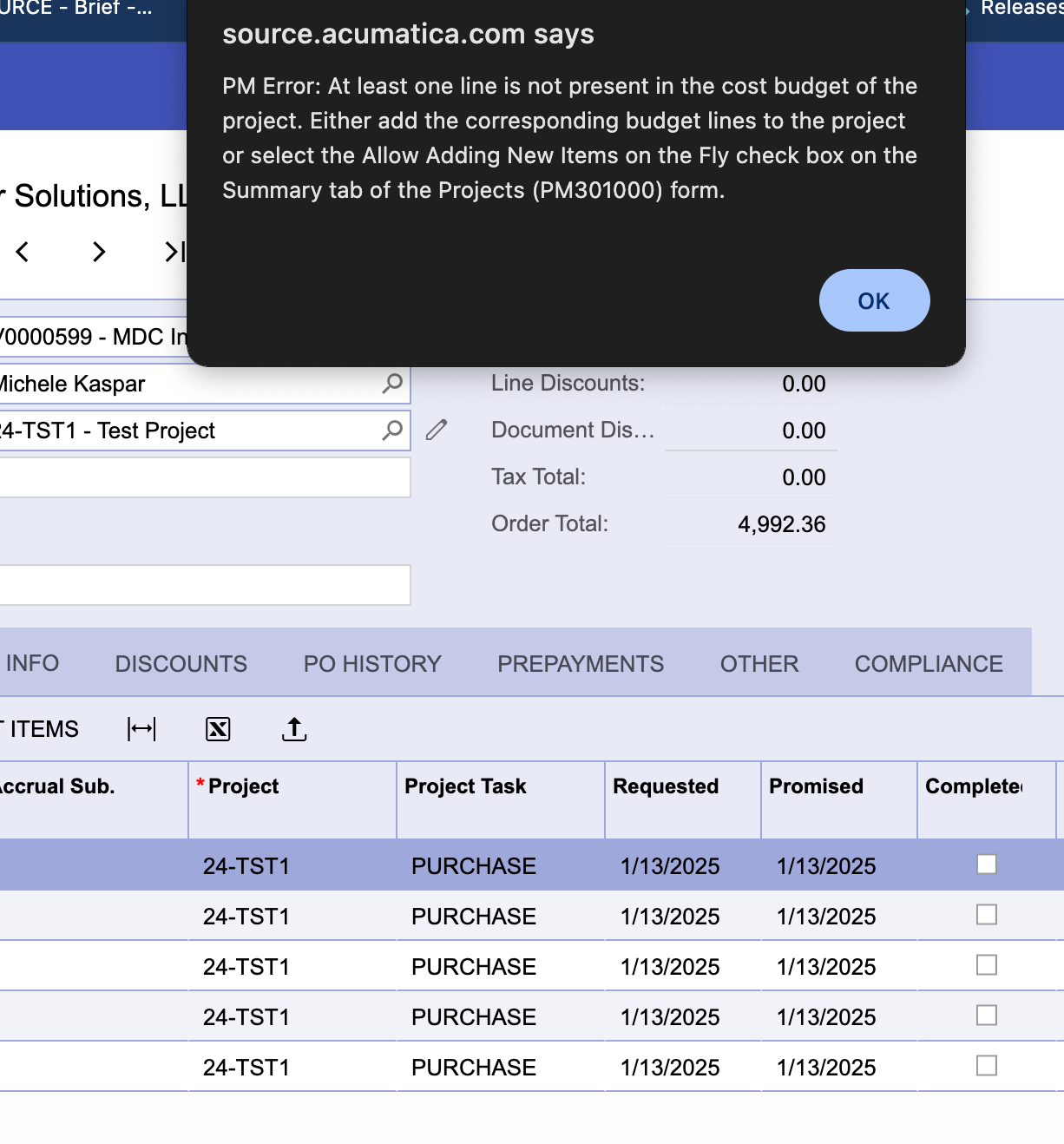
Oddly, if I try a second time, either via a repeating the API request, or by pressing the button again, the error does not occur.


What could be going on?


Best answer by Ankita Tayana

Hi ​@geoffatsource,

Please check the following conditions for the Inventory Item you are adding to the PO:

Ensure the item is allowed if the project permits non-project accounts.
Verify that the item is actually used in the project.

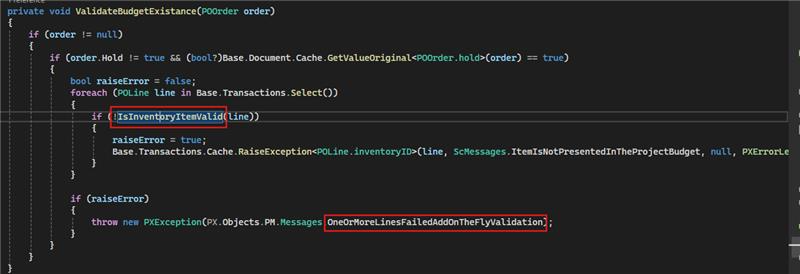
When you remove the hold on the PO, the base code validates these conditions. If they are not satisfied, the system triggers this issue.


Hope, it helps!

2 replies

Forum|alt.badge.img+5
  • Jr Varsity I
  • Answer
  • March 27, 2025

Hi ​@geoffatsource,

Please check the following conditions for the Inventory Item you are adding to the PO:

Ensure the item is allowed if the project permits non-project accounts.
Verify that the item is actually used in the project.

When you remove the hold on the PO, the base code validates these conditions. If they are not satisfied, the system triggers this issue.


Hope, it helps!


Forum|alt.badge.img+5
  • Jr Varsity I
  • March 27, 2025

Hi ​@geoffatsource,

I missed to add the image, please refer below.


Hope, it helps!