

Answer

Outlook Add-In still not working after following setup instructions

  • September 15, 2025
  • 5 replies
  • 325 views

Hi Community,

I’ve been working on resolving the Outlook Add-in issue related to the February 17, 2025 change (legacy authentication tokens being turned off). I have carefully followed all the steps outlined in the knowledge base and community posts, including:

Steps I’ve already completed:

  • Upgraded Acumatica instance to the correct supported build.

  • Enabled OpenID Connect in Acumatica.

  • Registered the application in Microsoft Entra with redirect URI, API scopes, and permissions.

  • Created the OpenID Provider in Acumatica with the correct Tenant ID, Client ID, and Client Secret.

  • Installed the new Outlook Add-in using the updated manifest.

Problem: Despite all of this, the add-in still does not work. I either get [describe your exact error: blank screen, token error, redirect loop, etc.].

Question: Has anyone else experienced this even after following the official instructions? Is there an additional configuration step or workaround that might resolve this?

Any guidance would be appreciated.


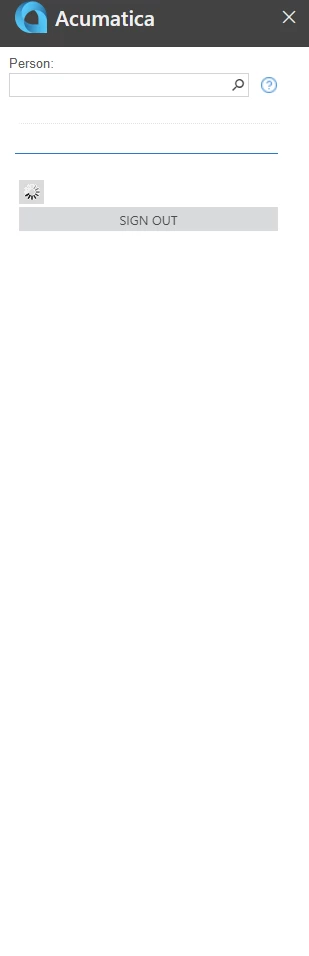
this picture bellow is from newer outlook. 


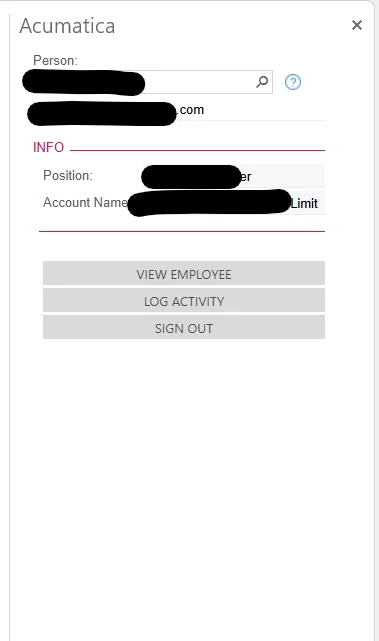
this is an image from classic outlook same configuration. it seems to work on old outlook but not the new outlook
 

Best answer by jhouser

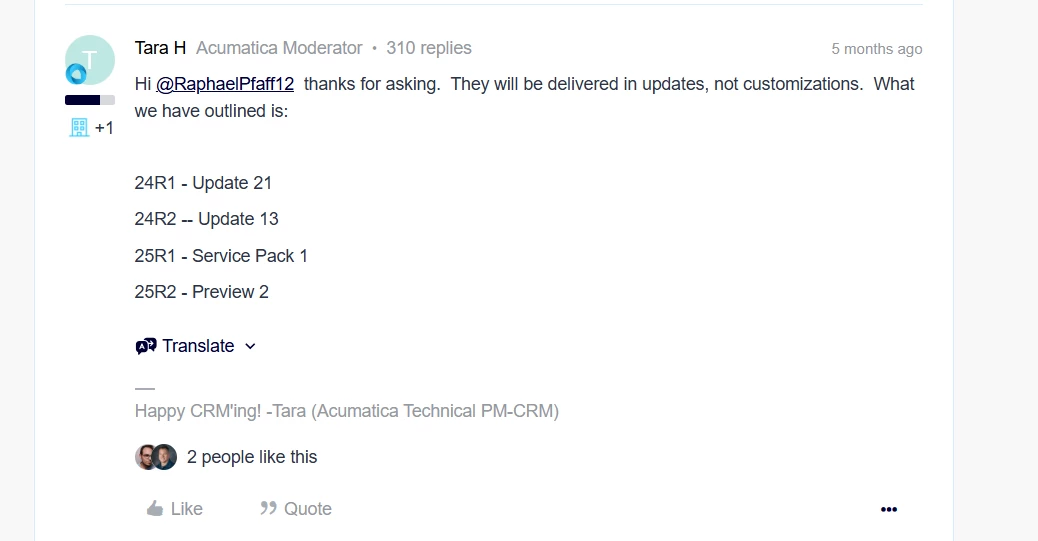
I recently became aware that this issue was fixed in recent builds, I believe making the workaround unnecessary. Below is screenshot from this post: Known issue: Starting 17th February, 2025, Acumatica Outlook Add-in may stop working | Community

But I believe there are additional prerequisites for New Outlook, described here: Requirements and Prerequisites


5 replies

jhouser
Captain II
Forum|alt.badge.img+6
  • Captain II
  • September 15, 2025

Hi ​@NeroJerry It worked for me but I use the old Outlook. 


  • Author
  • Freshman I
  • September 16, 2025

Hi ​@NeroJerry It worked for me but I use the old Outlook. 

hi ​@jhouser It works for me on old outlook as well. but i need it to work on new outlook


jhouser
Captain II
Forum|alt.badge.img+6
  • Captain II
  • September 16, 2025

@NeroJerry Was going to suggest commenting on the knowledge base article, but I see you've already done so. Hopefully there is a solution! 


Forum|alt.badge.img
  • Jr Varsity II
  • November 5, 2025

Following because I am having same issue except I still cannot use in Outlook classic.


jhouser
Captain II
Forum|alt.badge.img+6
  • Captain II
  • Answer
  • November 5, 2025

I recently became aware that this issue was fixed in recent builds, I believe making the workaround unnecessary. Below is screenshot from this post: Known issue: Starting 17th February, 2025, Acumatica Outlook Add-in may stop working | Community

But I believe there are additional prerequisites for New Outlook, described here: Requirements and Prerequisites

