
Solved

New Location via REST with Customer NoteID

  • February 13, 2022
  • 2 replies
  • 351 views

Thomas Finney
Freshman I

I am attempting to create new locations using the REST Web-services Endpoint. I want to create a new location however I don't have the “CustomerID” for the location I am creating. Rather I have the Customer NoteID which is the ID returned from the Get request against the customer endpoint. 

Is it possible to use the unique customer identifier vs the companyID ?
Best answer by praveenpo

Hi @Thomas Finney ,

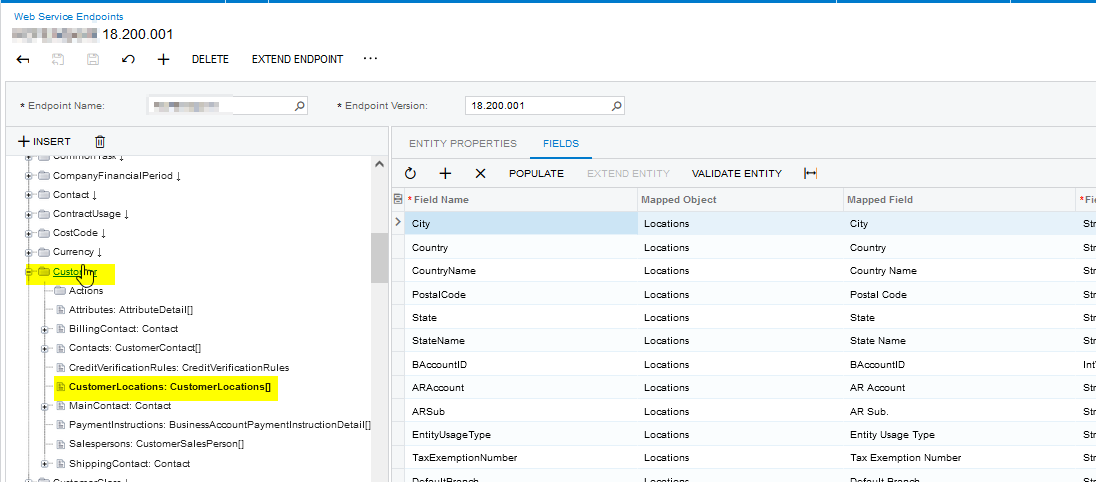
yes we can use the “Id” and create the location using Customer entity,


URL : http://localhost/ACM21203/entity/<Endpointname>/18.200.001/Customer?$expand=CustomerLocations

Request:

  
  { 
      "id""01a0c017-df7f-ea11-8175-b9d61cb73193",
      "CustomerLocations": [
            {
                "City": {
                    "value""New York"
                },
                "Country": {
                    "value""US"
                },
                "CountryName": {
                    "value""United States of America"
                },
                "LocationID": {
                    "value""MAIN 02"
                },
                "LocationName": {
                    "value""Secondary Location"
                },
                "OrderPriority": {
                    "value"0
                },
                "PostalCode": {
                    "value""10011"
                },
                "PriceClass": {},
                "ResidentialDelivery": {
                    "value"false
                },               
                "State": {
                    "value""NY"
                },
                "StateName": {
                    "value""NEW YORK"
                }
            }
        ]
  }


2 replies

praveenpo
Semi-Pro III
Forum|alt.badge.img+3
  • Semi-Pro III
  • Answer
  • February 13, 2022

Hi @Thomas Finney ,

yes we can use the “Id” and create the location using Customer entity,


URL : http://localhost/ACM21203/entity/<Endpointname>/18.200.001/Customer?$expand=CustomerLocations

Request:

  
  { 
      "id""01a0c017-df7f-ea11-8175-b9d61cb73193",
      "CustomerLocations": [
            {
                "City": {
                    "value""New York"
                },
                "Country": {
                    "value""US"
                },
                "CountryName": {
                    "value""United States of America"
                },
                "LocationID": {
                    "value""MAIN 02"
                },
                "LocationName": {
                    "value""Secondary Location"
                },
                "OrderPriority": {
                    "value"0
                },
                "PostalCode": {
                    "value""10011"
                },
                "PriceClass": {},
                "ResidentialDelivery": {
                    "value"false
                },               
                "State": {
                    "value""NY"
                },
                "StateName": {
                    "value""NEW YORK"
                }
            }
        ]
  }


deebhane
Semi-Pro I
Forum|alt.badge.img+1
  • Semi-Pro I
  • February 15, 2022

hi @Thomas Finney ,

We can also use customer location screen directly and create the record with below rest API code. This would be single API call and we can use customer name directly in the request.  Internally Acumatica would create a note ID reference between customer and customer location record. 

Method: PUT

URL: http://ACM21203/entity/<Endpointname>/Kensium/20.200.001/CustomerLocation


Json Request: 

{

    "Customer": {

        "value""C000000009"

    },

    "LocationID": {

        "value""Location Name"

    },

    "Active": {

        "value"true

    },

    "LocationName": {

        "value""LocationJTestone"

    },

    "AddressOverride": {

        "value"true

    },

    "ContactOverride": {

        "value"true

    },

    "LocationContact": {

        "Address": {

            "AddressLine1": {

                "value""Address 1"

            },

            "AddressLine2": {

                "value""Address 2"

            },

            "City": {

                "value""NewYork"

            },

            "Country": {

                "value""US"

            },

            "PostalCode": {

                "value""07424"

            },

            "State": {

                "value""NJ"

            }

        },

        "FirstName": {

            "value""Uday"

        },

        "MiddleName": {

            "value""K"

        },

        "LastName": {

            "value""B"

        },

        "Attention": {

            "value""Attention one"

        },

        "Phone1Type": {

            "value""Business 1"

        },

        "Phone1": {

            "value""1234567892"

        },

        "Phone2Type": {

            "value""Business 2"

        },

        "Phone2": {

            "value""9876543212"

        },

        "FaxType": {

            "value""ship Fax1"

        },

        "EMail": {

            "value""Chankya@email.com"

        },

        "WebSite": {

            "value""www.Chankya.com"

        }

    },

    "ShippingBranch": {

        "value""CAPITAL"

    },

    "PriceClass": {

        "value""RETAIL"

    },

    "DefaultProject": {

        "value"null

    },

    "Warehouse": {

        "value""RETAIL"

    },

    "ShipVia": {

        "value""FEDEX1"

    },

    "ShippingTerms": {

        "value""CFR"

    },

    "FOBPoint": {

        "value""SHIP"

    },

    "ShippingZone": {

        "value""CENTRAL"

    },

    "ShippingRule": {

        "value""B"

    },

    "TaxZone": {

        "value""AVALARA"

    }

}

Hope this helps you.