

Solved

License Monitoring Console

  • April 1, 2024
  • 2 replies
  • 132 views

Forum|alt.badge.img

Hi everyone, is there a way to modify this License Monitoring Console in my local?
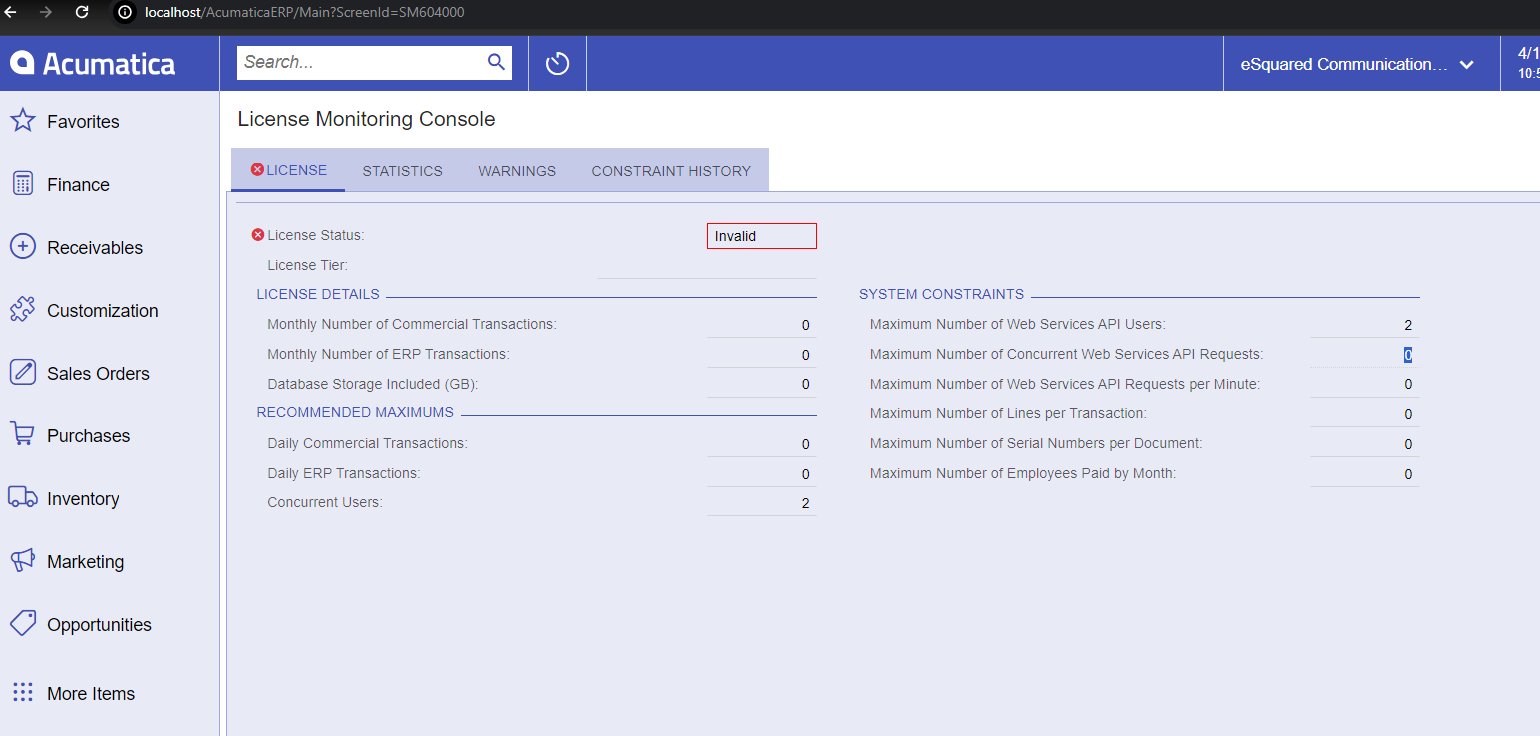

I’m trying to use the acumatica api in my local and i’m getting “api login limit” response.

Best answer by Dmitrii Naumov

@melvinc 

There is no way to change this. 

There are two reasons:

  1. It’s unlicensed Acumatica instance, so it needs some restrictions
  2. If you are getting API Login Limit, this means that most likely you do not logout from API properly. Which may cause some issues on production later, so it’s better to fix it now. 

If you’ve exhausted your API sessions, you can go to ‘Apply Updates’ screen and click ‘Restart Application’ there. That closes all open sessions.

2 replies

Dmitrii Naumov
Acumatica Moderator
Forum|alt.badge.img+7
  • Acumatica Moderator
  • Answer
  • April 1, 2024

@melvinc 

There is no way to change this. 

There are two reasons:

  1. It’s unlicensed Acumatica instance, so it needs some restrictions
  2. If you are getting API Login Limit, this means that most likely you do not logout from API properly. Which may cause some issues on production later, so it’s better to fix it now. 

If you’ve exhausted your API sessions, you can go to ‘Apply Updates’ screen and click ‘Restart Application’ there. That closes all open sessions.


Forum|alt.badge.img
  • Author
  • Jr Varsity II
  • April 2, 2024

Thank you so much for the info :)
