Solved

Import Tax Details fields values for Bill via PUT request

  • February 17, 2022
  • 6 replies
  • 161 views

Forum|alt.badge.img+2

Hello,

I have an issue to export TaxDetails table to Acumatica together with bill data.
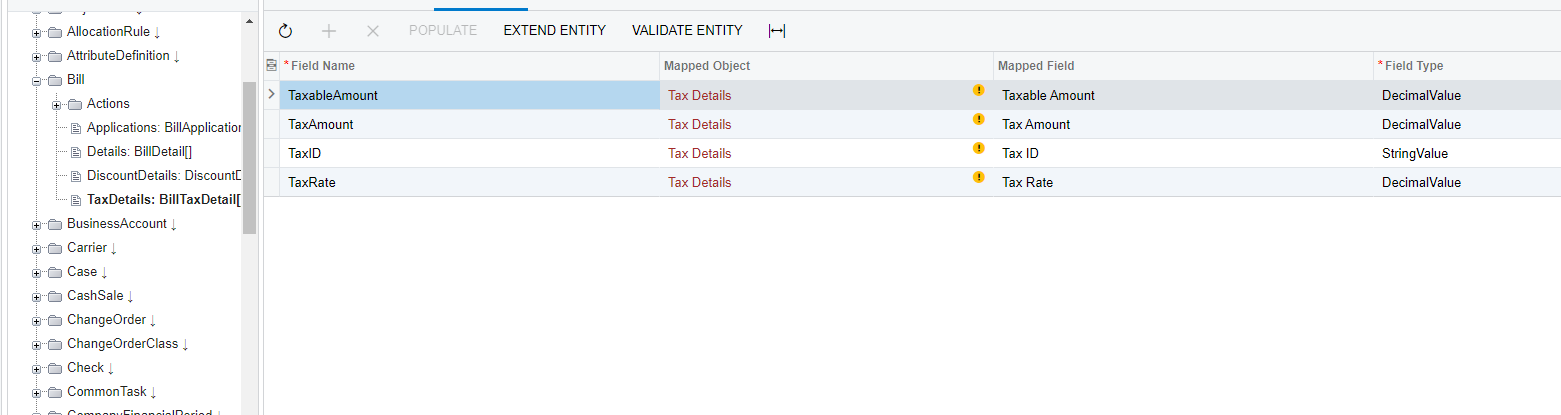
I prepared columns : TaxID, TaxRate, TaxableAmount, TaxAmount. for request
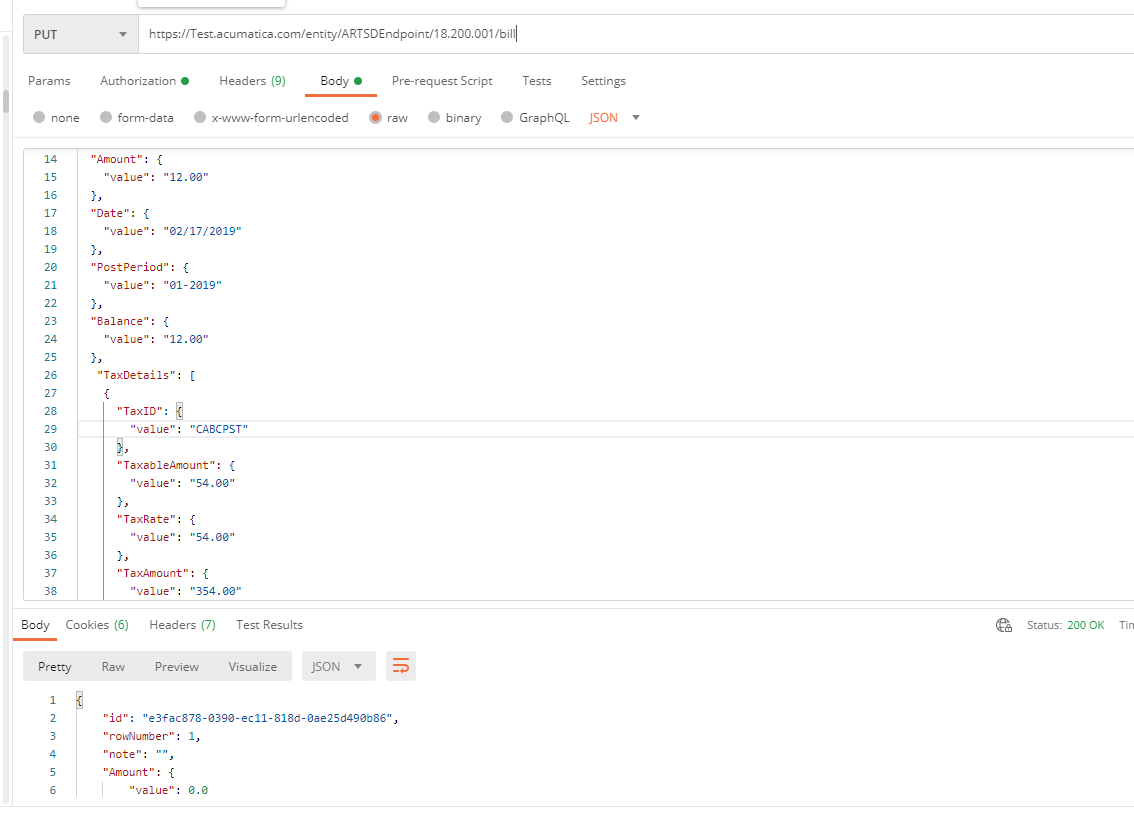
Request is received status OK, new bill Item is appeared at acumatica
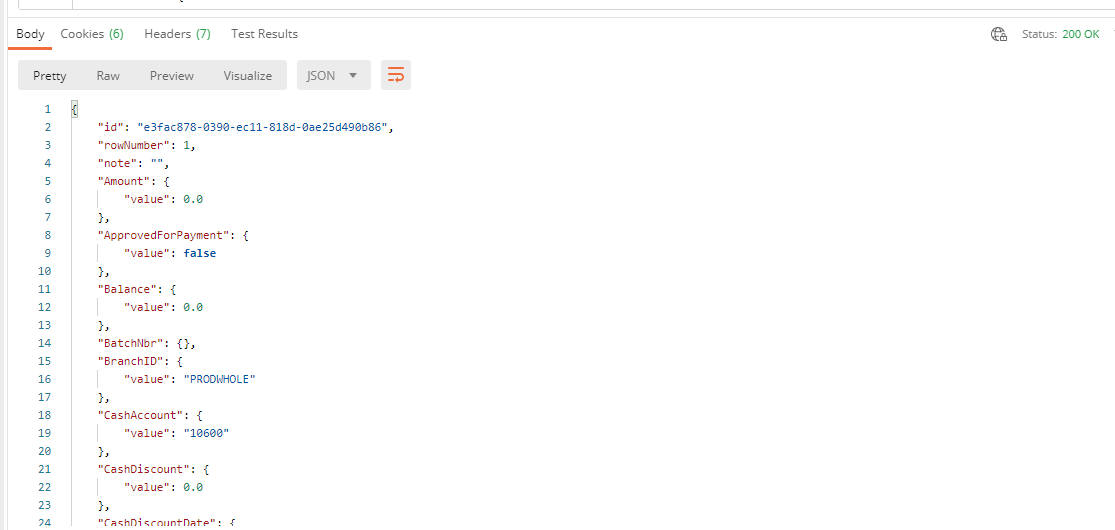
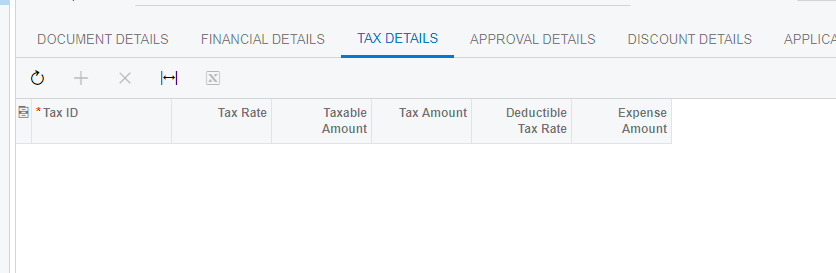
, but tax details is empty
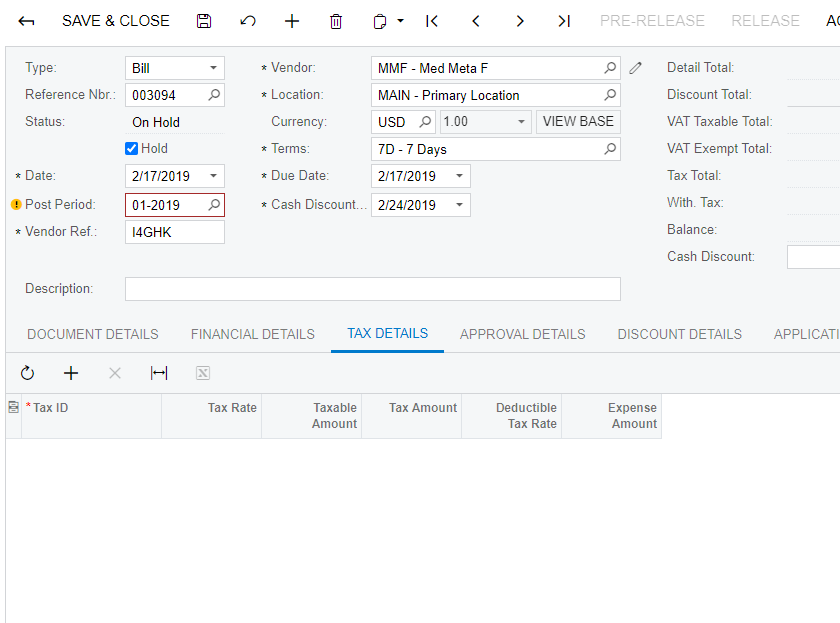
Is there any special conditions, with the help of which I can send TaxDetails table data to Acumatica?


Best answer by jinin

Hi @Ivan 

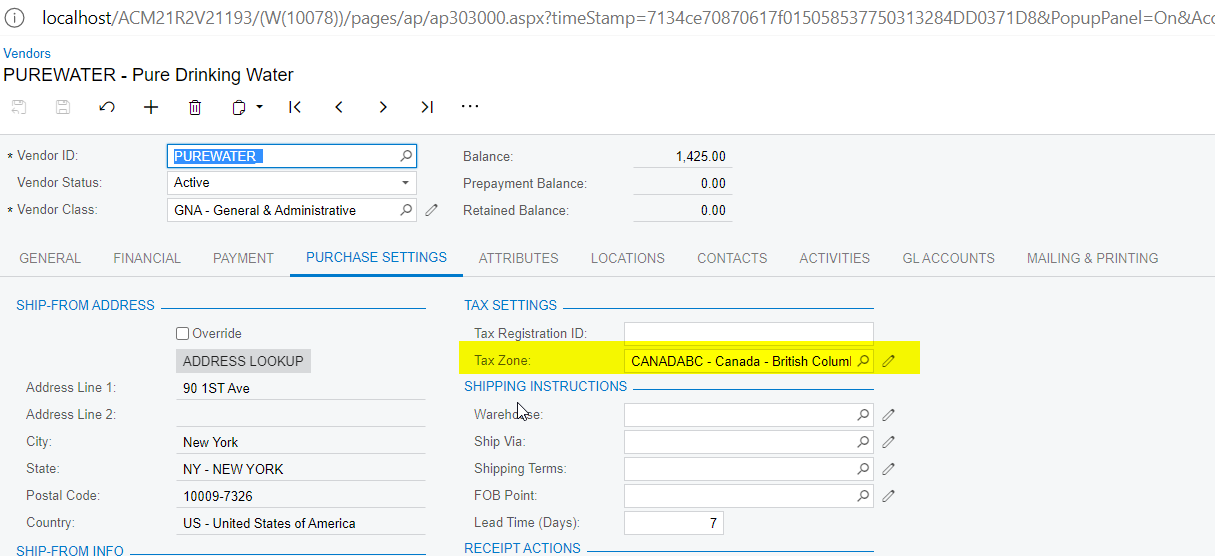
The tax details insert the records based on the Tax configuration. 

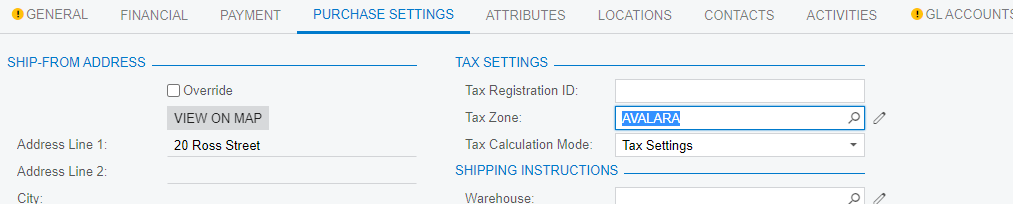
  1. Need to configure the Tax zone at the Customer level or need to send the value in the API request call

Customer Level
Through API 
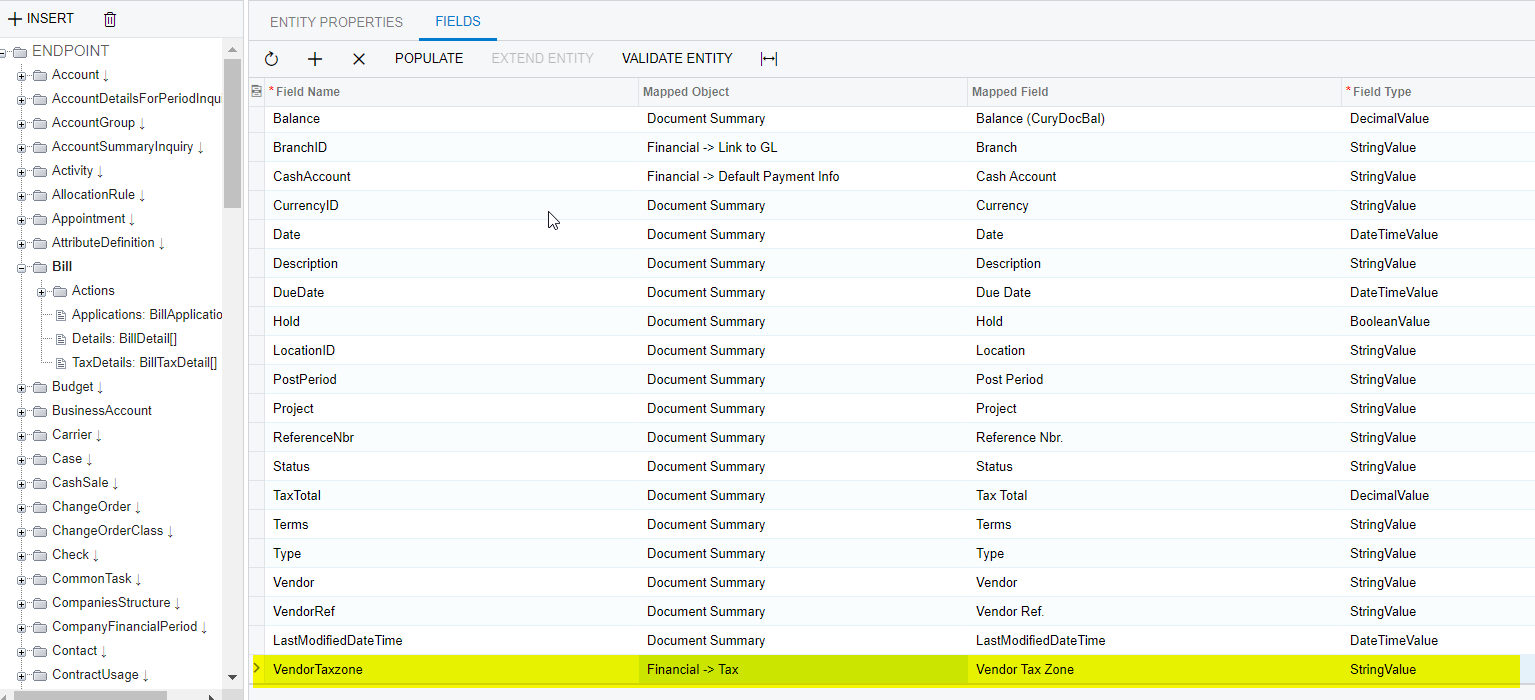

2. No need to send the tax details on the API call. Based on the provided tax rate or the Tax provider, the bill will calculate the tax by default.


6 replies

praveenpo
Semi-Pro III
Forum|alt.badge.img+3
  • Semi-Pro III
  • February 17, 2022

hi @Ivan ,

Can you share request json?


jinin
Pro I
Forum|alt.badge.img+11
  • Pro I
  • Answer
  • February 17, 2022

Hi @Ivan 

The tax details insert the records based on the Tax configuration. 

  1. Need to configure the Tax zone at the Customer level or need to send the value in the API request call

Customer Level

Through API 
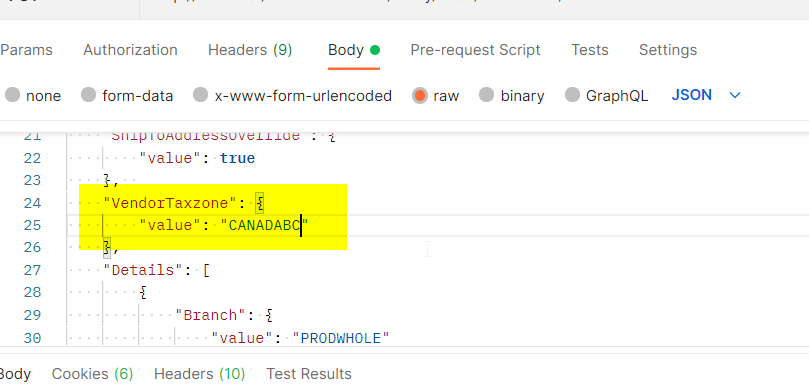

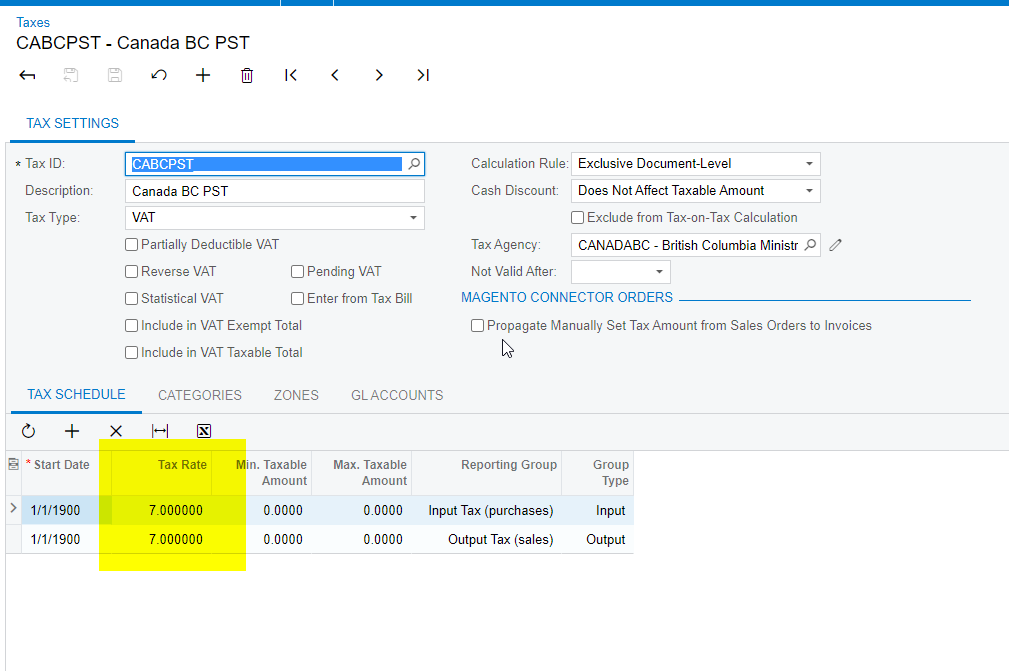
2. No need to send the tax details on the API call. Based on the provided tax rate or the Tax provider, the bill will calculate the tax by default.




Forum|alt.badge.img+2
  • Author
  • Varsity I
  • February 17, 2022

hi @Ivan ,

Can you share request json?

Hi @praveenpo 

Sure

{

  "DueDate": {

    "value": "02/17/2019"

  },

  "LocationID": {

    "value": "MAIN"

  },

  "VendorRef": {

    "value": "I4GHK"

  },

  "Vendor": {

    "value": "MMF"

  },

  "Amount": {

    "value": "12.00"

  },

  "Date": {

    "value": "02/17/2019"

  },

  "PostPeriod": {

    "value": "01-2019"

  },

  "Balance": {

    "value": "12.00"

  },

   "TaxDetails": [

    {

      "TaxID": {

        "value": "CABCPST"

      },

      "TaxableAmount": {

        "value": "54.00"

      },

      "TaxRate": {

        "value": "54.00"

      },

      "TaxAmount": {

        "value": "354.00"

      }}]

}


Forum|alt.badge.img+2
  • Author
  • Varsity I
  • February 17, 2022

Hi @Ivan 

The tax details insert the records based on the Tax configuration. 

  1. Need to configure the Tax zone at the Customer level or need to send the value in the API request call

Customer Level

Through API 


2. No need to send the tax details on the API call. Based on the provided tax rate or the Tax provider, the bill will calculate the tax by default.


Hi @jinin 

Thanks for detailed description

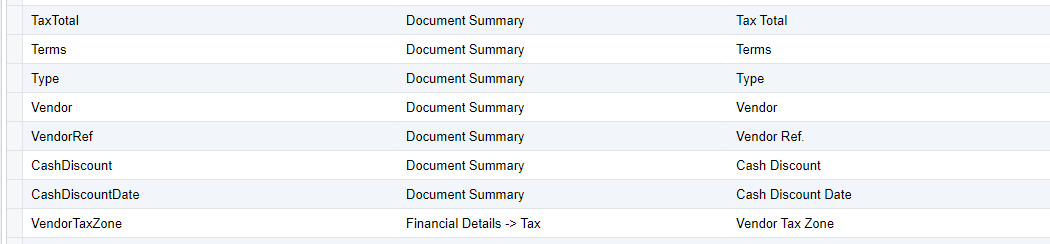
I do not have Financial entity available in endpoint for Vendor Tax Zone, but I have Financial Details available for adding , what I have already done

I have added tax zone

but I receive this error 

Here is my request

{

  "DueDate": {

    "value": "02/17/2019"

  },

  "LocationID": {

    "value": "MAIN"

  },

  "VendorRef": {

    "value": "I4GHK"

  },

  "Vendor": {

    "value": "MMF"

  },

  "Amount": {

    "value": "12.00"

  },

  "Date": {

    "value": "02/17/2019"

  },

  "PostPeriod": {

    "value": "01-2019"

  },

  "Balance": {

    "value": "12.00"

  },

    "VendorTaxZone": {

    "value": "ALAVARA"

  }

}


Forum|alt.badge.img+2
  • Author
  • Varsity I
  • February 17, 2022

Hi @jinin 

Please, ignore my last comment

Everything is good 


jinin
Pro I
Forum|alt.badge.img+11
  • Pro I
  • February 18, 2022

Great @Ivan. Glad to help you to resolve the issue :slight_smile: