Question

How to set 'Mark for Production' when creating a Sales Order via the API?

  • November 10, 2025
  • 5 replies
  • 48 views

Some of our items are defaulted to ‘Mark for Production’ and ‘Made to Order’.  When I manually create a sales order and add an item to it, the check box for “Mark for Production” is checked.  But when I create the order via the API, it does not mark the line item for production by default.  How can I set this correctly for each line item when creating a sales order with the API?

5 replies

Forum|alt.badge.img+3

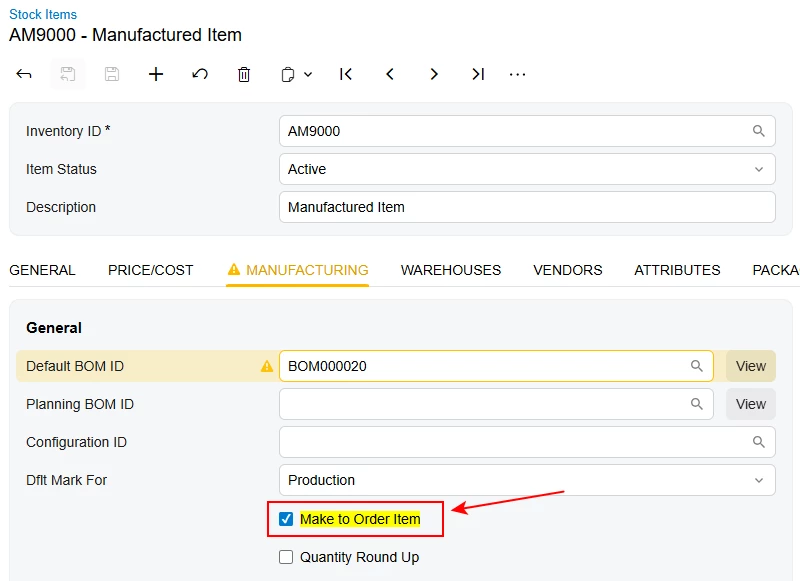
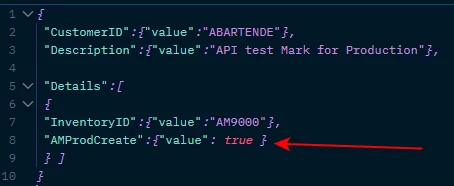
As I can see, it’s enough to check this checkbox:

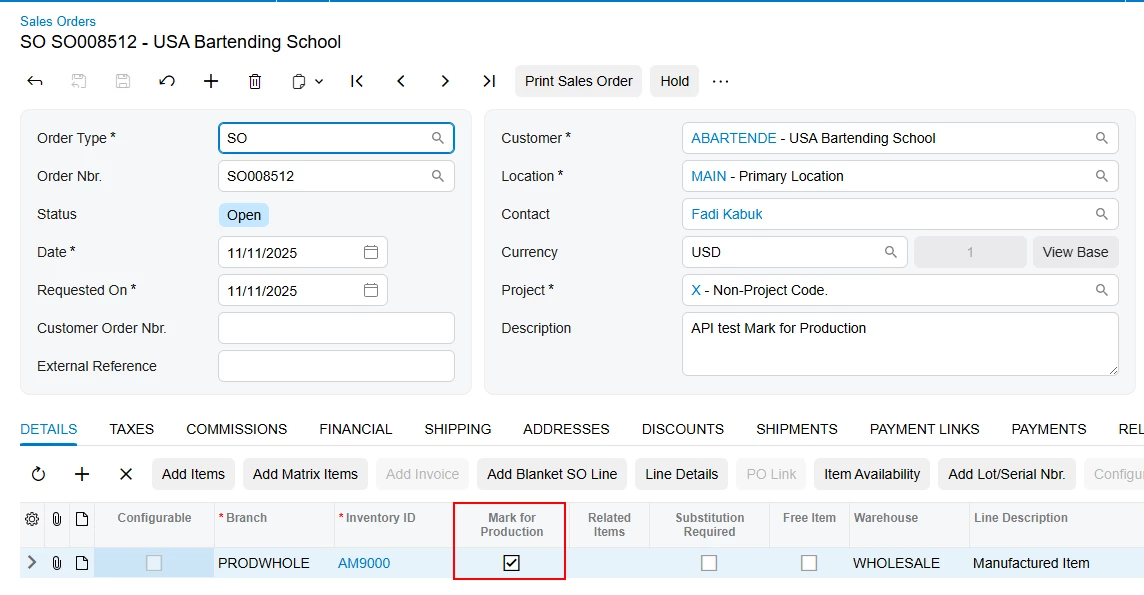
It successfully creates a Sales Order with Mark for Production checked on the line.

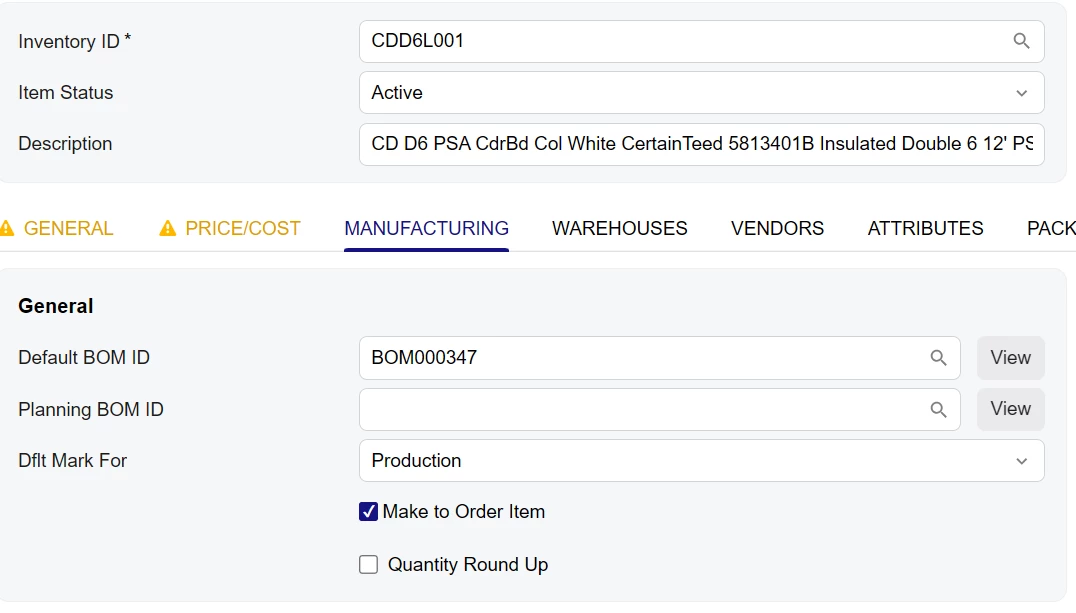
Is this checkbox checked on your Stock Items?

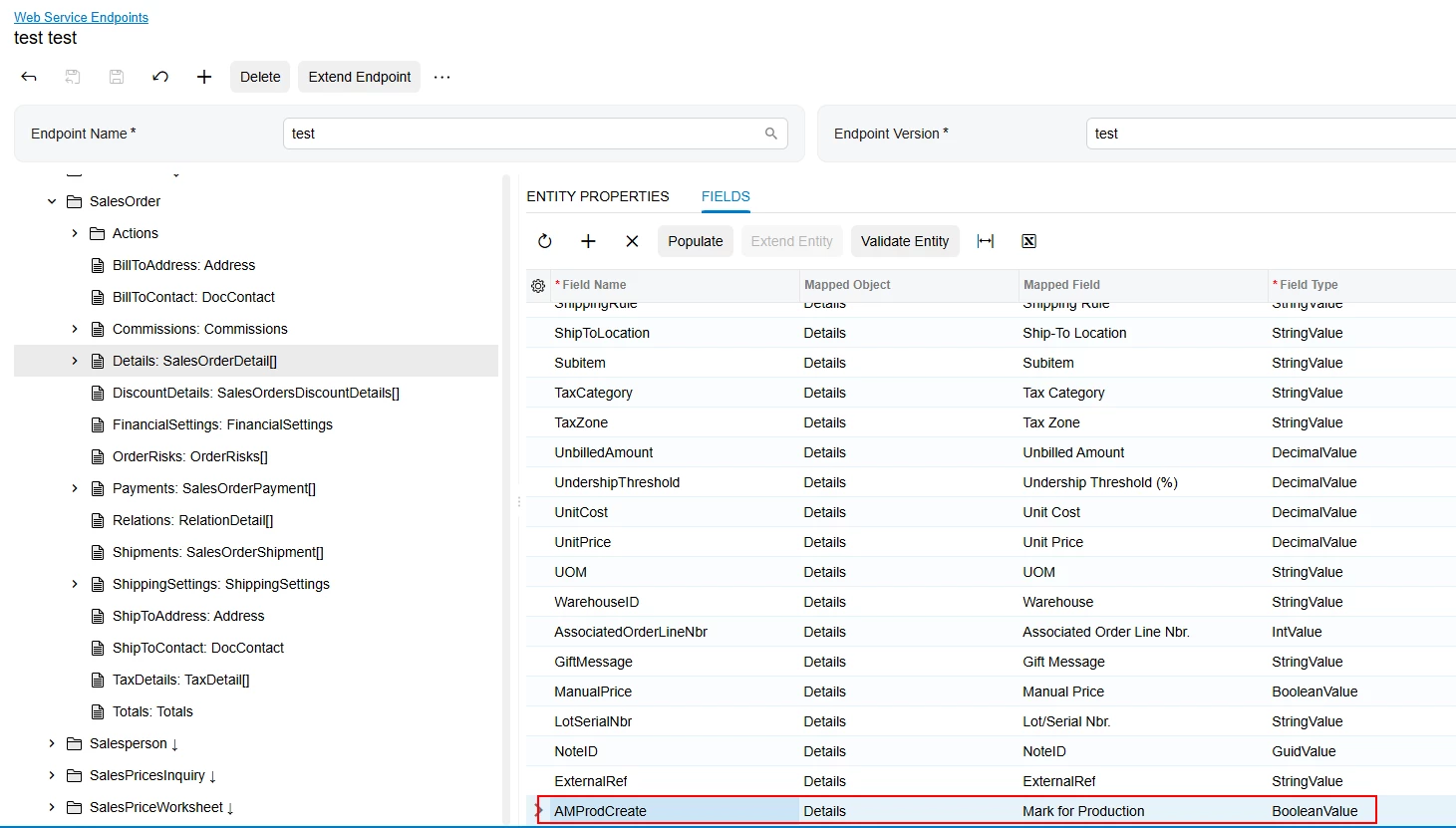
Alternatively, you can extend your Endpoint to include this field as follows:

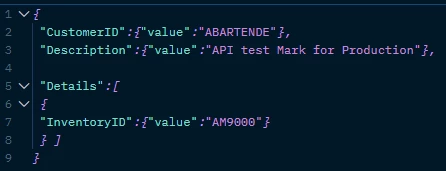
And then specify it directly in your request:


  • Author
  • Freshman I
  • November 11, 2025

That is how the stock item is set.

And this is my API request.

URL: https://progressivefoam.acumatica.com/entity/Default/24.200.001/SalesOrder?$expand=Details
BODY:
 

{
"CustomerID": {
"value": "723"
},
"LocationID": {
"value": "723049"
},
"CustomerOrder": {
"value": "po1234"
},
"Description": {
"value": "asdf asdf"
},
"Hold": {
"value": false
},
"ShippingSettings": {
"ScheduledShipmentDate": {
"value": "2025-09-19T00:00:00"
},
"PreferredWarehouseID": {
"value": "GNADEN"
},
"ShipVia": {
"value": "JAG"
}
},
"Details": [
{
"InventoryID": {
"value": "CDD6L001"
},
"OrderQty": {
"value": 15.0
}
}
]
}

But the resulting Sales Order does not have the Mark for Production box checked.  But manually adding the line item in Acumatica will correctly check the box by default. 


Forum|alt.badge.img+3

Do you have any customizations published? I’ve tried the same request body as yours, and it creates orders with the checkbox checked.


Forum|alt.badge.img+3

If you have no customizations, try narrowing down the request body to specify only the CustomerID and InventoryID.

This should be enough to create the SOOrder along with the SOLine (if not, you need to specify the required fields, which will be shown in the error during creation).

Try creating it both via the API and manually, using the same CustomerID and InventoryID values.

Please let me know what the results are.


  • Author
  • Freshman I
  • November 11, 2025

We do have a customization published that adds a custom field to the SO lines.  But I don’t think it should interfere with the default functionality.

And I can manually add the same item to the same order created by the API...Manually adding the line item checks the box.