Solved

How to PUT data with linked entities

  • October 3, 2022
  • 6 replies
  • 333 views

I’m trying to build a script that will create a new customer via REST API. I’m running into issues with linked entities not shown in the Web Service Endpoints form yet I need to pass a value for them. For example, I receive the following error message.

 'error': "Inserting  'Location' record raised at least one error. Please review the errors.; CSalesAcctID: 'Sales Account' cannot be empty."


However, I’m not sure how to resolve this issue when I’m sending a PUT method to Acumatica with the following parameters.

    },
    'Location':{
        'CSalesAcctID': {'value': 60030},
    },


I noticed that Location was not listed as a linked entity in the Web Service Endpoints list.
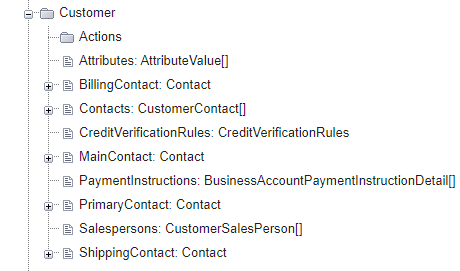
 

How am I able to make the connection to Location if it’s not a part of the endpoints list?
Best answer by jinin

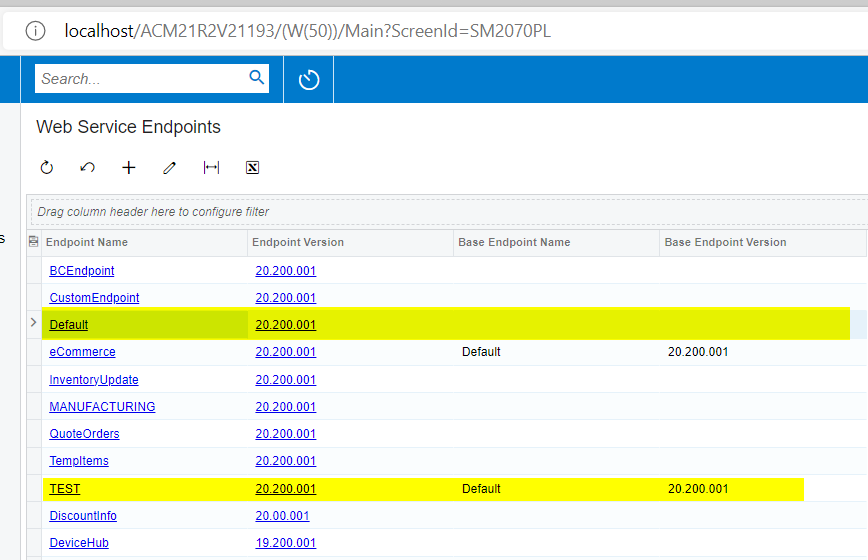
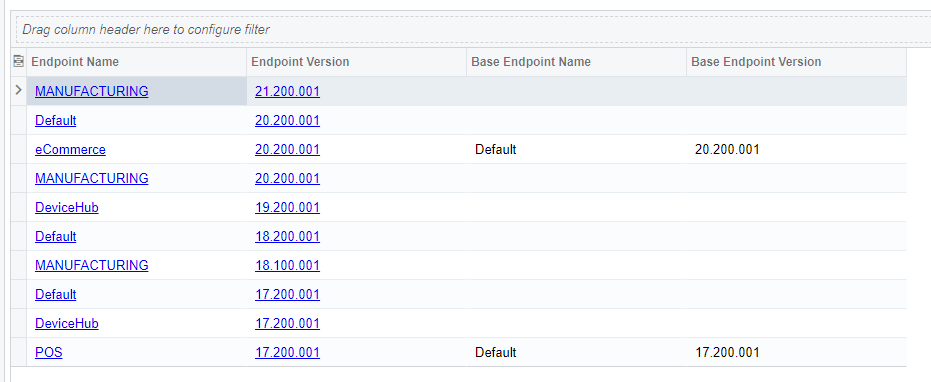
Hi @jinin, this is what my Web Service Endpoints form looks like. Would I need to create a new endpoint like the TEST one you have?


Hi @brettb ,

In this case, Yes, you can extend your endpoint and try.


6 replies

jinin
Pro I
Forum|alt.badge.img+11
  • Pro I
  • October 3, 2022

Hi @brettb 

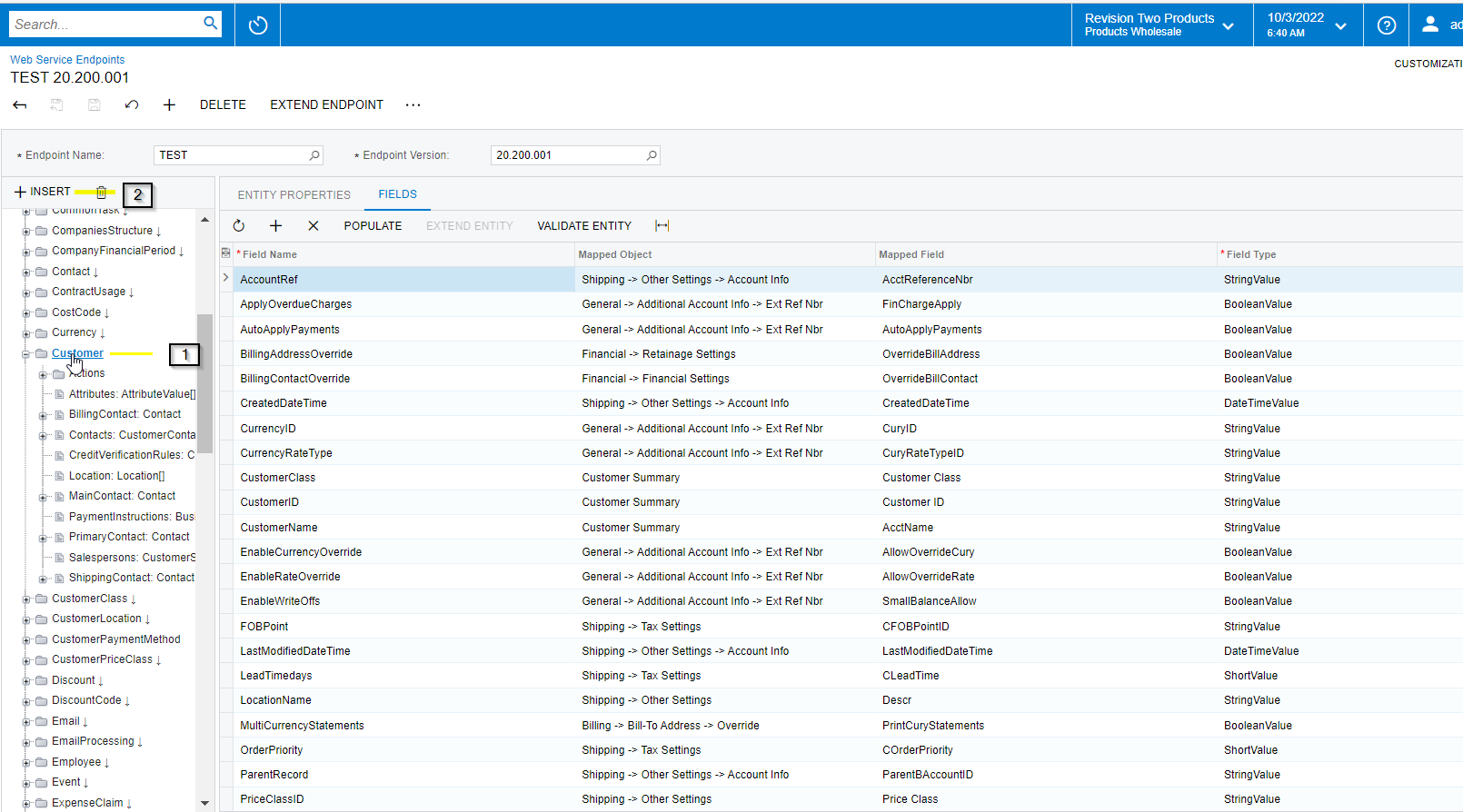
We can extend the endpoint and add the Location details. Try like below

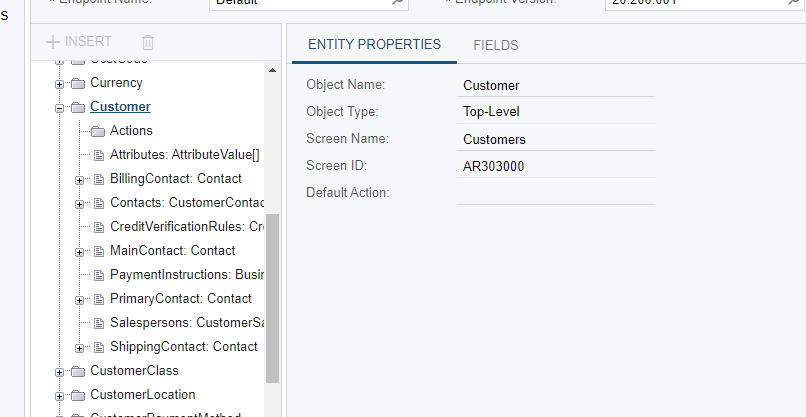
Step 1: Click on the customer entity and click on Insert

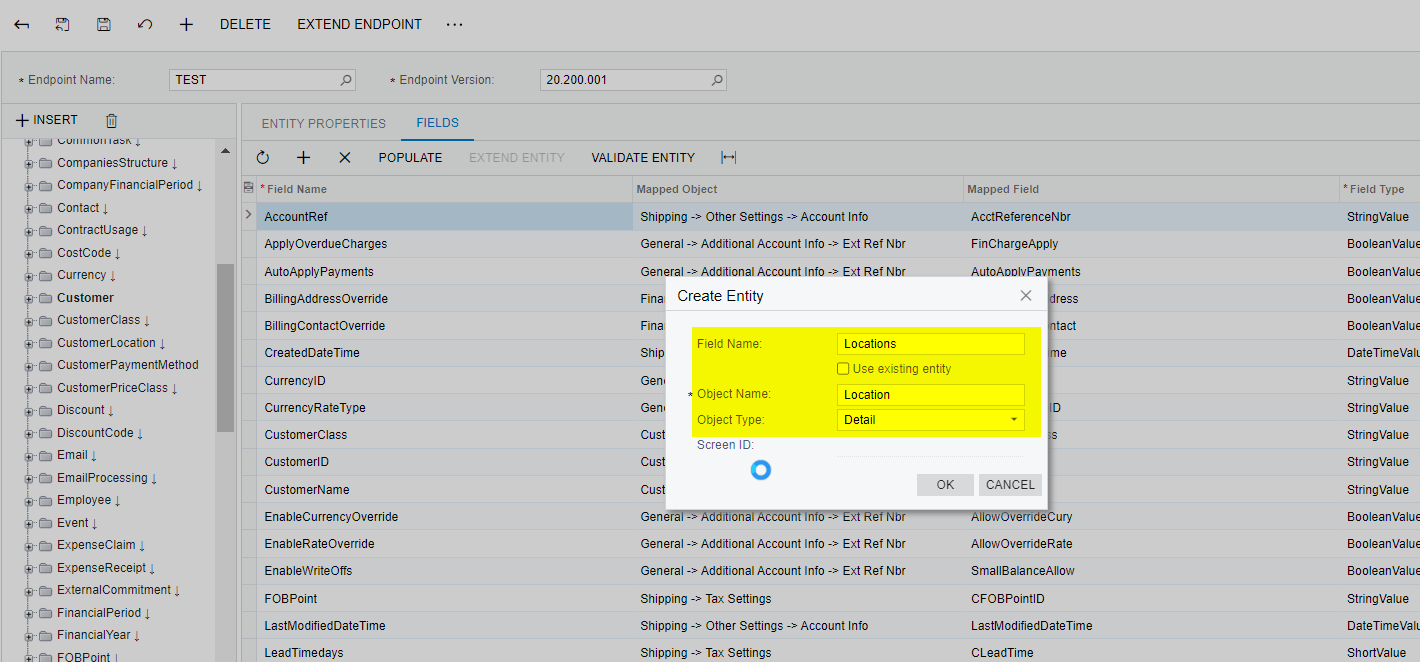
Step 2: Popup will open. Provide the enity name as Locations and select the type as Details

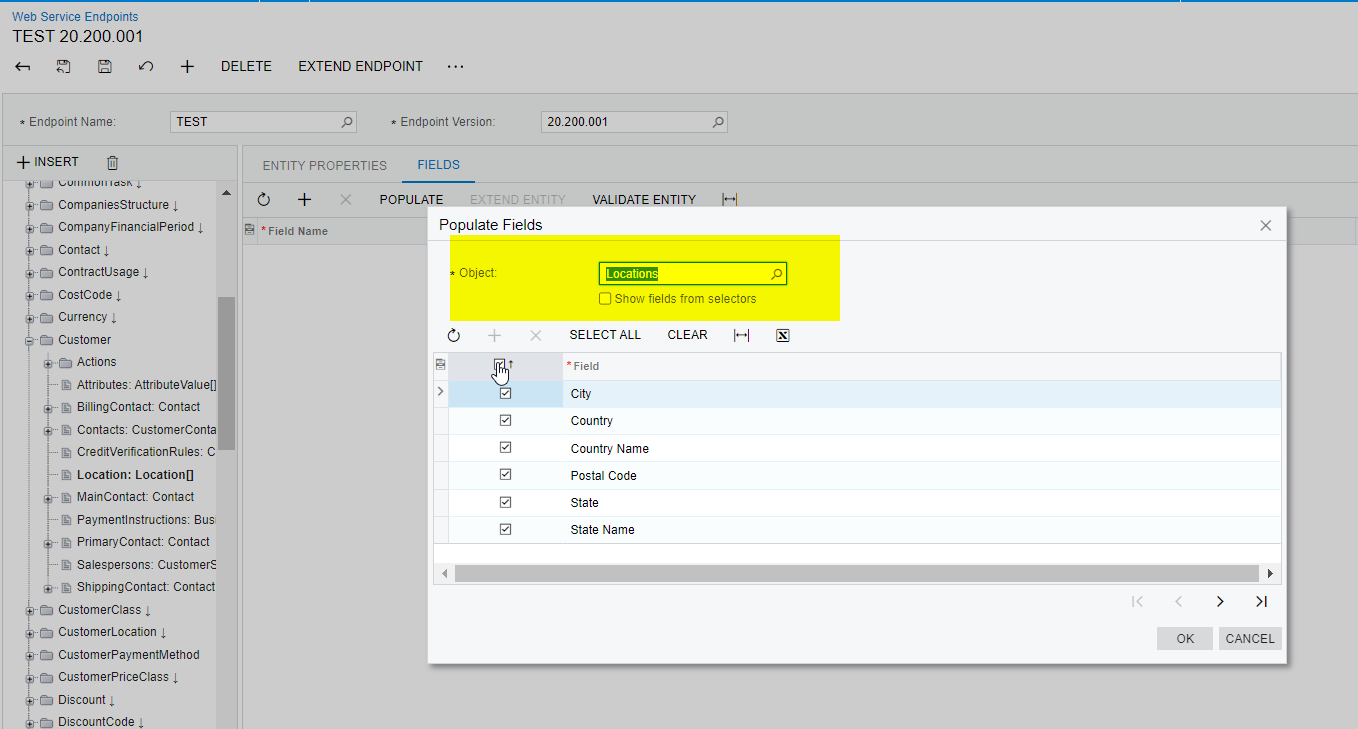
Step 3: Populate all required fields from the Location mapped entity.


  • Author
  • Freshman I
  • October 3, 2022

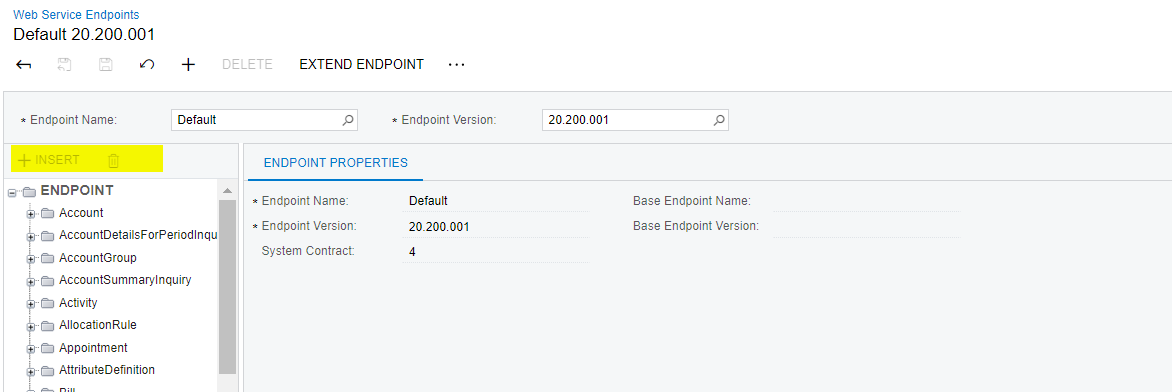
Thanks @jinin for the response. When I click on the Customer drop down in the Web Service Endpoints form the INSERT field is grayed out. Is this due to access issues? I have administrator access.


jinin
Pro I
Forum|alt.badge.img+11
  • Pro I
  • October 4, 2022

Hi @brettb ,

I think the endpoint is extended already. Please check and confirm the endpoint is already extended. In this case, you can try with the extended endpoint and check once.


  • Author
  • Freshman I
  • October 4, 2022

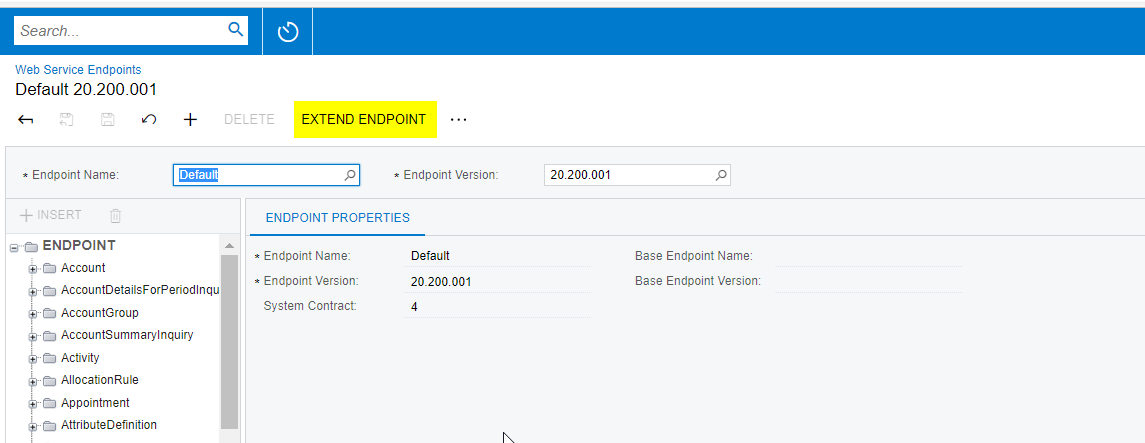
Hi @jinin, this is what my Web Service Endpoints form looks like. Would I need to create a new endpoint like the TEST one you have?


jinin
Pro I
Forum|alt.badge.img+11
  • Pro I
  • Answer
  • October 4, 2022

Hi @jinin, this is what my Web Service Endpoints form looks like. Would I need to create a new endpoint like the TEST one you have?


Hi @brettb ,

In this case, Yes, you can extend your endpoint and try.


  • Author
  • Freshman I
  • October 4, 2022

@jinin That worked! I extended the Default Endpoint and was able to add the Location entity based on the instructions above.