Solved

Hide password in data field at Custom Screen

  • July 6, 2022
  • 12 replies
  • 249 views

Forum|alt.badge.img+2

Hi,

In this topic 

The sample custom screen and endpoint was provided by @jinin for my solution, which contains custom screen with user and password for input  in Acumatica interface 

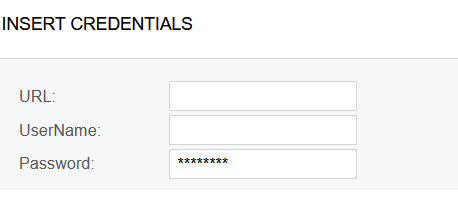
So, I have custom form with fields

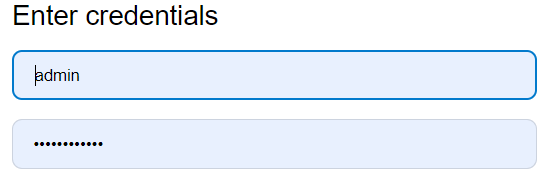
I need password value to be hidden same as at login tab

What actions at customization screen must be done for that ?

Acumatica version 2021R2

thanks in advance


Best answer by Naveen Boga

@Ivan  I’m assuming that the above one is the configuration screen.

In your DAC field, since you have provided the PXDefault(), then the system will consider that field as mandatory, hence asterisk (*) symbol appeared on the screen.

If you don’t want that field as mandatory, you can remove the PXDefault for the DAC field.


[PXUIField(DisplayName = "FTP Password")]       

[PXDefault()]             

[PXRSACryptStringAttribute(255, IsUnicode = true)]       

public virtual string FTPPassword { get; set; }

public abstract class fTPPassword : BqlString.Field<fTPPassword> { }

12 replies

praveenpo
Semi-Pro III
Forum|alt.badge.img+3
  • Semi-Pro III
  • July 6, 2022

hi @Ivan ,

You can use [PXRSACryptStringAttribute(255, IsUnicode = true)]  at DAC level,this will encrypt the password.

Sample for your reference.

        [PXUIField(DisplayName = "FTP Password")]
        [PXDefault()]      
        [PXRSACryptStringAttribute(255, IsUnicode = true)]
        public virtual string FTPPassword { get; set; }
        public abstract class fTPPassword : BqlString.Field<fTPPassword> { }


Forum|alt.badge.img+2
  • Author
  • Varsity I
  • July 6, 2022

hi @Ivan ,

You can use [PXRSACryptStringAttribute(255, IsUnicode = true)]  at DAC level,this will encrypt the password.

Sample for your reference.

        [PXUIField(DisplayName = "FTP Password")]
        [PXDefault()]      
        [PXRSACryptStringAttribute(255, IsUnicode = true)]
        public virtual string FTPPassword { get; set; }
        public abstract class fTPPassword : BqlString.Field<fTPPassword> { }

Hi @praveenpo 

Thank you for provided info

I will check and let you know


Forum|alt.badge.img+2
  • Author
  • Varsity I
  • July 6, 2022

hi @Ivan ,

You can use [PXRSACryptStringAttribute(255, IsUnicode = true)]  at DAC level,this will encrypt the password.

Sample for your reference.

        [PXUIField(DisplayName = "FTP Password")]
        [PXDefault()]      
        [PXRSACryptStringAttribute(255, IsUnicode = true)]
        public virtual string FTPPassword { get; set; }
        public abstract class fTPPassword : BqlString.Field<fTPPassword> { }

@praveenpo 

It behaves strange

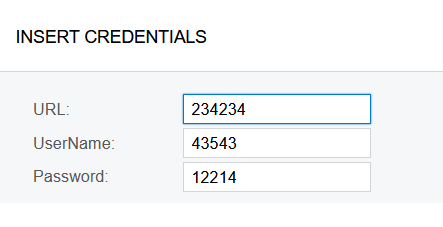
At the very beginning it has hidden value, but I have not inputted nothing at the very begging

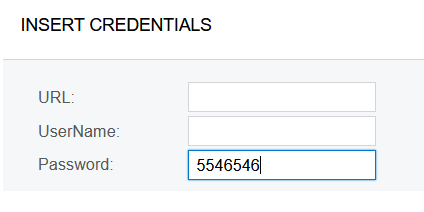
After I inputted value


After I inputted value, the encryption disappeared 

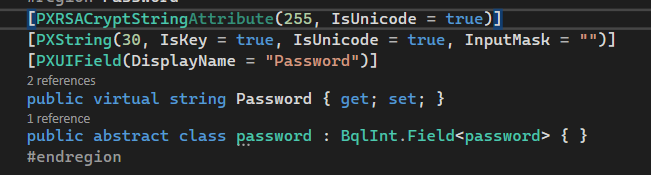
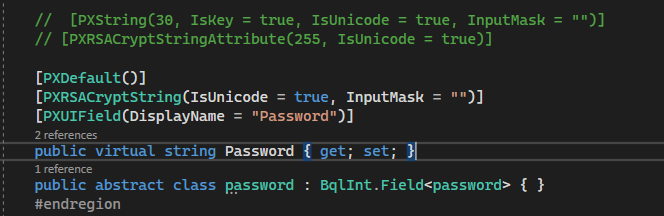
That is my code 


praveenpo
Semi-Pro III
Forum|alt.badge.img+3
  • Semi-Pro III
  • July 6, 2022

@Ivan ,

Please provide TextMode="Password" in aspx.

 <px:PXTextEdit ID="edFTPPassWord" runat="server" DataField="FTPPassWord" TextMode="Password" />


Forum|alt.badge.img+2
  • Author
  • Varsity I
  • July 6, 2022

@Ivan,

Please provide TextMode="Password" in aspx.

 <px:PXTextEdit ID="edFTPPassWord" runat="server" DataField="FTPPassWord" TextMode="Password" />

@praveenpo 

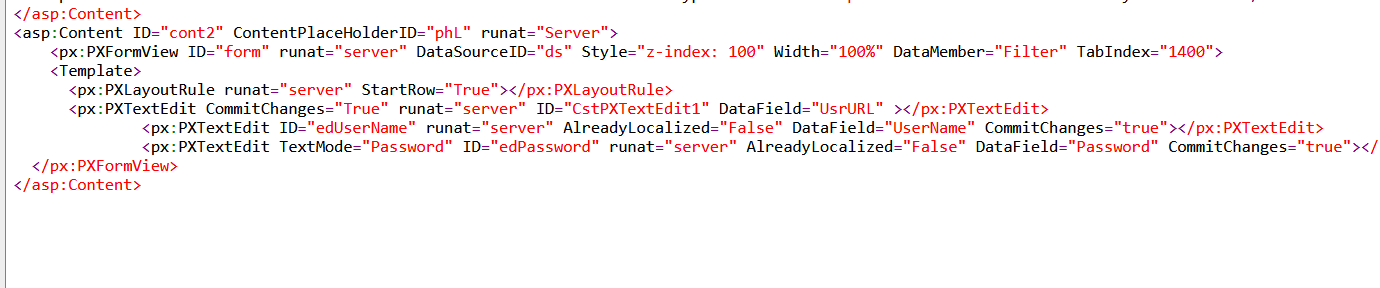
I am attaching password in aspx due to your request

<px:PXTextEdit ID="edPassword" runat="server" AlreadyLocalized="False" DataField="Password" CommitChanges="true"></px:PXTextEdit>


Forum|alt.badge.img+2
  • Author
  • Varsity I
  • July 6, 2022

 @praveenpo 

I added TextMode="Password"  in aspx

the problem remains same as I described above 


Naveen Boga
Captain II
Forum|alt.badge.img+19
  • Captain II
  • July 6, 2022

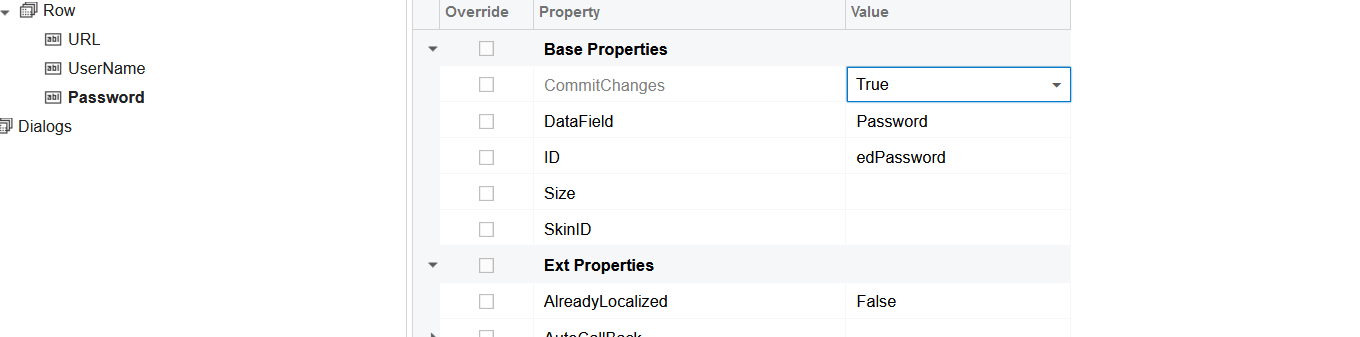
Hi @Ivan  It should work with the below code at the DAC level and make sure Commit Changes = “True” at the page level. It seems there is some issue with your code.


 [PXRSACryptString(IsUnicode = true, InputMask = "")]


Forum|alt.badge.img+2
  • Author
  • Varsity I
  • July 6, 2022

Hi @Ivan  It should work with the below code at the DAC level and make sure Commit Changes = “True” at the page level. It seems there is some issue with your code.


 [PXRSACryptString(IsUnicode = true, InputMask = "")]


Hi @Naveen Boga 

Thank you for your reply

I checked Commit Changes property according to your advise

And inserted your code 

Unfortunately it did not help 

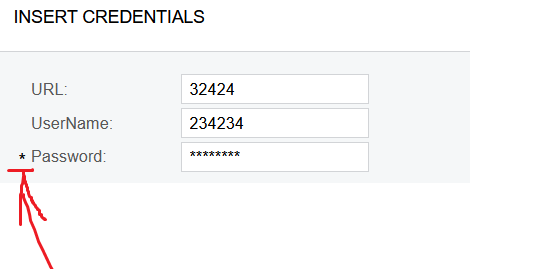
I have stars depiction before I have inputted something while I just opened the page


Naveen Boga
Captain II
Forum|alt.badge.img+19
  • Captain II
  • July 6, 2022

Hi @Ivan  There is nothing wrong with the above code, it should work.

For some reason, it is not working in your instance.

You can try in the other instance and verify this.


Forum|alt.badge.img+2
  • Author
  • Varsity I
  • July 6, 2022

Hi @Ivan  There is nothing wrong with the above code, it should work.

For some reason, it is not working in your instance.

You can try in the other instance and verify this.

I understood

One more question - Is ok that before password textblock a star symbol appeared

It looks like it general view problem 


Naveen Boga
Captain II
Forum|alt.badge.img+19
  • Captain II
  • Answer
  • July 6, 2022

@Ivan  I’m assuming that the above one is the configuration screen.

In your DAC field, since you have provided the PXDefault(), then the system will consider that field as mandatory, hence asterisk (*) symbol appeared on the screen.

If you don’t want that field as mandatory, you can remove the PXDefault for the DAC field.


[PXUIField(DisplayName = "FTP Password")]       

[PXDefault()]             

[PXRSACryptStringAttribute(255, IsUnicode = true)]       

public virtual string FTPPassword { get; set; }

public abstract class fTPPassword : BqlString.Field<fTPPassword> { }

Forum|alt.badge.img+2
  • Author
  • Varsity I
  • July 6, 2022

@Ivan  I’m assuming that the above one is the configuration screen.

In your DAC field, since you have provided the PXDefault(), then the system will consider that field as mandatory, hence asterisk (*) symbol appeared on the screen.

If you don’t want that field as mandatory, you can remove the PXDefault for the DAC field.


[PXUIField(DisplayName = "FTP Password")]       

[PXDefault()]             

[PXRSACryptStringAttribute(255, IsUnicode = true)]       

public virtual string FTPPassword { get; set; }

public abstract class fTPPassword : BqlString.Field<fTPPassword> { }
@Naveen Boga  thank you for provided answers