Solved

Extract Customer Data from General tab

  • January 13, 2022
  • 7 replies
  • 269 views

Forum|alt.badge.img+2

Hi,

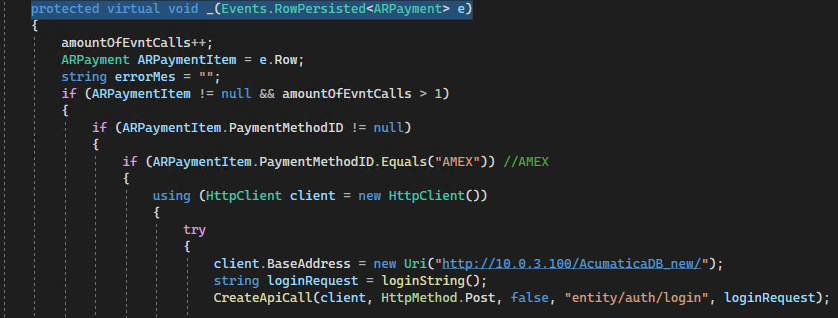
I need to extract customer data inside my event that is called after user selects a definite payment

After payment was select, I pass the customerID from payment that was selected to Customer Search method

The fields that I can get for this entity are belong to header

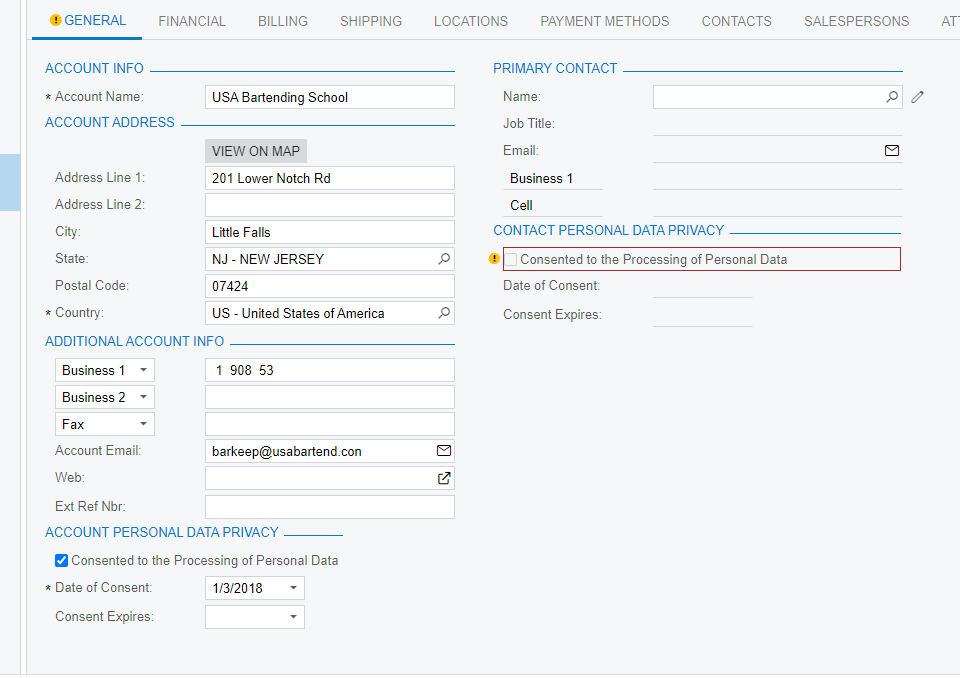
How can I extract fields from the General tab ?


Best answer by jinin

Hi @Ivan 

This BQL will provide you with the Contact, Address, and customer information.

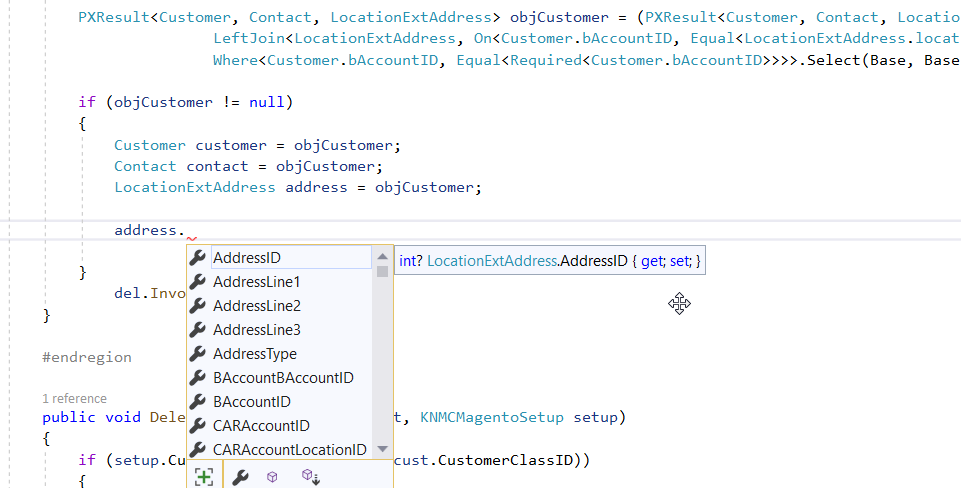
            PXResult<Customer, Contact, LocationExtAddress> objCustomer = (PXResult<Customer, Contact, LocationExtAddress>)PXSelectJoin<Customer, LeftJoin<Contact, On<Customer.defContactID, Equal<Contact.contactID>>,
                           LeftJoin<LocationExtAddress, On<Customer.bAccountID, Equal<LocationExtAddress.locationBAccountID>>>>,
                           Where<Customer.bAccountID, Equal<Required<Customer.bAccountID>>>>.Select(Base, Base.Documents.Current.CustomerID)

            if (objCustomer != null)
            {
                Customer customer = objCustomer;
                Contact contact = objCustomer;
                LocationExtAddress address = objCustomer;


   // Write your code

}


7 replies

jinin
Pro I
Forum|alt.badge.img+11
  • Pro I
  • January 13, 2022

Hi @Ivan 

We need to use VIew to get the field values. 

For example, now you are in the payment extension graph. Payment graph related all views available in Base(payment) graph, We have the customerID field on the Payment and application screen itself.  So you should Use Base.Document.Current.CustomerID


Forum|alt.badge.img+2
  • Author
  • Varsity I
  • January 13, 2022

Hi @Ivan 

We need to use VIew to get the field values. 

Now you are in the payment extension graph. The View is in the Base graph, We have the customerID field on the Payment and application screen itself.  So you should Use Base.Document.Current.CustomerID


Hi, jinin

I checked it earlier , but I did not give me what I need 

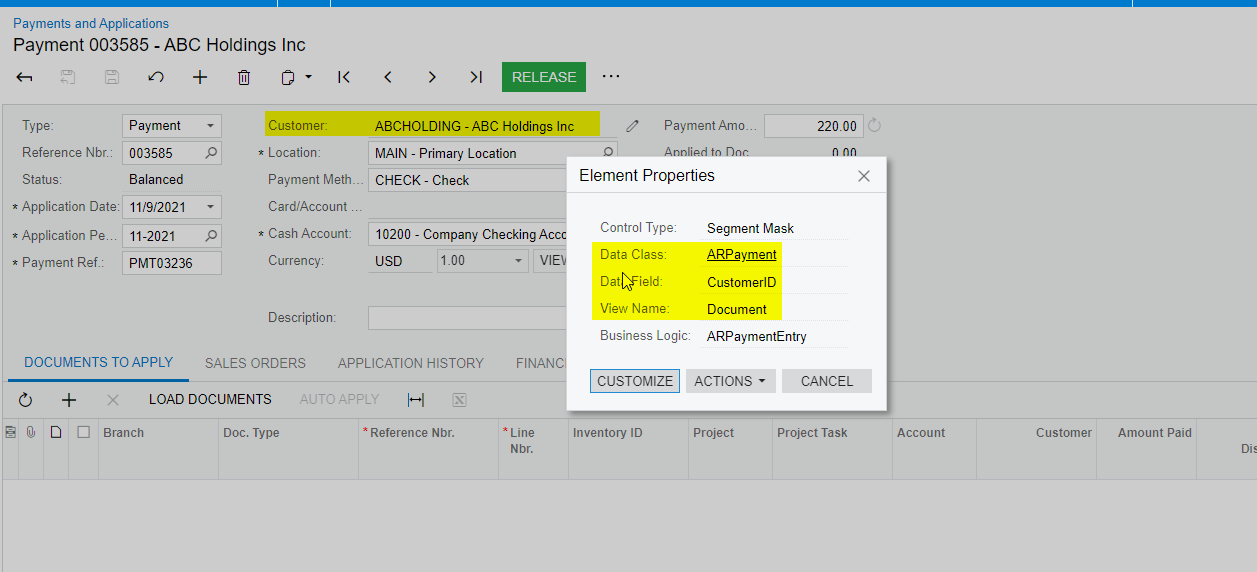
For example from this field Customer that is depicted on screen I need to extract “ABCHOLDING” value but it extracts  7061, which is internal ID, but I need “ABCHOLDING” value

When I tried to pas Base.Document.Current.CustomerID as parameter, the intellisense gives me error to Document after Base, and I can’t find what should be added


jinin
Pro I
Forum|alt.badge.img+11
  • Pro I
  • January 13, 2022

Hi @Ivan 

Try like below
 

 Customer cust = PXSelect<Customer, Where<Customer.bAccountID, Equal<Required<Customer.bAccountID>>>>.Select(Base, Base.Document.Current.CustomerID);

   
        Customer.UK.Find(Base, cust?.AcctCD);


Forum|alt.badge.img+2
  • Author
  • Varsity I
  • January 13, 2022

Hi @Ivan 

Try like below
 

 Customer cust = PXSelect<Customer, Where<Customer.bAccountID, Equal<Required<Customer.bAccountID>>>>.Select(Base, Base.Document.Current.CustomerID);

   
        Customer.UK.Find(Base, cust?.AcctCD);

I can’t still access these such fields : zip, state, city, phone, adrres2, 

The only available field that I need to output is Adrress1


jinin
Pro I
Forum|alt.badge.img+11
  • Pro I
  • Answer
  • January 13, 2022

Hi @Ivan 

This BQL will provide you with the Contact, Address, and customer information.

            PXResult<Customer, Contact, LocationExtAddress> objCustomer = (PXResult<Customer, Contact, LocationExtAddress>)PXSelectJoin<Customer, LeftJoin<Contact, On<Customer.defContactID, Equal<Contact.contactID>>,
                           LeftJoin<LocationExtAddress, On<Customer.bAccountID, Equal<LocationExtAddress.locationBAccountID>>>>,
                           Where<Customer.bAccountID, Equal<Required<Customer.bAccountID>>>>.Select(Base, Base.Documents.Current.CustomerID)

            if (objCustomer != null)
            {
                Customer customer = objCustomer;
                Contact contact = objCustomer;
                LocationExtAddress address = objCustomer;


   // Write your code

}


Forum|alt.badge.img+5
  • Jr Varsity II
  • January 13, 2022

You will want to use Customer.PK.Find if you are using the CustomerID, Customer.UK.Find is for the AcctCD(user friendly ID).

If you want the default address for the customer you can just use Address.PK.Find(Base, customer.defAddressID);


Forum|alt.badge.img+2
  • Author
  • Varsity I
  • January 13, 2022

Hi @Ivan 

This BQL will provide you with the Contact, Address, and customer information.

            PXResult<Customer, Contact, LocationExtAddress> objCustomer = (PXResult<Customer, Contact, LocationExtAddress>)PXSelectJoin<Customer, LeftJoin<Contact, On<Customer.defContactID, Equal<Contact.contactID>>,
                           LeftJoin<LocationExtAddress, On<Customer.bAccountID, Equal<LocationExtAddress.locationBAccountID>>>>,
                           Where<Customer.bAccountID, Equal<Required<Customer.bAccountID>>>>.Select(Base, Base.Documents.Current.CustomerID)

            if (objCustomer != null)
            {
                Customer customer = objCustomer;
                Contact contact = objCustomer;
                LocationExtAddress address = objCustomer;


   // Write your code

}


Thank you vary much for your assistance

You helped me a lot