Solved

Extend web service endpoint - Process Bank Transactions (CA306000)

  • April 9, 2025
  • 4 replies
  • 189 views

Hi,

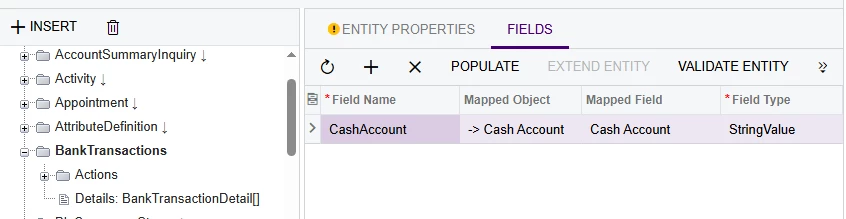
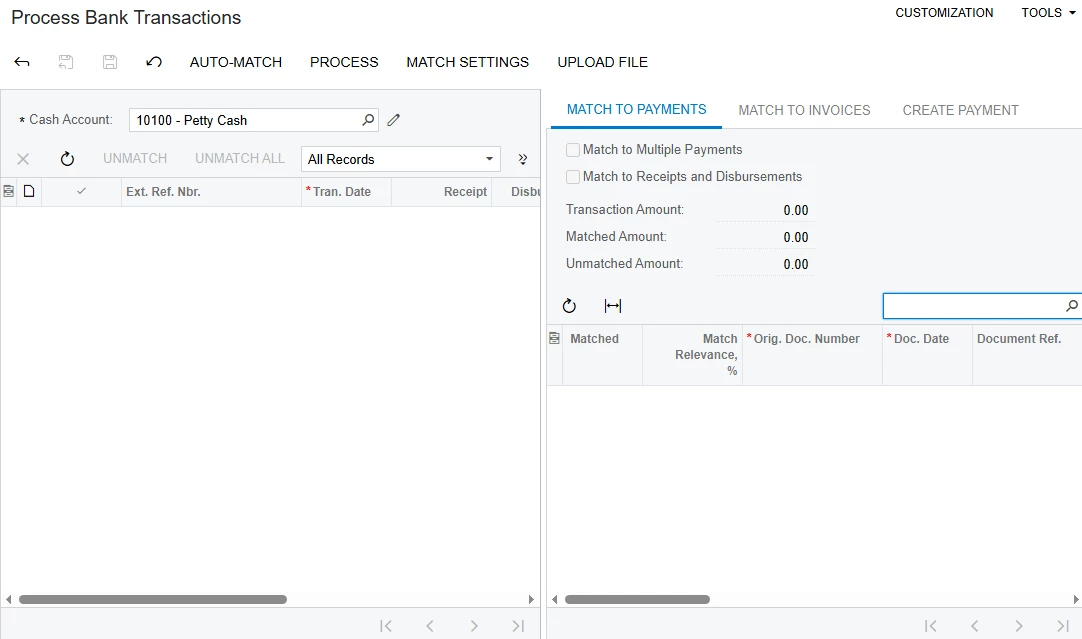
I been trying to use the Process Bank Transactions (CA306000) screen via API to be used by 3rd party app, how can I make a correct call on the extended API endpoint for Process Bank Transactions? as I have tried, I cannot find any solution on how I can make it work.


Web Service Endpoint
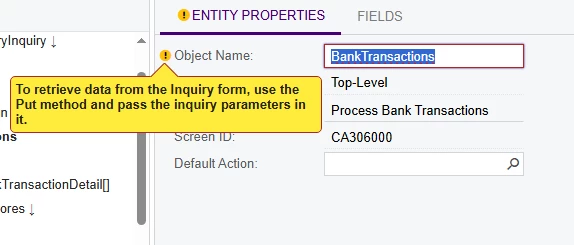


Method: POST

JSON body: 

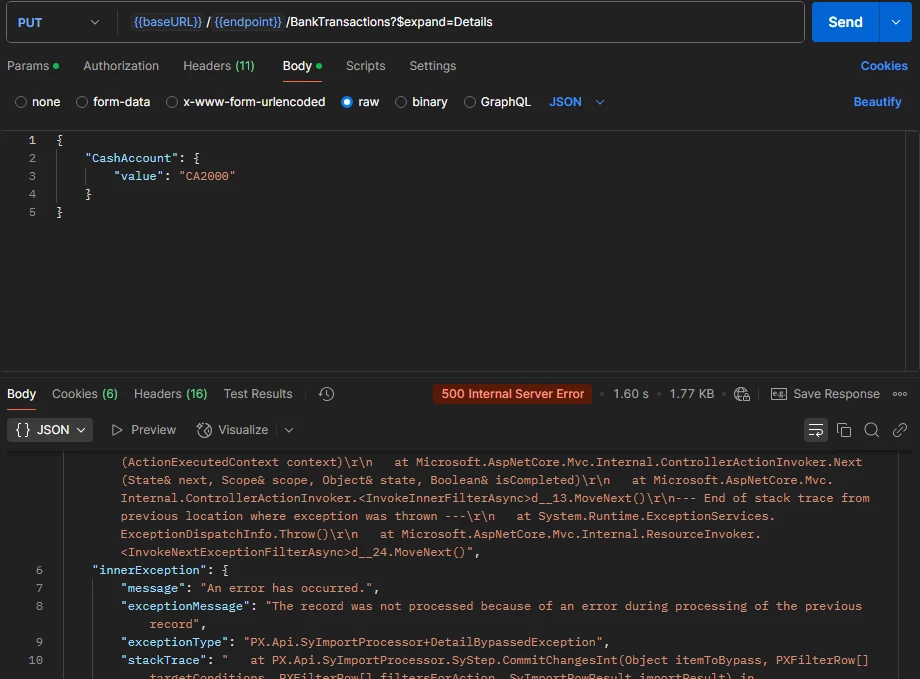
{

    "CashAccount": {

        "value": "CA2000"

    }

}

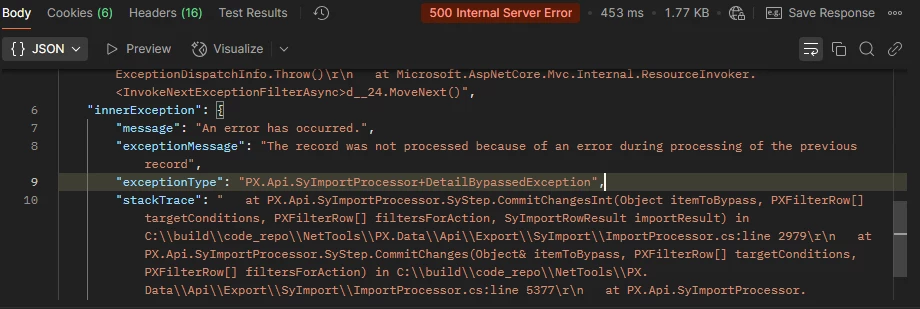
Error: 

"The record was not processed because of an error during processing of the previous record"
 

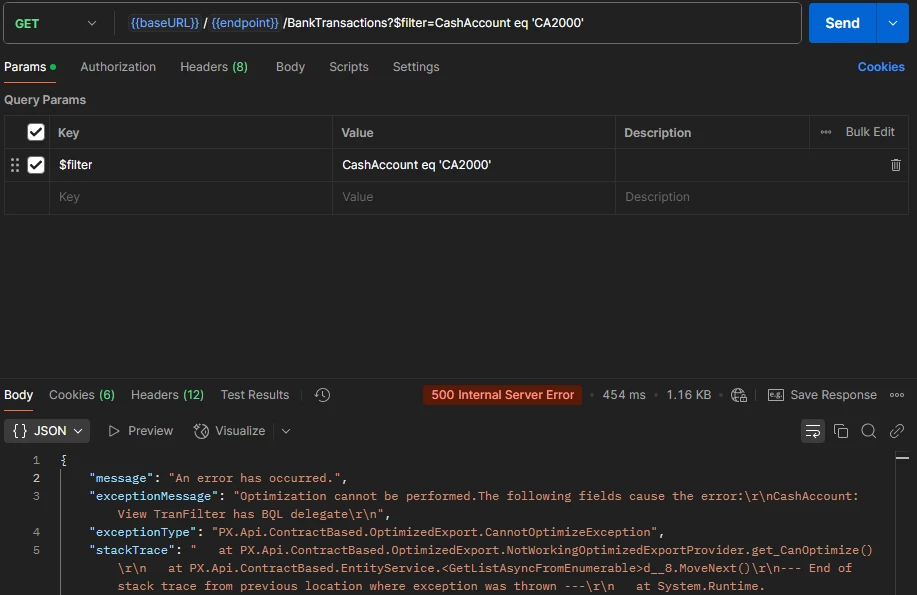
METHOD: GET

Param: $filter=CashAccount eq 'CA2000'

Error:

"Optimization cannot be performed.The following fields cause the error:\r\nCashAccount: View TranFilter has BQL delegate\r\n"



Best answer by Dmitrii Naumov

@jessieparas Well, you can set it up to run auto-matching process automatically (on a schedule or triggered by a business event) without a third party tool. You can do it in Acumatica itself. 


As for the error, I think it may be due to the specifics of the screen then. 

4 replies

Dmitrii Naumov
Acumatica Moderator
Forum|alt.badge.img+7
  • Acumatica Moderator
  • April 9, 2025

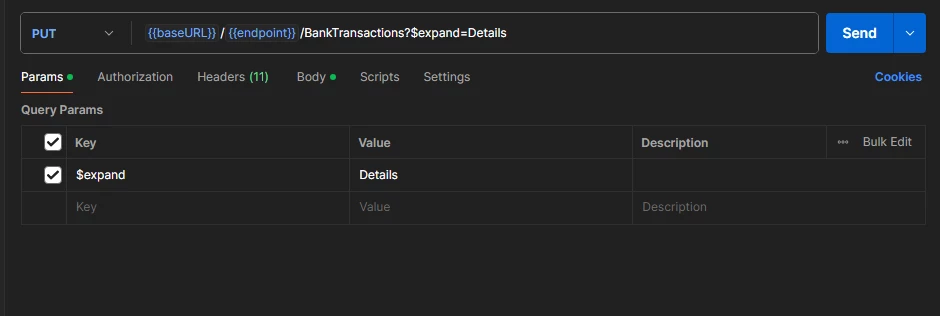
To work with such form you should use Put request and specify $expand=Details and the CashAccount field in the body of the request.


However, I’m not sure what specifically you’d like to do with this form. 

Could you please clarify the business scenario you’d like to implement?


  • Author
  • Freshman II
  • April 10, 2025

To work with such form you should use Put request and specify $expand=Details and the CashAccount field in the body of the request.


However, I’m not sure what specifically you’d like to do with this form. 

Could you please clarify the business scenario you’d like to implement?

Apologies for the confusion, as I indicated the method to be “POST” but it was a typo, I used PUT on the method, also including the $expand=Details gives the same error. 


Exposing the Process Bank Transactions (CA306000) via API is for the 3rd party application to use it for automation, instead of a user logging in and using the UI.


Dmitrii Naumov
Acumatica Moderator
Forum|alt.badge.img+7
  • Acumatica Moderator
  • Answer
  • April 10, 2025

@jessieparas Well, you can set it up to run auto-matching process automatically (on a schedule or triggered by a business event) without a third party tool. You can do it in Acumatica itself. 


As for the error, I think it may be due to the specifics of the screen then. 


  • Author
  • Freshman II
  • April 11, 2025

@Dmitrii Naumov Thank you for the response, I will try the approach that you suggests via schedule or business event.