Solved

Error while creating salesOrder via API

  • June 25, 2025
  • 6 replies
  • 82 views

Hello,

we are trying to send our first oder via API and the salesOrder endpint to acumatica\haufe x360.

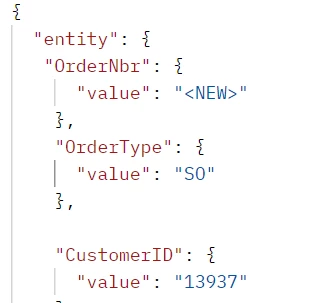
We are using the following JSON file
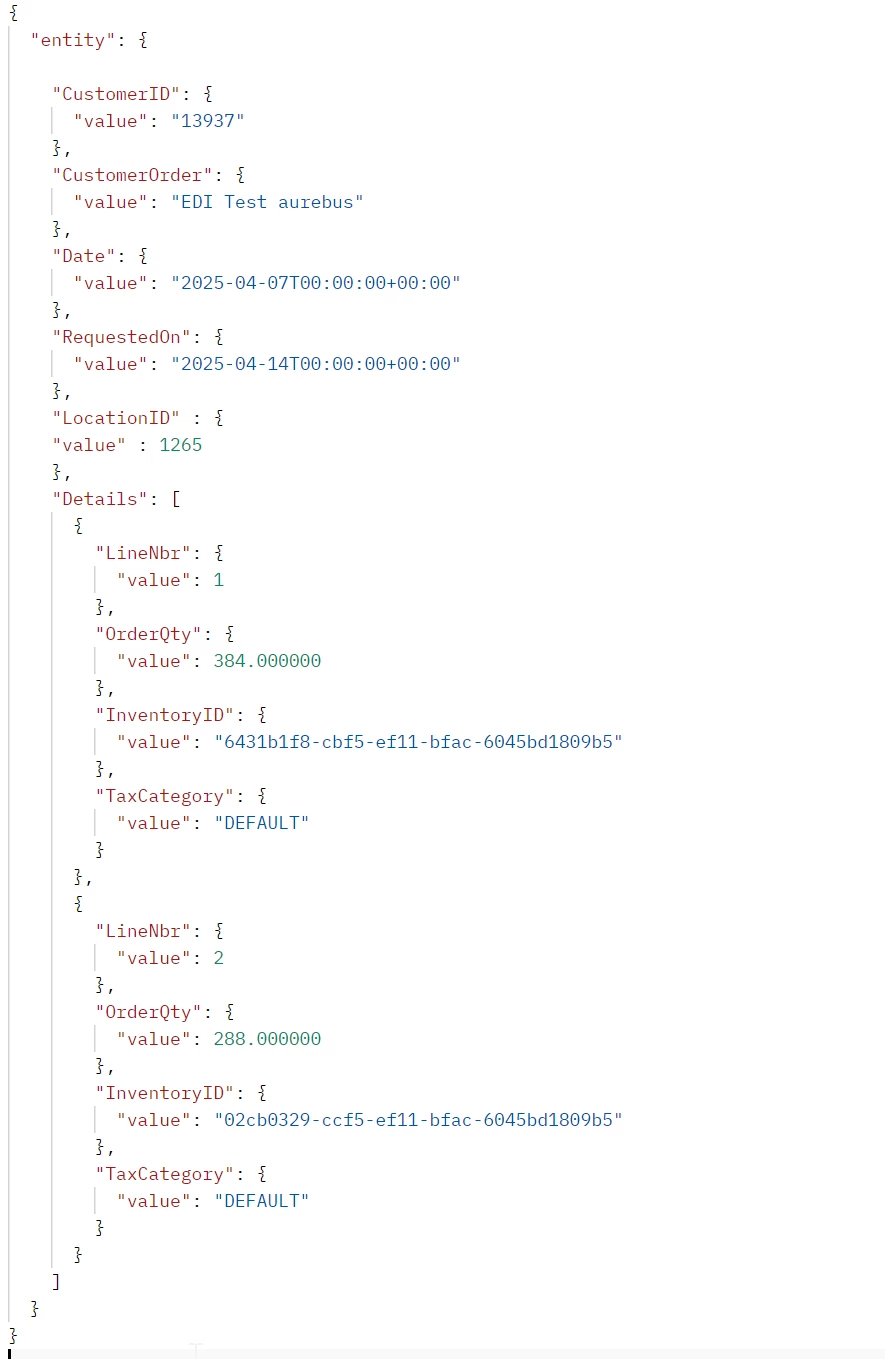
We receive the following error response: 422Unprocessable Entity
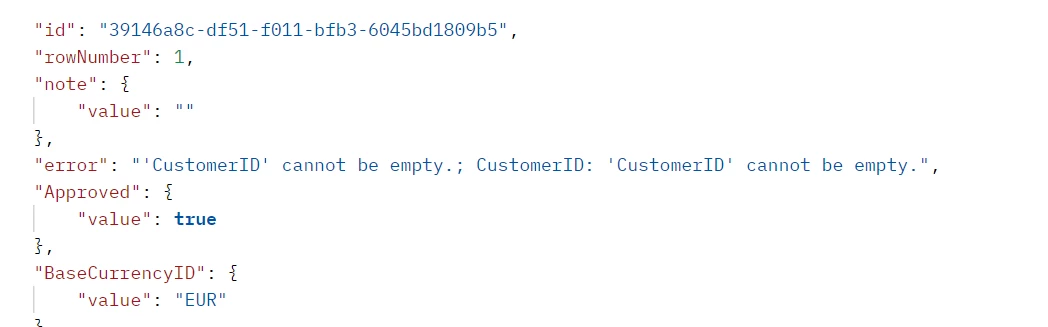
[...]
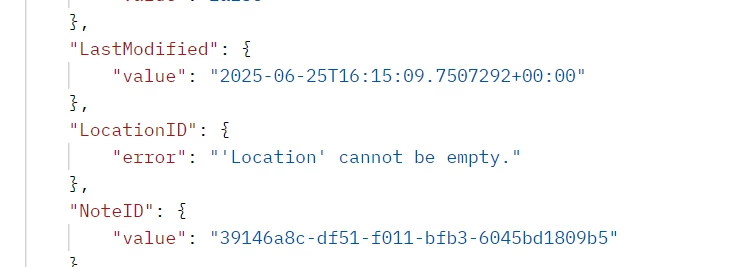
 

I have tried to send the CustomerID in the CustomerID field and also the customer's internal UUID. I always get this error message.

Does anyone have any idea what I am doing wrong with my request?

Thanks in advance!

Steffi

#team aurebus
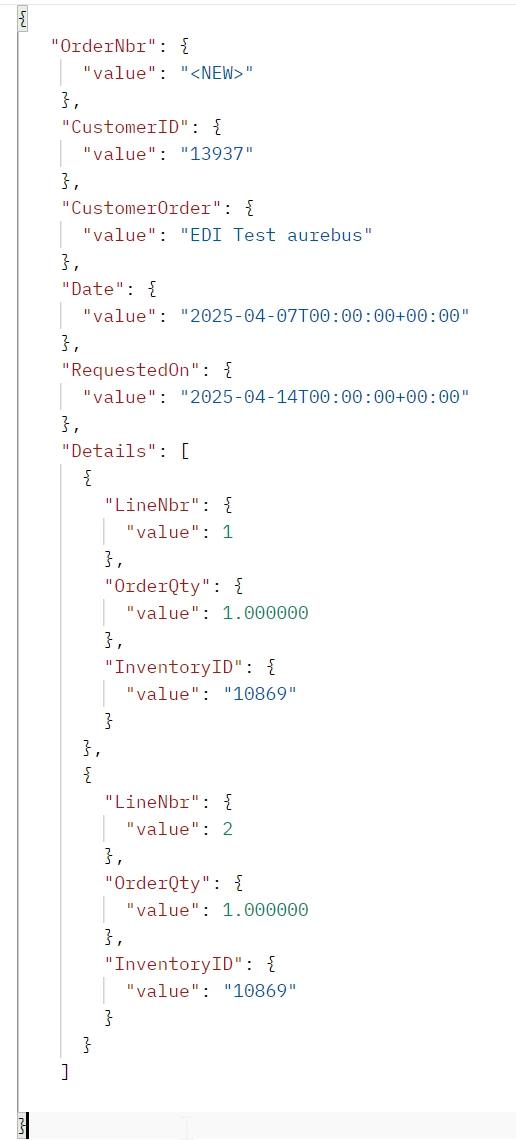
Best answer by SteffiGroth

Hi all, 

thanks for your help. I had also to remove the OrderType. SO was not available in the destination system. I was now able to create an order with the following JSON file:


6 replies

Forum|alt.badge.img+7
  • Captain II
  • June 25, 2025

You are missing the OrderType which is likely triggering a number of cascading errors. See if supplying that value helps.


  • Author
  • Freshman II
  • June 25, 2025

unfortunately not. I have added the OrderType, but still the same error messages


Dmitrii Naumov
Acumatica Moderator
Forum|alt.badge.img+7
  • Acumatica Moderator
  • June 25, 2025

@SteffiGroth I think you have extra ‘entity’ element in your json. 

Please try the same but without ‘entity’ on top (and also one less sets of brackets)


jinin
Pro I
Forum|alt.badge.img+11
  • Pro I
  • June 26, 2025

Hi ​@SteffiGroth ,

As Dmitry mentioned, the Entity element is not required for order creation via PUT. Please remove it and try again.

The Entity element is required for POST requests, but not for PUT requests.

Below is a sample JSON request for creating an order:

{

    "OrderType": {

        "Value": "SO"

    },

    "CustomerId": {

        "Value": "1024559"

    },

    "CustomerOrder": {

        "Value": "988775809"

    },

    "Date": {

        "Value": "2025-06-18T13:04:08.93"

    },

    "RequestedDate": {

        "Value": "2025-06-18T13:04:09.1029123-05:00"

    },

    "Details": [

        {

            "InventoryID": {

                "Value": "890325025"

            },

            "UnitPrice": {

                "Value": 44.1

            },

            "OrderQty": {

                "Value": 1

            },

            "UOM": {

                "Value": "EACH"

            }

        }

    ]

}


  • Author
  • Freshman II
  • Answer
  • June 26, 2025

Hi all, 

thanks for your help. I had also to remove the OrderType. SO was not available in the destination system. I was now able to create an order with the following JSON file:


Chris Hackett
Community Manager
Forum|alt.badge.img
  • Acumatica Community Manager
  • June 26, 2025

Thank you for sharing your solution with the community ​@SteffiGroth!