

Solved

Entity details

  • May 30, 2022
  • 5 replies
  • 546 views

Forum|alt.badge.img

Hello. How can I find entity details? I need to update customer but I dont know the correct data structure http://joxi.ru/8238DOvu9NJMpA

Best answer by ruchikasharma23

Hi @skater4 

You can find the entity details on “Web Service Endpoints” screen (ScreenId= SM207060).
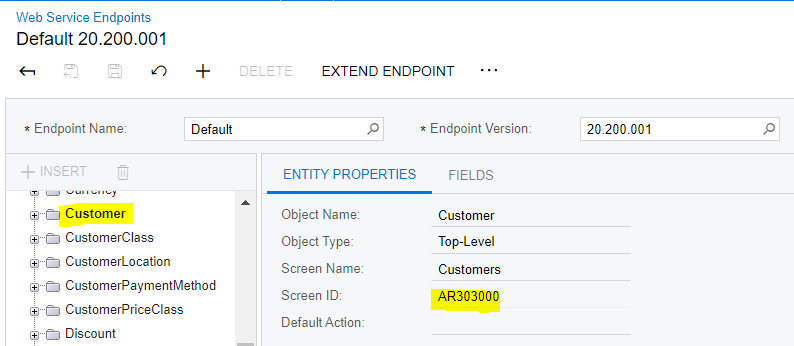
You can start with checking the latest version of Default endpoint and see if the related entity exists there. This can be verified by checking the screen ID from Entity Properties (highlighted below).

You can find the fields mapped to this entity on the “Fields” tab.
 

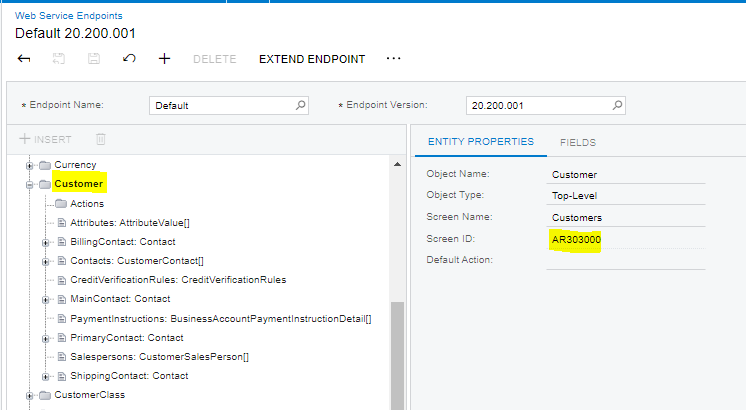
For detail entities, you can expand the top entity (Customer in this case) as shown in screenshot below.


More details on types of entities can be found here:
https://help-2022r1.acumatica.com/(W(83))/Help?ScreenId=ShowWiki&pageid=40efd1f2-7ebc-49a5-b854-1f04d18357ff

Hope this helps.

5 replies

Forum|alt.badge.img+3
  • Acumatica Moderator
  • Answer
  • May 30, 2022

Hi @skater4 

You can find the entity details on “Web Service Endpoints” screen (ScreenId= SM207060).
You can start with checking the latest version of Default endpoint and see if the related entity exists there. This can be verified by checking the screen ID from Entity Properties (highlighted below).

You can find the fields mapped to this entity on the “Fields” tab.


For detail entities, you can expand the top entity (Customer in this case) as shown in screenshot below.


More details on types of entities can be found here:
https://help-2022r1.acumatica.com/(W(83))/Help?ScreenId=ShowWiki&pageid=40efd1f2-7ebc-49a5-b854-1f04d18357ff

Hope this helps.


Forum|alt.badge.img
  • Author
  • Freshman II
  • May 31, 2022

Hi @skater4 

(ScreenId= SM207060)

how to open such forms? when im opening something like https://help.acumatica.com/(W(12))/Help?ScreenId=SM208000 it opens root help page


Forum|alt.badge.img
  • Author
  • Freshman II
  • May 31, 2022

Hi @skater4 

You can find the entity details on “Web Service Endpoints” screen (ScreenId= SM207060).
You can start with checking the latest version of Default endpoint and see if the related entity exists there. This can be verified by checking the screen ID from Entity Properties (highlighted below).

You can find the fields mapped to this entity on the “Fields” tab.


For detail entities, you can expand the top entity (Customer in this case) as shown in screenshot below.


More details on types of entities can be found here:
https://help-2022r1.acumatica.com/(W(83))/Help?ScreenId=ShowWiki&pageid=40efd1f2-7ebc-49a5-b854-1f04d18357ff

Hope this helps.
 

Thanks a lot, it worked for me


Forum|alt.badge.img+3

Hi @skater4 

(ScreenId= SM207060)

how to open such forms? when im opening something like https://help.acumatica.com/(W(12))/Help?ScreenId=SM208000 it opens root help page

You can open this form from your instance itself. 
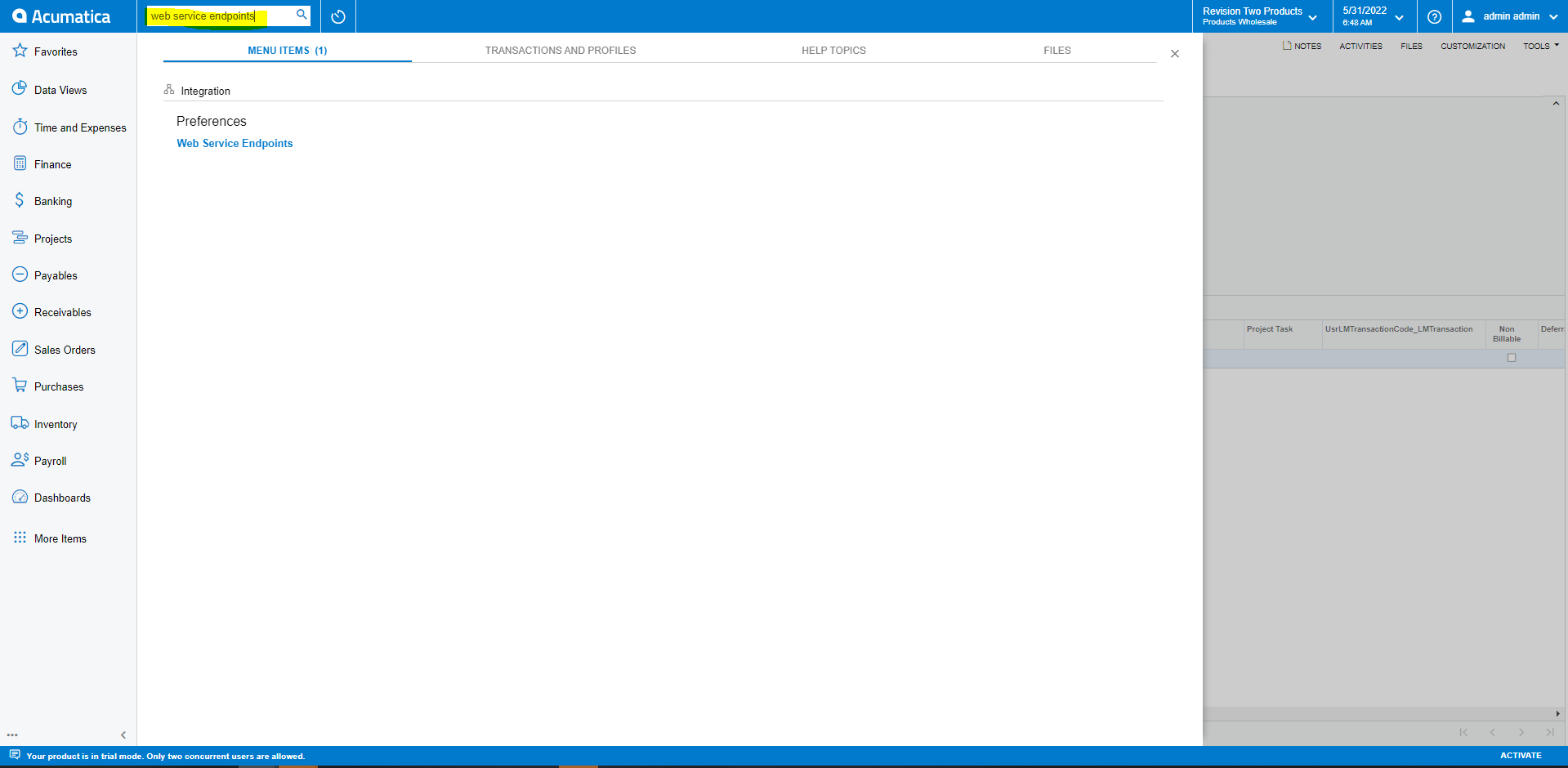
When you login in your instance, you can type “Web Service Endpoints” in the search bar or alternatively, change the screenID to SM208000 in URL of your instance.


Forum|alt.badge.img
  • Author
  • Freshman II
  • May 31, 2022

Hi @skater4 

(ScreenId= SM207060)

how to open such forms? when im opening something like https://help.acumatica.com/(W(12))/Help?ScreenId=SM208000 it opens root help page

You can open this form from your instance itself. 
When you login in your instance, you can type “Web Service Endpoints” in the search bar or alternatively, change the screenID to in URL of your instance.


Thanks