Solved

API - Add BAccountID to the Employee Endpoint

  • June 4, 2025
  • 3 replies
  • 84 views

Forum|alt.badge.img+1

Hi everyone,


I’m just getting started with the Acumatica REST API and have successfully set up a GET request to the Employee endpoint, which returns a list of employees. However, I noticed that the BAccountID field, which is linked via DefContactID, is not included in the response.


I’d like to know if it’s possible to add this BAccountID field to the Employee endpoint, and if so, what’s the correct way to do it—should I use the Customization Project Editor, or is it something that needs to be handled in code?


Thanks in advance for your help!
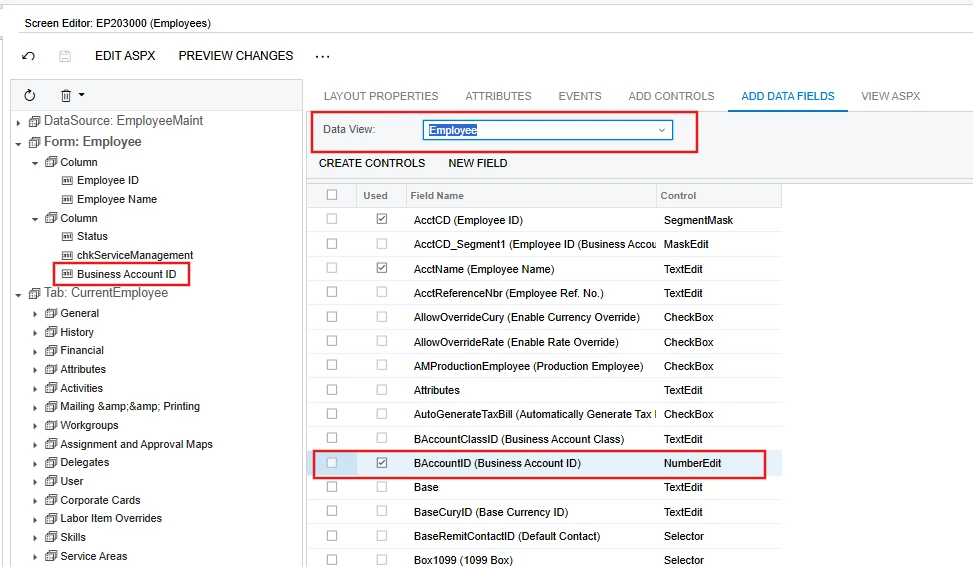
Best answer by DipakNilkanth

Hi ​@raphrf,

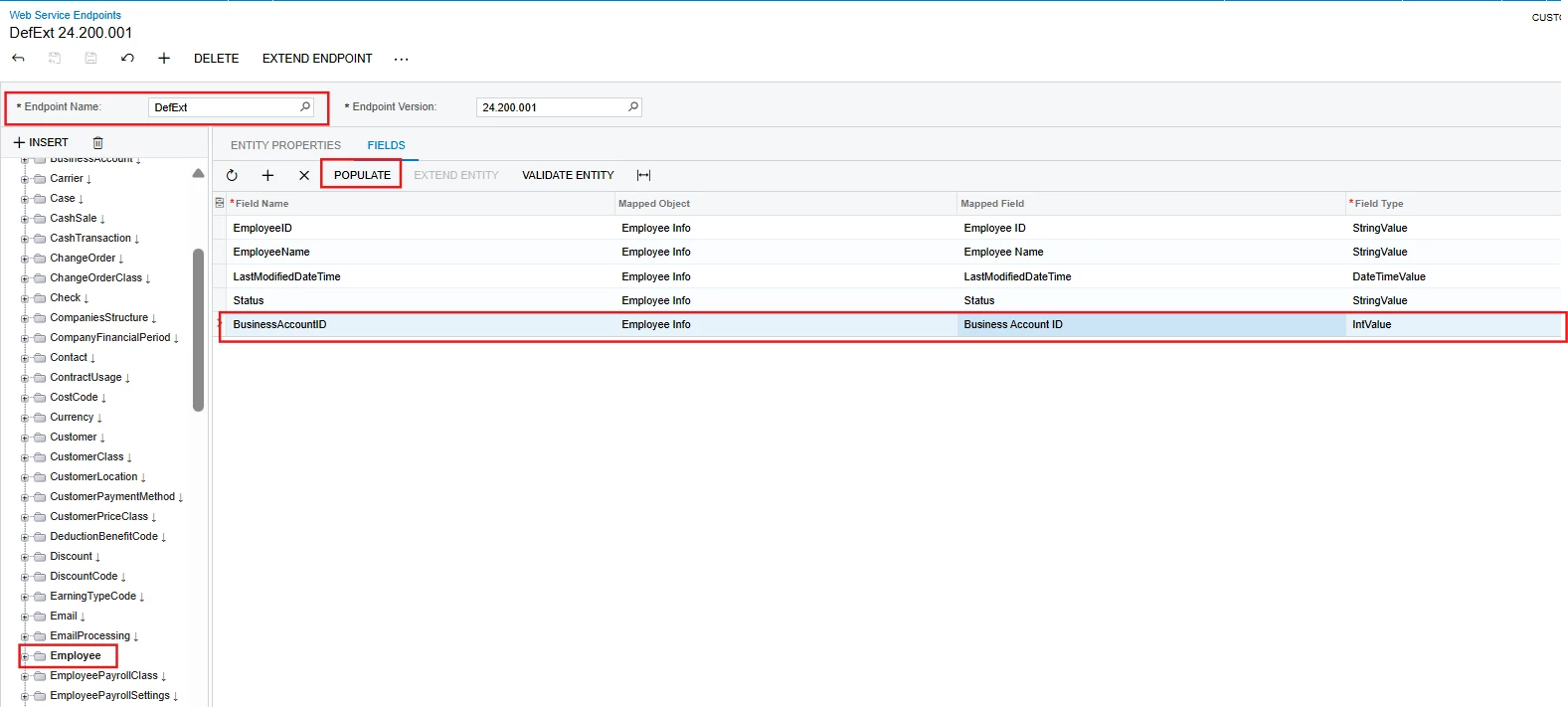
You need to first add the BAccountID field using the Customization Editor.

After that, extend the Default endpoint:

  1. Go to the Employee entity.

  2. Click on Extend EntityPopulate.

  3. Select the BAccountID field from the pop-up.

  4. Validate the entity.

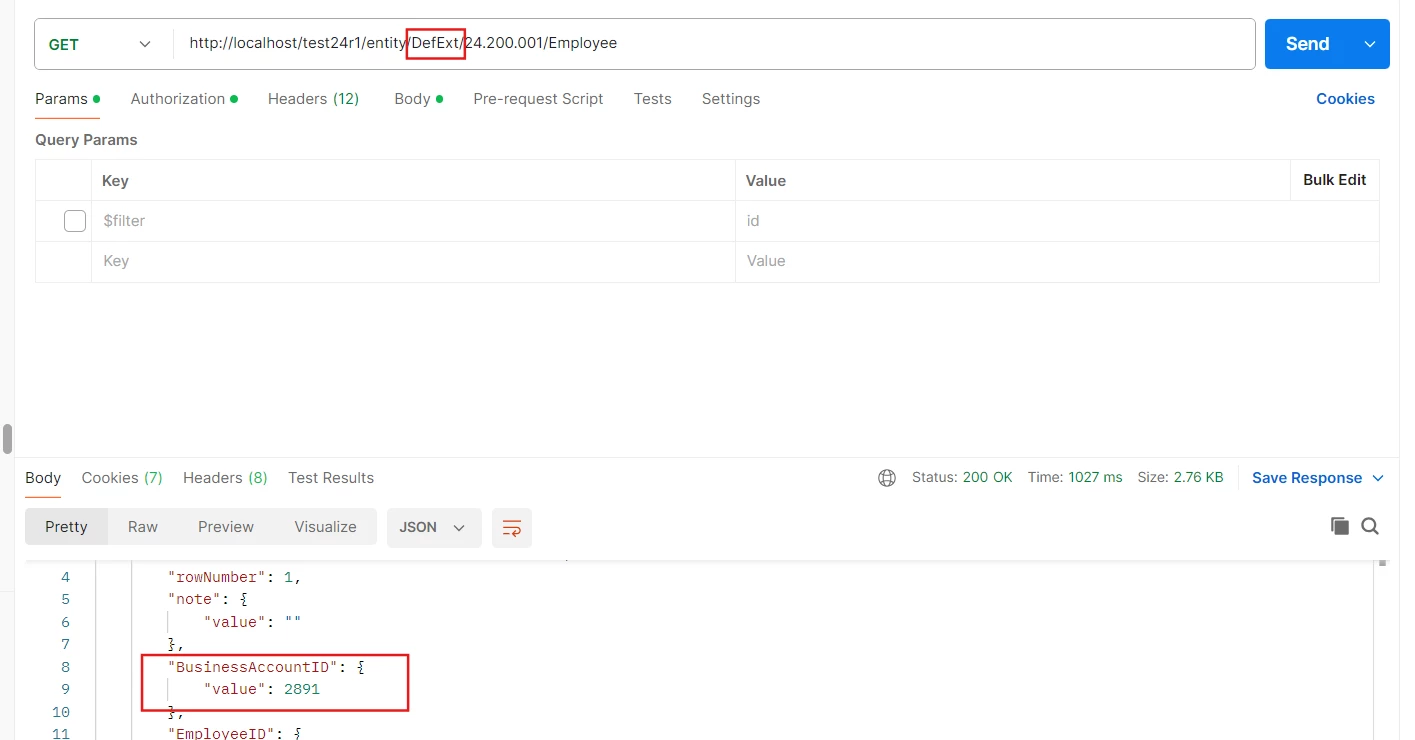
Once this is done, try pulling the BAccountID using Postman with the same URL — just make sure to replace it with your extended endpoint name.


Hope, it helps!

3 replies

DipakNilkanth
Pro III
Forum|alt.badge.img+13

Hi ​@raphrf,

You need to first add the BAccountID field using the Customization Editor.

After that, extend the Default endpoint:

  1. Go to the Employee entity.

  2. Click on Extend EntityPopulate.

  3. Select the BAccountID field from the pop-up.

  4. Validate the entity.

Once this is done, try pulling the BAccountID using Postman with the same URL — just make sure to replace it with your extended endpoint name.


Hope, it helps!


Forum|alt.badge.img+1
  • Author
  • Captain I
  • June 6, 2025

Hi ​@raphrf,

You need to first add the BAccountID field using the Customization Editor.

After that, extend the Default endpoint:

  1. Go to the Employee entity.

  2. Click on Extend EntityPopulate.

  3. Select the BAccountID field from the pop-up.

  4. Validate the entity.

Once this is done, try pulling the BAccountID using Postman with the same URL — just make sure to replace it with your extended endpoint name.


Hope, it helps!

@Nilkanth Dipak , is it the same method for DefContactId?

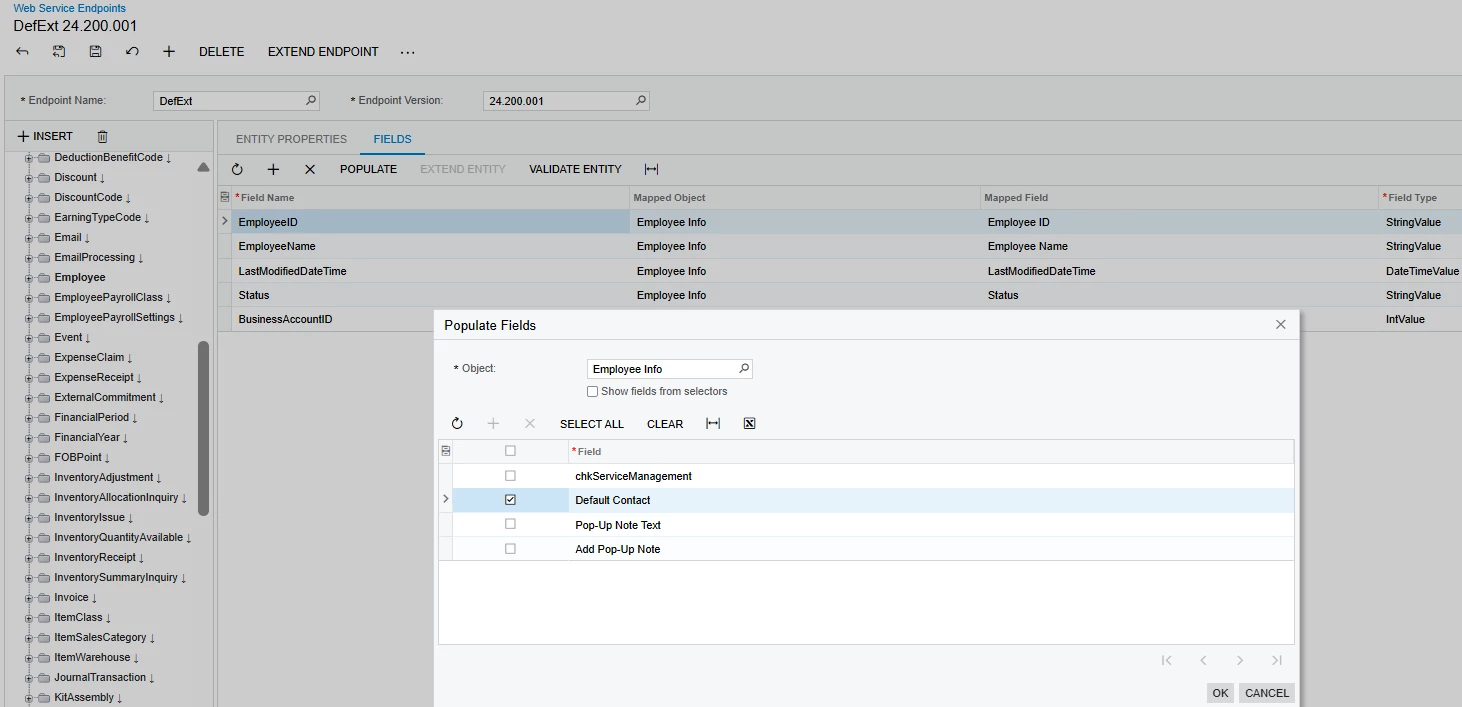
I tried it to pass DefContactId without any result, i dont find DefContactId in Populate / Employee info ?

Thanks


DipakNilkanth
Pro III
Forum|alt.badge.img+13

Hi ​@raphrf,
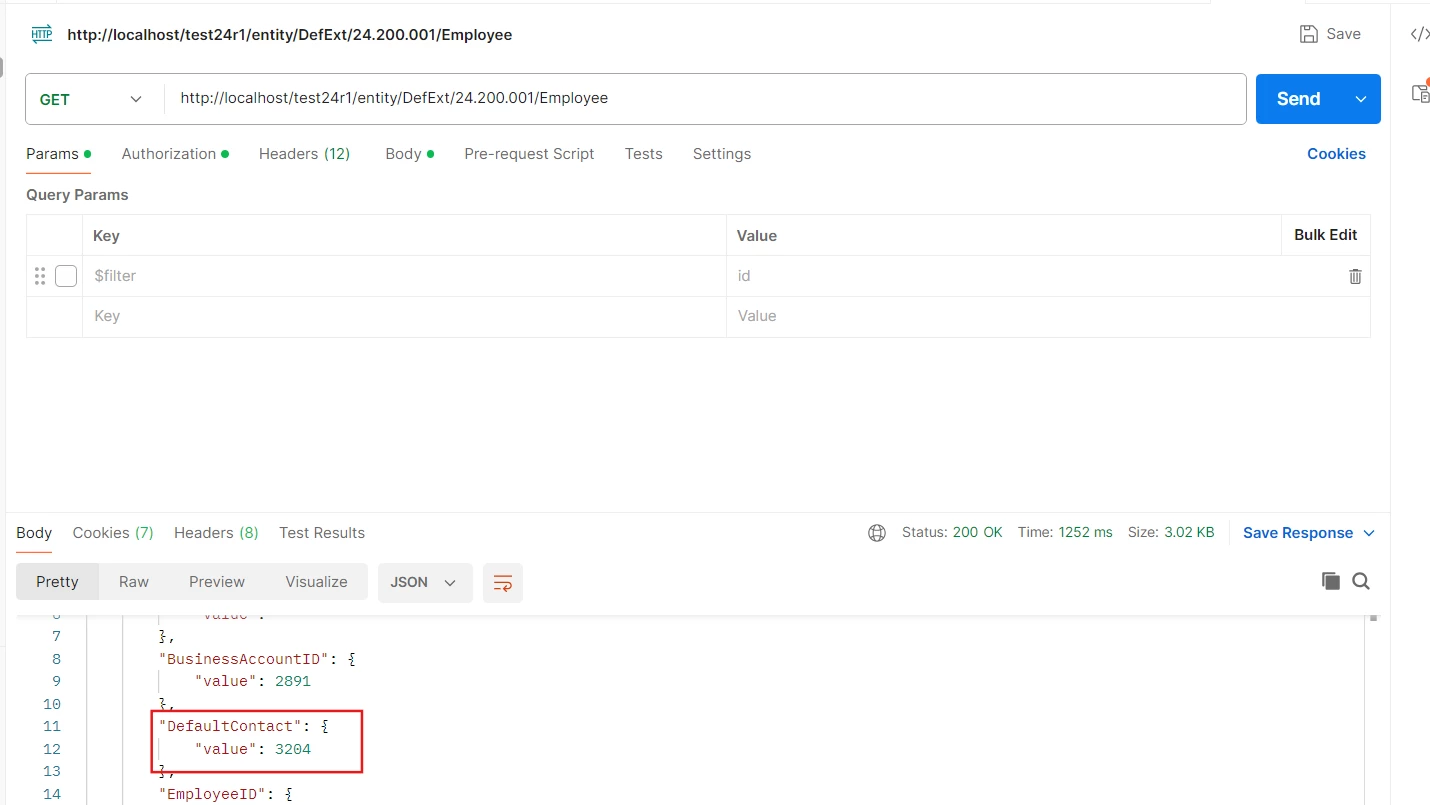
You need to repeat the same steps we followed for BAccountID to add DefContactID as well. I have verified this.

Hope, it helps!