Solved

Add Default Salesperson to Customer using API

  • March 26, 2025
  • 3 replies
  • 99 views

I am adding customers with the ERP api. Part of this process is assigning the default salesperson to the customer. For things like the MainContact/Address, I can just $extend the customer entity being saved, but this does not seem to work for Salespersons, How do I attach a default salesperson to a customer with the api?

PUT /20.200.001/Customer?$expand=Salespersons,MainContact/Address

{...
"Salespersons": [
        {
            "SalespersonID": {"value": "SALEPERID"},
            "Default": {"value": true}
        }
    ]
...}

This will result in 200 OK, but no Salespersons will be assigned to the customer.

{...
"Salespersons": []
...}

What do I need to do to get this salesperson assigned to the customer?

Best answer by mvines

Thank you for the response.

Unfortunately, I have tried this as well. This also results in 200 OK, but no Salespersons in the array. 

HOWEVER!!!! You got me playing around a bit more.  If I strip away all the other information in the customer and Contact, I appear to be able to set a Salesperson on that existing customer.

I’m not sure if this is a defect in Acumatica, or something I should expect, but I can alter my process to complete the customer insert as 2 api steps, so this is an acceptable work around.

PUT /entity/TGF/20.200.001/Customer?$expand=Salespersons
 

{

  "CustomerID": {

  "value": "C000001"

},

  "Salespersons": [

    {

      “LocationID: {“value”: “MAIN”},

      "SalespersonID": {"value": "SALEPERID"},

      "Default": {"value": true}

     }

  ]

}

3 replies

jinin
Pro I
Forum|alt.badge.img+11
  • Pro I
  • March 26, 2025

Hi ​@mvines ,


Can you try the following code?


{
"CustomerID": {
"value": "4000029"
},
"Salespersons": [

{
"SalespersonID": {
"Value": "BGROTT"
},
"LocationID": {
"Value": "MAIN"
},
"Default": {
"Value": true
}
}
]
}

Also, refer to the link below:

Bulk Update Salesperson on Customer Records | Community


  • Author
  • Freshman II
  • Answer
  • March 26, 2025

Thank you for the response.

Unfortunately, I have tried this as well. This also results in 200 OK, but no Salespersons in the array. 

HOWEVER!!!! You got me playing around a bit more.  If I strip away all the other information in the customer and Contact, I appear to be able to set a Salesperson on that existing customer.

I’m not sure if this is a defect in Acumatica, or something I should expect, but I can alter my process to complete the customer insert as 2 api steps, so this is an acceptable work around.

PUT /entity/TGF/20.200.001/Customer?$expand=Salespersons
 

{

  "CustomerID": {

  "value": "C000001"

},

  "Salespersons": [

    {

      “LocationID: {“value”: “MAIN”},

      "SalespersonID": {"value": "SALEPERID"},

      "Default": {"value": true}

     }

  ]

}


jinin
Pro I
Forum|alt.badge.img+11
  • Pro I
  • March 26, 2025

Hi ​@mvines ,

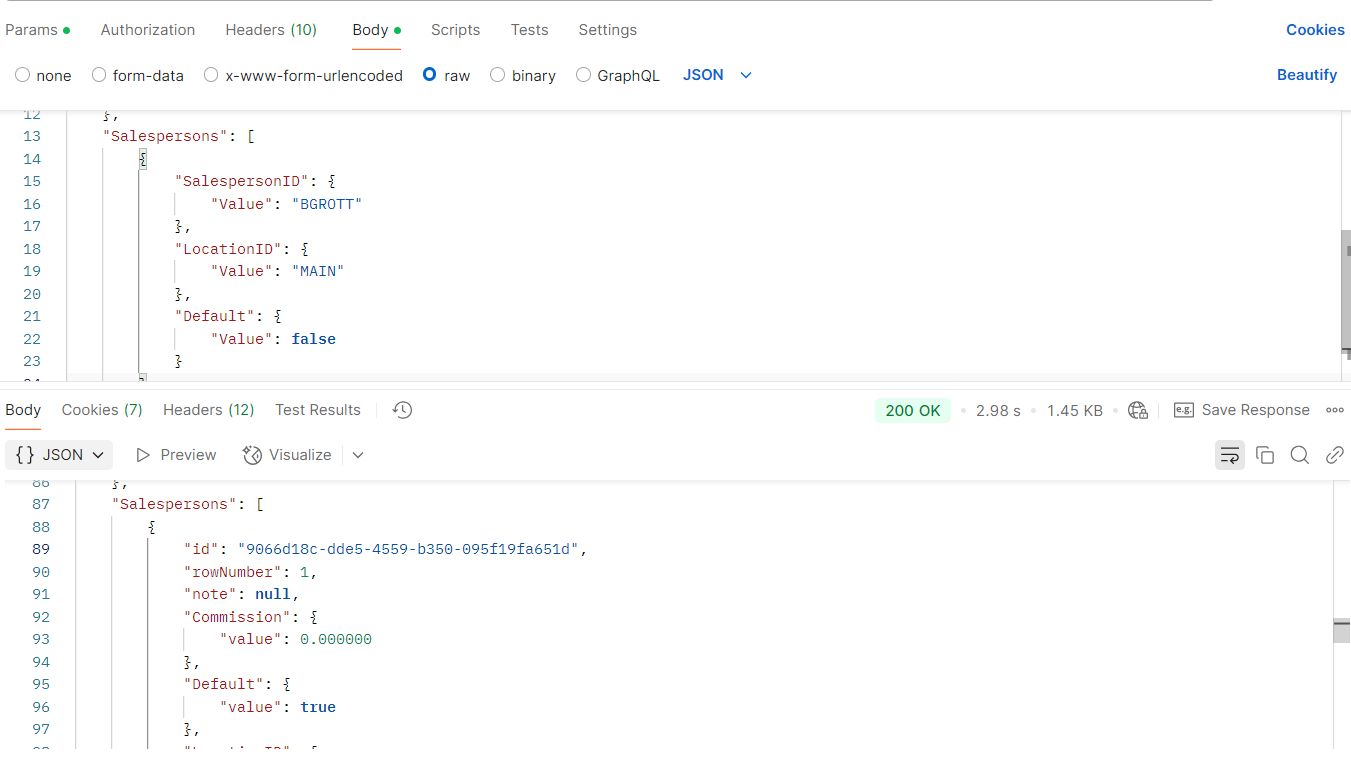
 I tried the following JSON request and was able to create a Customer with a Salesperson.

{
"MainContact": {
"Email": {
"value": "xxxx@yopmail.com"
}
},
"CustomerName": {
"value": "Customer 01"
},
"CustomerClass": {
"value": "DEFAULT"
},
"Salespersons": [
{
"SalespersonID": {
"Value": "BGROTT"
},
"LocationID": {
"Value": "MAIN"
},
"Default": {
"Value": false
}
}
]
}