Solved

Acumatica rewrites Payments and Applications fields values

  • May 3, 2022
  • 4 replies
  • 240 views

Forum|alt.badge.img+2

Hi,

I faced with strange Acumatica behavior, while creating new Payment

I am using the following PUT request

URL : https://arts.acumatica.com/entity/ARTSEndpoint/20.200.001/Payment

Body : 

{

  "LocationID": {

    "value": "MAIN"

  },

  "PaymentRef": {

    "value": "byIvan"

  },

   "Type": {

    "value": "Payment"

  },

  "CustomerID": {

    "value": "ABCHOLDING"

  },

  "CashAccount": {

    "value": "10200"

  },

  "ApplicationDate": {

    "value": "02/17/2019"

  },

  "ApplicationPeriod": {

    "value": "01-2019"

  }

}

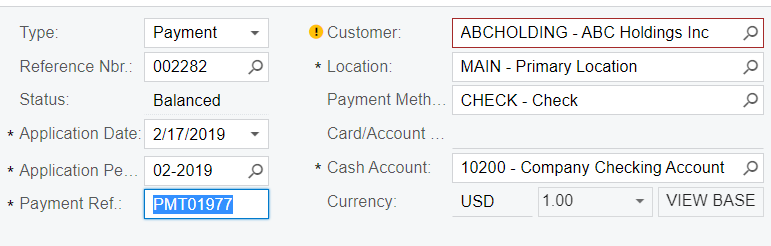
The Payment ref field value is “byIvan”

However, Acumatica replaces it with another value
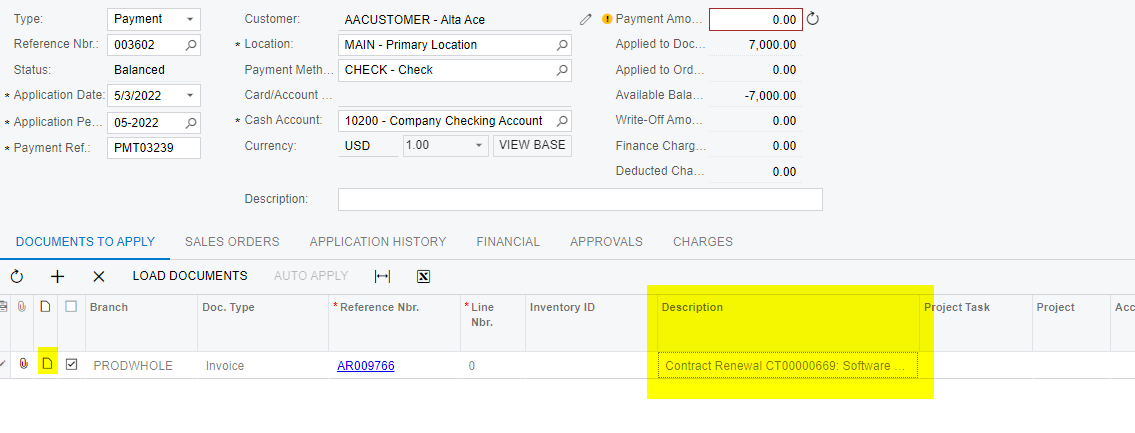
Same behavior repeats with other fields, for example Description column value in DocumentstoApply table was also replaced by another value, not what have sent.

Is there something that I do wrong and is there ability to fix it ?

Best answer by Naveen Boga

Hi, @Ivan  This is default Acumatica behavior. You can also observe this behavior by creating the payment manually.

Payment Ref is the system-generated Last reference number for that customer's Payment.

As soon as you enter the Customer, the system will fetch the new number based on the last transaction.


4 replies

Naveen Boga
Captain II
Forum|alt.badge.img+19
  • Captain II
  • Answer
  • May 3, 2022

Hi, @Ivan  This is default Acumatica behavior. You can also observe this behavior by creating the payment manually.

Payment Ref is the system-generated Last reference number for that customer's Payment.

As soon as you enter the Customer, the system will fetch the new number based on the last transaction.


Forum|alt.badge.img+2
  • Author
  • Varsity I
  • May 3, 2022

Hi, @Ivan  This is default Acumatica behavior. You can also observe this behavior by creating the payment manually.

Payment Ref is the system-generated Last reference number for that customer's Payment.

As soon as you enter the Customer, the system will fetch the new number based on the last transaction.


Hi @Naveen Boga 

Thanks for response. 

Concerning column description from table DocumentsToApply - it also system-generated field or I can somehow set my value to this column ?

This is my request for export to Documents to Apply table

{

  "PaymentAmount": {

    "value": "1"

  },

  "LocationID": {

    "value": "MAIN"

  },

  "CustomerID": {

    "value": "ABCHOLDING"

  },

  "DocumentsToApply": [

    {

      "AmountPaid": {

        "value": "1"

      },

      "CustomerOrder": {

        "value": "ABCSTUDIOS201902020"

      },

      "Description": {

        "value": "byIvan"

      },

      "DocType": {

        "value": "Invoice"

      },

      "ReferenceNbr": {

        "value": "AR006565"

      },

      "WriteOffReasonCode": {

        "value": "BALWOFF"

      },

      "rowNumber": {

        "value": "1"

      }

    }

  ],

  "CashAccount": {

    "value": "10200"

  },

  "Type": {

    "value": "Payment"

  },

  "ApplicationDate": {

    "value": "02/17/2019"

  },

  "PaymentRef": {

    "value": "123"

  },

  "ApplicationPeriod": {

    "value": "01-2019"

  }

}

And Acumatica rewrites description to this instead of what I send 


jinin
Pro I
Forum|alt.badge.img+11
  • Pro I
  • May 3, 2022

Hi @Ivan 

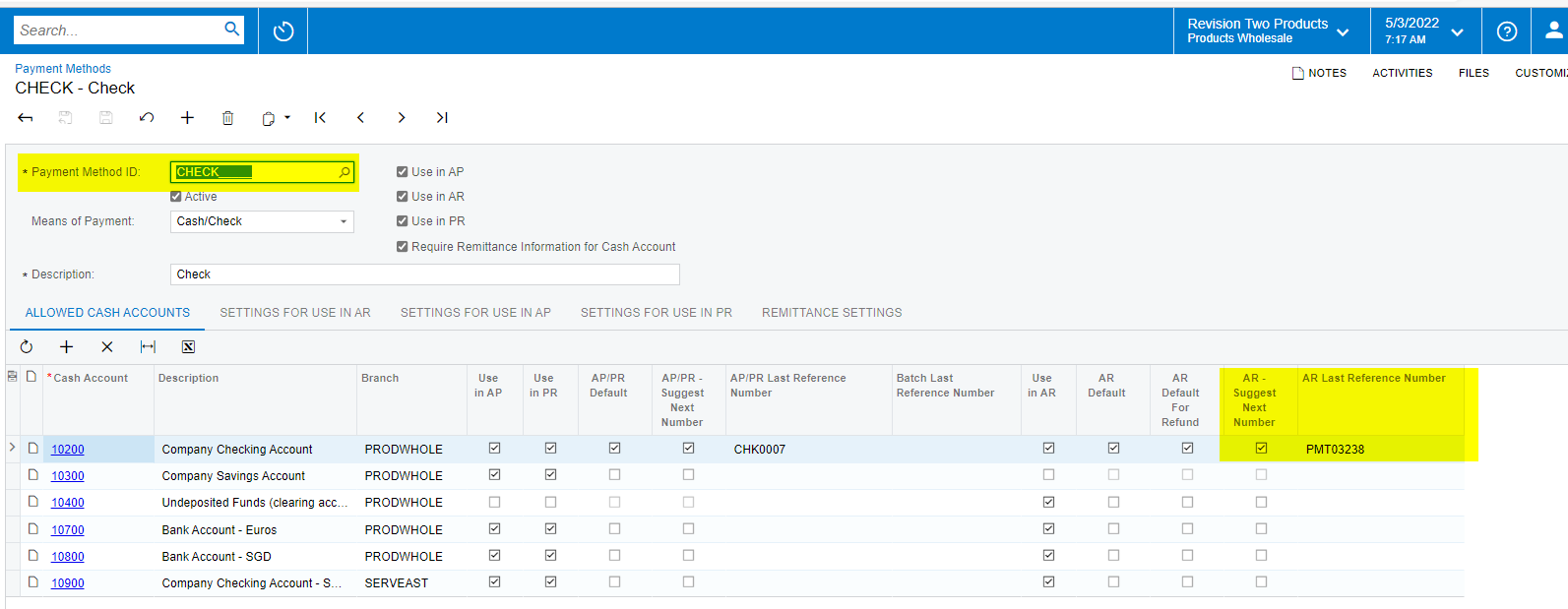
You can override the payment ref number field value if you uncheck the AR Suggest Next Number checkbox from the payment method screen.


For Description, It's not an editable field on the screen, so we cant override the description. But you can add notes instead of descriptions for each line item level.


Forum|alt.badge.img+2
  • Author
  • Varsity I
  • May 3, 2022

Hi @Ivan 

You can override the payment ref number field value if you uncheck the AR Suggest Next Number checkbox from the payment method screen.


For Description, It's not an editable field on the screen, so we cant override the description. But you can add notes instead of descriptions for each line item level.


Hi @jinin  

Thanks for provided info.