


Problem:
When customizing the Vendor (AP303000) screen via the Modern UI Editor in Acumatica 25R2(25.200.0248), users get following error message:
Error occured during HTML merge of
'....\FrontendSources\screen|src\screens AP\AP303000\extensions AP303000_PersonalDataPrivacy.html' for screen 'AP303000'. Error: Error: In HTML extension
'....\FrontendSources\screen|src\screens AP\AP303000\extensions AP303000_PersonalDataPrivacy.html' for screen 'AP303000' child node 'QP-FIELDSET' has AFTER attribute with '#groupAccountAddress', but screen HTML doesn't contain any elements that satisfies such querySelector
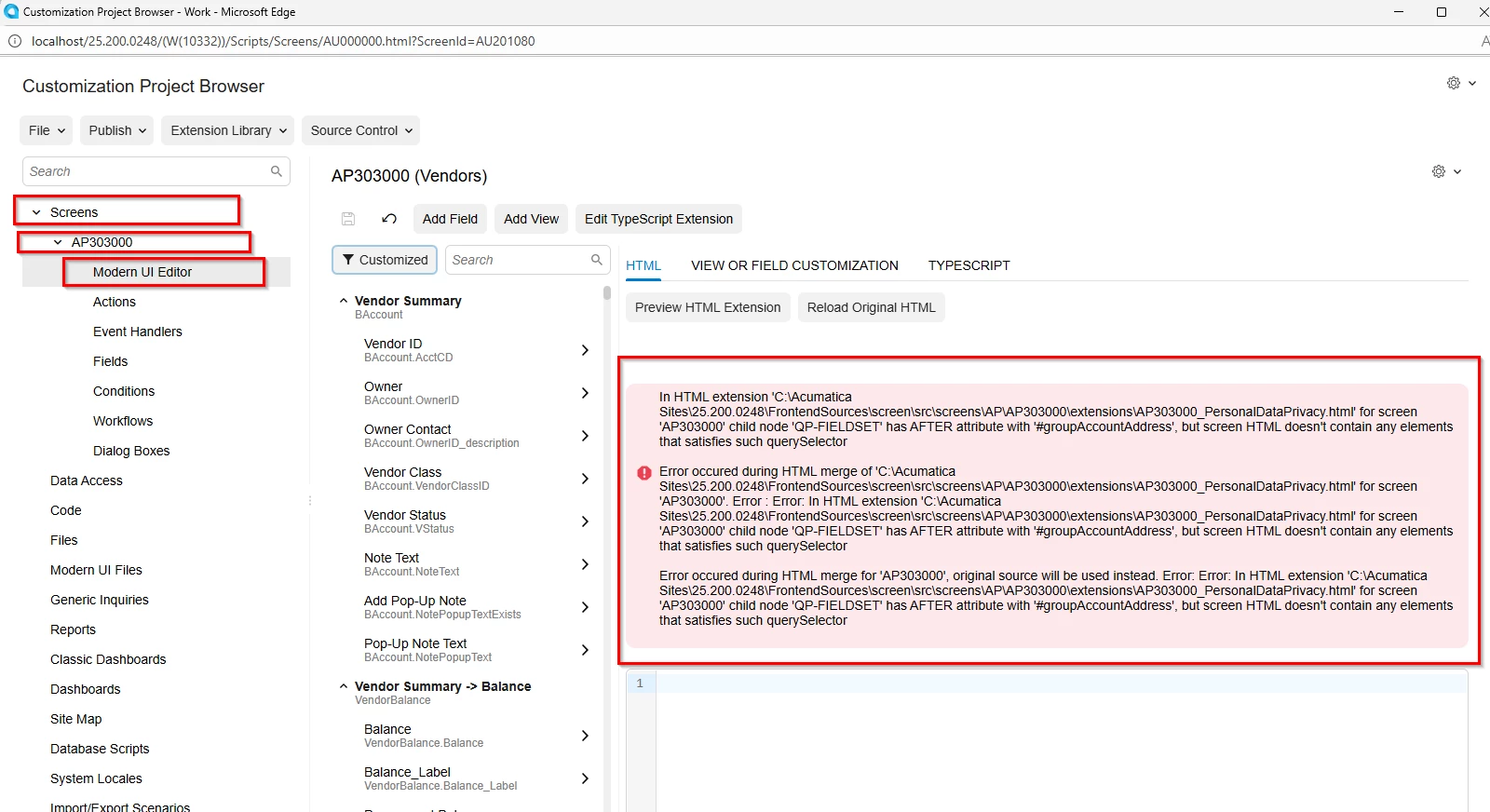
This is a known issue and has been reported to engineering for fix.
Since Vendor screen is one of the most customized screens, users can customize it outside of Modern UI Editor(follow T290 or help for detailed instructions)
Here’s a quick walkthrough
Create a new customization project
Add a new field to VendorR DAC(or required DAC as needed)
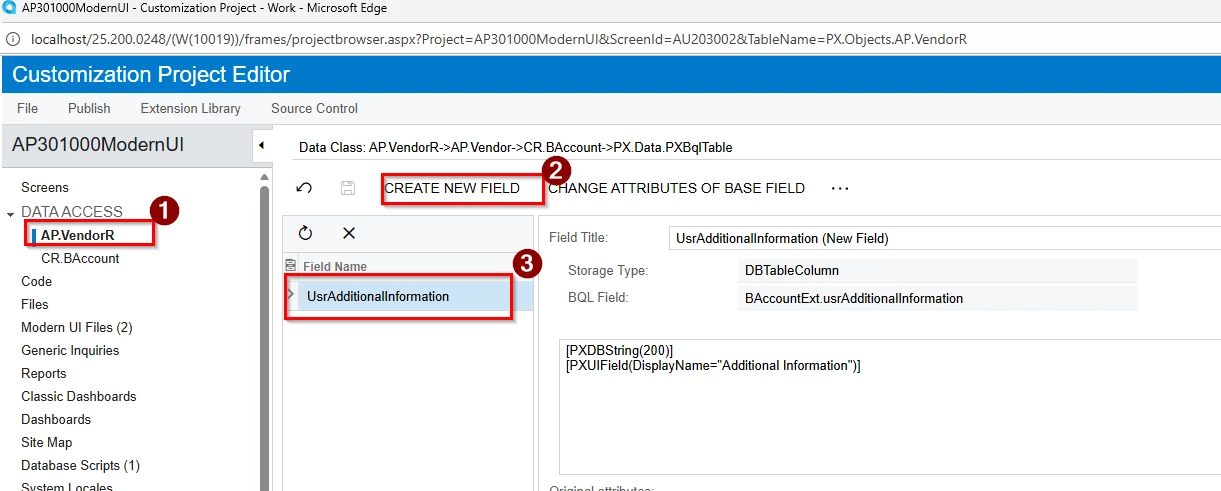
Publish Customization Project
Create your typescript and html files in FrontendSources\screen\src\development\AP\AP303000\extensions folder
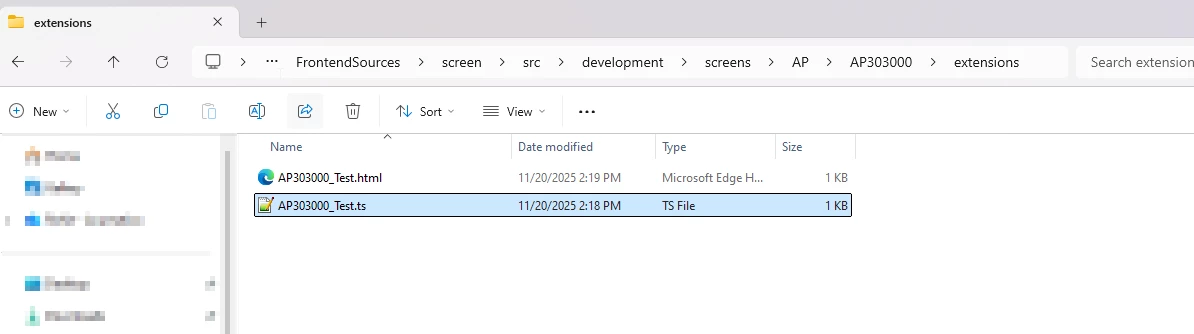
Add code
Typescript:
import {	AP303000 } from "src/screens/AP/AP303000/AP303000";
import { 	VendorBAccount } from "src/screens/AP/AP303000/views";
import {	PXFieldState,	PXFieldOptions } from "client-controls";

export interface AP303000_Test extends AP303000 { }
export class AP303000_Test {

}

export interface VendorBAccount_Test extends VendorBAccount { }
export class VendorBAccount_Test {
  UsrAdditionalInformation: PXFieldState;
}
HTML:
<template>
  <field before="#columnFirstHeader [name='VStatus']" name="UsrAdditionalInformation"></field>
</template>
You could test/develop your customized screens right from development folder using following command:
either via
npm run build-dev --- --env screenids=AP303000 customFolder=development
or
Add these files to customization project and publish project again:
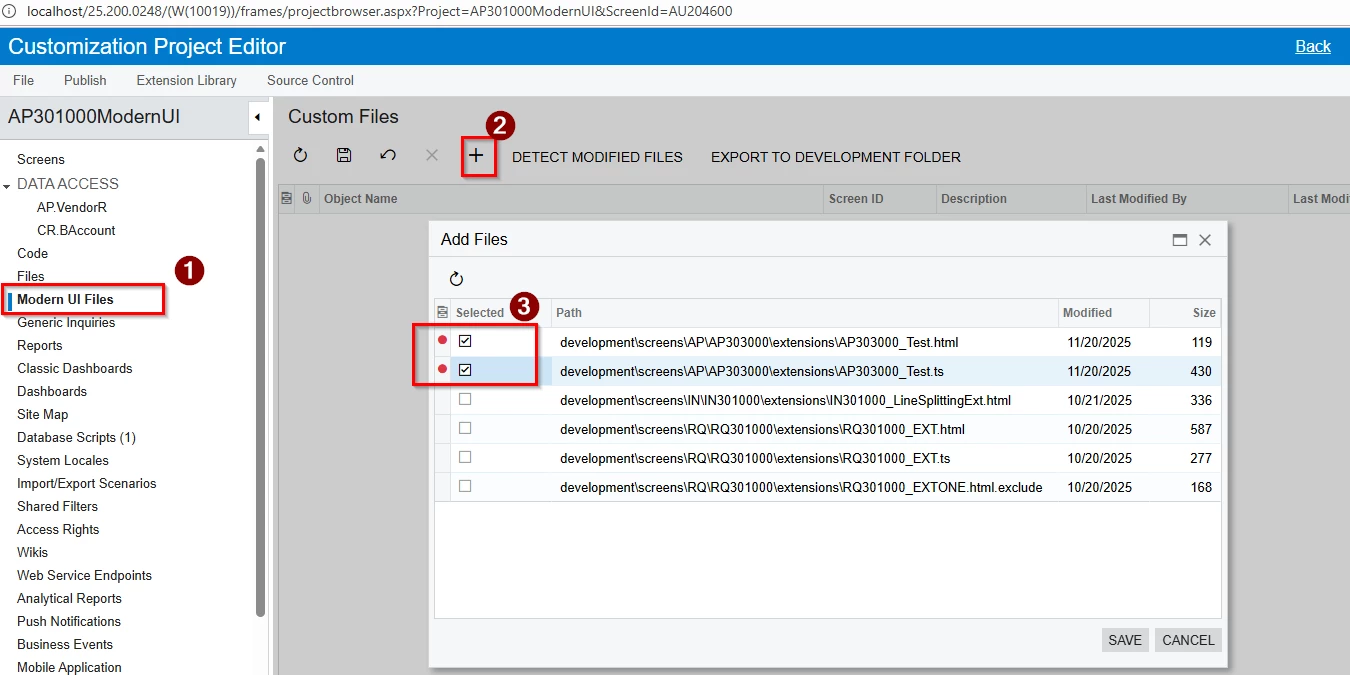
This should add custom field to Vendor screen:
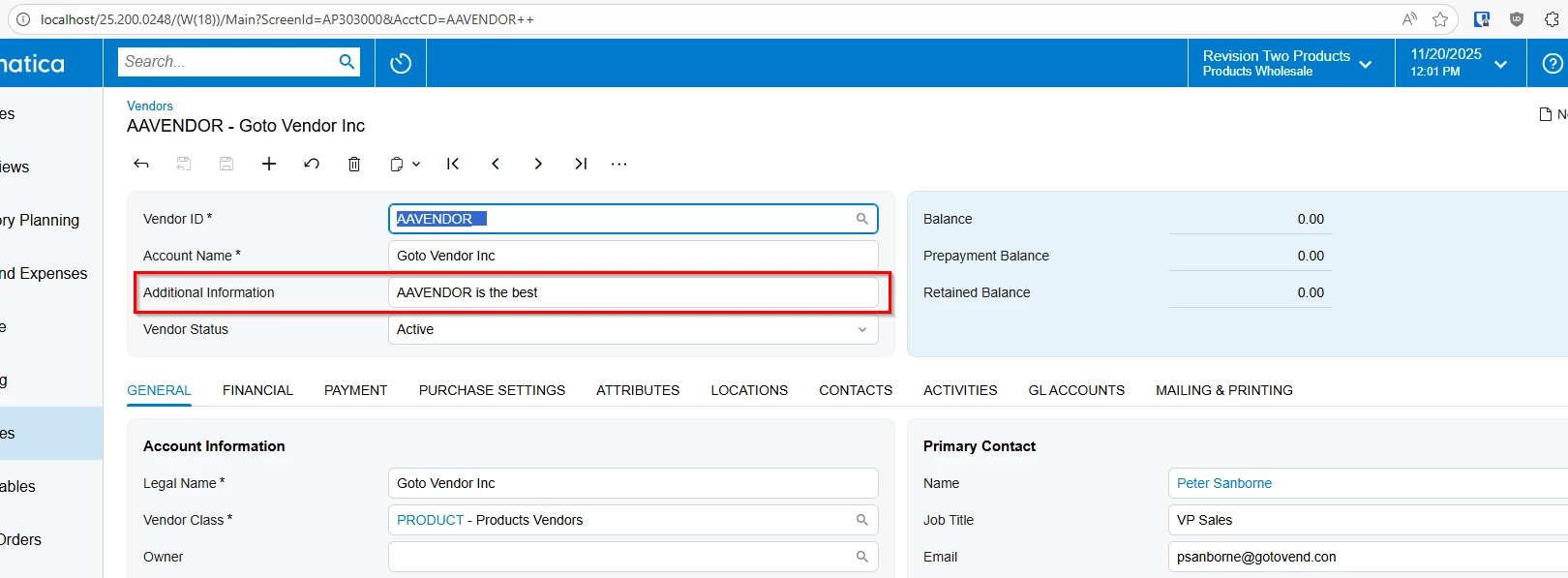
Hope this helps you customize Vendor screen while waiting for fix for Modern UI editor tool.
Attached sample customization project.


