Answer

Why is Custom Confirmation Dialog for 'Remove Hold' on ARInvoice Not Preventing the Action in 24R2?

  • April 22, 2025
  • 8 replies
  • 136 views

Forum|alt.badge.img+1

Hi Acumatica Community,

I'm working on a customization in Acumatica 24R2 (sandbox) where I want to show a confirmation dialog box before the "Remove Hold" action is executed on the Sales Order Invoice (ARInvoiceEntry) screen.

I’ve overridden the ReleaseFromHold method and added a dialog box like this:

Public delegate IEnumerable ReleaseFromHoldDelegate(PXAdapter adapter);

[PXOverride]
public IEnumerable ReleaseFromHold(PXAdapter adapter, ReleaseFromHoldDelegate baseMethod)
{
ARInvoice doc = Base.Document.Current;

if (doc != null)
{
// Show confirmation dialog
if (Base.Document.Ask("Confirm Freight Surchage,
"Please confirm the Freight Surcharge Amount before proceeding. Do you want to continue?",
MessageButtons.YesNo) == WebDialogResult.No)
{
return adapter.Get(); // Expected to cancel the action
}

PXTrace.WriteInformation("After confirmation check.");
}

// Proceed with the original Remove Hold logic
return baseMethod(adapter);
}

The issue is:

  • Even when the user clicks "No", the Remove Hold action is still executed.

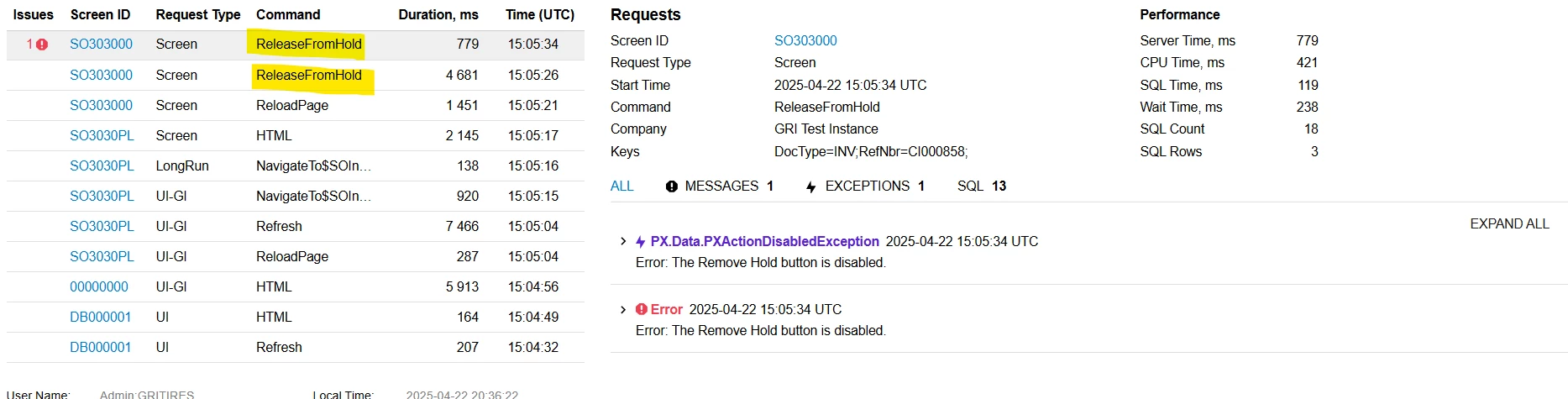
  • In the trace, I can see that two commands related to RemoveHold are getting triggered.

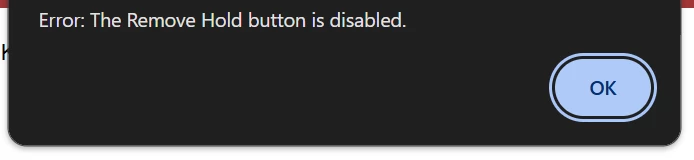
  • After this, the button becomes disabled, and I get the error: “The Remove Hold button is disabled.”

Here, 'Freight Surcharge' refers to a custom input field we’ve added to the invoice screen.

Please check below screenshots.
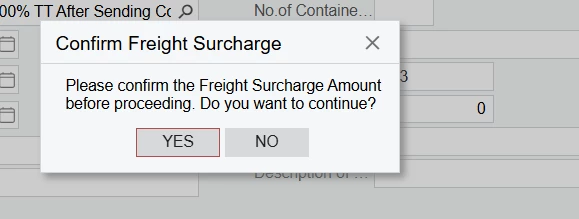
Screenshot of the confirmation dialog
Screenshot of the trace showing RemoveHold command
Screenshot of the error giving as disabled button

I’ve used this same approach successfully in 23R2 without issues. Is this behavior specific to 24R2?

I'd really appreciate any guidance or suggestions. Thanks in advance.

Best answer by darylbowman

Did a little more digging.

The graph action isn’t actually ‘doing’ anything:


The workflow is just using it to set ‘hold’ to ‘false’:


I believe this is running before it even reaches your code, which is why when ‘baseMethod’ is called, it gives you the message that the action is disabled (because it becomes disabled when ‘hold’ is no longer ‘true’.

I believe your only option is probably to override the workflow to either add a workflow dialog or replace releaseFromHold with a custom action that you have more control of.

8 replies

darylbowman
Captain II
Forum|alt.badge.img+15

Try this instead:

public delegate IEnumerable ReleaseFromHoldDelegate(PXAdapter adapter);
[PXOverride]
public IEnumerable ReleaseFromHold(PXAdapter adapter, ReleaseFromHoldDelegate baseMethod)
{
ARInvoice doc = Base.Document.Current;

if (doc is object)
{
// Show confirmation dialog
if (Base.Document.Ask("Confirm Freight Surchage,
"Please confirm the Freight Surcharge Amount before proceeding. Do you want to continue?",
MessageButtons.YesNo) == WebDialogResult.Yes)
{
// Proceed with the original Remove Hold logic
return baseMethod(adapter);
}
}

return adapter.Get(); // Expected to cancel the action
}

I believe the reason is because when using a dialog, the method will get called twice, once to open the dialog and once when the result is provided. The second time (I think), in your code, it will bypass the dialog and simply execute the default value, which is baseMethod.

This code will default to falling through and only execute if the dialog is confirmed ‘yes’.


Forum|alt.badge.img+1

Hi ​@darylbowman , I already tried the way you suggested earlier, but I tested it again directly with your solution. It's still showing the same issue. Could this be due to changes in the updated workflow engine in 24R2?


Forum|alt.badge.img+8
  • Captain II
  • April 23, 2025

@malinthawarnakulasooriya08 


Personally, I like doing this kind of stuff through the workflow API.

I haven’t updated a transition rather, removed the original and added a modified one.


An issue with this is that it updates the ‘System’ workflow and is harder to access and modify in the future if the person modifying does not have access to your source code.


darylbowman
Captain II
Forum|alt.badge.img+15
  • Answer
  • April 23, 2025

Did a little more digging.

The graph action isn’t actually ‘doing’ anything:


The workflow is just using it to set ‘hold’ to ‘false’:


I believe this is running before it even reaches your code, which is why when ‘baseMethod’ is called, it gives you the message that the action is disabled (because it becomes disabled when ‘hold’ is no longer ‘true’.

I believe your only option is probably to override the workflow to either add a workflow dialog or replace releaseFromHold with a custom action that you have more control of.


Forum|alt.badge.img+8
  • Captain II
  • April 23, 2025

@darylbowman ​@malinthawarnakulasooriya08 

Just for reference, most actions which are used in workflows “don’t do anything” in the graph, their logic is usually in the workflow.


Forum|alt.badge.img+1

Thank you so much, ​@darylbowman  and ​@aiwan  , for your valuable guidance and feedback. I’m new to workflow customizations, and I’ll try to check it from scratch. Can you please let me know if this customization is possible through the Acumatica Customization Project Editor?


Forum|alt.badge.img+8
  • Captain II
  • April 25, 2025

@malinthawarnakulasooriya08 


You could try with the Editor, but I believe you would have to first mark the transition as inactive, then create a new action with your custom dialogue box, then create a new transition in which you use the new action you created.


Forum|alt.badge.img+1

Thank you so much ​@aiwan for the valuable feedback.