Question

Why do fields in joined DAC views become non-editable in Acumatica forms?

  • November 21, 2024
  • 10 replies
  • 83 views

Forum|alt.badge.img

I created a view using the AMProdItem and AMMTran DACs with the following code and added it to the summary area of a form. In this scenario, fields from the AMMTran DAC are editable, but fields from the AMProdItem DAC are not editable.


        public PXSelectJoin<AMMTran,
    LeftJoinSingleTable<AMProdItem,
        On<AMProdItem.orderType, Equal<AMMTran.orderType>,
        And<AMProdItem.prodOrdID, Equal<AMMTran.prodOrdID>>>>>
    Document1;

Later, I created another view using the SOOrder and Customer DACs with the following code. When I added this view to a form, all fields from both DACs were editable.

        public PXSelectJoin<SOOrder,
            LeftJoinSingleTable<Customer, On<Customer.bAccountID, Equal<SOOrder.customerID>>>,
            Where<SOOrder.orderType, Equal<Optional<SOOrder.orderType>>,
            And<Where<Customer.bAccountID, IsNull,
            Or<Match<Customer, Current<AccessInfo.userName>>>>>>> Document2;


Why does this behavior occur, and is there a method to overcome this issue?

Any detailed instructions, tips, or code snippets would be greatly appreciated. Thank you!

10 replies

Forum|alt.badge.img+7
  • Captain II
  • November 21, 2024

I could be wrong but you usually won’t be editing fields in two tables in a single view. If you need to do this, you’d typically make Projection.

In your example there is a one to many relationship between AMMTran and AMProdItem but there is a one to one relationship between SOOrder and Customer - so that might be the difference.


Forum|alt.badge.img

Hi ​@Django ,

I don’t want to edit fields from the first two tables. I want to display certain fields from the first three DACs in the form and save specific values to the fourth DAC. The user is redirected to this form from another form. However, the issue is that the uneditable fields are not populated with the desired values, while the editable fields are correctly filled.


Forum|alt.badge.img+8
  • Captain II
  • November 22, 2024

Hi ​@RKarunarathne51 


It could be due to the way you have joined them.

There is a many to one relationship between AMMTran and AMProdItem, but a one to many relationship between AMProdItem and AMMTran. The same with SOOrder and Customer. You should try to reverse the relationship and join SOOrder from the base of Customer and AMProdItem from the base of AMProdItem.


Written in FBQL:

public SelectFrom<AMProdItem>.
InnerJoin<AMMTran>.
On<AMProdItem.orderType.IsEqual<AMMTran.orderType.FromCurrent>.
And<AMProdItem.prodOrdID.IsEqual<AMMTran.prodOrdID.FromCurrent>>>.View Document1;


Hope this helps,

Aleks


Forum|alt.badge.img+8
  • Captain II
  • November 22, 2024

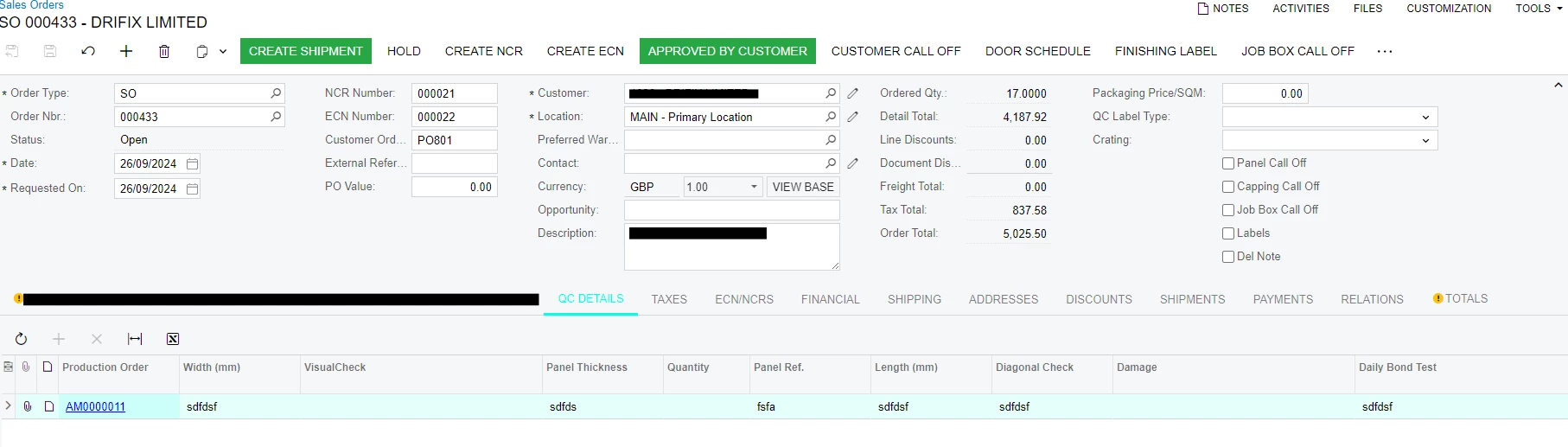
This is one that I use on the Sales Order Screen:

public SelectFrom<GCQCLine>.
InnerJoin<GCQCRecord>.
On<GCQCRecord.docNbr.IsEqual<GCQCLine.docNbr>>.
Where<GCQCRecord.sOOrderNbr.IsEqual<SOOrder.orderNbr.FromCurrent>.
And<GCQCLine.panelRef.IsNotNull>>.View.ReadOnly QCDetails;

This is the screen:

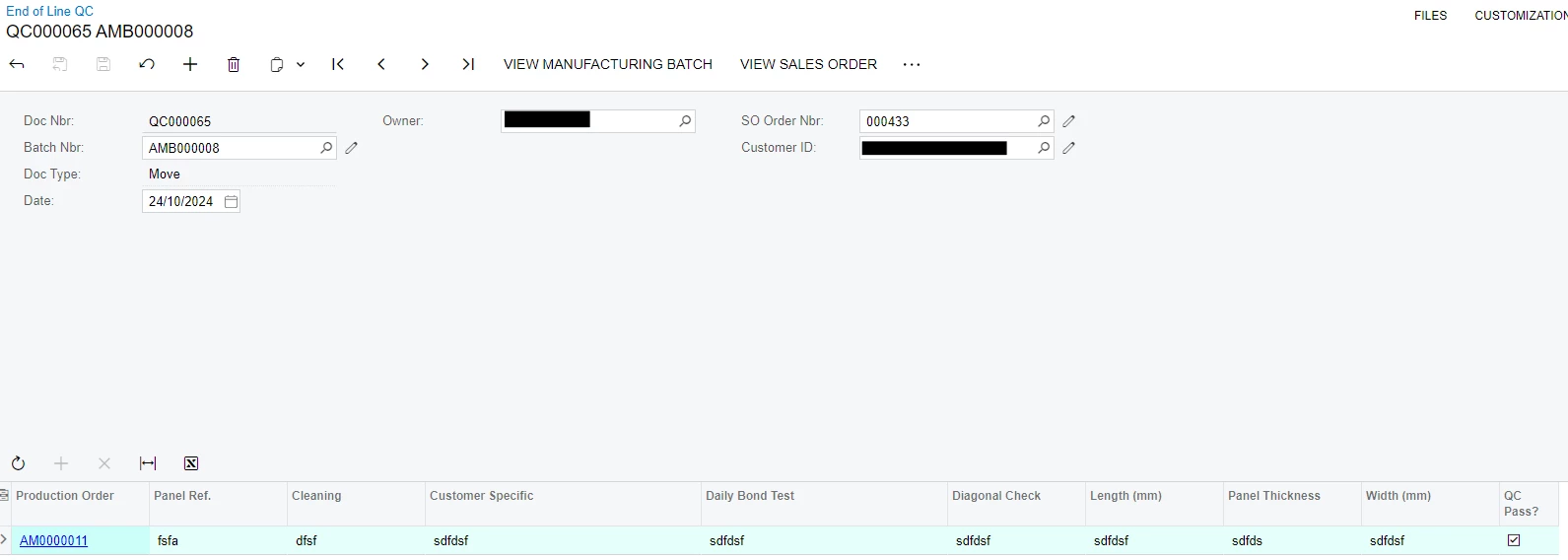
Original record:


Forum|alt.badge.img

Hi ​@aiwan ,


Thank you for your suggestion, I implemented it. As usually all fields from the AMProdItem DAC are editable, but fields from the AMMTranDAC are not editable. 


Forum|alt.badge.img

Hi ​@aiwan , 

You made the view read-only, but many values in the summary area are still editable.


Forum|alt.badge.img+8
  • Captain II
  • November 22, 2024

Hi ​@RKarunarathne51 


The original record is my custom data entry screen, not related to the view, the view I shared is in the SOOrderEntry graph.


Also, in a previous reply, you

I don’t want to edit fields from the first two tables. I want to display certain fields from the first three DACs in the form and save specific values to the fourth DAC. 

You can use the logic you can make the fourth DAC your primary DAC, then join the other DACs to display their data. Also, you can use Right, Left, or Inner joins.


Forum|alt.badge.img

Hi ​@aiwan,

Thank you for your suggestion. But it cannot be done because the fourth DAC is currently empty. I want to display some fields from the first three DACs in the form and then save certain values to the fourth DAC.


Chris Hackett
Community Manager
Forum|alt.badge.img
  • Acumatica Community Manager
  • January 23, 2025

Hi ​@RKarunarathne51 were you able to find a solution? Thank you!


Forum|alt.badge.img

Hi ​@Chris Hackett,
No, I didn't.