Answer

Validation for Customization failing on local env

  • November 7, 2024
  • 9 replies
  • 132 views

Forum|alt.badge.img

 Hi team,

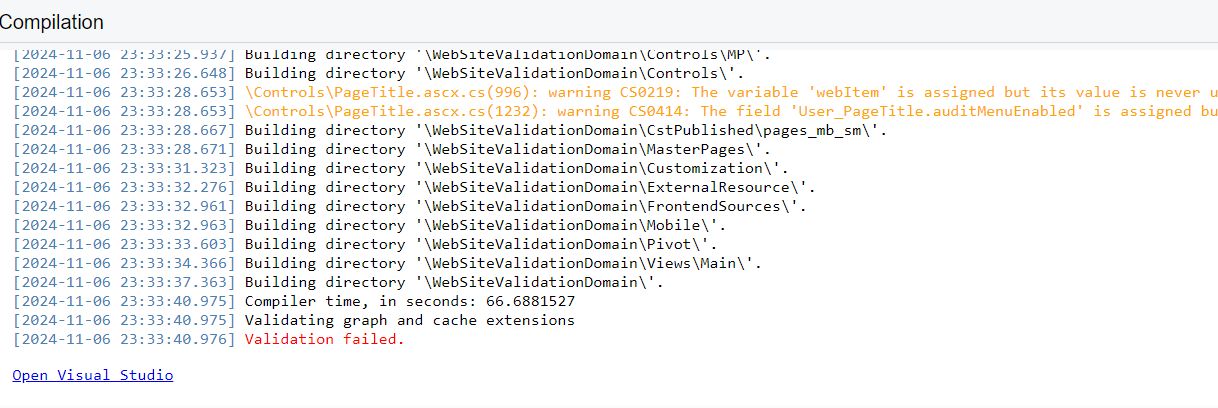
Recently migrated to 2023R1, while publishing customizations on local env validation is failing.

But the same works on a site deployed on test server.

Any thoughts?

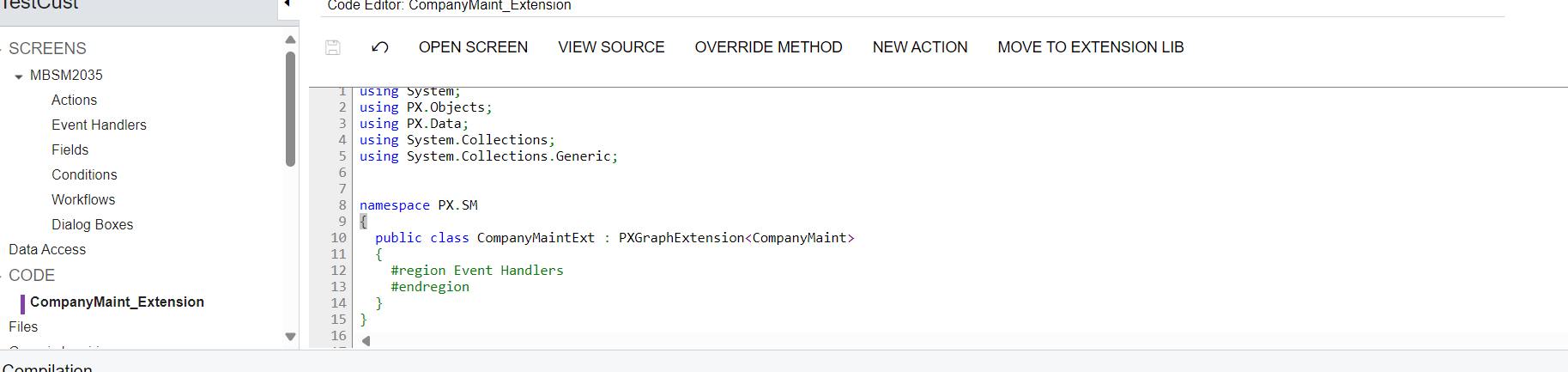
Screenshot of a test customization.
 

Best answer by snikomarov36

@noorula77 , @ vib1980 the recommendation is not correct

> Class name: CompanyMaint_Extension (recommended for consistency with file name)
Or rename the file to match CompanyMaintExt

This is a general programming best practice, so I would recommend to follow this advice. But different names of a class and its containing file shouldn’t fail the validation.

> Add the [PXCacheName] attribute to properly declare the graph extension

This is not correct. The [PXCacheName] attribute should be declared only on DACs to specify a user friendly name of the DAC type. This user-friendly name will be displayed on some of Acumatica screens such as GI designer.

The specified name should be localizable. This means that it should be a localizable string constant like described here:
https://help.acumatica.com/Help?ScreenId=ShowWiki&pageid=49d467e5-7717-4393-a5c6-398d4bcf818c

9 replies

Forum|alt.badge.img+8
  • Captain II
  • November 7, 2024

Hi @ vib1980 


The warning message you receive is not the cause of the validation failing.


Similar to building a solution in VS, your solution will still build with warnings.


Could you please share the customisation package?


Aleks


Forum|alt.badge.img
  • Author
  • November 7, 2024

Hi @aiwan ,

Thanks for the response. I’m not concerned about the warnings it’s just the validation failure that is bothering me. It’s failing for all customizations that I have tried so far. Attaching the test customization.


Forum|alt.badge.img
  • Author
  • November 7, 2024

One more thing to add the same test customization is publishing successfully on 2024r1.


Forum|alt.badge.img+8
  • Captain II
  • November 8, 2024

I cannot load it, I’m on 23R2.


Sorry dude!


But if the code isn’t doing anything, I would delete it and try again.


Forum|alt.badge.img+1
  • Jr Varsity III
  • November 8, 2024

The class name in your code is CompanyMaintExt but the file name shows CompanyMaint_Extension. These should match - either use:
Class name: CompanyMaint_Extension (recommended for consistency with file name)
Or rename the file to match CompanyMaintExt
Add the [PXCacheName] attribute to properly declare the graph extension


Forum|alt.badge.img
  • Author
  • November 13, 2024

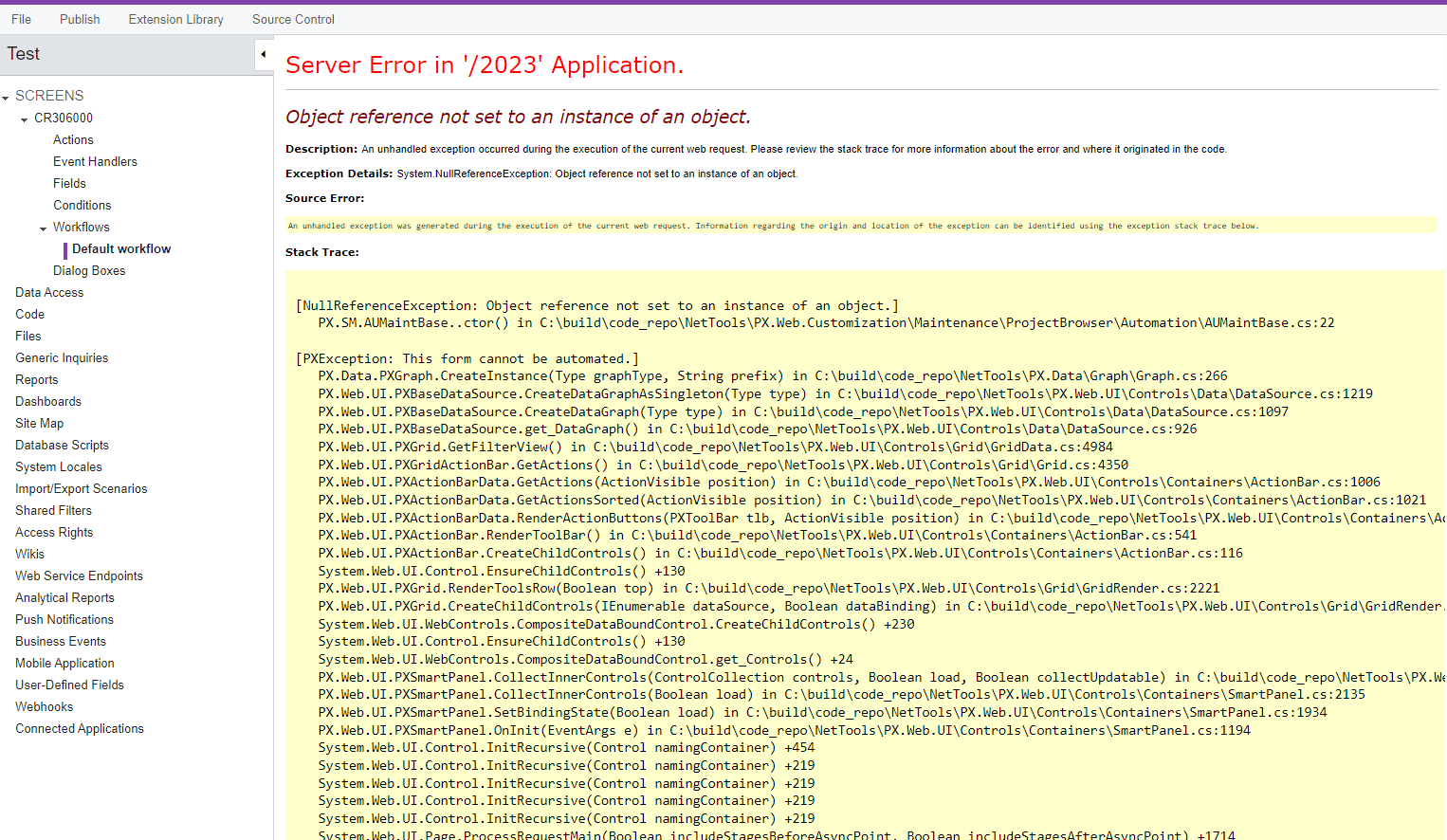
Not sure but seems something wrong with the Customization editor in general for 2023r1. Get the following error when trying to open the default workflow for Cases.   


Forum|alt.badge.img+8
  • Captain II
  • November 13, 2024

@ vib1980 


could you maybe try the set up a fresh instance?


Aleks


snikomarov36
Acumatica Employee
Forum|alt.badge.img
  • Acumatica Employee
  • Answer
  • November 13, 2024

@noorula77 , @ vib1980 the recommendation is not correct

> Class name: CompanyMaint_Extension (recommended for consistency with file name)
Or rename the file to match CompanyMaintExt

This is a general programming best practice, so I would recommend to follow this advice. But different names of a class and its containing file shouldn’t fail the validation.

> Add the [PXCacheName] attribute to properly declare the graph extension

This is not correct. The [PXCacheName] attribute should be declared only on DACs to specify a user friendly name of the DAC type. This user-friendly name will be displayed on some of Acumatica screens such as GI designer.

The specified name should be localizable. This means that it should be a localizable string constant like described here:
https://help.acumatica.com/Help?ScreenId=ShowWiki&pageid=49d467e5-7717-4393-a5c6-398d4bcf818c


snikomarov36
Acumatica Employee
Forum|alt.badge.img
  • Acumatica Employee
  • November 13, 2024

@ vib1980 you are using namespace PX.SM that is used by Acumatica itself.
While I’m not sure that this causes your problem, it’s possible that there is a validation that checks this.
It’s also possible that another graph extension with the same name exists in this namespace.

You should avoid using Acumatica own namespace. It’s similar to how you don’t usually use the System namespace for your own code. Create a unique namespace. A good start will be to avoid the “PX” prefix, almost all Acumatica namespaces start from it.