Answer

Validation Failed Issue

  • November 5, 2024
  • 4 replies
  • 111 views

Forum|alt.badge.img

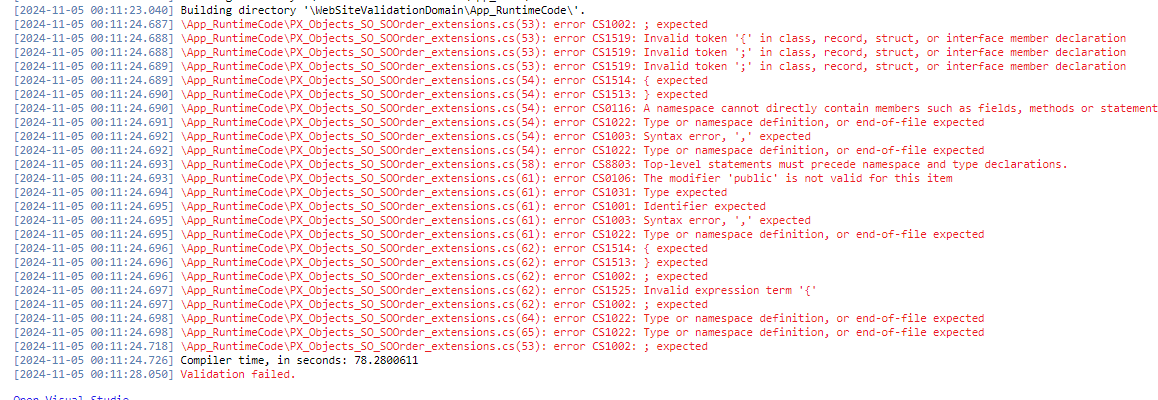
Getting an error when publishing “customization project” .
Says error is happening in: 
PX_Objects_SO_SOOrder_extensions

It’s in \App_RuntimeCode\PX_Objects_SO_SOOrder_extensions.cs

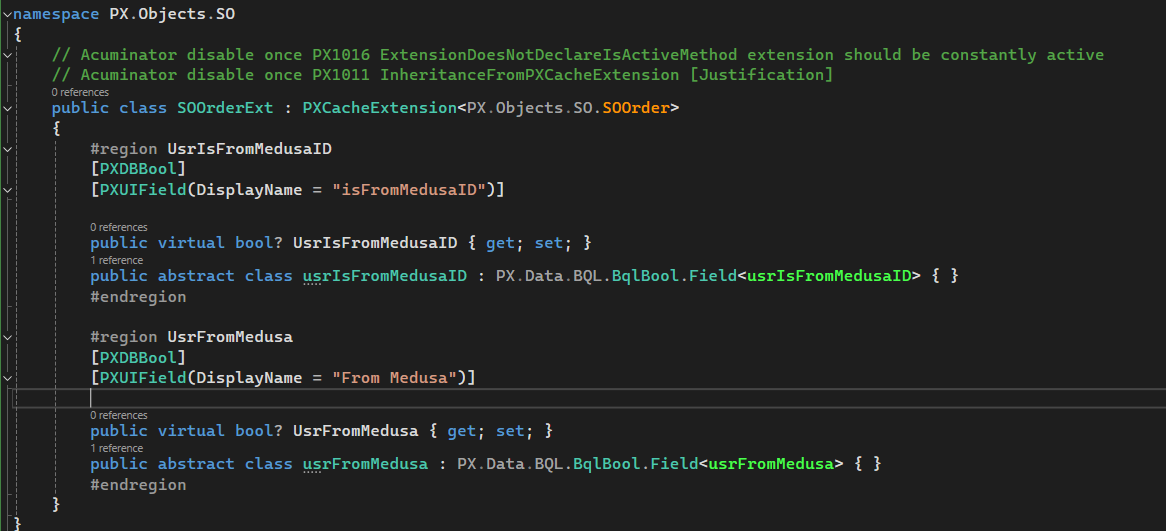
and there doesn’t seem to be any issues,
I recently did open project from folder as well for this instance and binded it to my external code library that I pulled from GitHub not sure if that makes a difference
 

.

Best answer by Django

I’ve not set up customization projects in VS that way before. And, yes, unpublishing will remove those files.

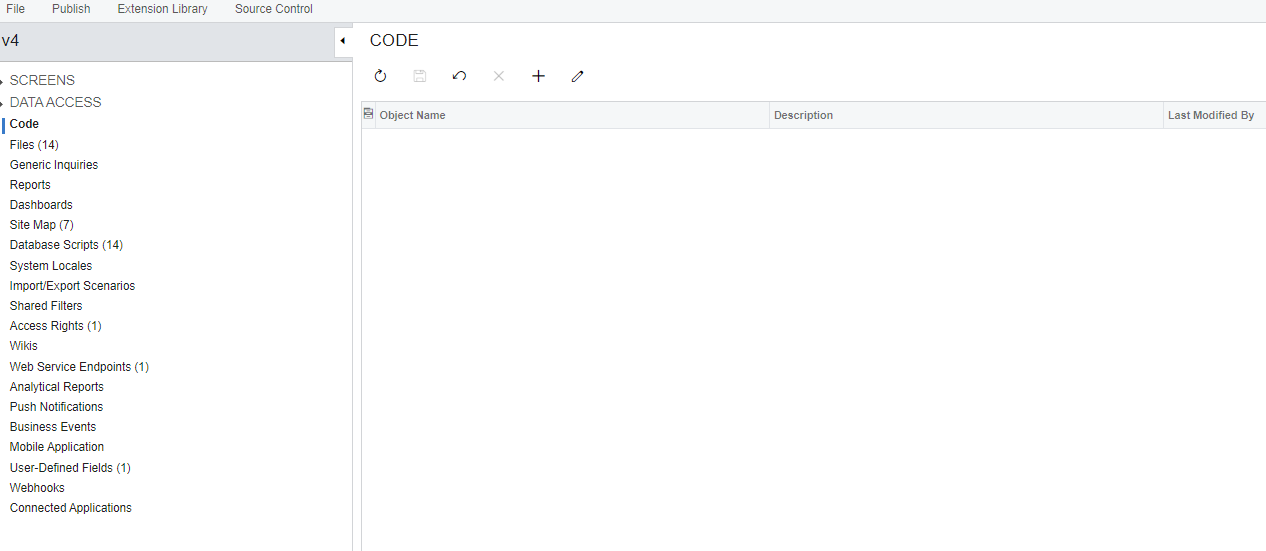
I’d recommend that when you set up the customization project, use the Create New option under the Extension Library menu. Then, when you create a Customized Data Class entry in your project, use the Convert to Extension button to move it from the Data Access node to the Code node. Then, select the entry in the Code note and use the Move to Ext. Library button.

That will push the code into your VS project and you can edit there.

It also allows you to do debugging as well.

The only downside is that your compile-to-testing time increases dramatically vs having the files in the App_RuntimeCode folder but I think the benefits outweigh the drawbacks.

4 replies

Forum|alt.badge.img+7
  • Captain II
  • November 5, 2024

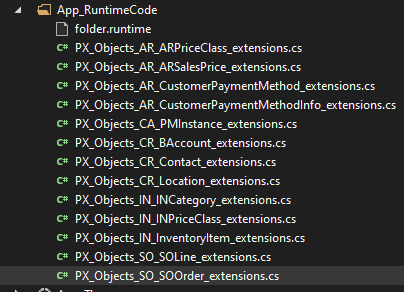
Is this a local development environment?  If so, what’s in the App_RuntimeCode folder for this site?


Forum|alt.badge.img+8
  • Captain II
  • November 5, 2024

Hi @jmc37 


Can you try to change the namespace or change the name of the class, there might already be a SOOrderExt in PX.Object.SO and it could cause issues.


Aleks


Forum|alt.badge.img
  • Author
  • Jr Varsity III
  • November 5, 2024

Hi Django, yes this is a local development environment. It contains other extension files.
 

I get an error when trying to open them now saying they’ve been moved, removed, or deleted. I’m guessing because I unpublished the customization project? The only one that does open is SO_SOOrder extension. But that’s probably because I copied it back in there when I was testing if it would work by publishing it after removing the file.


Forum|alt.badge.img+7
  • Captain II
  • Answer
  • November 5, 2024

I’ve not set up customization projects in VS that way before. And, yes, unpublishing will remove those files.

I’d recommend that when you set up the customization project, use the Create New option under the Extension Library menu. Then, when you create a Customized Data Class entry in your project, use the Convert to Extension button to move it from the Data Access node to the Code node. Then, select the entry in the Code note and use the Move to Ext. Library button.

That will push the code into your VS project and you can edit there.

It also allows you to do debugging as well.

The only downside is that your compile-to-testing time increases dramatically vs having the files in the App_RuntimeCode folder but I think the benefits outweigh the drawbacks.