Answer

Unable to see the extended field in Modern UI

  • May 27, 2025
  • 3 replies
  • 80 views

Forum|alt.badge.img

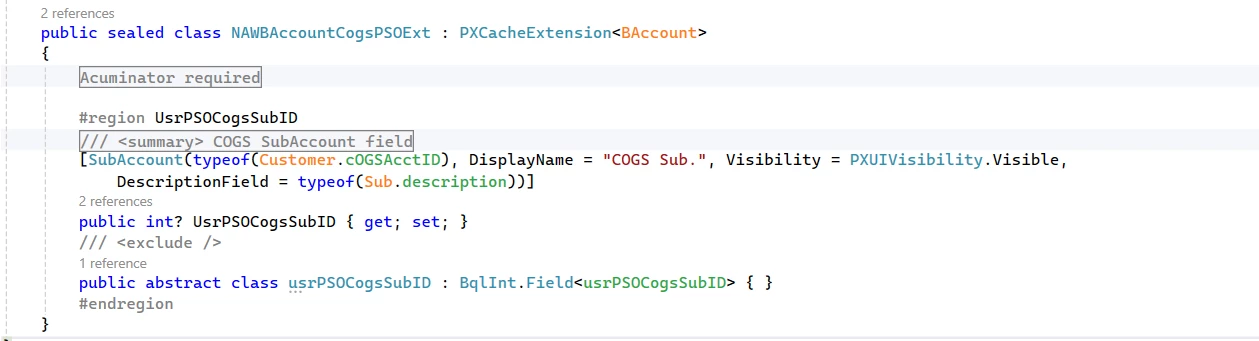
We are trying to  Extended DAC Fields in the Customers screen GL accounts tab classic to Modern UI .DAC has 1 extended fields need to display it in the modern UI Customers screen GL accounts tab.  
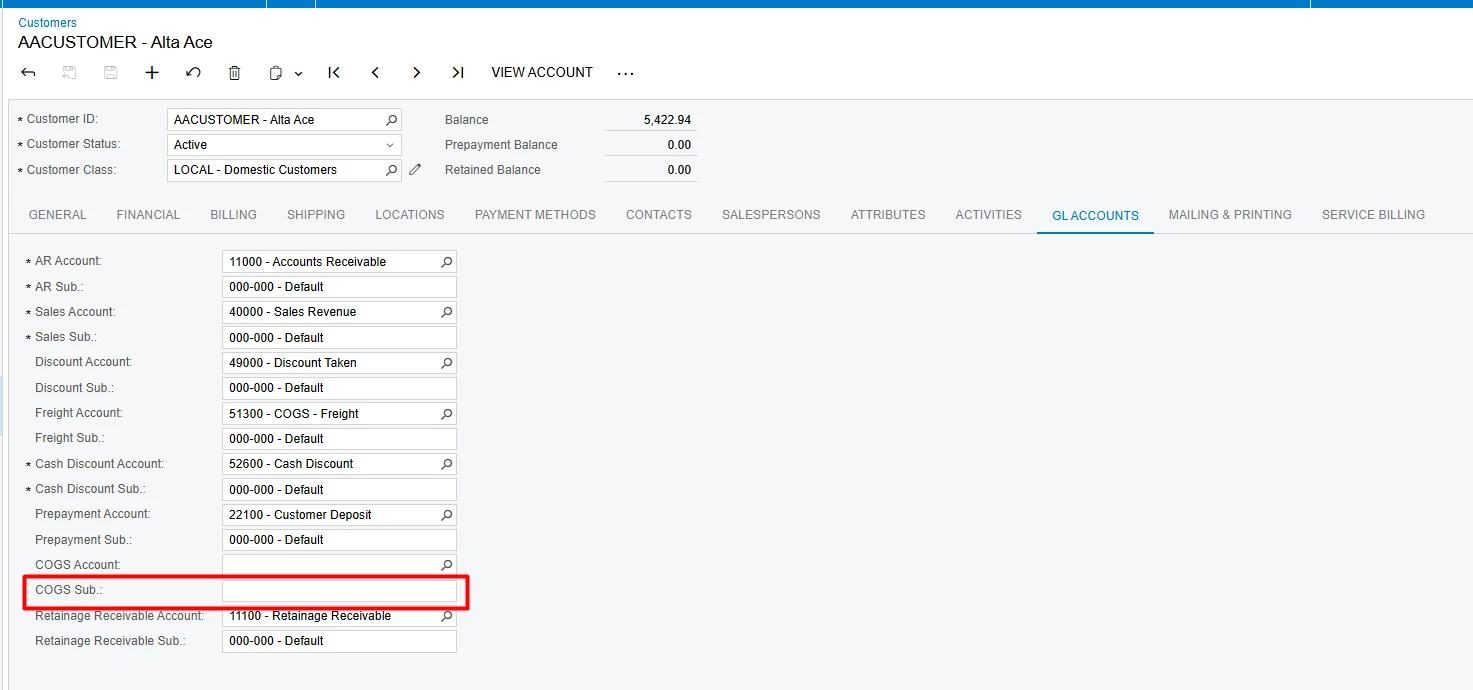
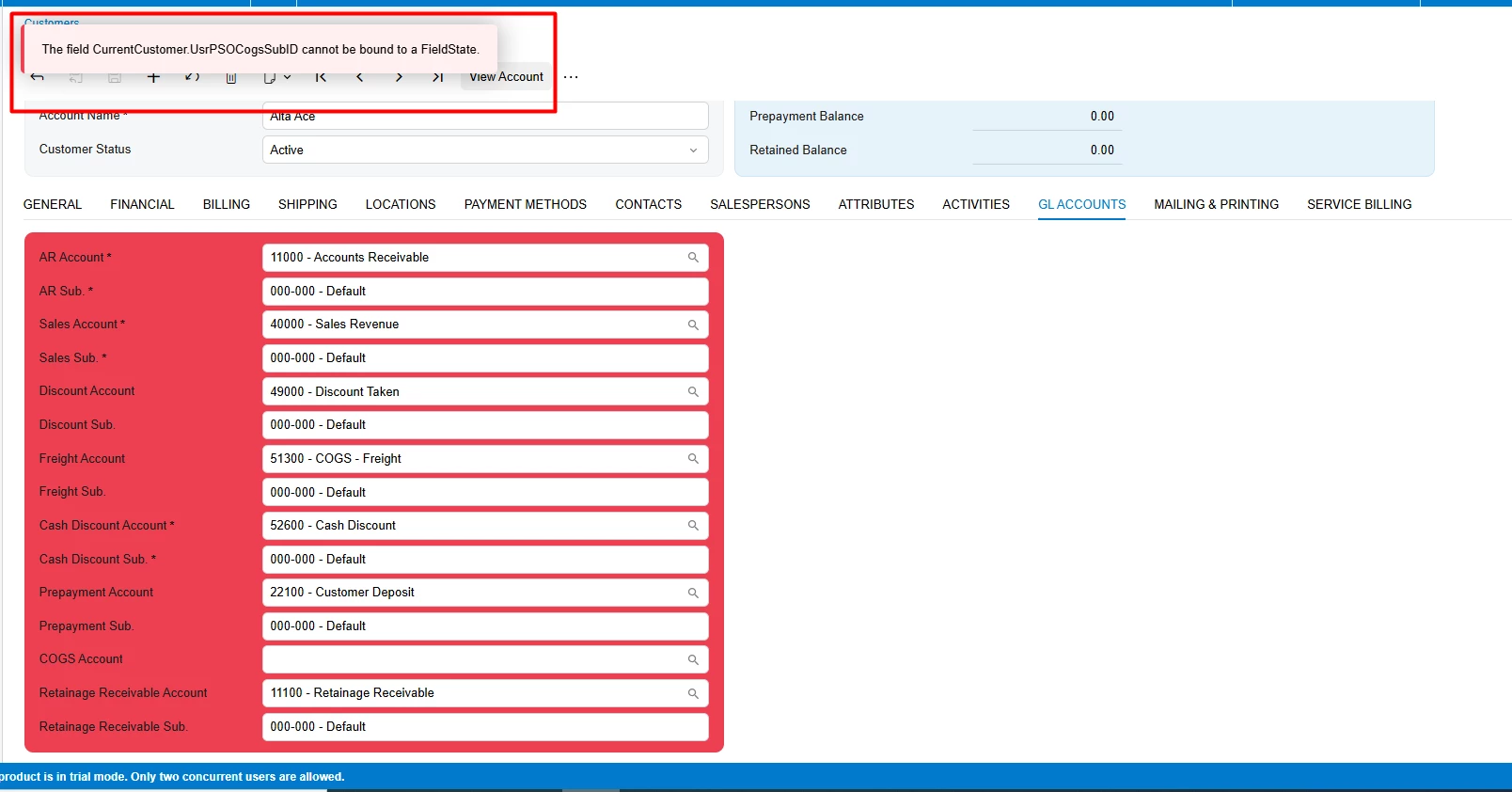
tried with below code, Unable to see fields in Modern UI, below screenshot red marked field need to display it in the modern UI Customers screen GL accounts tab.
 

DAC


Typescript
 

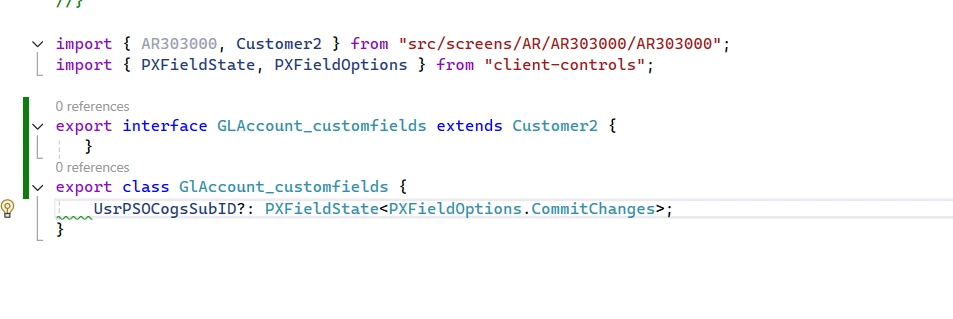
import { AR303000, Customer2 } from "src/screens/AR/AR303000/AR303000";
import { PXFieldState, PXFieldOptions } from "client-controls";

export interface GLAccount_customfields extends Customer2 {
    UsrPSOCogsSubID?: PXFieldState<PXFieldOptions.CommitChanges>;
}

export class GlAccount_customfields {
    UsrPSOCogsSubID?: PXFieldState<PXFieldOptions.CommitChanges>;
}
 

HTML 

<template>
    <field after="#columnFirstGlAccounts [name='COGSAcctID']"
           name="UsrPSOCogsSubID"></field>
</template>


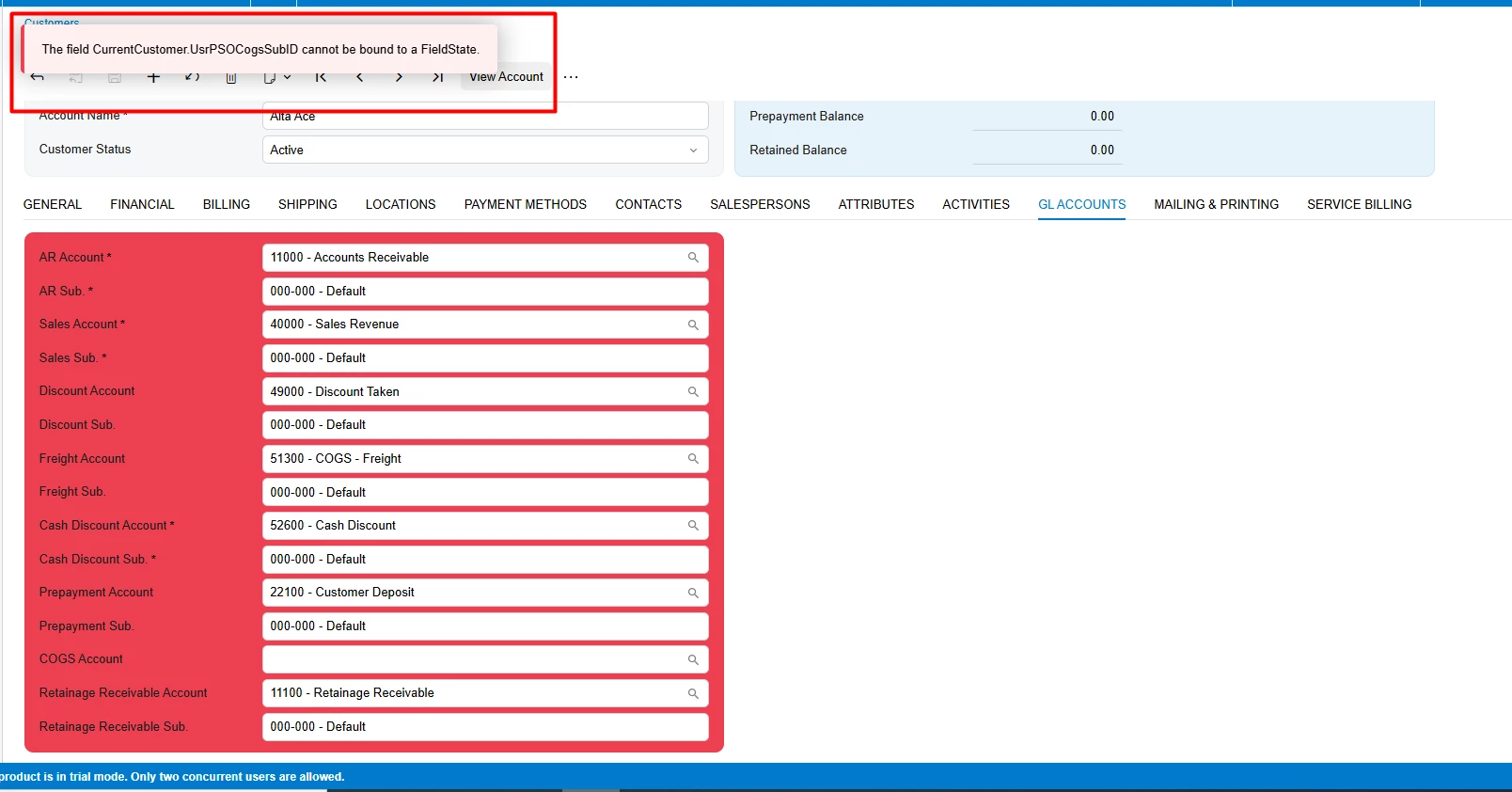
When Switched to Modern UI getting below error see in screenshot
 

Best answer by Siddu

@Vignesh Ponnusamy  I was able to resolve this.  Made changes in html  files After field tag value, it working now 
HTML

<template>    
    <field after="#tabGlAccounts [name='COGSAcctID']"  name="UsrPSOCogsSubID"></field>
</template>


Typescript 
 

import { PXFieldState, PXFieldOptions } from "client-controls";

import { Customer2 } from "../AR303000";

export interface Customer2_customfields extends Customer2 { }
export class Customer2_customfields {
    UsrPSOCogsSubID: PXFieldState<PXFieldOptions.CommitChanges>;
}

3 replies

Vignesh Ponnusamy
Acumatica Moderator
Forum|alt.badge.img+5

Hi ​@Siddu,

I see one item that can be corrected, remove field declaration in the interface and create interface just like below,

export interface GLAccount_customfields extends Customer2 {}

Try correcting the interface to see if that helps. Feel free to post back if you have any questions.


Forum|alt.badge.img
  • Author
  • Jr Varsity III
  • May 28, 2025

@Vignesh Ponnusamy , made changes as you suggested, still same error is coming


Forum|alt.badge.img
  • Author
  • Jr Varsity III
  • Answer
  • May 28, 2025

@Vignesh Ponnusamy  I was able to resolve this.  Made changes in html  files After field tag value, it working now 
HTML

<template>    
    <field after="#tabGlAccounts [name='COGSAcctID']"  name="UsrPSOCogsSubID"></field>
</template>


Typescript 
 

import { PXFieldState, PXFieldOptions } from "client-controls";

import { Customer2 } from "../AR303000";

export interface Customer2_customfields extends Customer2 { }
export class Customer2_customfields {
    UsrPSOCogsSubID: PXFieldState<PXFieldOptions.CommitChanges>;
}