Answer

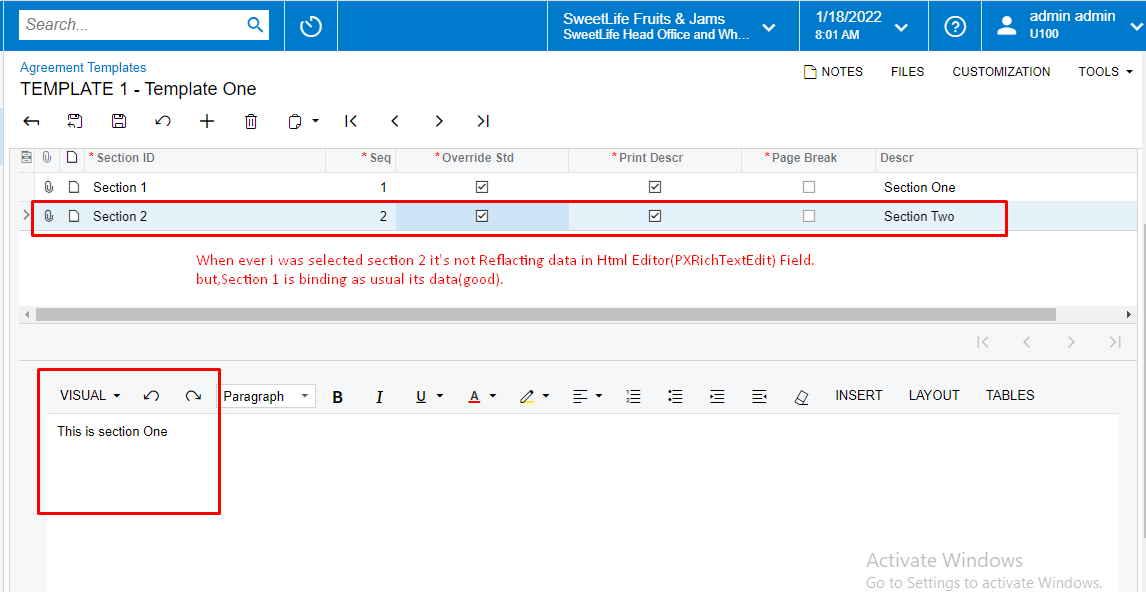
Unable to bind the data to selected row.

  • January 18, 2022
  • 5 replies
  • 336 views

Forum|alt.badge.img

Hi Guys,

We are not able to bind the data. while selecting a specific row To Html Editor(PXRichTextEdit) Form.

Plz, Get me out of this Puzzle.


Thanks


Best answer by Django

Have you set the master grid set SyncPosition property to true?  It seems like the bottom field isn’t away that the grid record has changed.

While you don’t have a detail grid, it’s almost acting like that.  If SyncPosition doesn’t sort it out, have a look at this post:

https://stackoverflow.com/questions/49264233/how-to-create-master-detail-grids-in-acumatica

5 replies

Naveen Boga
Captain II
Forum|alt.badge.img+19
  • Captain II
  • January 18, 2022

Hi @NageswaraRaoAddanki60  Can you please share your code here.


Forum|alt.badge.img

Hi @NageswaraRaoAddanki60  Can you please share your code here.

  Okay,

Here is My Graph 

 public class SSPAgreeTemplateMaint : PXGraph<SSPAgreeTemplateMaint, SSPAgreeTemplate>

    {

        public SelectFrom<SSPAgreeTemplate>.View AgreeTemplates;

        public SelectFrom<SSPAgreeTemplateSection>.Where<SSPAgreeTemplateSection.templateID.IsEqual<SSPAgreeTemplate.templateID.FromCurrent>>.View AgreeTemplateSections;

        public SelectFrom<SSPAgreeSection>.View SSPAgreeSectionDataView;

        #region Event Handlers

        protected void SSPAgreeTemplateSection_SectionID_FieldUpdated(PXCache cache, PXFieldUpdatedEventArgs e)

        {

            var row = (SSPAgreeTemplateSection)e.Row;

            SSPAgreeSection sPAgreeSection =

            SelectFrom<SSPAgreeSection>.

            Where<SSPAgreeSection.sectionID.IsEqual<@P.AsInt>>.

                View.Select(this, row.SectionID);

            if (sPAgreeSection != null)

            {

                if (row.OverrideStd != true)

                {

                    row.Descr = sPAgreeSection.Descr;

                    row.NoteHtml = sPAgreeSection.NoteHtml;

                }

            }

        }

        protected void SSPAgreeTemplateSection_RowUpdating(PXCache cache, PXRowUpdatingEventArgs e)

        {

            var row = (SSPAgreeTemplateSection)e.Row;

            if (row.NoteHtml == null)

            {

                SSPAgreeSection sPAgreeSection =

               SelectFrom<SSPAgreeSection>.

               Where<SSPAgreeSection.sectionID.IsEqual<@P.AsInt>>.

               View.Select(this, row.SectionID);

                if (sPAgreeSection != null)

                {


                    row.NoteHtml = sPAgreeSection.NoteHtml;

                }

            }

        }

        #endregion

    }


Forum|alt.badge.img+7
  • Captain II
  • Answer
  • January 18, 2022

Have you set the master grid set SyncPosition property to true?  It seems like the bottom field isn’t away that the grid record has changed.

While you don’t have a detail grid, it’s almost acting like that.  If SyncPosition doesn’t sort it out, have a look at this post:

https://stackoverflow.com/questions/49264233/how-to-create-master-detail-grids-in-acumatica


Forum|alt.badge.img

Have you set the master grid set SyncPosition property to true?  It seems like the bottom field isn’t away that the grid record has changed.

While you don’t have a detail grid, it’s almost acting like that.  If SyncPosition doesn’t sort it out, have a look at this post:

https://stackoverflow.com/questions/49264233/how-to-create-master-detail-grids-in-acumatica

  Hi @ddunn 
      I have tried This Scenario. But, it doesn’t work.

      I Need  to bind grid field data to form field, Whenever I  select the grid record .
Thanks.


  • Jr Varsity I
  • January 26, 2022

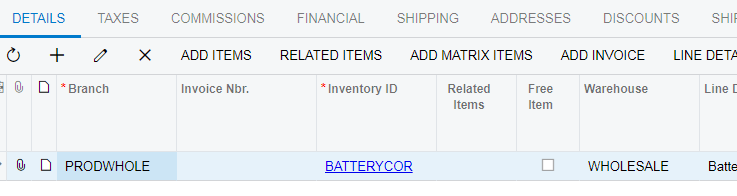
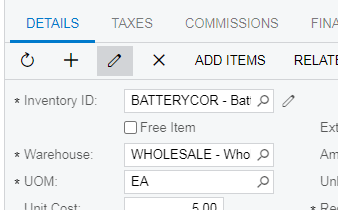
You can try to use AllowFormEdit property of the top grid. It will add grid toolbar action “Pencil” that will allow toggling between grid and form view.  

And in the RowTemplate use PXRichTextEdit control it will be bound to the same field .

In this case you do not need rich text edit control at the bottom. 

Please see for example SO301000 screen.