Answer

Unable to Add Custom Action to GI Mass Actions Menu

  • November 8, 2025
  • 2 replies
  • 42 views

Forum|alt.badge.img

Hello everyone,

I’m trying to add a custom action to the Generic Inquiry (GI) Mass Actions menu, but I haven’t been able to make it work.

The custom action is defined in a graph extension as follows:

namespace PX.Objects.PM {
public class ProjectEntry_Extension: PXGraphExtension < ProjectEntry > {
public override void Initialize() {
base.Initialize();
cusMassAction.IsMass = true;
}
#region Actions
// Mass Action
public PXAction < PMProject > cusMassAction;
[PXProcessButton(CommitChanges = true, Category = "Processing")]
[PXMassAction]
[PXUIField(DisplayName = "Cus Mass Action", IsDirty = true)]
protected IEnumerable CusMassAction(PXAdapter adapter) {
bool isMassProcess = adapter.MassProcess;
foreach(PMProject project in adapter.Get < PMProject > ()) {
project.Status = "S";
Base.Project.Cache.Update(project);
}

Base.Actions.PressSave();
return adapter.Get();
}
#endregion
}
}

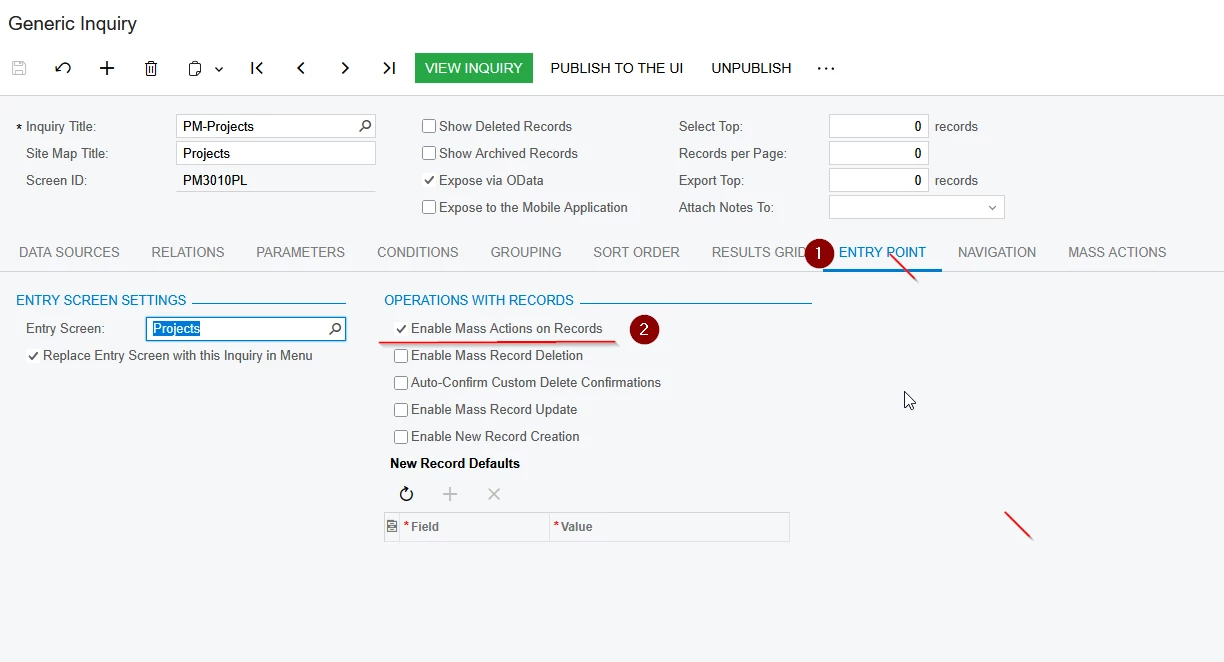
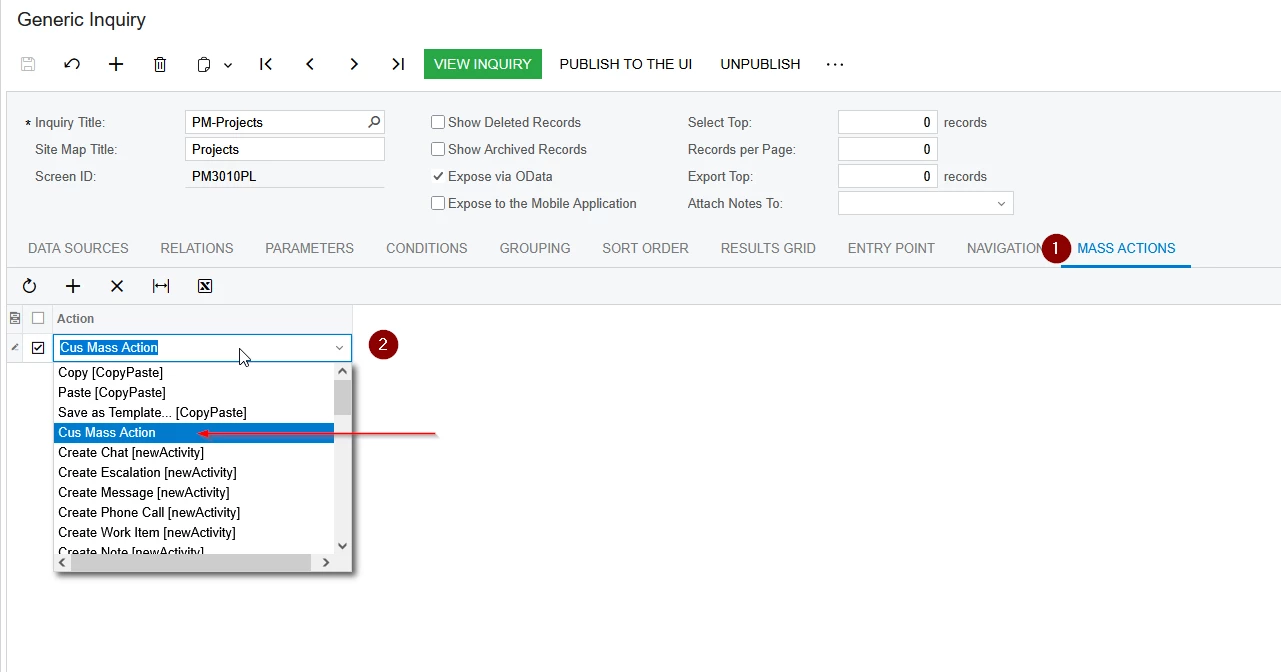
The action works correctly from the Actions menu, but it doesn’t appear in the GI’s Mass Actions dropdown
even though I have enabled the “Enable Mass Actions on Records” option.
Do I need to add something specific (like attributes, parameters, or graph connections) for it to appear in the GI Mass Actions list?

Any examples or suggestions would be greatly appreciated.
Thanks
Best answer by aleksejslusar19

Hi ​@mrthanhkhoi

I created a graph extension with an action that needed to be added to GI, published the customization project to the instance, but ran into the same error—couldn't see the CusMassAction in the list.

Here's what fixed it:

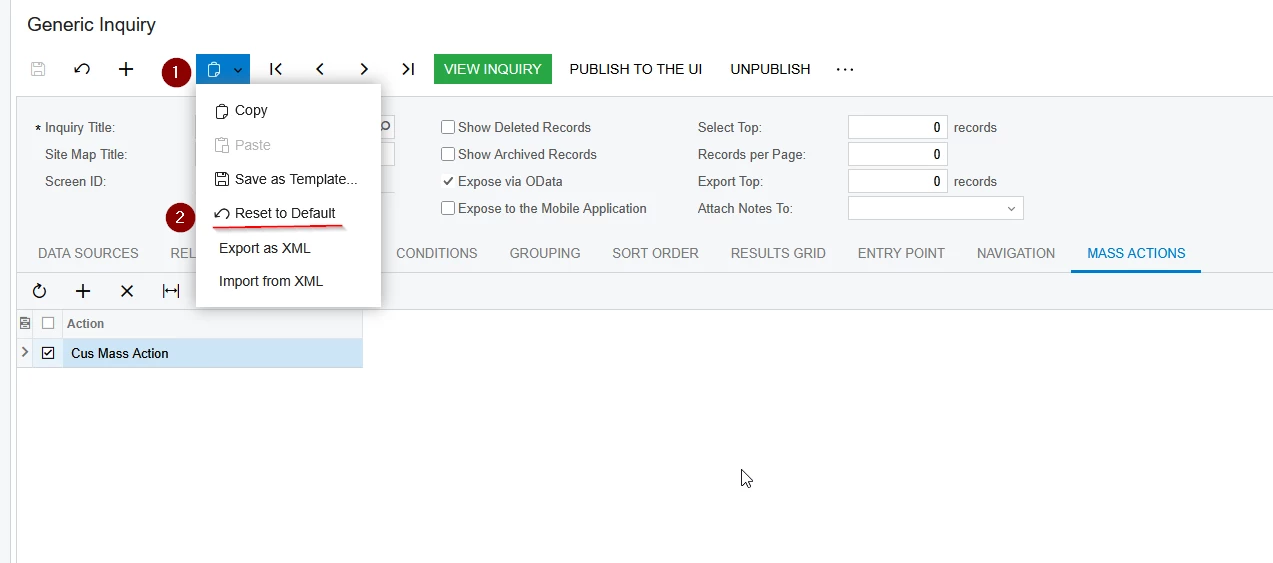
1. Went to the GI main menu and clicked "Reset to default":

2. Checked the "Expose via OData" checkbox (highlighted in your screenshot).

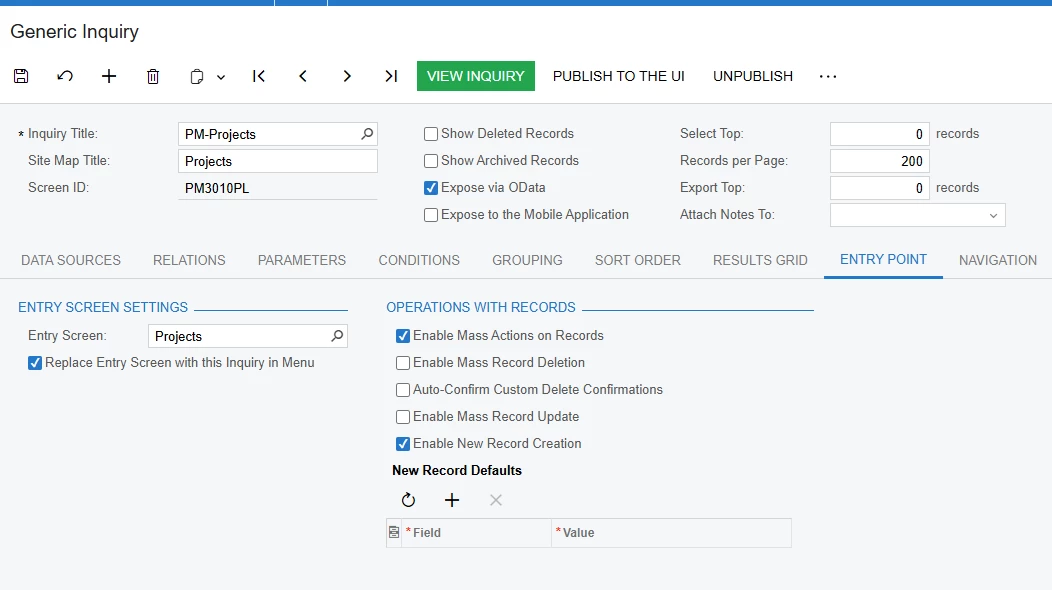
3. Opened the Entry Point tab and enabled "Enable Mass Actions on Records"—the Mass Actions tab appeared:

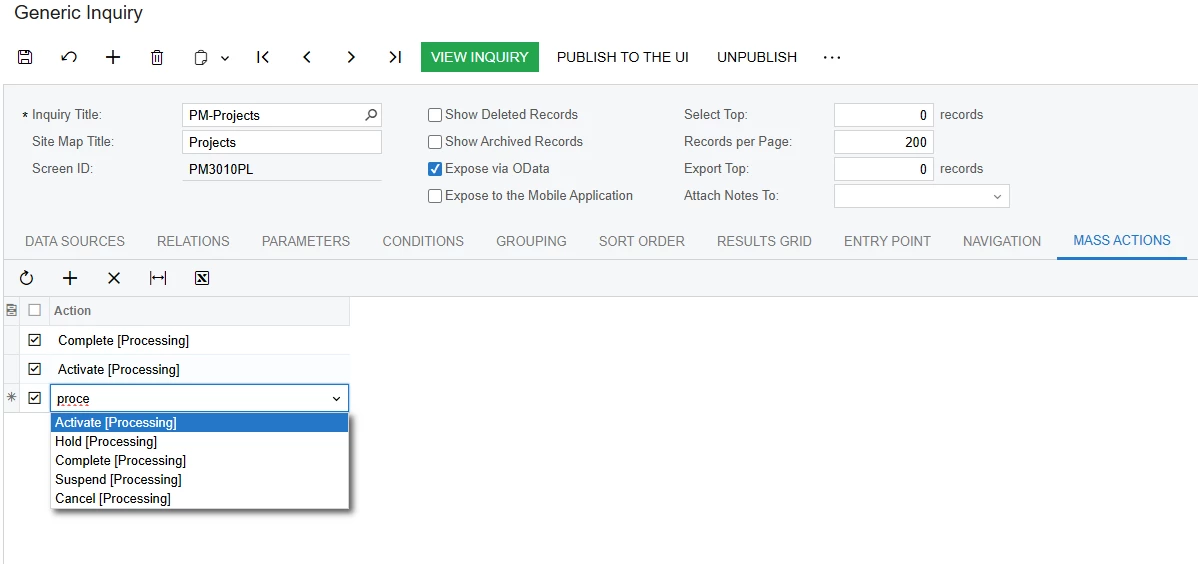
4. Went to the Mass Actions tab and added the action—CusMassAction now showed up in the list.

I hope this is helpful.

2 replies

Forum|alt.badge.img+1
  • Jr Varsity III
  • Answer
  • November 8, 2025

Hi ​@mrthanhkhoi

I created a graph extension with an action that needed to be added to GI, published the customization project to the instance, but ran into the same error—couldn't see the CusMassAction in the list.

Here's what fixed it:

1. Went to the GI main menu and clicked "Reset to default":

2. Checked the "Expose via OData" checkbox (highlighted in your screenshot).

3. Opened the Entry Point tab and enabled "Enable Mass Actions on Records"—the Mass Actions tab appeared:

4. Went to the Mass Actions tab and added the action—CusMassAction now showed up in the list.

I hope this is helpful.


Forum|alt.badge.img
  • Author
  • Jr Varsity II
  • November 9, 2025

it works from my side, much appreciate ​@aleksejslusar19