Hi @eduard83 Since the dedicated field is declared in a non-primary DAC (INTran), you need to use the double-underscore approach. Therefore, add your field in the related .ts file extension as follows:
import { InventoryTranDetEnqResult } from "src/screens/IN/IN404000/IN404000";
If I am correct and your screen is IN404000, it should work for you without any changes (except for replacing MyProject with your actual project name).
@aleksandrsechin Thank you for your reply and explanation regarding the double-underscore approach.
I've already tried implementing the solution exactly as described (using INTran__BAccountID in the .ts file extension), but unfortunately, I didn't get the expected result—the field still doesn't appear in the table.
If there are any other ways to solve this problem, please let me know.
You don’t need to specify anything for a grid field in the .HTML file (only in the .ts file). So you can remove it entirely.
You should place your file into the development folder: FrontendSources\screen\src\development\screens\IN\IN404000\extensions
Use the following command to build the files placed in the development folder: npm run build-dev --- --env screenIds=IN404000 customFolder=development
Make sure to run this command from the FrontendSources\screen folder.
I’ve tried the code above, and it adds the field on my instance. So try the steps above first. If you still can’t resolve the issue, follow the steps described in the reply marked as Answer in the topic I mentioned in my previous reply.
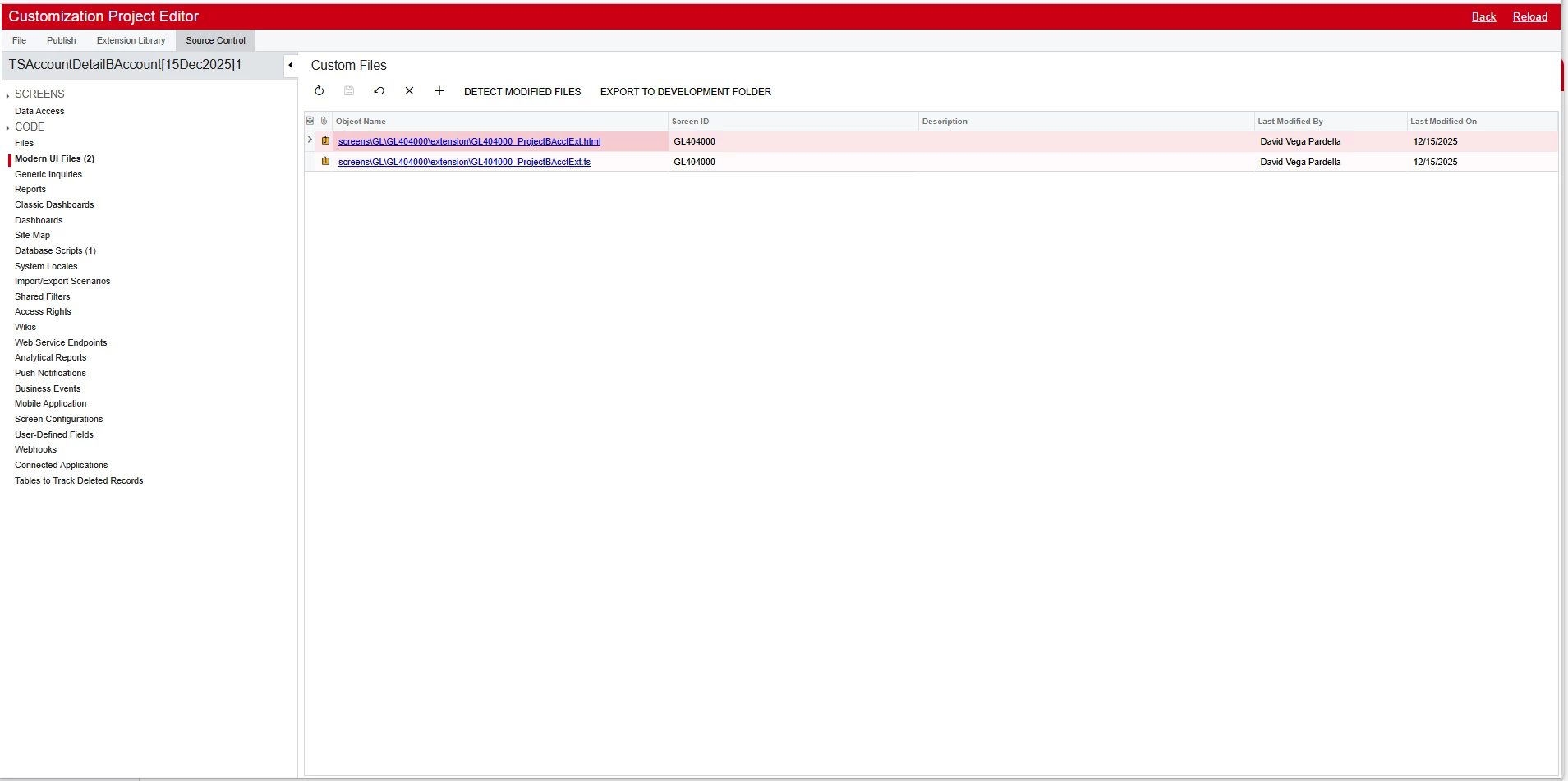
@eduard83 I suggest that : after completed steps suggested by @aleksandrsechin add those file extension in Customization Editor’s → Modern UI Files section like below snap. (if not added/present)
@aleksandrsechin, @Abhishek Niikam The issue has been resolved. It was indeed related to the system — I deployed a new system using the same code, and everything is now working correctly. Thank you for your help!