Question

Unable to add BAccountID from INTran to the grid in Modern UI

  • December 15, 2025
  • 7 replies
  • 42 views

Hi,

I am trying to add BAccountID from INTran to the grid in Modern UI, the same way it is added in Classic UI, but I am unable to achieve this.

Could you please help me understand how to correctly add this field in Modern UI?

I have attached a screenshot showing how this field is added and displayed in Classic UI for reference.

Thank you in advance for your assistance.

Best regards,
Vahe

7 replies

Forum|alt.badge.img+3

Hi ​@eduard83 
Since the dedicated field is declared in a non-primary DAC (INTran), you need to use the double-underscore approach. Therefore, add your field in the related .ts file extension as follows:

import { InventoryTranDetEnqResult } from "src/screens/IN/IN404000/IN404000";

import { PXFieldState } from "client-controls";

export interface InventoryTranDetEnqResult_MyProject extends InventoryTranDetEnqResult { }
export class InventoryTranDetEnqResult_MyProject {
INTran__BAccountID: PXFieldState;
}

If I am correct and your screen is IN404000, it should work for you without any changes (except for replacing MyProject with your actual project name).


  • Author
  • Freshman I
  • December 15, 2025

@aleksandrsechin Thank you for your reply and explanation regarding the double-underscore approach.

I've already tried implementing the solution exactly as described (using INTran__BAccountID in the .ts file extension), but unfortunately, I didn't get the expected result—the field still doesn't appear in the table.

If there are any other ways to solve this problem, please let me know.

Thanks for your help.


Forum|alt.badge.img+3

1. What is the file path?
2. How do you build the screen?

Also, sometimes changes may not be reflected in the UI. You can check this topic and follow the steps described in the reply marked as Answer:
https://community.acumatica.com/develop%2Dcustomizations%2D288/add%2Dcustom%2Dlocation%2Dfields%2Dto%2Dar303020%2Dcustomer%2Dlocations%2D33109


  • Author
  • Freshman I
  • December 15, 2025
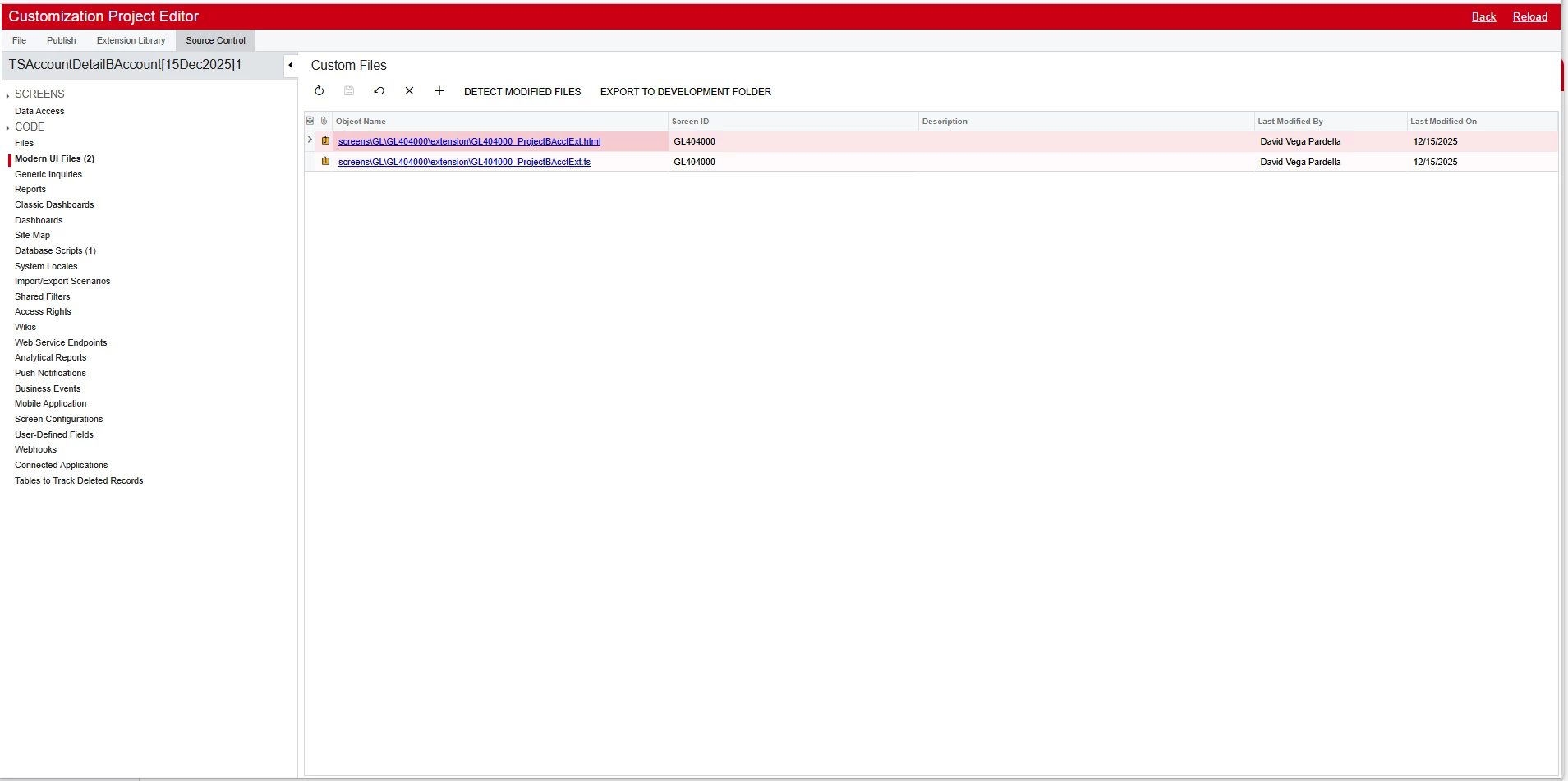
  1. FrontendSources\screen\src\screens\IN\IN404000\extensions\IN404000_BZConsignment.ts
  2. npm run build-dev --- --env screenIds=IN404000

      I will also attach my code below for clarity.

import { InventoryTranDetEnqResult } from "src/screens/IN/IN404000/IN404000";
import { PXFieldState } from "client-controls";
export interface InventoryTranDetEnqResult_BZConsignment extends InventoryTranDetEnqResult { }
export class InventoryTranDetEnqResult_BZConsignment {
    INTran__BAccountID: PXFieldState;
}


<template>
    <field after="#grid" name="INTran__BAccountID"></field>
</template> 


Forum|alt.badge.img+3
  1. You don’t need to specify anything for a grid field in the .HTML file (only in the .ts file). So you can remove it entirely.
  2. You should place your file into the development folder:
    FrontendSources\screen\src\development\screens\IN\IN404000\extensions
  3. Use the following command to build the files placed in the development folder:
    npm run build-dev --- --env screenIds=IN404000 customFolder=development
  4. Make sure to run this command from the FrontendSources\screen folder.

I’ve tried the code above, and it adds the field on my instance. So try the steps above first. If you still can’t resolve the issue, follow the steps described in the reply marked as Answer in the topic I mentioned in my previous reply.


  • Author
  • Freshman I
  • December 15, 2025

@aleksandrsechin I tried all these steps but unfortunately I couldn't solve the problem.


Forum|alt.badge.img+3

The issue is definitely not in the code. Here is a screenshot from my instance:


It’s probably something wrong with your instance. Try pressing Reset Caches on the Apply Updates screen, or follow Modern UI Troubleshooting: Unreflected Changes in the Modern UI, or, as a last resort, reinstall your instance.

Additionally, check if the field isn’t hidden here or by any business logic.