Answer

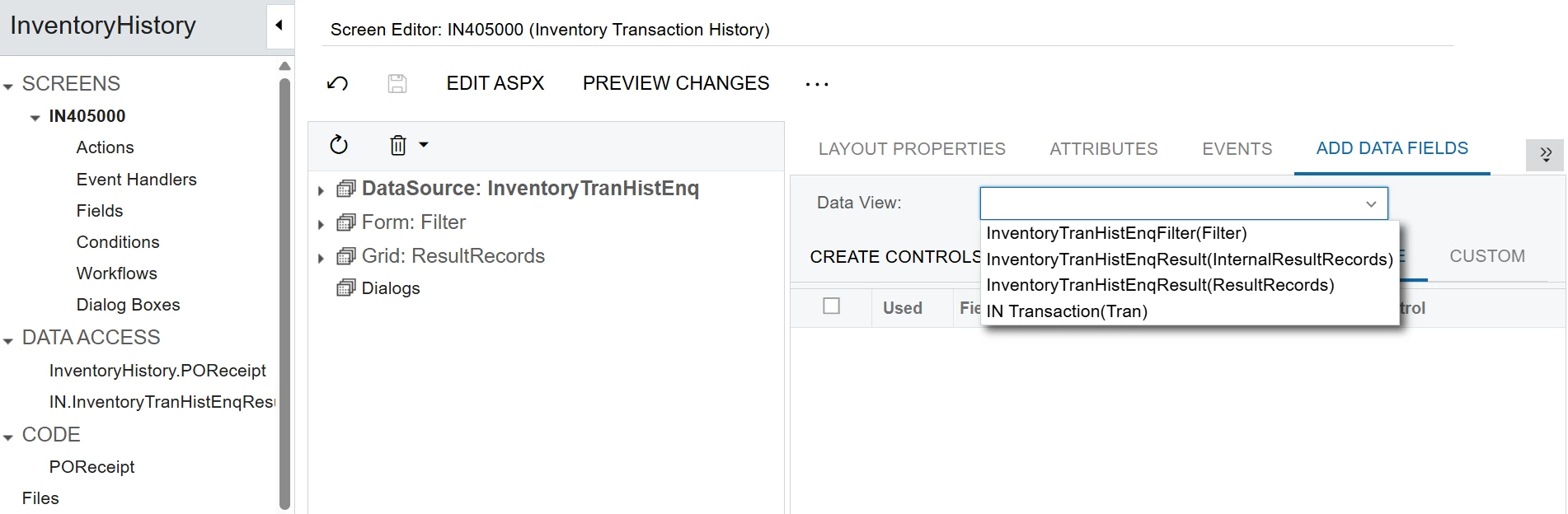
Unable to add a new DAC table to a screen in a customization project.

  • May 8, 2025
  • 4 replies
  • 118 views

Forum|alt.badge.img

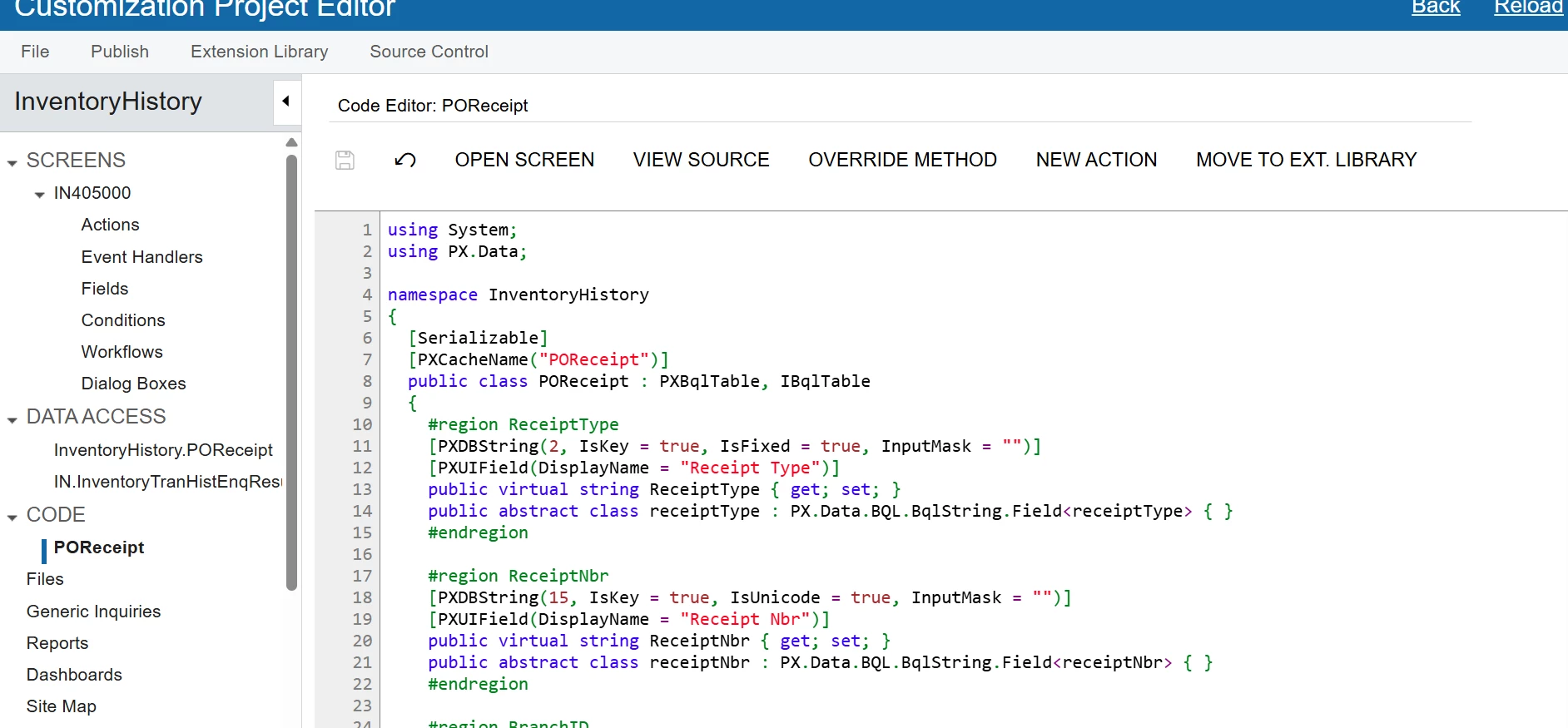
I’m trying to add a currently existing tables to a screen as a new DAC. I’ve got it added in the code tab, but it is still not appearing as a option to add its fields. 
 

Best answer by aiwan

Hi ​@kkraus 


Acumatica use BQL, this can be split into traditional, which is what ​@Patrick Chen showed, or Fluent BQL like below:

public SelectFrom<NPDStakeholder>.

    Where<NPDStakeholder.projectNo.IsEqual<NPDHeader.projectNo.FromCurrent>.

  And<NPDStakeholder.productTitle.IsEqual<NPDHeader.productTitle.FromCurrent>>>.View Stakeholders;


I recommend you start with the T-series open university courses, they will be of great help.


Aleks

4 replies

Patrick Chen
Varsity II
Forum|alt.badge.img+2

This is a bit confusing because POReceipt is an existing Acumatica table.  So what I think you’re trying to do is access the existing internal table within this particular page.  Assuming that’s correct, you don’t need to create a DAC.  You need to created an extension of IN405000’s graph.  The extension should contain a new View that accesses POReceipt

public class myExtensionEXT: PXGraphExtension<AcumaticaGraph>

{

PXSelect<POREceipt, Where<….>» POReceiptView;

}

Publish and the view should be available to use in the page


Forum|alt.badge.img
  • Author
  • Freshman II
  • May 12, 2025

This is a bit confusing because POReceipt is an existing Acumatica table.  So what I think you’re trying to do is access the existing internal table within this particular page.  Assuming that’s correct, you don’t need to create a DAC.  You need to created an extension of IN405000’s graph.  The extension should contain a new View that accesses POReceipt

public class myExtensionEXT: PXGraphExtension<AcumaticaGraph>

{

PXSelect<POREceipt, Where<….>» POReceiptView;

}

Publish and the view should be available to use in the page

I tried to use this code, as shown below, but I’m still running into errors. Something about missing commas:

using PX.Data.ReferentialIntegrity.Attributes;
using PX.Data;
using PX.Objects.CM;
using PX.Objects.Common.Attributes;
using PX.Objects.Common.Bql;
using PX.Objects.Common;
using PX.Objects.CS;
using PX.Objects.GL;
using PX.Objects.IN.Attributes;
using PX.Objects.IN;
using PX.Objects.PM;
using PX.Objects.PO;
using PX.Objects.SO;
using PX.Objects;
using System.Collections.Generic;
using System;

namespace PX.Objects.IN
{
  public class INTranExt : PXCacheExtension<PX.Objects.IN.INTran>
  {
    #region UsrCustomField
    [PXString]
    [PXUIField(DisplayName="Custom Field")]
    public virtual string UsrCustomField { get; set; }
    public abstract class usrCustomField : PX.Data.BQL.BqlString.Field<usrCustomField> { }
    #endregion
  }
  public class myExtensionEXT: PXGraphExtension<PX.Objects.SO>
  {
    PXSelect<SOOrder, Where<SOOrder.OrderNbr = INTran.SOOrderNbr && SOOrder.OrderType = INTran.SOOrderType >, OrderBy OrderNbr>
  }
  public class myExtensionEXT: PXGraphExtension<PX.Objects.PO>
  {
    PXSelect<POReceipt, Where<POReceipt.ReceiptNbr = INTran.POReceiptNbr && POReceipt.ReceiptType = INTran.POReceiptType >, OrderBy ReceiptNbr>
  }   
}


Patrick Chen
Varsity II
Forum|alt.badge.img+2
  • Varsity II
  • May 12, 2025

A couple of things I noticed

  1.  You can’t name two objects with the same name (myExtensionEXT). Make them unique.
  2. The PXGraphExtension<..> needs to reference a specific graph (replace .. with SOOrderEntry or similar)  The graph is what is running the page.
  3. Your PXSelect statements are not correctly constructed.  There are no &&’s in the syntax for example. See here for instructions on constructing BQL statements.   Also there needs to be a name for the object ala ‘POReceiptView’.

Forum|alt.badge.img+8
  • Captain II
  • Answer
  • May 13, 2025

Hi ​@kkraus 


Acumatica use BQL, this can be split into traditional, which is what ​@Patrick Chen showed, or Fluent BQL like below:

public SelectFrom<NPDStakeholder>.

    Where<NPDStakeholder.projectNo.IsEqual<NPDHeader.projectNo.FromCurrent>.

  And<NPDStakeholder.productTitle.IsEqual<NPDHeader.productTitle.FromCurrent>>>.View Stakeholders;


I recommend you start with the T-series open university courses, they will be of great help.


Aleks