Question

UDF attribute addition to Grid

  • July 20, 2022
  • 6 replies
  • 452 views

Forum|alt.badge.img+1

I have a UDF defined on the ‘Bills and Adjustments’ screen which is of type ‘Checkbox’ (Boolean) which works just fine. This UDF was defined using Acumatica’s User-Defined Fields functionality, thus its not a standard field added through the Customization Project.


I have tried to add the UDF checkbox to show up on the ‘Checks and Payments’ screen under the ‘DOCUMENTS TO APPLY’ screen which does work and it does show its value, however I am encountering a strange behaviour whereby the value of the field disappears (is set to Null / False) when the record is saved. 


Below is an example:

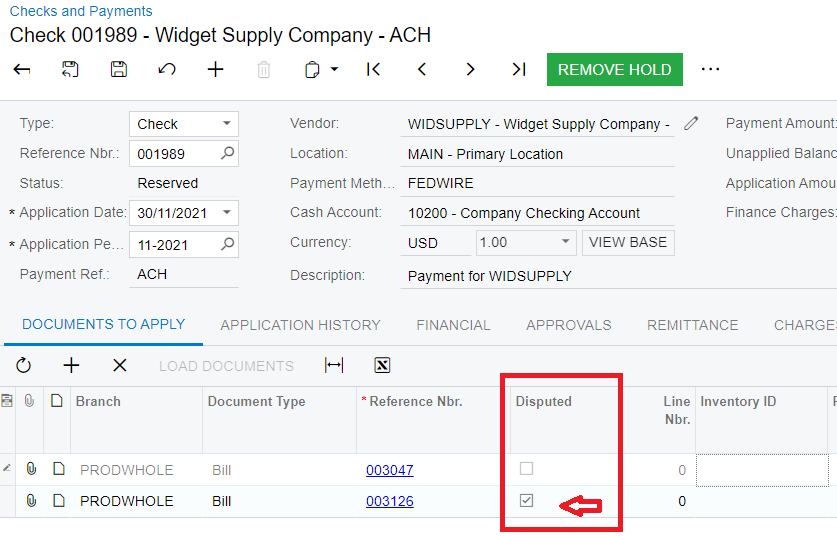
  1. When adding the bill under the ‘DOCUMENTS TO APPLY’ tab, the UDF’s value is retrieved and shown correctly
  1. When pressing the save button (saving the payment record), the ‘Disputed’ UDF checkbox for Bill 003126 is changed to False/Null as shown below
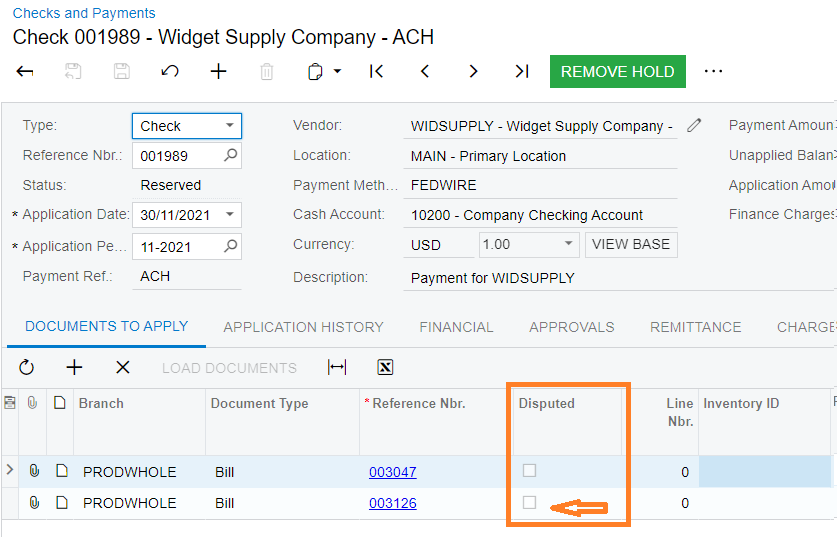


Note that this field is read-only in the grid which is correct, as the actual ‘Disputed’ UDF field is set on the ‘Bills and Applications’ screen, hence the role of the ‘Checks and Payments’ screen is to simply retrieve and show the value.


Did anyone ever encounter this issue please and if so, is there a way to make the UDF field value show up correctly, even after saving?


Thanks in Advance,

Nigel Pace

 

6 replies

asommer
Varsity I
Forum|alt.badge.img
  • Varsity I
  • July 20, 2022

Did you add the DAC extension code?


Forum|alt.badge.img+1
  • Author
  • Varsity I
  • July 20, 2022

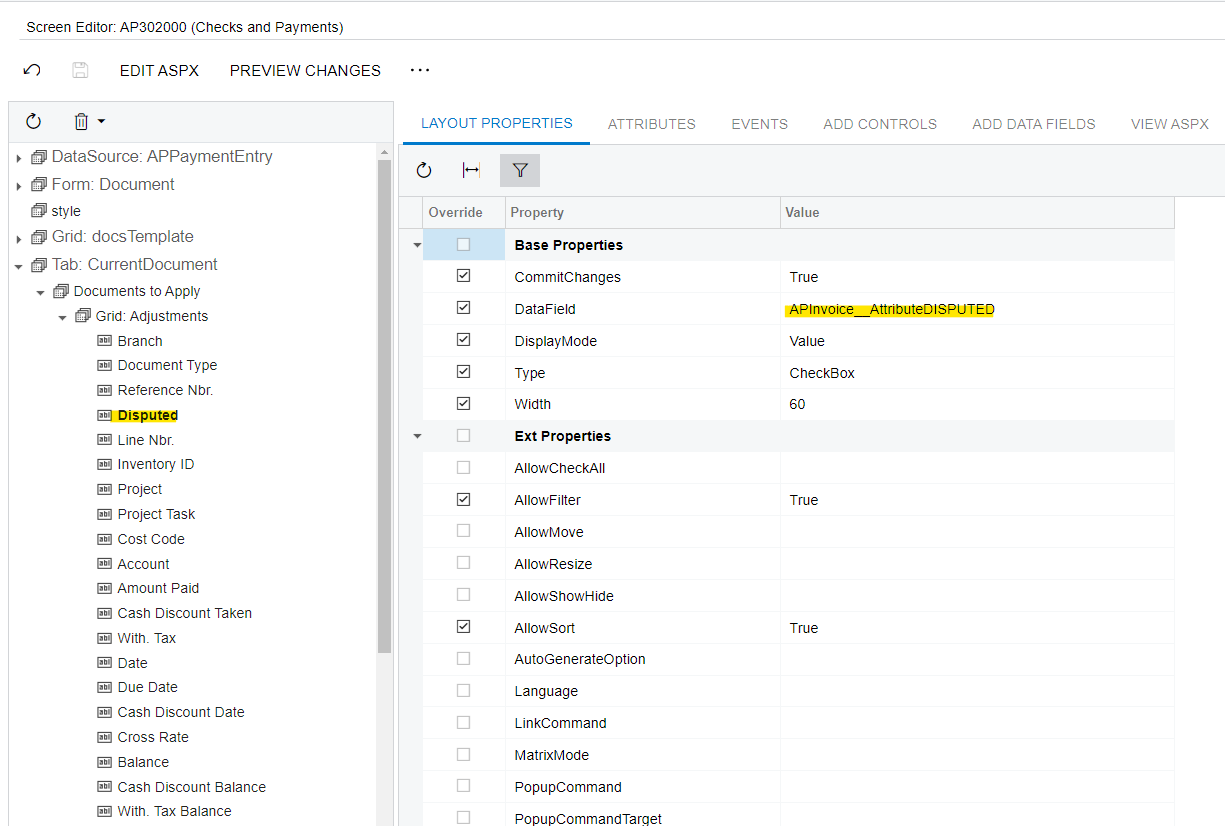
@asommer I added the field to the grid of the ‘DOCUMENTS TO APPLY’ tab on the ‘Checks and Payments’ screen manually via a Customization Project. This is the only addition that I made (see below screenshot).


Is there anything in addition to this that I need to do please?


Thanks,

Nigel


asommer
Varsity I
Forum|alt.badge.img
  • Varsity I
  • July 21, 2022

Try creating a new user defined field in the DATA ACCESS part of the Customization Project.  I believe the Name should be AP.APAdjust and then create a new field named Disputed (which will be auto-renamed to UsrDisputed) and set the type to bool.

I believe once you do that you can then change the DataField of the checkbox to UsrDisputed.

Or if you already have a Data Access field maybe I’m wrong.


Forum|alt.badge.img

Hi @npace29 , I experienced a similar issue but it was on Invoice and Memos screen. I raised a ticket(AC-237223) with Acumatica and the fix is about to be released.


As workaround I was suggested to delete Type attribute (or replace it with a different attribute) from AR304000 screen (Cash Sale), for some reason system takes null value from this screen and overwrites it for an attribute with the same name (Type) on AR301000 screen.


Forum|alt.badge.img+1
  • Author
  • Varsity I
  • July 25, 2022

Hi @asommer and @jeffersonmacedo,


Thanks to both for your feedback and suggestions. I have tried both options, however none worked for me 😕.


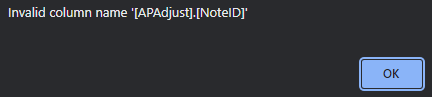
The UDF that I have does not share the same field name or label of an existing field, thus I think this issue is slightly different. I think its a limitation since the field is not technically in the same DAC, as data values for UDFs are stored in another table & DAC. Furthermore, as I try to filter on the UDF, an error is raised pointing to the NoteID which is presumably used by Acumatica to retrieve the UDF value, similar to the CSAnswers DAC link.


Chris Hackett
Community Manager
Forum|alt.badge.img
  • Acumatica Community Manager
  • October 28, 2022

Hi @npace29 - were you ever able to find a solution? Thank you!