


Hello,
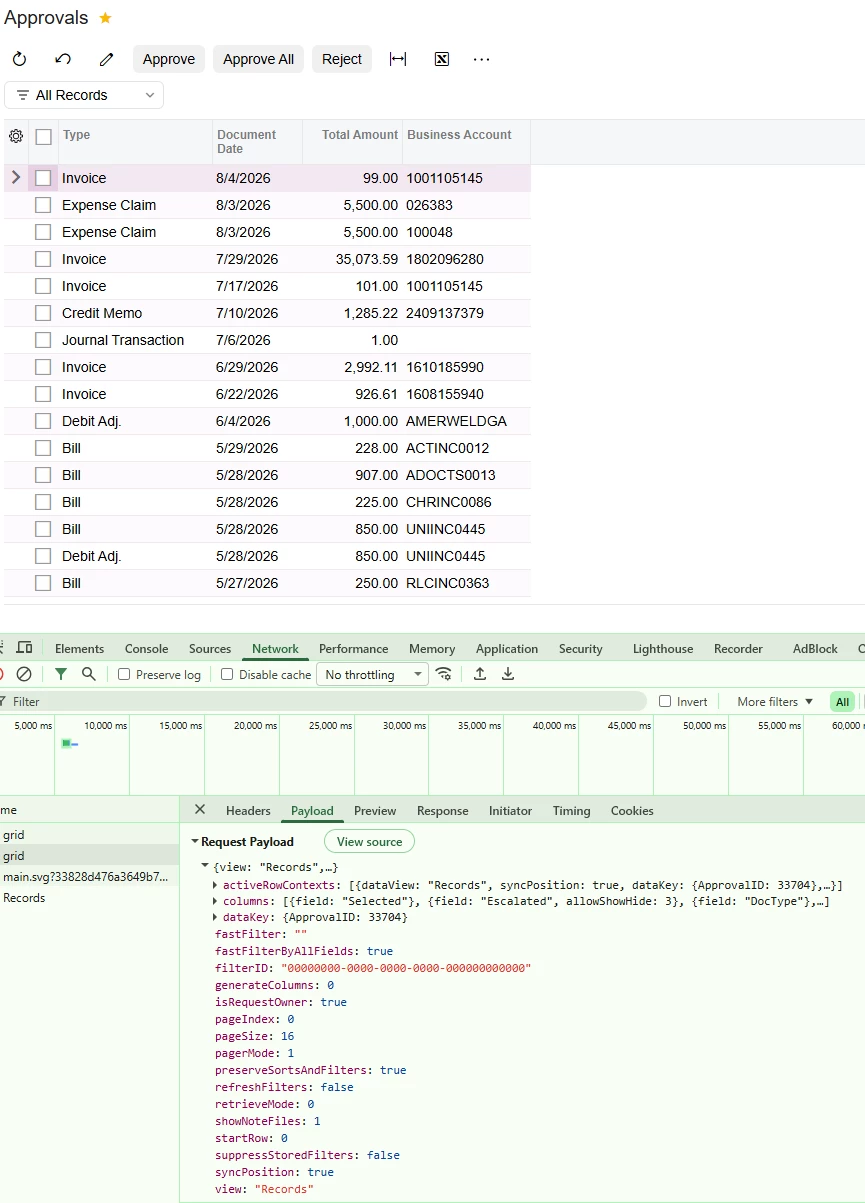
I am trying to make the records on the Approvals screen scrollable on Modern UI, rather than going through pages using the Next button. The screen is scrollable in Classic UI by default, without any screen-level change.
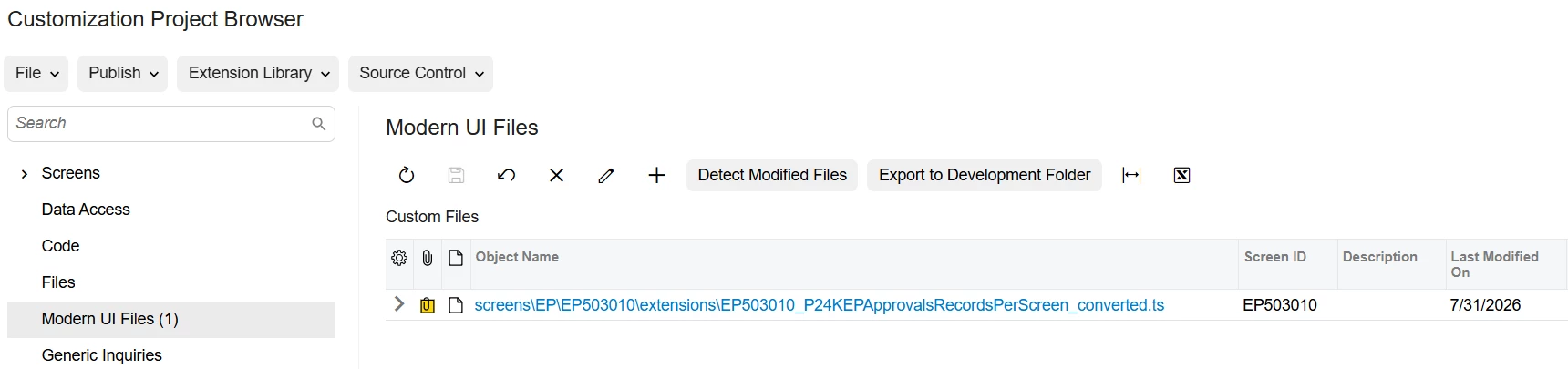
For this requirement, I added a TypeScript extension as below:
import {
    removeDecorator,
    gridConfig,
    GridPreset,
    GridFilterBarVisibility,
    GridNoteFilesShowMode,
    GridPagerMode,
} from "client-controls";
import { EPApproval } from "src/screens/EP/EP503010/EP503010";

export interface EPApproval_P24KEPApprovalsRecordsPerScreen_converted extends EPApproval {}

@removeDecorator("gridConfig")
@gridConfig({
    preset: GridPreset.Processing,
    showFilterBar: GridFilterBarVisibility.OnDemand,
    allowUpdate: false,
    showNoteFiles: GridNoteFilesShowMode.Suppress,
    defaultAction: "EditDetail",
    pagerMode: GridPagerMode.InfiniteScroll,
    adjustPageSize: false,
})
export class EPApproval_P24KEPApprovalsRecordsPerScreen_converted {}
But even after publishing the code, the changes are not reflecting/applying on the Approvals screen, and I could not make the Grid section scrollable. I checked the Payload on the Network tab while inspecting the screen, but the changes from my TypeScript extension were not applied.
Am I not attaching the TypeScript extension correctly, or is my TypeScript code itself not what it should be?
Any help or guidance would be really appreciated.
I have also attached screenshots for reference — one showing the screen and Network payload, and one showing how I have added my extension file to the Customization Project.
Kind Regards,
Dhruv

