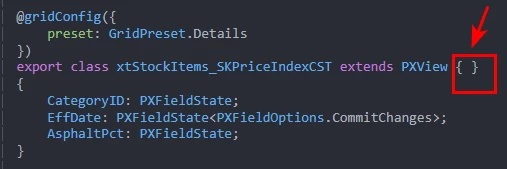
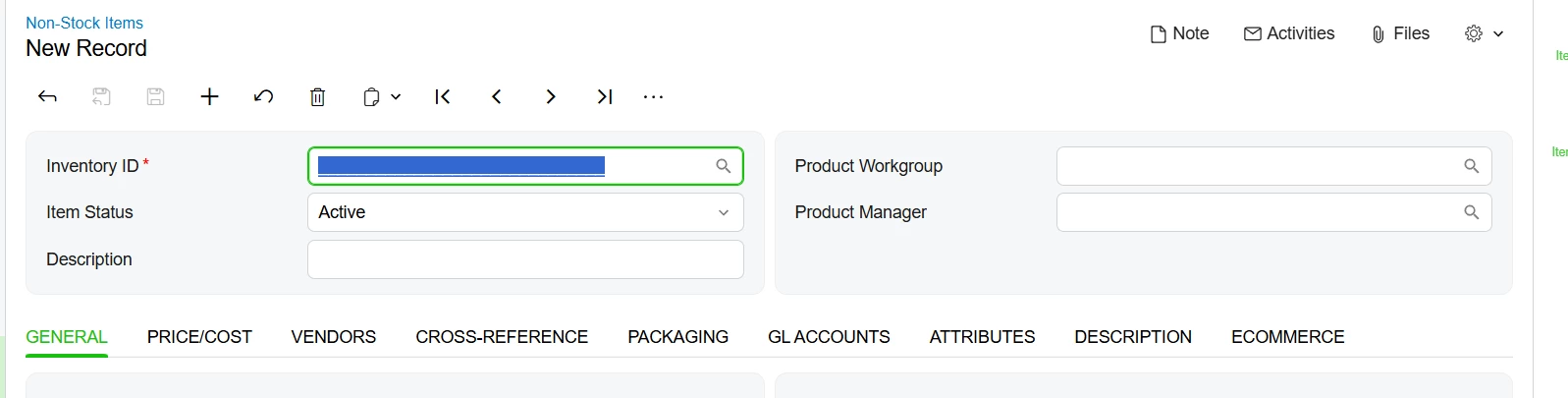
I tried adding a tab to the IN202000 screen, but it doesn’t show up.
import {
    GridAutoGrowMode,
    GridPreset,
    PXFieldOptions,
    PXFieldState,
    PXView,
    autoRefresh,
    createCollection,
    gridConfig,
    viewInfo
} from "client-controls";
import { IN202000, ItemSettings } from "src/screens/IN/IN202000/IN202000"

export interface IN202000_SKPriceIndexCST extends IN202000 { }
export class IN202000_SKPriceIndexCST {
    @viewInfo({ containerName: "Price Index" })
    xtStockItems = createCollection(xtStockItems_SKPriceIndexCST);
}


@gridConfig({
    preset: GridPreset.Details
})
export class xtStockItems_SKPriceIndexCST extends PXView { }
{
    CategoryID: PXFieldState;
    EffDate: PXFieldState<PXFieldOptions.CommitChanges>;
    AsphaltPct: PXFieldState;
}

export interface ItemSettings_SKPriceIndexCST extends ItemSettings { }
export class ItemSettings_SKPriceIndexCST {

    UsrSPriceIndex: PXFieldState;
}
<template>
<qp-tab after="#tab-Description" id="tab-PriceIndex" caption="Price Index" >
<qp-grid id="gridPriceIndex01" view.bind="xtStockItems" caption="Price Index" ></qp-grid>
</qp-tab>
</template>