


Answer

T290 Issues: Value cannot be null. Parameter name: key. Does anyone know the flaw in this sample code?

  • May 15, 2025
  • 3 replies
  • 90 views

Forum|alt.badge.img

RS201000.ts codes:

import {

    PXScreen, graphInfo, createCollection,

    PXView,PXFieldState,

    gridConfig,PXFieldOptions,GridPreset

 } from "client-controls";


@gridConfig({

    preset:GridPreset.Primary

})

export class RSSVRepairService extends PXView

{

    ServiceCD : PXFieldState;

    Description : PXFieldState;

    Active : PXFieldState;

    WalkInService : PXFieldState<PXFieldOptions.CommitChanges>;

    Prepayment : PXFieldState;

    PreliminaryCheck : PXFieldState<PXFieldOptions.CommitChanges>;

}


@graphInfo({

    graphType:"PhoneRepairShop.RSSVRepairServiceMaint",

    primaryView:"RepairService",

    hideFilesIndicator:true,

    hideNotesIndicator:true

})

export class RS201000 extends PXScreen{

    RepairService=createCollection(RSSVRepairService)

}

RS201000.html Codes:

<template>

    <qp-grid id="grid-RepairService" view-bind="RepairService"></qp-grid>

</template>
Best answer by darylbowman

RS201000.html Codes:

<template>

    <qp-grid id="grid-RepairService" view-bind="RepairService"></qp-grid>

</template>

If I'm not mistaken, the correct syntax is view.bind, not view-bind.

3 replies

Forum|alt.badge.img
  • Author
  • Freshman I
  • May 15, 2025

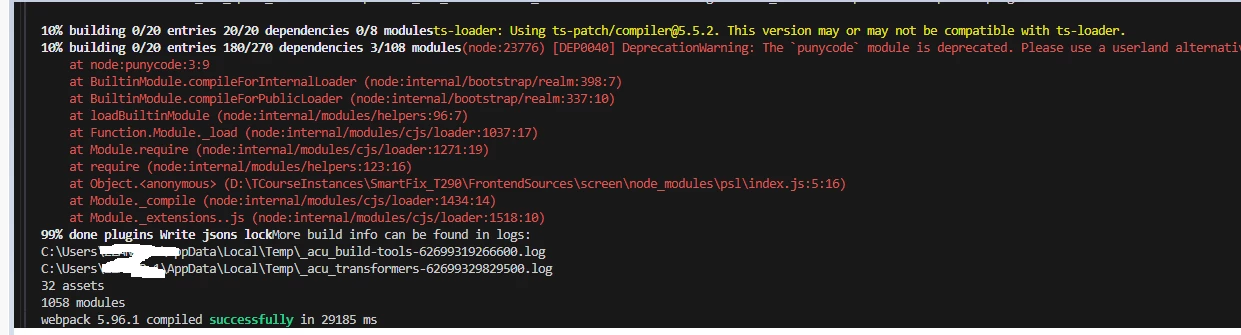
npm build seems to have no problem


darylbowman
Captain II
Forum|alt.badge.img+15
  • Answer
  • May 15, 2025

RS201000.html Codes:

<template>

    <qp-grid id="grid-RepairService" view-bind="RepairService"></qp-grid>

</template>

If I'm not mistaken, the correct syntax is view.bind, not view-bind.


Forum|alt.badge.img
  • Author
  • Freshman I
  • May 16, 2025

RS201000.html Codes:

<template>

    <qp-grid id="grid-RepairService" view-bind="RepairService"></qp-grid>

</template>

If I'm not mistaken, the correct syntax is view.bind, not view-bind.

Thank you very much for fixing my eyes, I can run it properly now!