



Answer

SQL Connection Timeout

  • April 17, 2025
  • 5 replies
  • 204 views

DrewNisley
Pro I
Forum|alt.badge.img+3

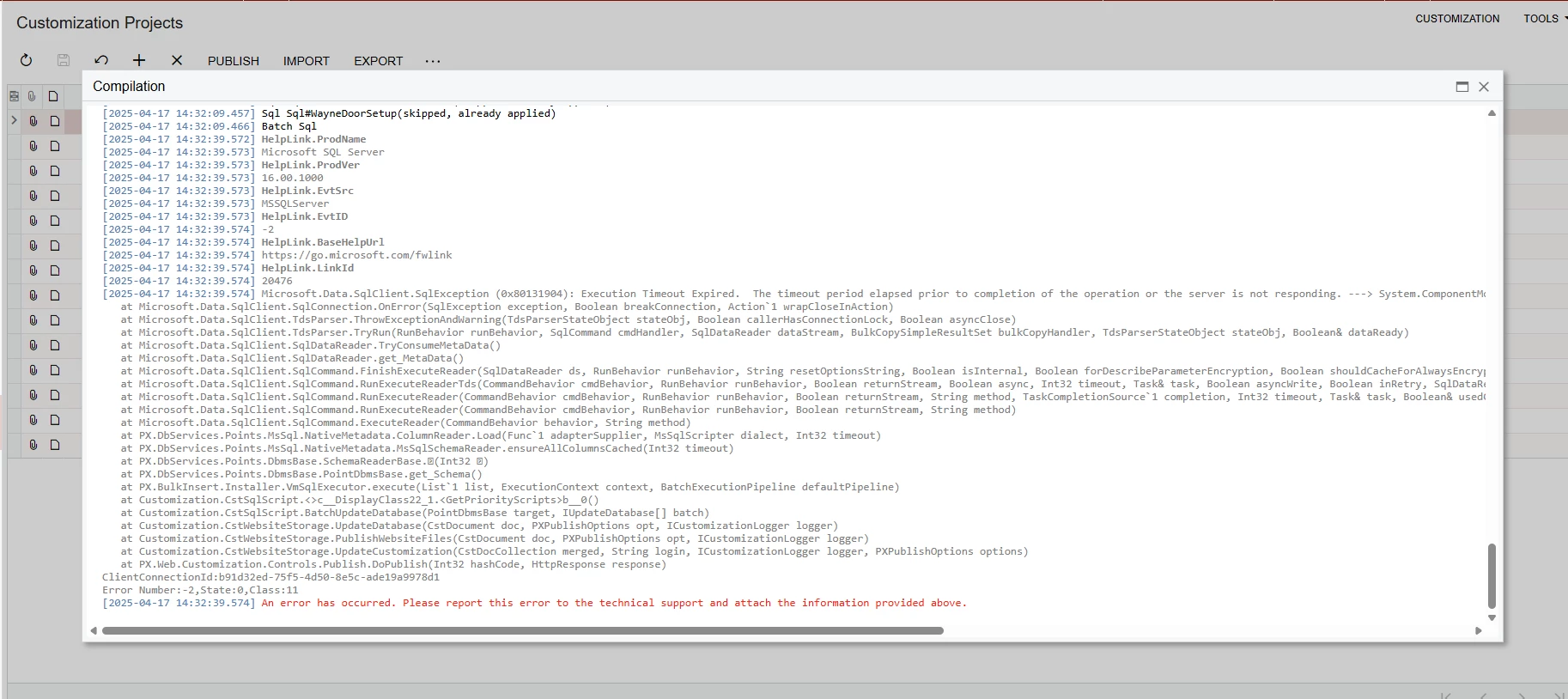
Every now and again, I will suddenly get the error shown below that says the execution timed out when publishing my customizations. It validates just fine and then it will try to either batch sql or sometimes its some place else in the publishing process and it will give me this error. Sometimes it just goes away after a few days of trying to publish. It is very frustrating because I can have no issues one day and then have endless issues the next. Is there SQL settings I need to change or is there acumatica settings I need to change? I don’t know where to go from here. I have tried resetting stats on sql, I’ve run dbcc freeproccache, I have set the sql execution time to zero to make it not timeout. Nothing seems to fix it, it just decides to work randomly. The only thing I have noticed that might be reoccurring (I’m not sure, but I think this is true) is that it usually happens when I am either publishing fresh customizations or publishing on a fresh instance. If I could get some help with this that would be great, thanks!
 

Best answer by DrewNisley

I did some more inspecting before I ran anything because I didn’t have any issues with one of my other databases. That’s when I remembered I had given the IIS user more permissions like explained below. I did that for this database as well and it seemed to fix the issue even though the topic is not directly related.


5 replies

Forum|alt.badge.img+7
  • Captain II
  • April 17, 2025

Is this on a local instance of Acumatica? I‘m guessing so because you’re able to run the DBCC commands.

One thing that I do to my local SQL is to set the model database’s recovery model to Simple and then I don’t have to worry about logs and backing up logs for any databases that I create. I also have restricted the amount of RAM that the SQL engine can access so that it doesn’t just take everything.

It’s possible that your database indexes have become fragmented and so I’d recommend the SQL Maintenance script at https://ola.hallengren.com/. It will do a bunch of things but the main one is around index de-fragmentation. You can run a stored procedure that it creates to have it rebuild indexes that are fragmented on one or multiple databases and it will only rebuild those based on thresholds so you’re not rebuilding all of them.


DrewNisley
Pro I
Forum|alt.badge.img+3
  • Author
  • Pro I
  • April 18, 2025

@Django Thanks for the info. Do I have to change anything in the maintenence script, or can it run as is? And where do I then find the index rebuild to run? I am not very well versed in sql.


Forum|alt.badge.img+7
  • Captain II
  • April 18, 2025

Because this is all my machine, I run the script on the master database so remember where it is. You can add it to each database if you want but that seems like extra unnecessary effort.

The main parameters for when you first run the script (and you can re-run it) is around backups. If you’re just using it for index rebuilds you can use examples from the website but here’s one I use:

EXECUTE dbo.IndexOptimize
@Databases = MyDatabaseName,
@FragmentationLow = NULL,
@FragmentationMedium = 'INDEX_REORGANIZE,INDEX_REBUILD_ONLINE,INDEX_REBUILD_OFFLINE',
@FragmentationHigh = 'INDEX_REBUILD_ONLINE,INDEX_REBUILD_OFFLINE',
@FragmentationLevel1 = 5,
@FragmentationLevel2 = 30

You’ll see the progress in the Messages tab (assuming that you’re running this in SSMS).  Every index on every table in the database (or databases if you give it multiples). That’s about it for what you need to do. The idea of the fragmentation levels is to not waste time on indexes that aren’t heavily fragmented.

Hopefully that helps with your timeout. It seems odd that you’re getting this error locally. However, there’s also no real downside to having your indexes optimized on your databases.


DrewNisley
Pro I
Forum|alt.badge.img+3
  • Author
  • Pro I
  • Answer
  • April 21, 2025

I did some more inspecting before I ran anything because I didn’t have any issues with one of my other databases. That’s when I remembered I had given the IIS user more permissions like explained below. I did that for this database as well and it seemed to fix the issue even though the topic is not directly related.


dgodsill97
Varsity I
Forum|alt.badge.img+3
  • Varsity I
  • April 21, 2025

On my old under powered laptop with a hard drive vs. SSD, I would add queryTimeout=”10000” to the database section in the web,config file before the />

        <add name="PXSqlDatabaseProvider" type="PX.Data.PXSqlDatabaseProvider, PX.Data" connectionStringName="ProjectX" companyID="" secureCompanyID="False" />
