Question

Snapshot Automation

  • August 22, 2025
  • 9 replies
  • 145 views

Hello,

I have been trying to automate the creation of a snapshot and have come up short.

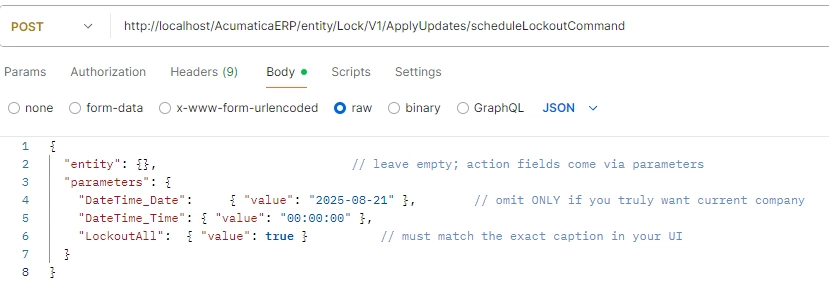
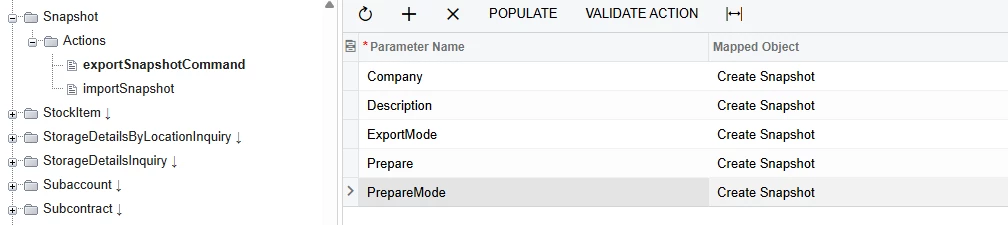
I've tried adding in the exportSnapshotCommand action and parameters into an extended endpoint, but when I call the endpoint, all I get is a 204 status and no snapshot is created.

Similarly, I've created a customization project where I wrap the tenants screen in a custom screen then try to automate the snapshot creation from there. That process also successfully calls the exportSnapshotAction after prefilling the export parameters, but no snapshot is created. 

Has anyone successfully automated snapshot creation?

Is it possible to automate snapshot creation?

9 replies

JSpikowski
Jr Varsity II
Forum|alt.badge.img
  • Jr Varsity II
  • August 22, 2025

It seems MS SQL may have a more reliable backup than MySQL has.


JSpikowski
Jr Varsity II
Forum|alt.badge.img
  • Jr Varsity II
  • August 23, 2025

I tested restoring the Acumatica MySQL DB using the Plesk backup & restore feature. The .tarz backup file for the Sales demo was just under 400 MB.


MichaelShirk
Captain II
Forum|alt.badge.img+5
  • Captain II
  • August 25, 2025

@JSpikowski I don’t see how your responses are relevant to the original question about Acumatica tenant snapshots. 
We should honor the original author and keep the forum clean by only responding on the original topic, with information from personal, relevant experience.


Forum|alt.badge.img+8
  • Captain II
  • August 26, 2025

@mpierson 


Could this be due to needing values within the dialogue box that pops up when creating one through the UI?


You could try to do this via Import Scenario, then create an automation schedule which runs ‘Process Import Scenarios’ where you filter to just the ‘Tenants’ screen.


  • Author
  • Freshman II
  • August 26, 2025

@mpierson 


Could this be due to needing values within the dialogue box that pops up when creating one through the UI?


You could try to do this via Import Scenario, then create an automation schedule which runs ‘Process Import Scenarios’ where you filter to just the ‘Tenants’ screen.

Typically, you can populate the DAC fields before pressing the Action button. It’s possible that Acumatica implemented the snapshot action in such a way were this doesn’t work. I’ve attached an example from another member of the community that demonstrates how this would work. 

I have done this for some other screens as well. This is also the same pattern that I am attempting to use for Snapshots.


Forum|alt.badge.img+8
  • Captain II
  • August 27, 2025

On 24.213, I can’t find the correct default endpoint for ‘Snapshot’. Have you created a new one?


  • Author
  • Freshman II
  • August 27, 2025

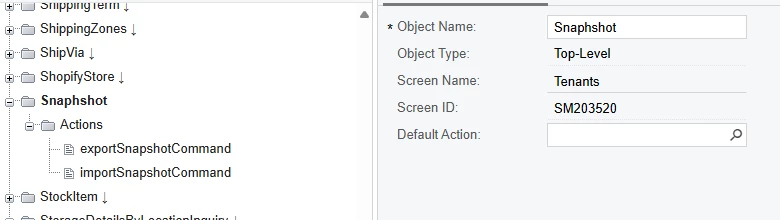
Sorry, I named the endpoint Snapshot, but the screen it is using is Tenants(SM203520)


Chris Hackett
Community Manager
Forum|alt.badge.img
  • Acumatica Community Manager
  • September 26, 2025

Hi ​@mpierson were you able to find a solution? Thank you!


  • Author
  • Freshman II
  • September 26, 2025

Hi ​@Chris Hackett, not yet. Support suggested using the test sdk. I can kind of automate through test scripts, but I am still unsure if this will work in our use case. we need to be able to kick off the process from an eternal website.