


Answer

Show Unmatched Excel Records in Payments and Applications Grid

  • October 29, 2025
  • 4 replies
  • 57 views

Forum|alt.badge.img+1


Hi Community

I have a requirement in the Payments and Applications screen where I have added a custom Load Records From File upload button to upload an Excel file and map the invoices from the file to the Documents To Apply grid, without saving the document.

The issue is that only existing invoices in Acumatica are displayed, while unmatched (not found) records from the Excel file do not appear in the grid. During debugging, these unmatched records throw an error:
“Error: 'Reference Nbr.' cannot be found in the system.”
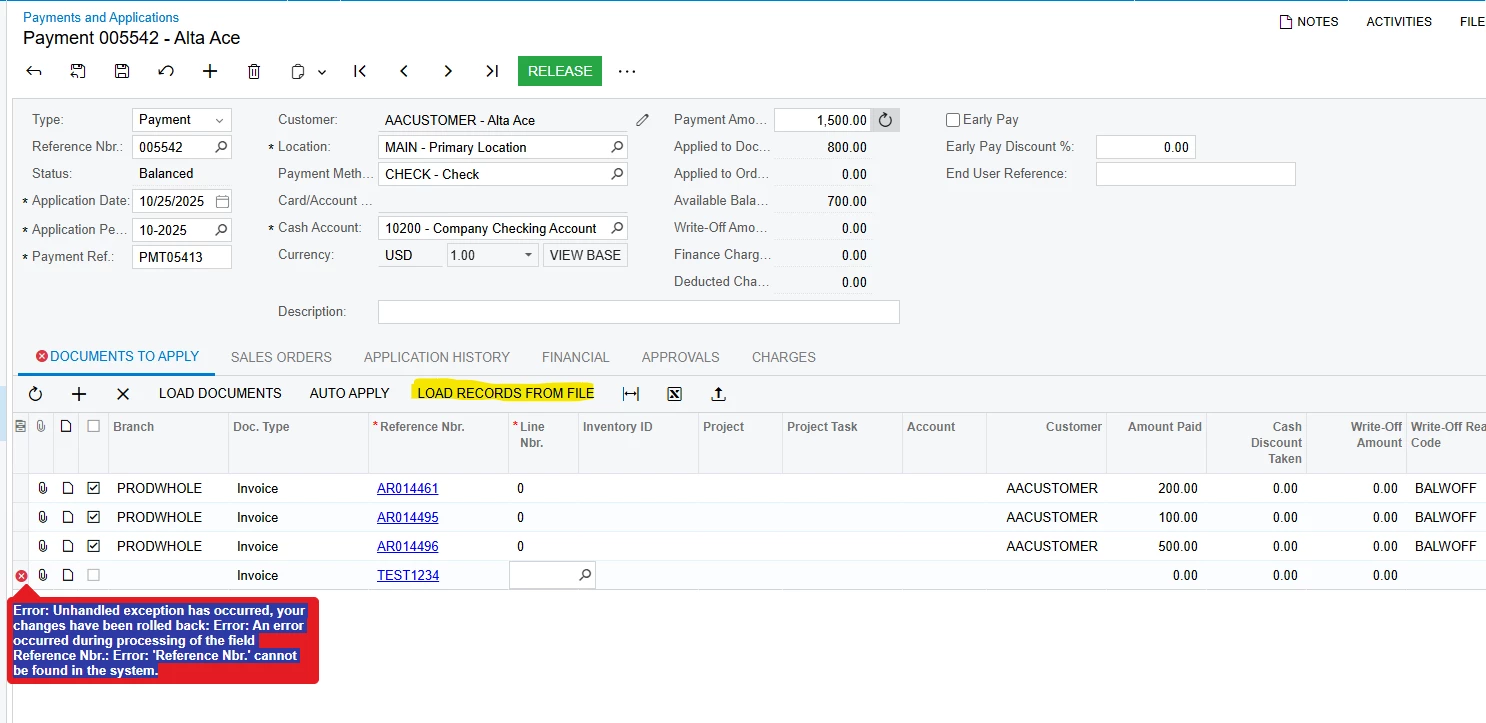
I have attempted to override the RefNbr field to insert the unmatched records and display an appropriate error message in the grid, but no luck.

I want to display those unmatched records in the grid so users can review, edit, or correct them manually before saving and releasing the payment.

Any suggestions on how to handle or skip the RefNbr validation and show all Excel records in the grid Thanks,

 

Best answer by aiwan

@svwk05 


You would probably have to modify the behaviour of the Reference Nbr. field, probably via CacheAttached, to remove the attribute used for validating the invoice is released.


Inserting a record, no matter which way, that contradicts the system’s “rules” will throw an error.

4 replies

Forum|alt.badge.img+8
  • Captain II
  • October 29, 2025

@svwk05 


For Invoices to appear in that selector, they need to be released.


Forum|alt.badge.img+1
  • Author
  • Semi-Pro III
  • October 30, 2025

@aiwan Thanks for the update!

In my customization, the requirement is a bit different, the invoices that aren’t found in the system should be inserted from the upload button. The user will then be able to review, modify, and correct those records manually later.


Chris Hackett
Community Manager
Forum|alt.badge.img
  • Acumatica Community Manager
  • November 6, 2025

Hi ​@svwk05 were you able to find a solution? Thank you!


Forum|alt.badge.img+8
  • Captain II
  • Answer
  • November 6, 2025

@svwk05 


You would probably have to modify the behaviour of the Reference Nbr. field, probably via CacheAttached, to remove the attribute used for validating the invoice is released.


Inserting a record, no matter which way, that contradicts the system’s “rules” will throw an error.