Answer

Set access rights by role for a new report

  • April 10, 2023
  • 3 replies
  • 583 views

Forum|alt.badge.img

Hi, 

I have customized a new screen and a report and I need to set up access rights for them. For my custom screen I have set up access into delete as follows.
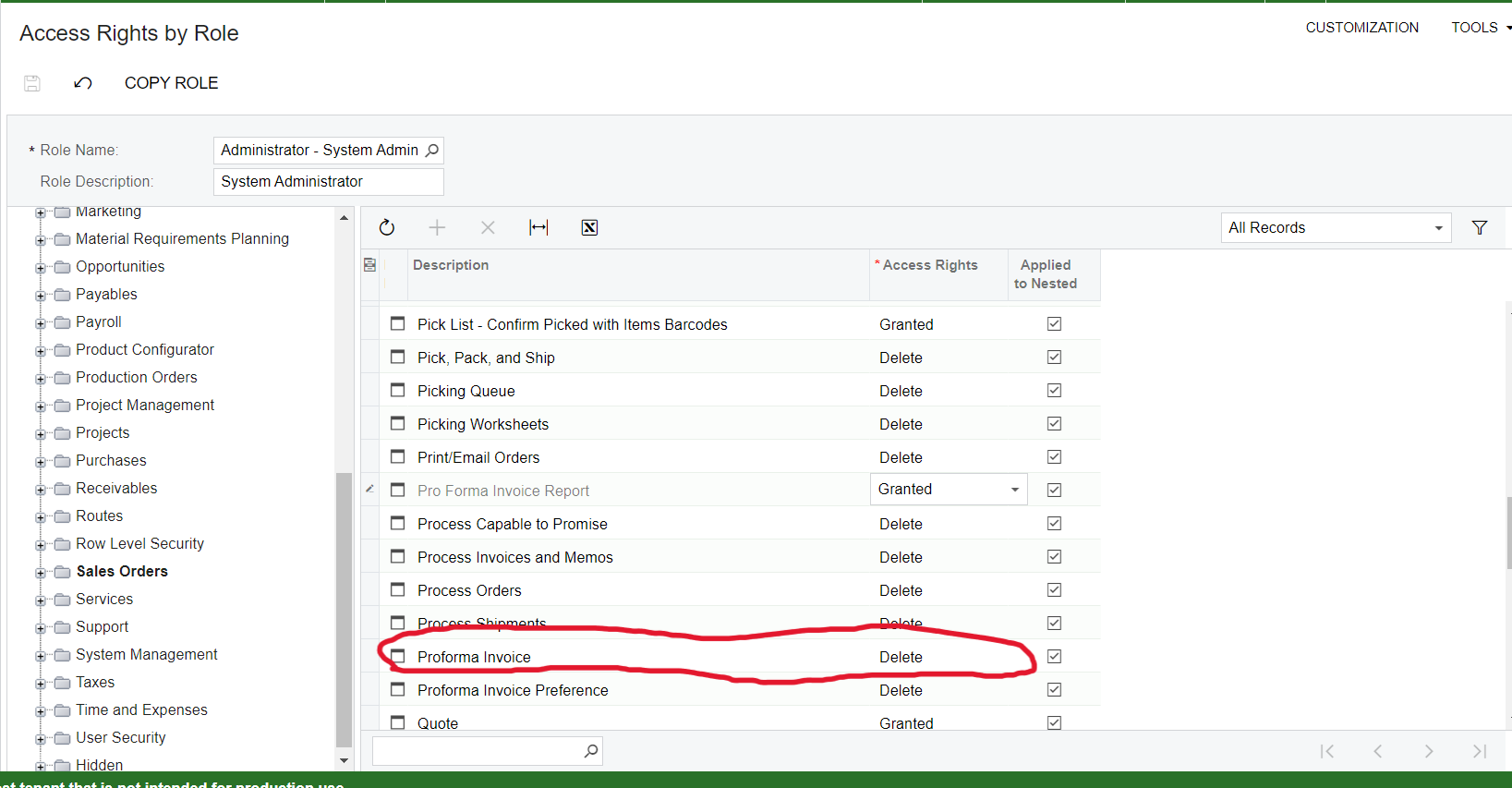
But for my pro forma invoice report , I was only able to set rights into granted . There was no option delete.
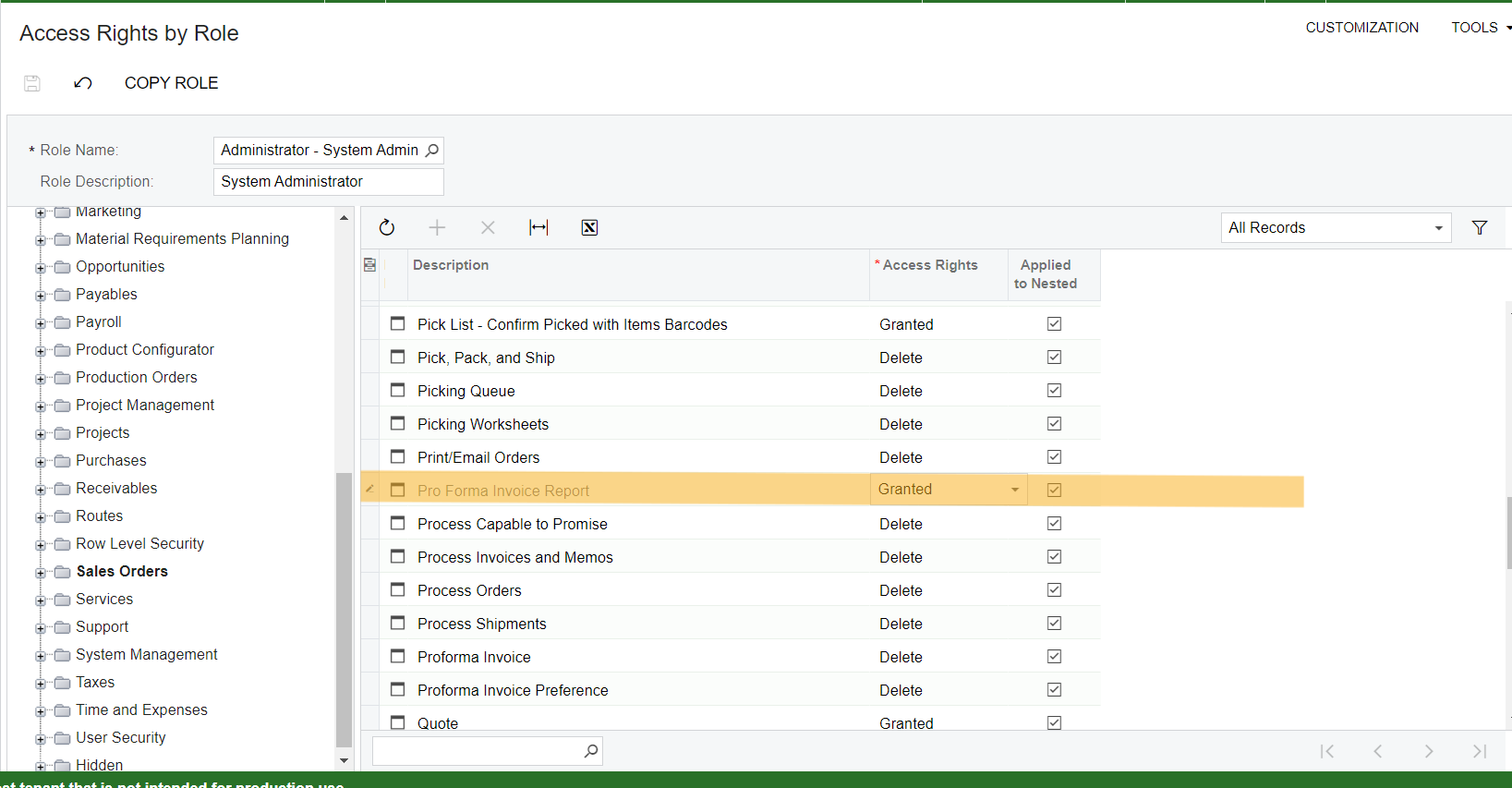
For reports there is no right called delete? Otherwise both granted and delete working as the same or is there any difference?

Can someone provide me an answer?

Thank you.

Best answer by Manikanta Dhulipudi

Hello @oshadarodrigo64 

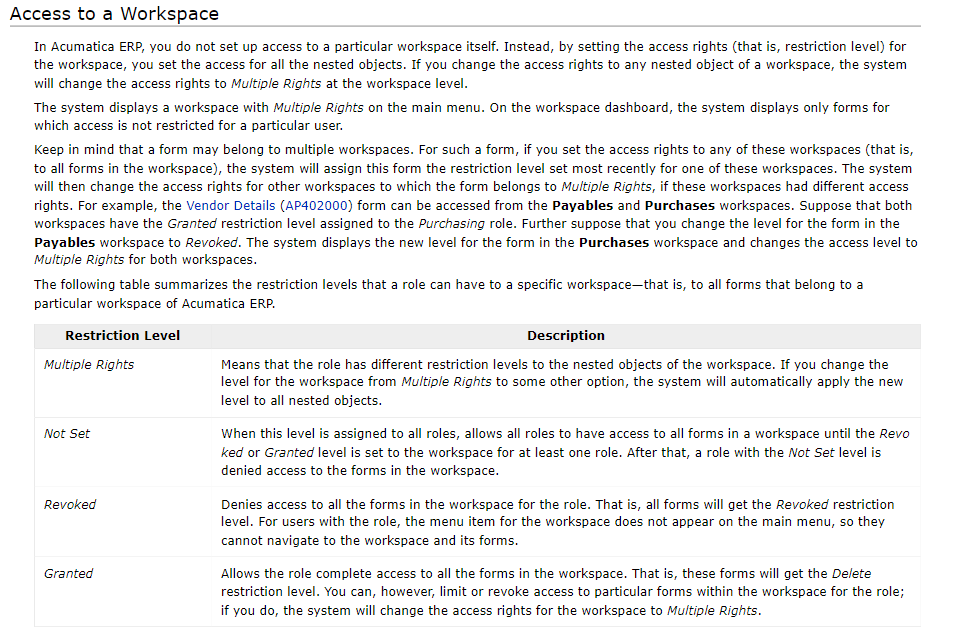
Granted Allows the role complete access to all the forms in the workspace. That is, these forms will get the Delete restriction level. You can, however, limit or revoke access to particular forms within the workspace for the role; if you do, the system will change the access rights for the workspace to Multiple Rights.

3 replies

Manikanta Dhulipudi
Captain II
Forum|alt.badge.img+15

Hello @oshadarodrigo64 

Granted Allows the role complete access to all the forms in the workspace. That is, these forms will get the Delete restriction level. You can, however, limit or revoke access to particular forms within the workspace for the role; if you do, the system will change the access rights for the workspace to Multiple Rights.

Forum|alt.badge.img+9
  • Semi-Pro III
  • April 10, 2023

Hi @oshadarodrigo64 ,


Access To a Workspace


Access To Reports
  • Reports built with the Report Designer application have the same list of available restriction levels that roles can have to workspaces.

Hope, it helps!

Regards,

Sweta


Forum|alt.badge.img

Thank you @manikantad18 , @sweta68 for sharing the resource.