



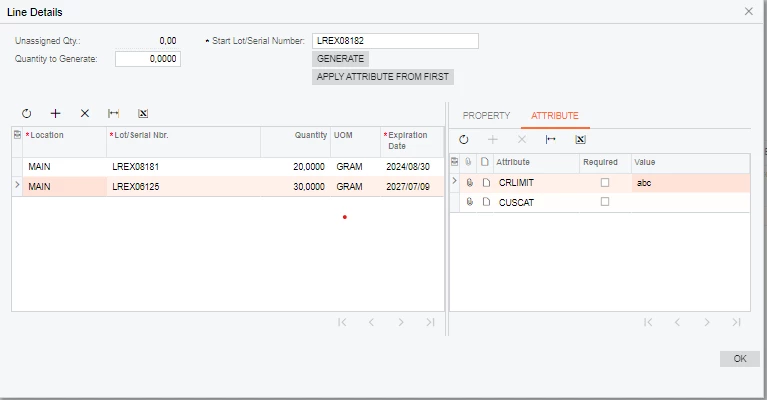
I have done the customization where two Grid’s are depended on the parent grid based on the selection of the parent Grid need to refresh the child grids. I'm inserting the data in to the child Grid’s when parent Grid row is inserted. Switching between the rows in parent grid the data in the child Grid’s should get refreshed. But, on the first child grid is working since the Autocallback of parent gird was Target was assigned a only one child GridID how to assigned the second GirdID in the Target <AutoCallBack Target="propertyLOTGrid" Command="Refresh" ActiveBehavior="True" />.
Solved
second child Grid is not refreshing when parent grid selected the row
Best answer by anahizentella94
One thing that worked for me with several child grids is to add in the callback the RepaintControl attributte in the parent grid.
<AutoCallBack Enabled="True" ActiveBehavior="True" Command="Refresh"> <Behavior BlockPage="True" RepaintControls="All" /></AutoCallBack>
Now all 4 child grids refresh.






Enter your E-mail address. We'll send you an e-mail with instructions to reset your password.