

Answer

Save before custom run report action?

  • August 9, 2023
  • 3 replies
  • 108 views

Forum|alt.badge.img

I have added a custom action to the Field Service > Appointment scree (FS300200) to Print Service Order. Everything is working fine with it, except it isn’t saving before navigating to the report.

Is there a way to get the action to save the record before navigating to the new screen?
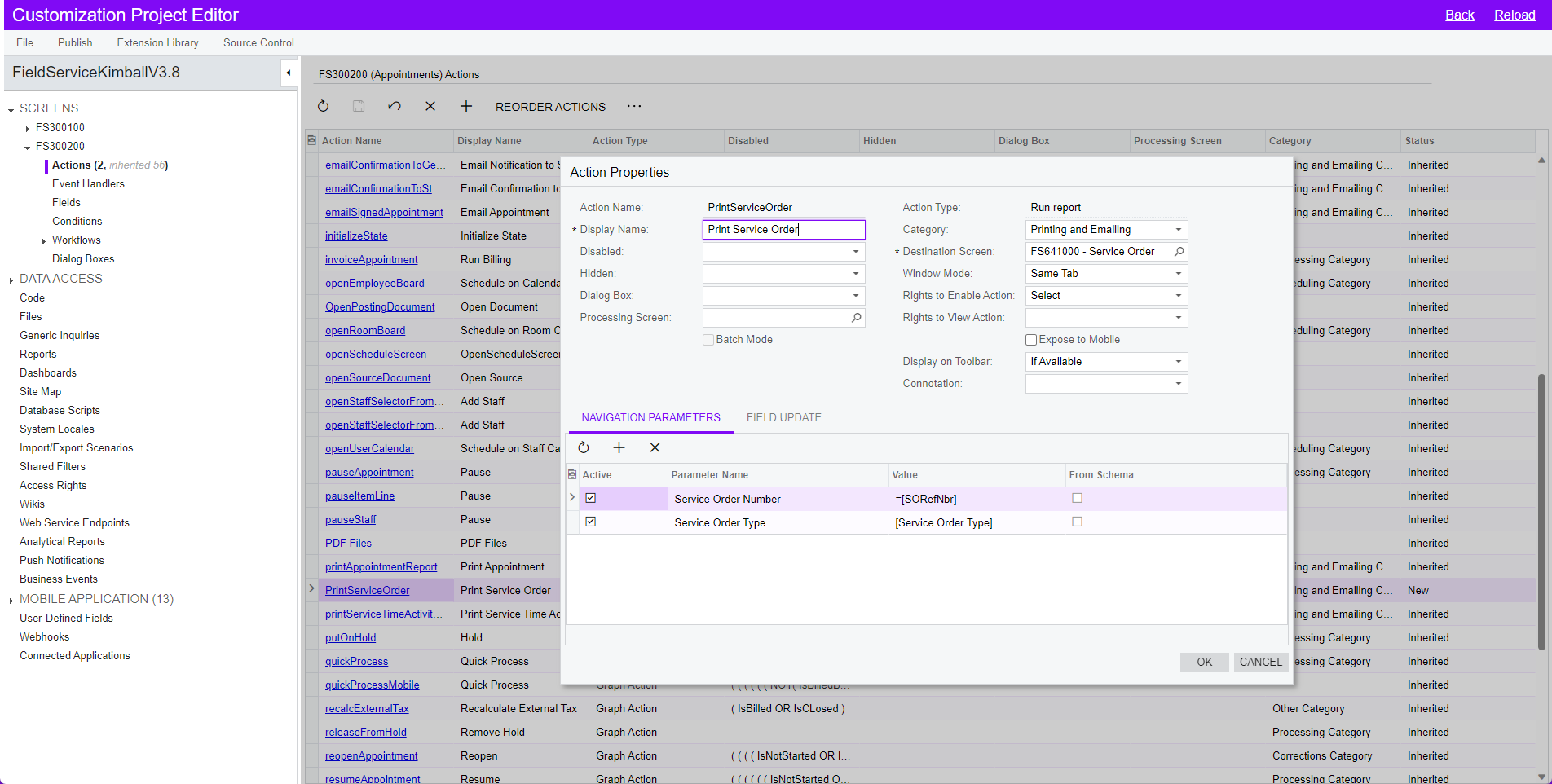
 

How it is set up.


Best answer by sweta68

Hi @rmillerKimball ,

Within the custom action's code, before you navigate to the new screen, you can use the Base.Save.Press() method to trigger the saving of the current record.


 CommitChanges = true attribute ensures that changes are committed before executing the action.


Regards,

Sweta


3 replies

Forum|alt.badge.img+9
  • Semi-Pro III
  • Answer
  • August 10, 2023

Hi @rmillerKimball ,

Within the custom action's code, before you navigate to the new screen, you can use the Base.Save.Press() method to trigger the saving of the current record.


 CommitChanges = true attribute ensures that changes are committed before executing the action.


Regards,

Sweta


darylbowman
Captain II
Forum|alt.badge.img+15

Have you added this custom action into a workflow? If you do that, you can set the persist options to save before running.

What @sweta68 said is also accurate, but it seems like you used the workflow editor to create that action, not code. You could also go the code route and call a save first.


Forum|alt.badge.img

Thank you @sweta68 @darylbowman for your responses!

I haven’t migrated it to code, so the first option isn’t an option unless I do so. Not opposed, just haven’t done it yet so a bit nervous…

For the Workflow option, same story. I haven’t got into workflows at all yet. I was just poking around in the customization and saw I could add an action for a report. Easy enough! I’ll run through the ACU University for workflows and give it a shot if I choose not to do the code option.

