

Answer

Retaining Shared Filters in GI After Adding a New Column

  • February 27, 2025
  • 1 reply
  • 26 views

Forum|alt.badge.img

Hi All,

Does anyone know how to retain Generic Inquiry (GI) filter shared setup values after adding a new column to the same GI?

Issue:

  • After adding a new column to the existing GI, all the previously saved filter values are reset to default.
  • This is causing dissatisfaction as the customer has to recreate all previous filters manually.
  • The Screen ID remains unchanged, only a column was added.

Request:

  • Is there a way to preserve the filter values when modifying a GI?
  • Any suggestions or best practices to prevent filter loss after GI updates?

Thanks in advance for your insights!

Regards,
Lalith.
Best answer by DipakNilkanth

Hi ​@Lalith,

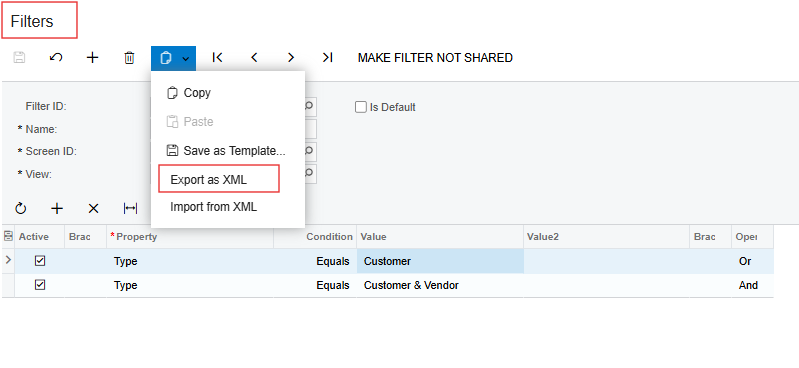
Have you checked the Filters screen (CS209010)? The filters should still be there, even if you made changes at the GI level.

If needed, you can back up those filters by exporting them from the Filters screen.

Hope, it helps!

1 reply

DipakNilkanth
Pro III
Forum|alt.badge.img+13
  • Pro III
  • Answer
  • February 27, 2025

Hi ​@Lalith,

Have you checked the Filters screen (CS209010)? The filters should still be there, even if you made changes at the GI level.

If needed, you can back up those filters by exporting them from the Filters screen.

Hope, it helps!

