Answer

Request to Add Import Button for Excel Upload in Documents To Apply Tab

  • November 4, 2024
  • 4 replies
  • 140 views

Forum|alt.badge.img

Hi All,

Is it possible to add an Import button that allows uploading an Excel sheet directly into the Documents To Apply tab on the Payments and Applications screen?

Thanks.

Best answer by aiwan

Hi @Lalith 


I believe you also have to invoke the IPXPrepareItems interface.

public virtual bool PrepareImportRow(string viewName, IDictionary keys, IDictionary values)
{
if (string.Compare(viewName, "Products", true) == 0)
{
if (values.Contains("opportunityID"))
values["opportunityID"] = Quote.Current.OpportunityID;
else
values.Add("opportunityID", Quote.Current.OpportunityID);
}

return true;
}

public bool RowImporting(string viewName, object row)
{
return row == null;
}

public bool RowImported(string viewName, object row, object oldRow)
{
return oldRow == null;
}

public virtual void PrepareItems(string viewName, IEnumerable items)
{
}

This is a snippet from the QuoteMaint graph.


Hope this helps,

Aleks

4 replies

Vignesh Ponnusamy
Acumatica Moderator
Forum|alt.badge.img+5

Hey @Lalith,

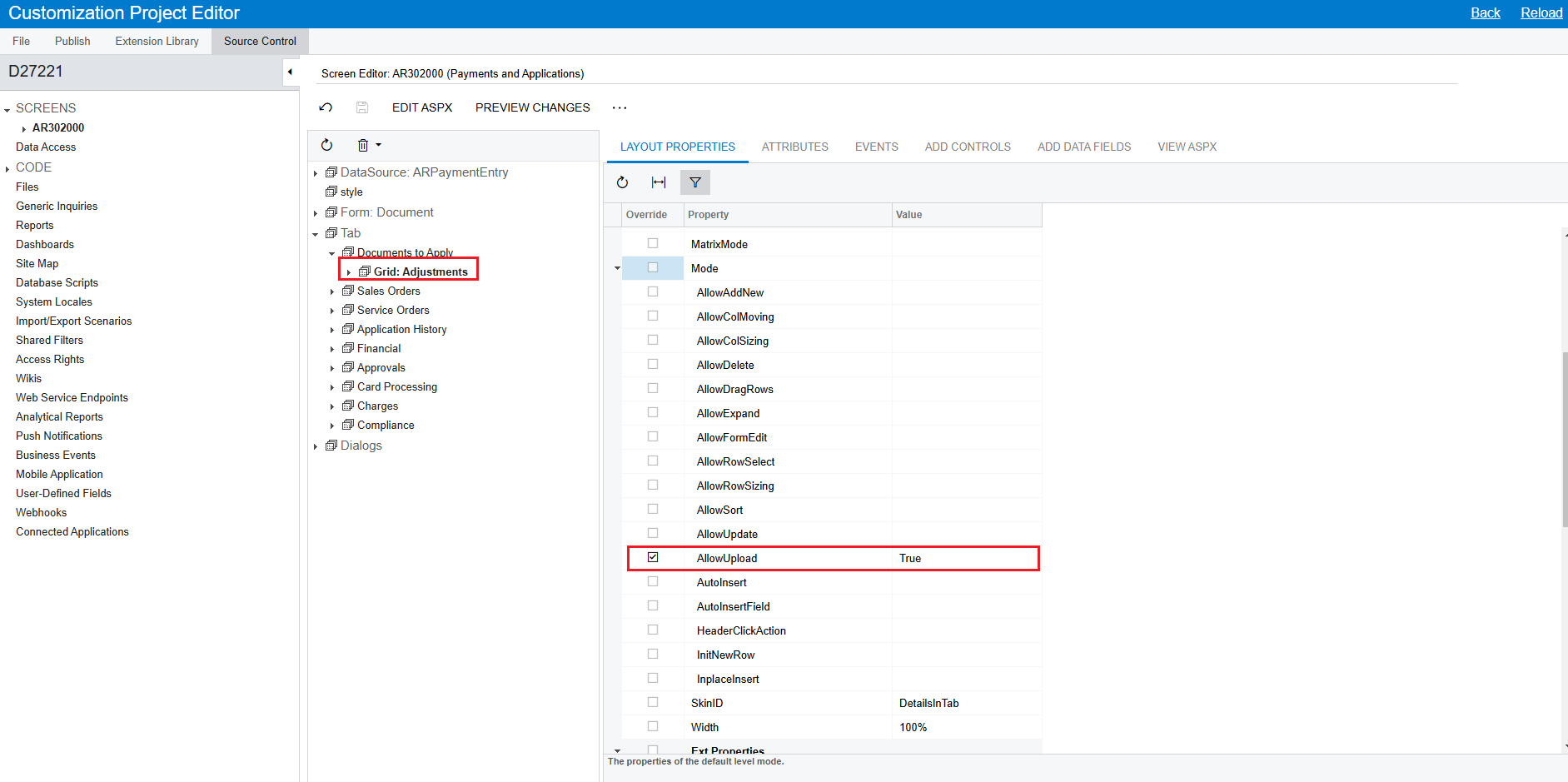
Yes, in the graph extension of ARPaymentEntry, rewrite the Adjustments view and decorate it with [PXImport] Attribute.


	public class ARPaymentEntry_Extension : PXGraphExtension<PX.Objects.AR.ARPaymentEntry>
{
#region Event Handlers
[PXImport]
[PXViewName(Messages.DocumentsToApply)]
[PXCopyPasteHiddenView]
public PXSelectJoin<ARAdjust,
LeftJoin<ARInvoice, On<ARInvoice.docType, Equal<ARAdjust.adjdDocType>,
And<ARInvoice.refNbr, Equal<ARAdjust.adjdRefNbr>>>,
InnerJoin<Standalone.ARRegisterAlias,
On<Standalone.ARRegisterAlias.docType, Equal<ARAdjust.adjdDocType>,
And<Standalone.ARRegisterAlias.refNbr, Equal<ARAdjust.adjdRefNbr>>>,
LeftJoin<ARTran, On<ARInvoice.paymentsByLinesAllowed, Equal<True>,
And<ARTran.tranType, Equal<ARAdjust.adjdDocType>,
And<ARTran.refNbr, Equal<ARAdjust.adjdRefNbr>,
And<ARTran.lineNbr, Equal<ARAdjust.adjdLineNbr>>>>>>>>,
Where<ARAdjust.adjgDocType, Equal<Current<ARPayment.docType>>,
And<ARAdjust.adjgRefNbr, Equal<Current<ARPayment.refNbr>>,
And<ARAdjust.released, NotEqual<True>>>>> Adjustments;
#endregion
}

Also, set grid property AllowUpdate to true.

Feel free to post back if you have any questions.! Good Luck,


Forum|alt.badge.img
  • Author
  • Freshman I
  • November 6, 2024

Hi @Vignesh Ponnusamy,

Thank you for your response.

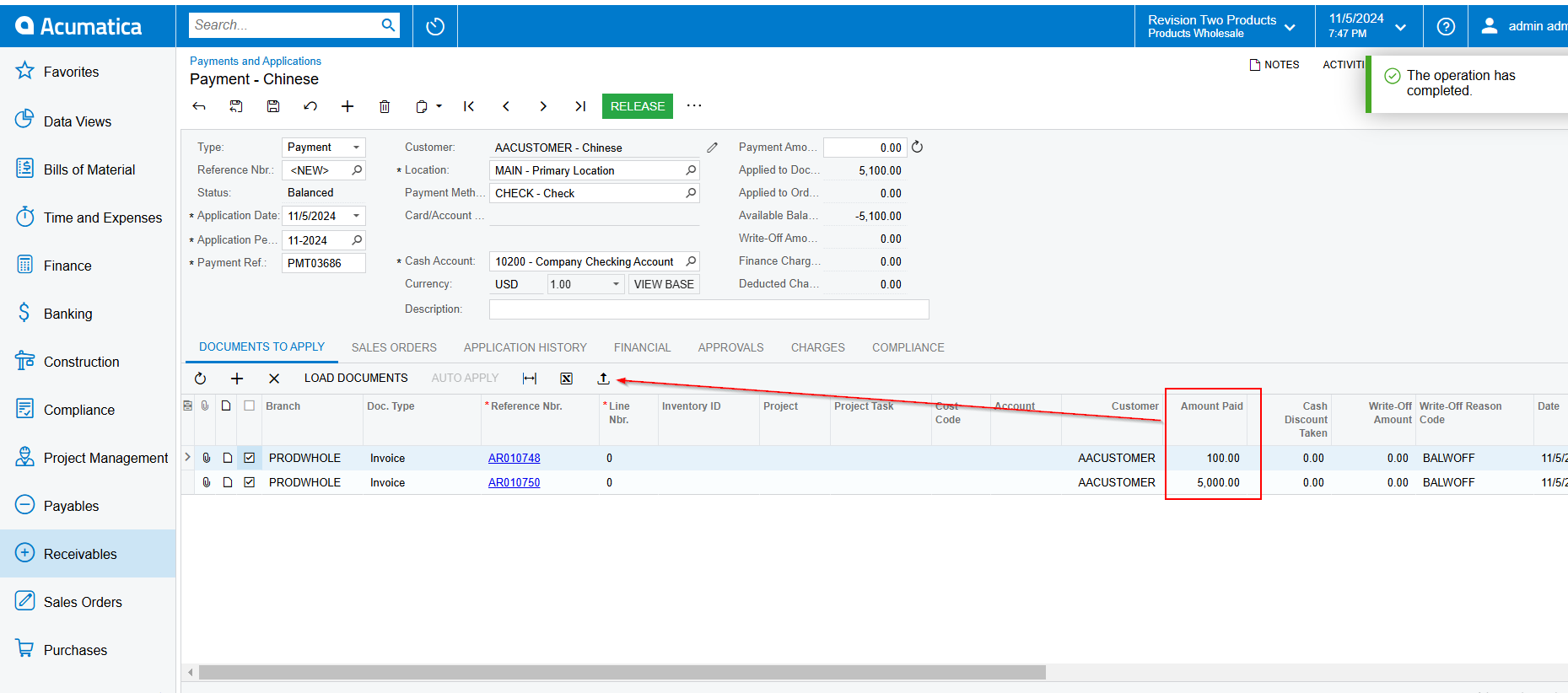
Yes, in my local instance, it’s functioning as expected, as shown below. However, on the client side, the rows did not update according to the Excel file. Although the message “The operation has completed” appears (as shown in the image below), the rows remain unchanged.


Any Idea, please?


DipakNilkanth
Pro III
Forum|alt.badge.img+13

Hi @Lalith,

I found This post that may address the issue you're facing. Check the comment by @darylbowman for further insights.

It appears there are different features enabled between the instances. Interestingly, the demo instance (where it’s working) has more features turned on, which could typically make it more complex and potentially less reliable.

Hope it helps!


Forum|alt.badge.img+8
  • Captain II
  • Answer
  • November 6, 2024

Hi @Lalith 


I believe you also have to invoke the IPXPrepareItems interface.

public virtual bool PrepareImportRow(string viewName, IDictionary keys, IDictionary values)
{
if (string.Compare(viewName, "Products", true) == 0)
{
if (values.Contains("opportunityID"))
values["opportunityID"] = Quote.Current.OpportunityID;
else
values.Add("opportunityID", Quote.Current.OpportunityID);
}

return true;
}

public bool RowImporting(string viewName, object row)
{
return row == null;
}

public bool RowImported(string viewName, object row, object oldRow)
{
return oldRow == null;
}

public virtual void PrepareItems(string viewName, IEnumerable items)
{
}

This is a snippet from the QuoteMaint graph.


Hope this helps,

Aleks