Solved

Question about PXDBLocalizableString override

  • January 23, 2026
  • 7 replies
  • 93 views

Forum|alt.badge.img

I’m using the following version 2025 R2 and Build 25.200.0248. What I have to do is to override the character limit of a PXDBLocalizableString field from another DAC but I keep getting errors. Tried doing it the normal way as a DAC MergeMethod.Merge/Replace but I keep getting a Json de-serialization error. It does work, the DB column is set to the characters limit too but there is an error I’m getting when I try opening the Sales/Purchase Orders which error I think is coming from one of our customizations

Best answer by nikola74

Resolved the issue I had by changing the third parameter from “false” to “true” so the the code reads from the ValueText column instead of the ValueString and then set the DAC field to 300 symbols and it now works as expected. The issue was appearing because when the PXDBLocalizableString is set with more then 255 symbols, it writes the input data into the ValueText and the localization functionality was reading from the ValueString column, but for the new records that column was empty so by setting the third parameter to “true”, we specify that we want it to read from ValueText instead

PXDBLocalizableStringAttribute.GetValueSelect(typeof(TableName).Name, typeof(TableName.description).Name, false)

 

7 replies

Forum|alt.badge.img+3

@nikola74 You can share the trace log for more details - it would make it easier to suggest a solution.


Forum|alt.badge.img
  • Author
  • Jr Varsity II
  • January 23, 2026

@nikola74 You can share the trace log for more details - it would make it easier to suggest a solution.

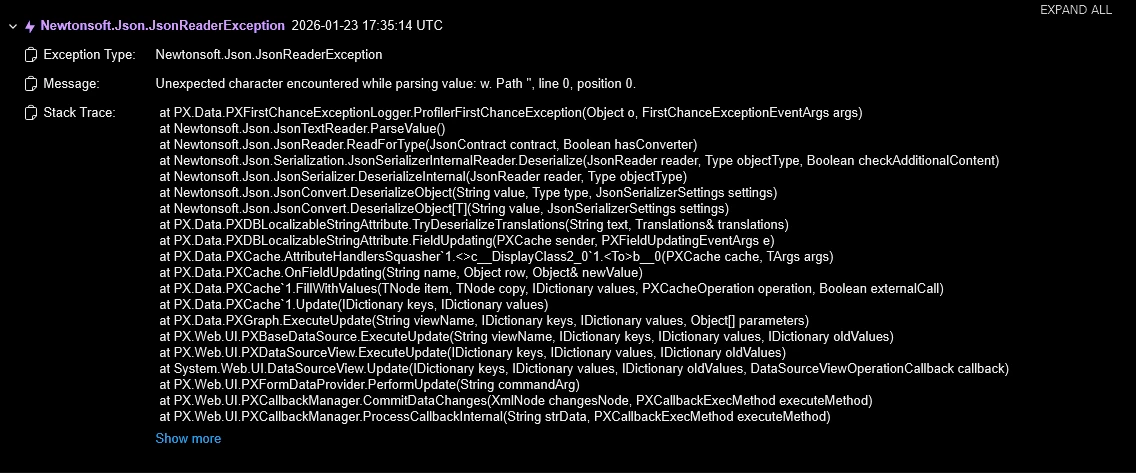
On Save action trigger
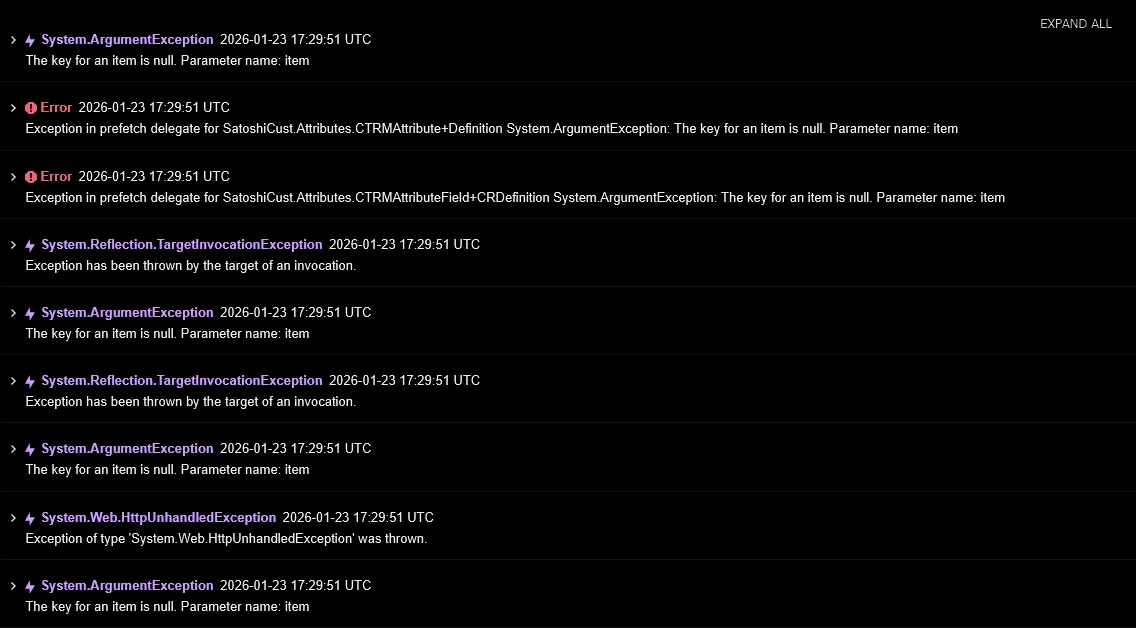
When I try opening the Sales and Purchase screens


Forum|alt.badge.img+2
  • Jr Varsity III
  • January 24, 2026

@nikola74 ,
                       Can you try like this.
Example:
    [PXDBLocalizableString(50, IsUnicode = true)] // Change from default 40 to 50


Forum|alt.badge.img

@noorula77 ​the issue is while overriding the base DAC not the custome DAC.

@nikola74 can you show the piece of code how the way you are overriding the Field. or Instead of modifying the base DAC field length, you replace it at runtime using CacheAttached.


Forum|alt.badge.img
  • Author
  • Jr Varsity II
  • January 24, 2026

@noorula77 ​the issue is while overriding the base DAC not the custome DAC.

@nikola74 can you show the piece of code how the way you are overriding the Field. or Instead of modifying the base DAC field length, you replace it at runtime using CacheAttached.


@nikola74 ,
                       Can you try like this.
Example:
    [PXDBLocalizableString(50, IsUnicode = true)] // Change from default 40 to 50

Figured out what the issue was. When the length is more than 255 symbols, its storing the user input into a ValueText column instead of the ValueString. So what I have to do now is replace the string field with a text box but I have to keep the localization functionality


Forum|alt.badge.img
  • Author
  • Jr Varsity II
  • January 25, 2026

Can someone give an example or something about how to setup a text field with more then 255 symbols and still keep the localization functionality supported with that field? I know how to make the field as a textbox and store the data into ValueText column inside the DB (which is like that [PXDBLocalizableString(IsUnicode = true)]) but when the ValueString is empty the Sales and Purchase screens drops and error and can’t load, maybe some other screens are giving the same error just had not enough time to lookup for issues


Forum|alt.badge.img
  • Author
  • Jr Varsity II
  • Answer
  • February 6, 2026

Resolved the issue I had by changing the third parameter from “false” to “true” so the the code reads from the ValueText column instead of the ValueString and then set the DAC field to 300 symbols and it now works as expected. The issue was appearing because when the PXDBLocalizableString is set with more then 255 symbols, it writes the input data into the ValueText and the localization functionality was reading from the ValueString column, but for the new records that column was empty so by setting the third parameter to “true”, we specify that we want it to read from ValueText instead

PXDBLocalizableStringAttribute.GetValueSelect(typeof(TableName).Name, typeof(TableName.description).Name, false)