Answer

PXView not available in Customization Editor

  • January 30, 2023
  • 6 replies
  • 100 views

Forum|alt.badge.img+1


I am trying to modify EP305000 / TimeCardMaint, by adding a new view that would show PMTimeActivity that are ‘Open’ or were not EndDate has been specified. I bleive by View works fine as it is used in a function Action, however it is not available in the Customization Editor, view the ‘Add Data Fields’ tab of the screen editor.

What do you think the problem could be?


    public class TimeCardMaint_Ext : PXGraphExtension<PX.Objects.EP.TimeCardMaint>
{
public static bool IsActive() => (true);


[PXViewName("Active Time Activity")]
public PXSelectJoin<EPTimecardTask,
InnerJoin<CREmployee, On<CREmployee.defContactID, Equal<EPTimecardTask.ownerID>>>,
Where<CREmployee.bAccountID, Equal<Current<EPTimeCard.employeeID>>,
And<EPTimecardTask.ownerID, Equal<Current<EPEmployee.defContactID>>,
And<EPTimecardTask.weekID, Equal<Current<EPTimeCard.weekId>>
,
And<EPTimecardTask.uistatus, Equal<ActivityStatusListAttribute.open>>

>
>
>> ActiveTimeActivity;

}
 

Best answer by andriikravetskyi35

Hi everybody,

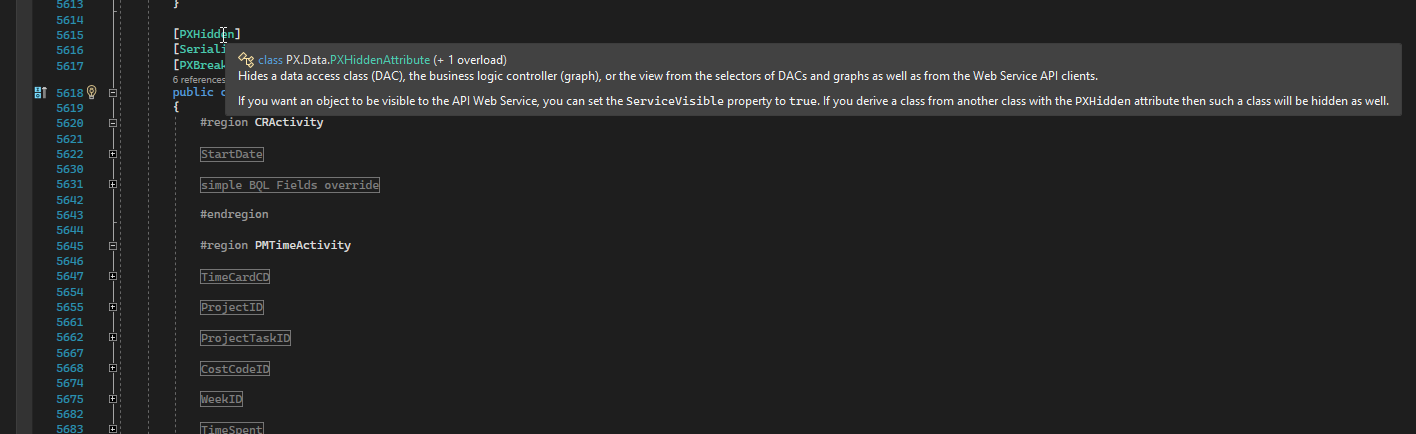
class EPTimecardTask has [PXHidden] attribute, and you cannot use this DAC for selecting or view.

Please, find comments attribute on screenshot:


So, you could create your class that inheritances from CRPMTimeActivity DAC, but without PXHidden attribute:

public class NewDac : CRPMTimeActivity 

{

// add fields that you need

}

then use your new DAC for PXSelect and view objects:

public PXSelect<NewDac> ActivityViewObj;

6 replies

Naveen Boga
Captain II
Forum|alt.badge.img+19
  • Captain II
  • January 30, 2023

Hi @Leif  Where you have added this view in the screen? 

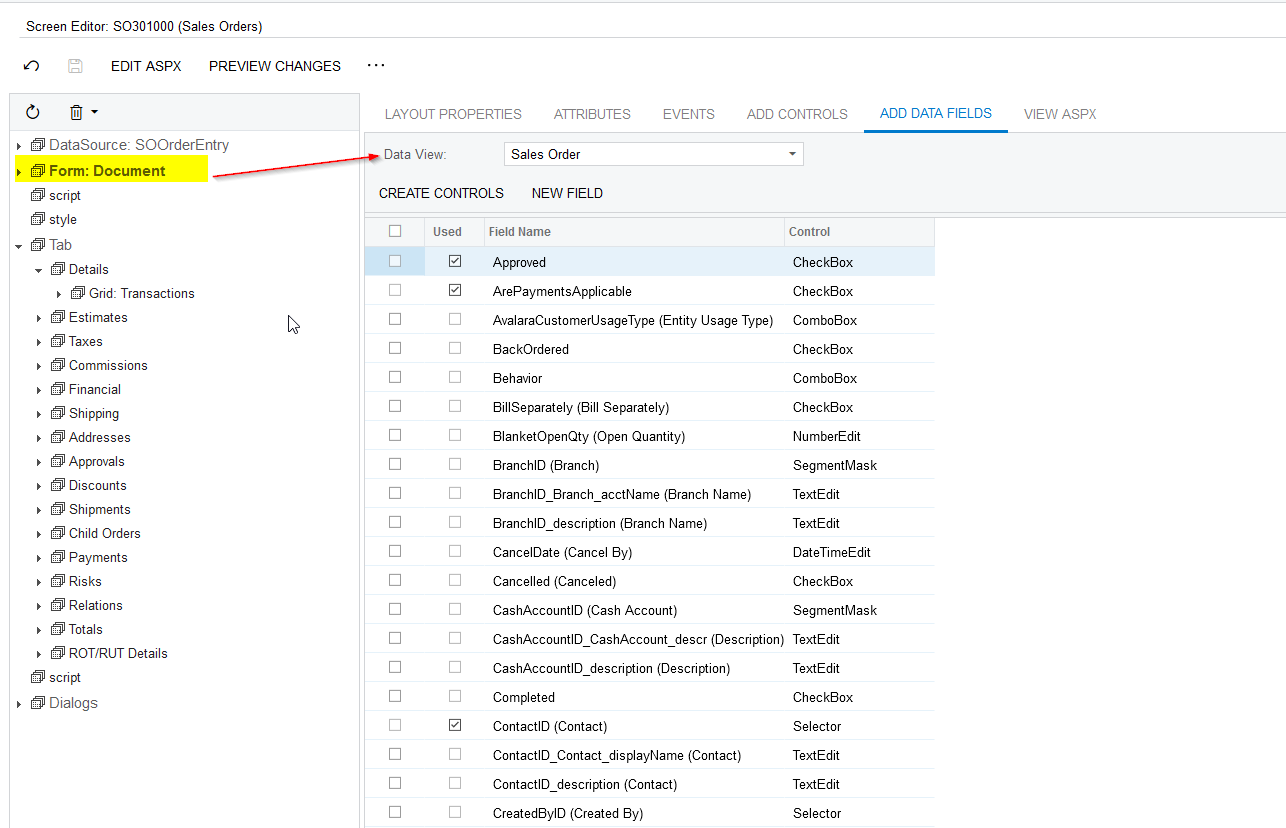
In the Customization Editor, if you select that particular section in panel, it will automatically load the Data view in the Add Data Fields tab.


Please find the screenshot for reference.


Forum|alt.badge.img+1
  • Author
  • Varsity I
  • January 30, 2023

Yes, that is what I am trying to do.


Naveen Boga
Captain II
Forum|alt.badge.img+19
  • Captain II
  • January 30, 2023

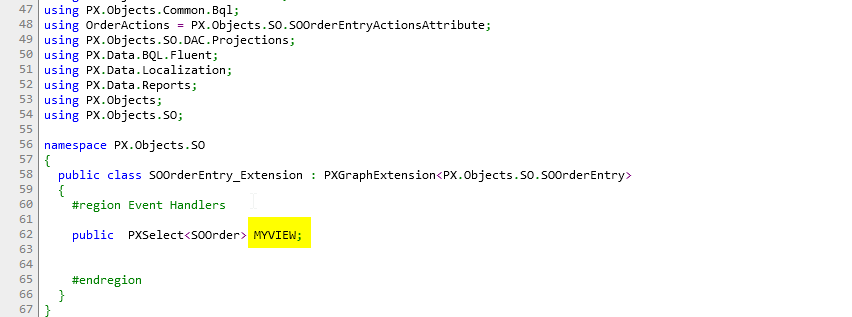
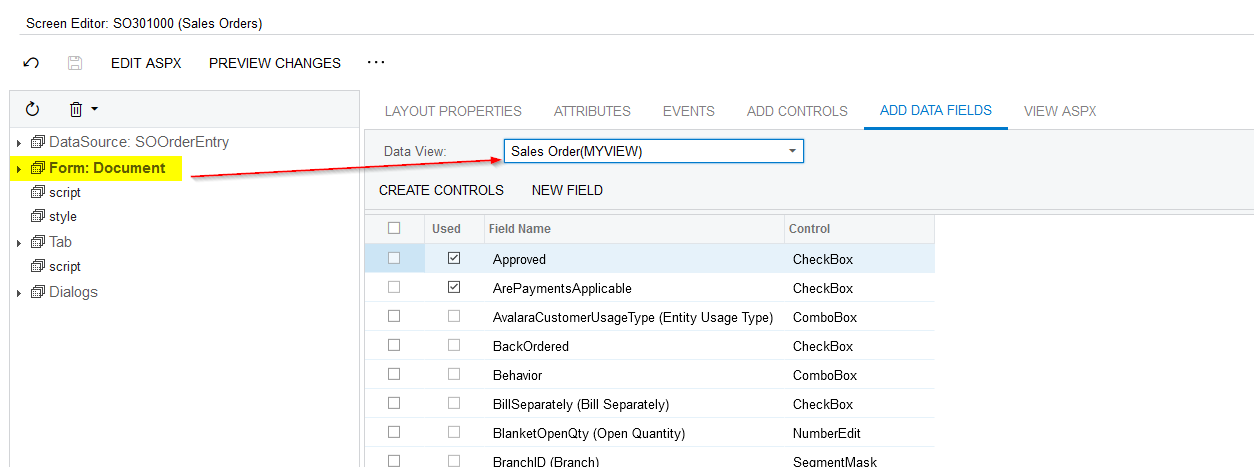
Hi, @Leif  I just created a new Dummy VIEW and it is displaying properly.

Please find the screenshots for reference.


Can you please perform the below activities?

  • Since you created the VIEW at graph extension, have you updated the DLL in the Customization Package?
  • If not, please update the DLL and publish the package, and verify.


Forum|alt.badge.img+1
  • Author
  • Varsity I
  • January 31, 2023

It is very odd, I have rebuilt the dll, and re published it several times, but the view does not show. I even added a simple test.


andriikravetskyi35
Jr Varsity I
Forum|alt.badge.img+1

Hi everybody,

class EPTimecardTask has [PXHidden] attribute, and you cannot use this DAC for selecting or view.

Please, find comments attribute on screenshot:


So, you could create your class that inheritances from CRPMTimeActivity DAC, but without PXHidden attribute:

public class NewDac : CRPMTimeActivity 

{

// add fields that you need

}

then use your new DAC for PXSelect and view objects:

public PXSelect<NewDac> ActivityViewObj;


Forum|alt.badge.img+1
  • Author
  • Varsity I
  • January 31, 2023

Ahh, Thanks !