Answer

PXAction created on Graph ext Show on Modern UI grid Header

  • April 30, 2025
  • 5 replies
  • 116 views

Forum|alt.badge.img

I have create an action with PXAction on my Graph extension, I am trying to add this action on the grid header, after converting code to Modern UI, it is not showing on grid Header, although I have verified this action is added in view class in ts file like…

--------------------ts file------------------

export class EWPM3030 extends PXScreen {

BatchFormulaMaterials = createCollection(BatchMatl);

}

export class BatchMatl extends PXView  {

    AddPackagingMatl: PXActionState;

}

---------------html---------------

<qp-grid id="FormulaMaterials_gridMatl" statusField="Availability" view.bind="BatchFormulaMaterials"></qp-grid>


please let me know if anything is more required

Best answer by aiwan

My apologies ​@ashrivastava42, I was confused by the ‘Header’ part in your question.


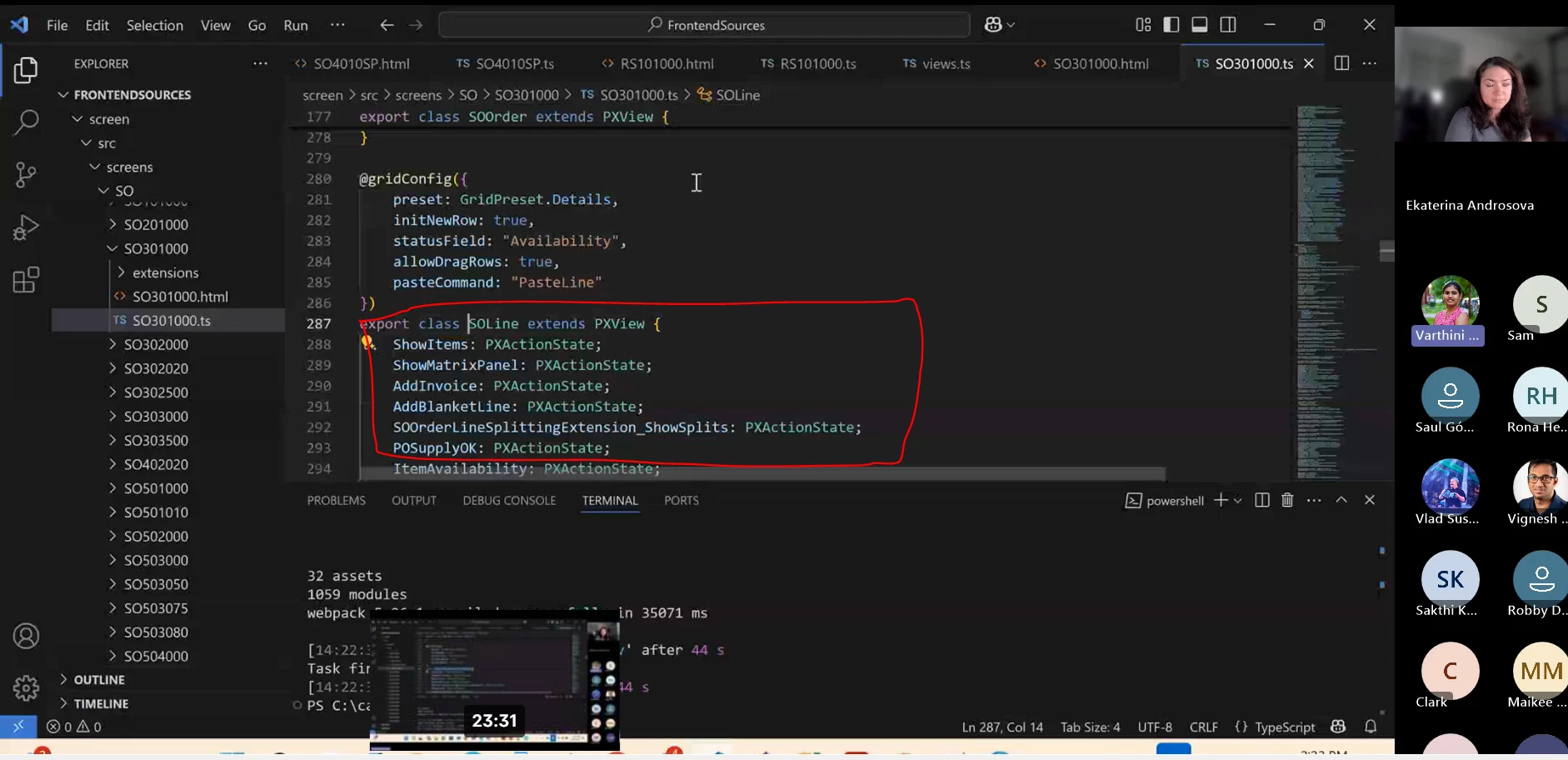
Once you have added the PXActionState I believe you need to add @gridConfig({})

Something like this:

@gridConfig({ 
topBarItems: {
index: 0,
config: {
commandName: "YourActionName",
text: "YourActionUIName",
}
}
}

They might provide a better explanation within the video, alternatively the T290 course should provide some good guidance.

5 replies

Forum|alt.badge.img+8
  • Captain II
  • April 30, 2025

Hi ​@ashrivastava42 


From my understanding, you should not need to declare the PXActionState for a graph action.

Refer to below video which explains the Modern UI.

Save the date: Coffee & Code - Modern UI Apr 22 | Community


Forum|alt.badge.img

Thanks for sharing link, as of my best understanding want to clear two things

1) use for view class instead of graph (screen class)

export class BatchMatl extends PXView  {

    AddPackagingMatl: PXActionState;

}

2) there is also declare the PXActionState in view class, refer to shared video


please suggest 


Forum|alt.badge.img+8
  • Captain II
  • May 1, 2025

That is because the actions are being used on toolbar grids rather than the form header.


Forum|alt.badge.img

Yes, I need to used button on toolbar grids, and I define it on the view class and I am facing issue in only Modern UI 

on my classic UI structure

in C# file this respective PXAction define my Graph extension file using 

public class MyGraphExt: PXGraphExtension<MyGraph>{

public PXAction<EWPMBatchEntry> AddFormulaMatl;

}

in the aspx file we use below code with <px:PXGrid>

<px:PXToolBarButton runat="server" Text="ADD ALL MATERIAL" CommandName="AddFormulaMatl" CommandSourceID="ds"> 
<AutoCallBack>
       <Behavior CommitChanges="True" PostData="Page"></Behavior>
</AutoCallBack>
</px:PXToolBarButton>


I think I have explained my problem, please let me know anything is missed 


Forum|alt.badge.img+8
  • Captain II
  • Answer
  • May 1, 2025

My apologies ​@ashrivastava42, I was confused by the ‘Header’ part in your question.


Once you have added the PXActionState I believe you need to add @gridConfig({})

Something like this:

@gridConfig({ 
topBarItems: {
index: 0,
config: {
commandName: "YourActionName",
text: "YourActionUIName",
}
}
}

They might provide a better explanation within the video, alternatively the T290 course should provide some good guidance.