



Hello Everyone,
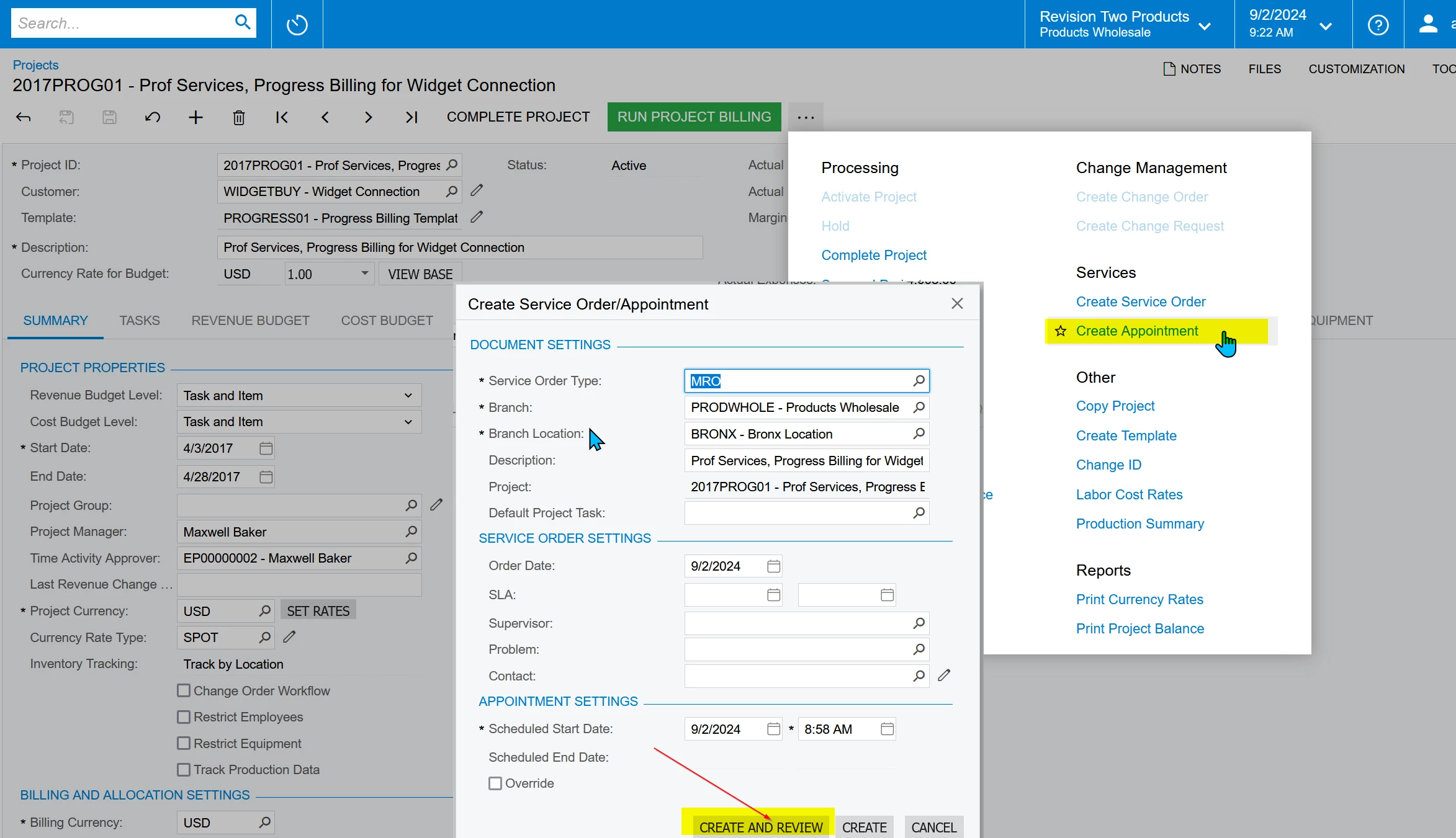
Can you please help me with the sample code to override the Create Appointment Popup → Create and Review button in the Projects screen.
Thanks in advance.
Hello Everyone,
Can you please help me with the sample code to override the Create Appointment Popup → Create and Review button in the Projects screen.
Thanks in advance.
Best answer by taras
Hi, the Create Appointment action is in PX.Objects.FS.SM_ProjectEntry_DBox class. So to override it you need to extend that class. Also SM_ProjectEntry_DBox is derrivided from abstract DialogBoxSOApptCreation where you can find more details about Create Appointment action.
    public class ProjectBoxExtension: PXGraphExtension<SM_ProjectEntry_DBox, SM_ProjectEntry, ProjectEntry>
    {
        public static bool IsActive()
        {
            return PXAccess.FeatureInstalled<FeaturesSet.serviceManagementModule>();
        }

        [PXOverride]
        public virtual void ShowDialogBoxAndProcess(bool requiredFieldsFilled, Action<bool> baseMethod)
        {
            //custom code
            baseMethod(requiredFieldsFilled);
        }
    }
Enter your E-mail address. We'll send you an e-mail with instructions to reset your password.

