
Solved

Project Details Navigation missing

  • October 8, 2024
  • 5 replies
  • 99 views

rcreasy
Varsity I
Forum|alt.badge.img

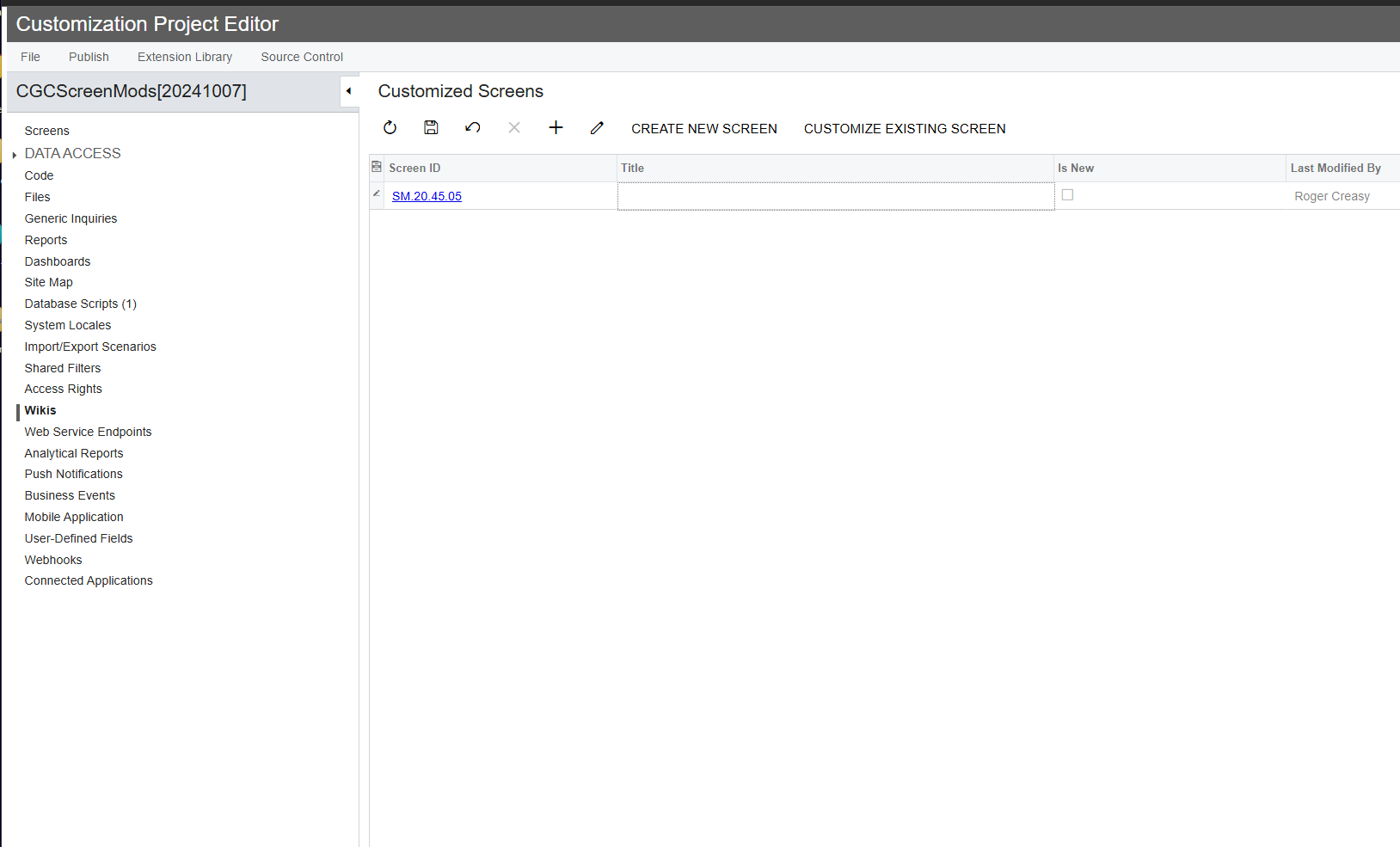
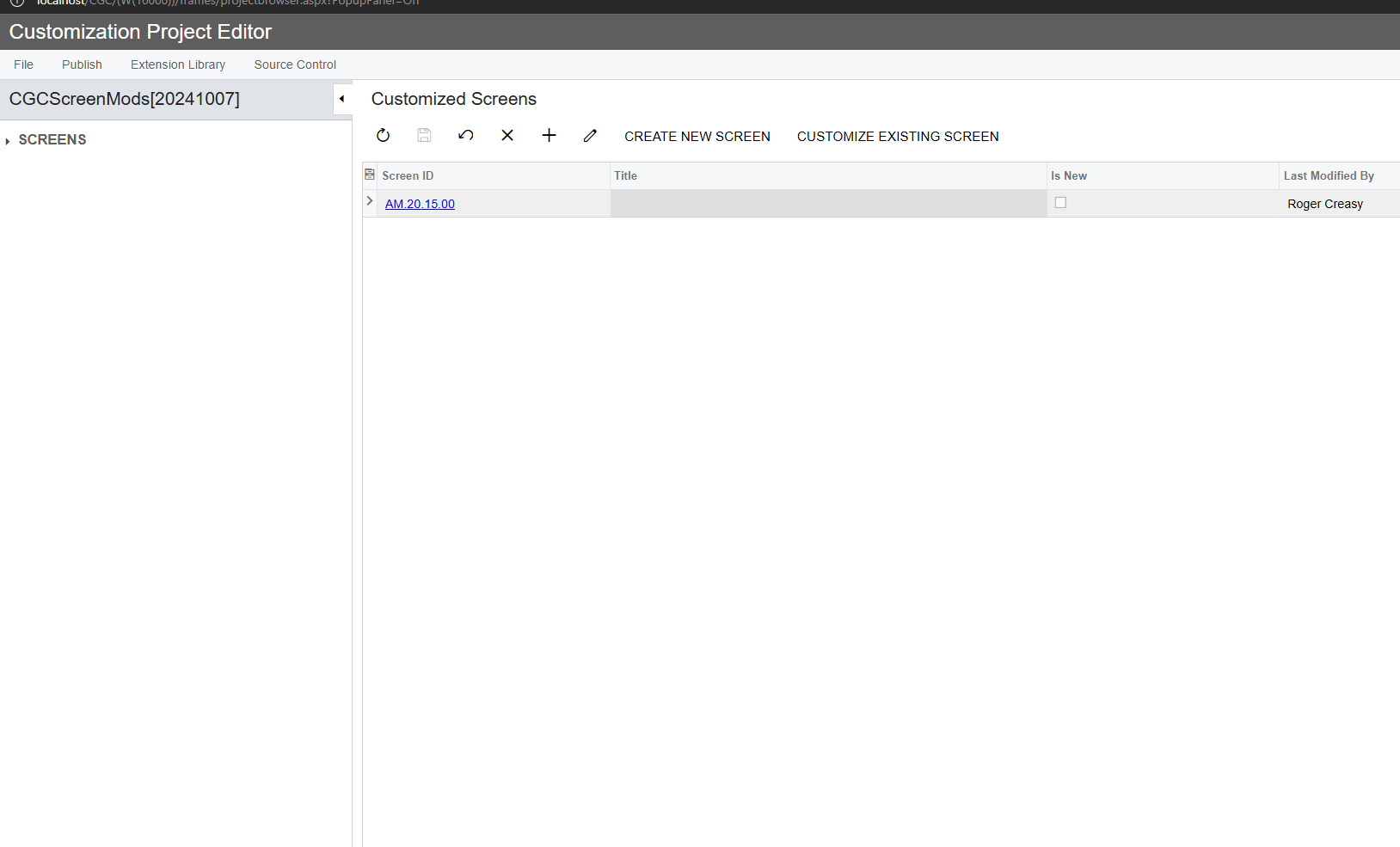
Something has changed with my site maps or with access rights. On some customization projects in the details I only see “SCREENS” in the left navigation. When I add a new project then save a Screen all navigation items besides “SCREENS” disappear. Any ideas as to why?

Here is before save:


And, immediately after saving:


Best answer by rcreasy

Hi ​@rcreasy were you able to find a solution? Thank you!

@Chris Hackett yes. A customization changed our site map. After correcting it, all was good. Apologies for not posting that here. I was so happy to get it fixed, I forgot :-)

5 replies

chameera71
Varsity II
Forum|alt.badge.img+4
  • Varsity II
  • October 10, 2024

If you're seeing only "SCREENS" in the left navigation of your customization projects and the other items disappear when you add a new screen, it's looks like due to changes in your Site Map configuration or Access Rights. The Site Map controls what you see in the navigation, so if sections like Reports or Inquiries are missing, check if the entries for those have been removed or changed. Also, verify that your Access Rights are not changed, as limited permissions can hide parts of the menu. Make sure the roles you are using have access to all sections of the project. Additionally, this issue could happen if your customization project does not include elements other than screens, so review your project setup to ensure other items (like Reports) are added. Lastly, check for compilation errors in your project that could affect the navigation, or clear the system cache to refresh any outdated data. If none of these resolve the issue, ensure the correct customization package version is applied and compatible with your current Acumatica version.


rcreasy
Varsity I
Forum|alt.badge.img
  • Author
  • Varsity I
  • October 10, 2024

If you're seeing only "SCREENS" in the left navigation of your customization projects and the other items disappear when you add a new screen, it's looks like due to changes in your Site Map configuration or Access Rights. The Site Map controls what you see in the navigation, so if sections like Reports or Inquiries are missing, check if the entries for those have been removed or changed. Also, verify that your Access Rights are not changed, as limited permissions can hide parts of the menu. Make sure the roles you are using have access to all sections of the project. Additionally, this issue could happen if your customization project does not include elements other than screens, so review your project setup to ensure other items (like Reports) are added. Lastly, check for compilation errors in your project that could affect the navigation, or clear the system cache to refresh any outdated data. If none of these resolve the issue, ensure the correct customization package version is applied and compatible with your current Acumatica version.

@chameera71  Thanks so much!
I don’t think it is project or access rights related.On a new project the menu items are there until I add a screen and save. Does this indicate Site Map issues?


Forum|alt.badge.img+1
  • Jr Varsity I
  • October 10, 2024

I had this issue in the past but can’t remember the specific fix. It might have just been restarting the application that resolved it, have you tried that? It could also potentially be a caching issue as suggested above.


Chris Hackett
Community Manager
Forum|alt.badge.img
  • Acumatica Community Manager
  • December 24, 2024

Hi ​@rcreasy were you able to find a solution? Thank you!


rcreasy
Varsity I
Forum|alt.badge.img
  • Author
  • Varsity I
  • Answer
  • December 24, 2024

Hi ​@rcreasy were you able to find a solution? Thank you!

@Chris Hackett yes. A customization changed our site map. After correcting it, all was good. Apologies for not posting that here. I was so happy to get it fixed, I forgot :-)