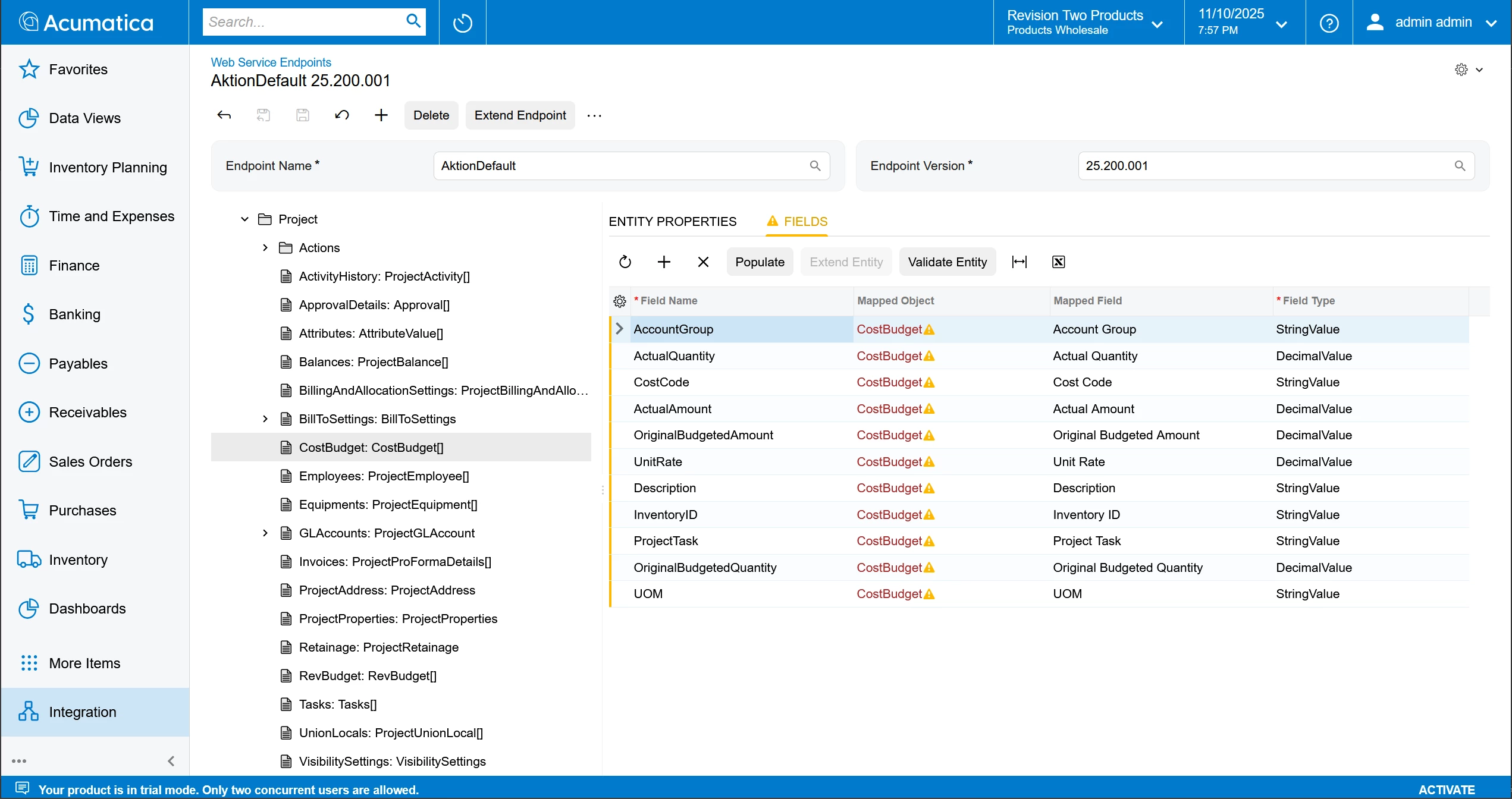
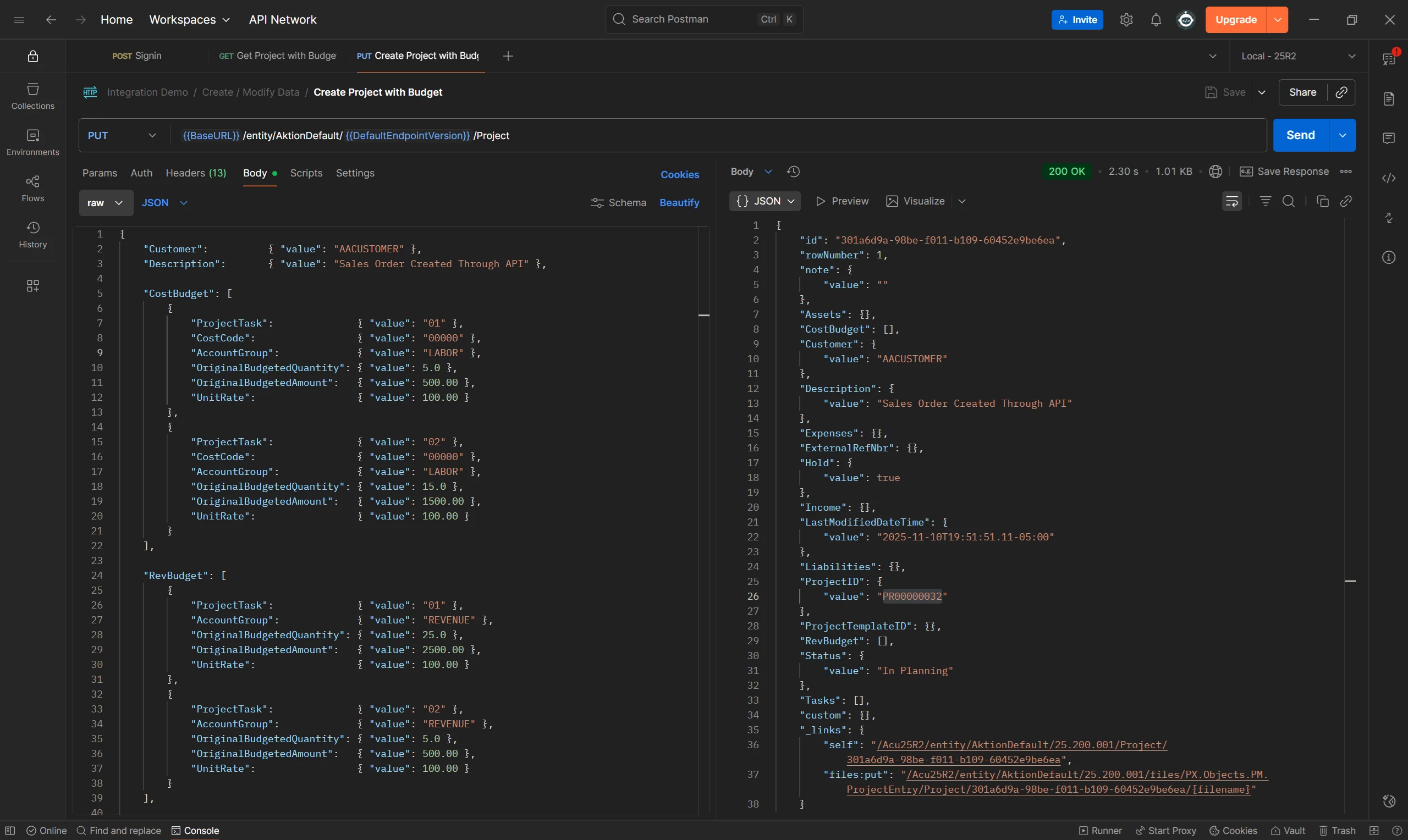
I’m implementing an integration between Acumatica and a Next.js application. The goal is to automatically create a Project, Project Task, and multiple Project Budget records based on data stored in the Next.js app.
The challenge I’m facing is related to the large volume of budget lines — each project can have thousands of budget items. Using the built-in REST API would require sending thousands of individual requests (one per budget line), which is both inefficient and prone to network or timeout issues. Missing even a few budget items is not acceptable in this scenario.
To address this, I’m exploring a solution that allows batch creation of multiple Project Budget records in a single operation (or at least in smaller batches). My plan is to build a customization project in Acumatica that exposes a custom endpoint designed specifically for this use case.
This endpoint would accept a list of budget items (via JSON) and create them all in one go using a PXGraph or a similar mechanism within Acumatica.
this is what i have so far
using System.Collections.Generic;
using PX.Data;
using PX.Objects.PM;
using PX.Objects.IN;
using PX.Objects.GL;

public class ProjectBudgetBatchGraph : PXGraph<ProjectBudgetBatchGraph>
{
    public PXSelect<PMBudget> MasterView;

    // --- DTO ---
    public class BudgetLineDto
    {
        public string ProjectID { get; set; }
        public string ProjectTaskID { get; set; }
        public string AccountGroup { get; set; }
        public string CostCode { get; set; }
        public string Description { get; set; }
        public string Type { get; set; }
    }

    // --- PXAction (this will appear in the Mapped Action list) ---
    public PXAction<PMBudget> CreateBudgets;
    [PXButton]
    [PXUIField(DisplayName = "Create Budgets Batch")]
    protected virtual System.Collections.IEnumerable createBudgets(PXAdapter adapter)
    {
        // Your action logic here
        return adapter.Get();
    }


    // --- The actual method you’ll call from API (FIXED) ---
    public void CreateBudgetsAPI(List<BudgetLineDto> lines)
    {
        foreach (var line in lines)
        {
            // Perform lookups safely
            int? projectId = GetProjectID(line.ProjectID);
            int? taskId = GetTaskID(line.ProjectTaskID);
            int? accountGroupId = GetAccountGroupID(line.AccountGroup);
            int? costCodeId = GetCostCodeID(line.CostCode); // Can be null if optional

            // *** CRITICAL VALIDATION ADDED HERE ***
            // Acumatica DAC inserts will throw NullReferenceException if mandatory fields are null.
            // We proactively check and throw a meaningful exception instead.

            if (projectId == null)
            {
                // Stop the process and inform the user which project CD is missing/invalid
                throw new PXException($"Invalid or missing Project ID '{line.ProjectID}' found in input data.");
            }

            if (taskId == null)
            {
                 // Stop the process and inform the user which task CD is missing/invalid
                throw new PXException($"Invalid or missing Task ID '{line.ProjectTaskID}' found in input data.");
            }

            if (accountGroupId == null)
            {
                 // Stop the process and inform the user which account group CD is missing/invalid
                throw new PXException($"Invalid or missing Account Group ID '{line.AccountGroup}' found in input data.");
            }


            // If validation passes, we create the object
            var budget = new PMBudget
            {
                // We use the validated (non-null) IDs
                ProjectID = projectId,
                ProjectTaskID = taskId,
                AccountGroupID = accountGroupId,
                CostCodeID = costCodeId, // This field is assumed optional if it can be null
                Description = line.Description,
                Type = line.Type == "Income" ? AccountType.Income : AccountType.Expense,
            };

            MasterView.Insert(budget);
        }

        // This will now only run if all lines passed validation
        Actions.PressSave();
    }

    // --- Simple lookups (remain the same, they use null-conditional operators safely) ---
    private int? GetProjectID(string cd) =>
        PXSelect<PMProject, Where<PMProject.contractCD, Equal<Required<PMProject.contractCD>>>>
        .Select(this, cd)?.TopFirst?.ContractID;
    private int? GetTaskID(string cd) =>
        PXSelect<PMTask, Where<PMTask.taskCD, Equal<Required<PMTask.taskCD>>>>
        .Select(this, cd)?.TopFirst?.TaskID;
    private int? GetAccountGroupID(string cd) =>
        PXSelect<PMAccountGroup, Where<PMAccountGroup.groupCD, Equal<Required<PMAccountGroup.groupCD>>>>
        .Select(this, cd)?.TopFirst?.GroupID;
    private int? GetCostCodeID(string cd) =>
        PXSelect<PMCostCode, Where<PMCostCode.costCodeCD, Equal<Required<PMCostCode.costCodeCD>>>>
        .Select(this, cd)?.TopFirst?.CostCodeID;
    private int? GetInventoryID(string cd) =>
        PXSelect<InventoryItem, Where<InventoryItem.inventoryCD, Equal<Required<InventoryItem.inventoryCD>>>>
        .Select(this, cd)?.TopFirst?.InventoryID;
}
I’ve successfully validated and published the code, but I’m stuck on how to expose this function through an existing endpoint that I’ve already created for other API calls. I’m also not entirely sure if my current code is implemented correctly.
Where should I look or what steps should I take next? Any guidance or suggestions to point me in the right direction would be greatly appreciated.
Thanks!