Question

Processing screen on non persisted DAC

  • April 30, 2025
  • 8 replies
  • 136 views

Forum|alt.badge.img+1

Hi,

I have a processing screen that operates on a non persisted DAC that works in all respects except that the select box on the lines throws an error.  I feel like I’m missing something super simple here,

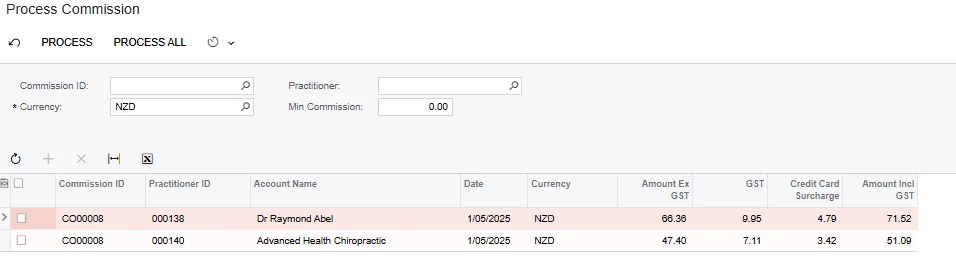
When the screen loads it looks like the below:
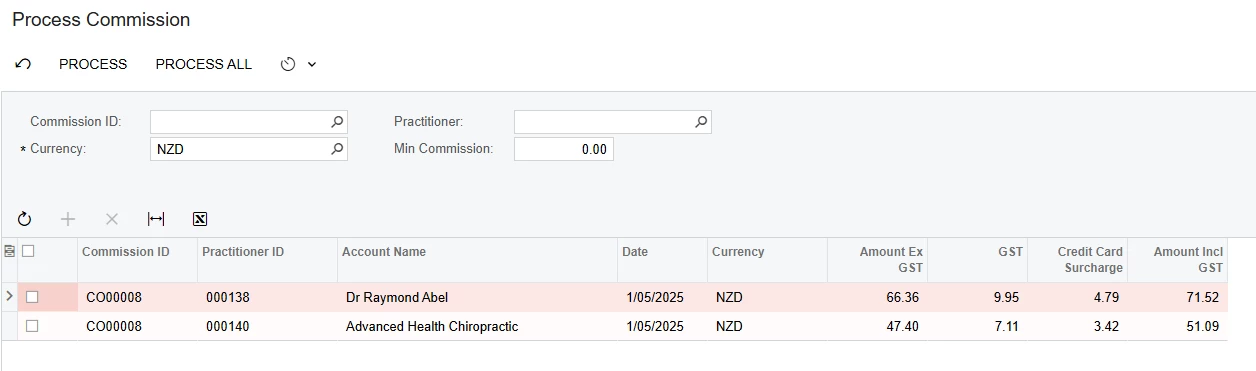
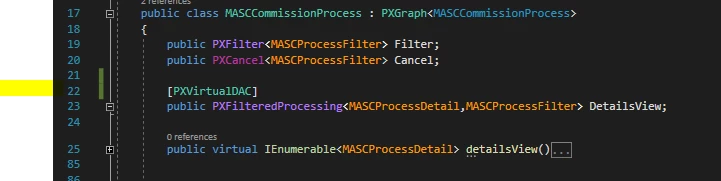
The grid is populated by details Method (rows 24 to 85 below) which makes a single API call on a 3rd party piece of software,
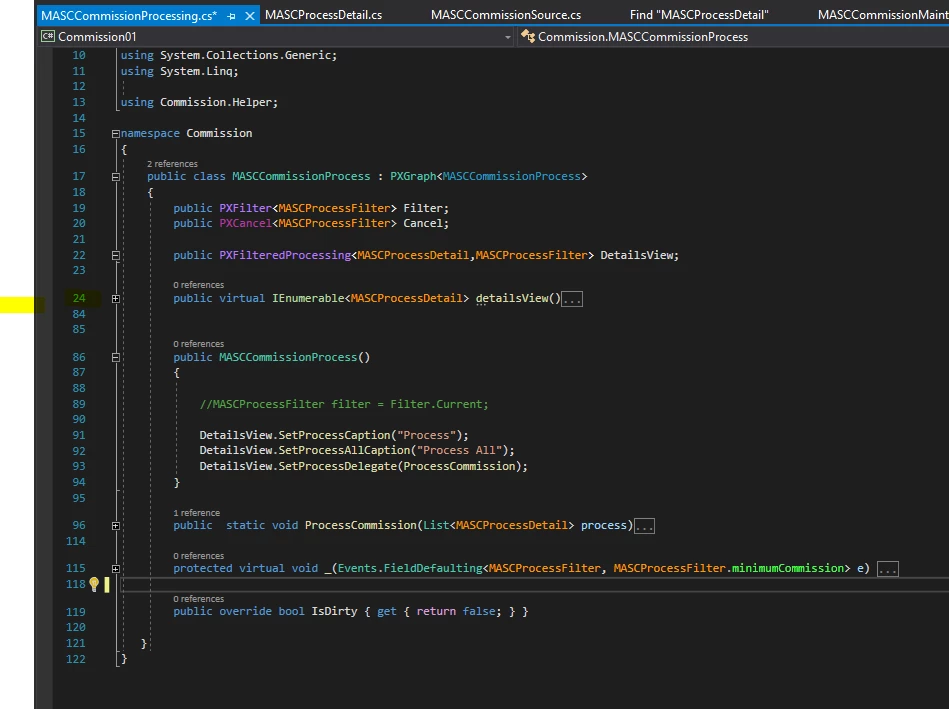
 

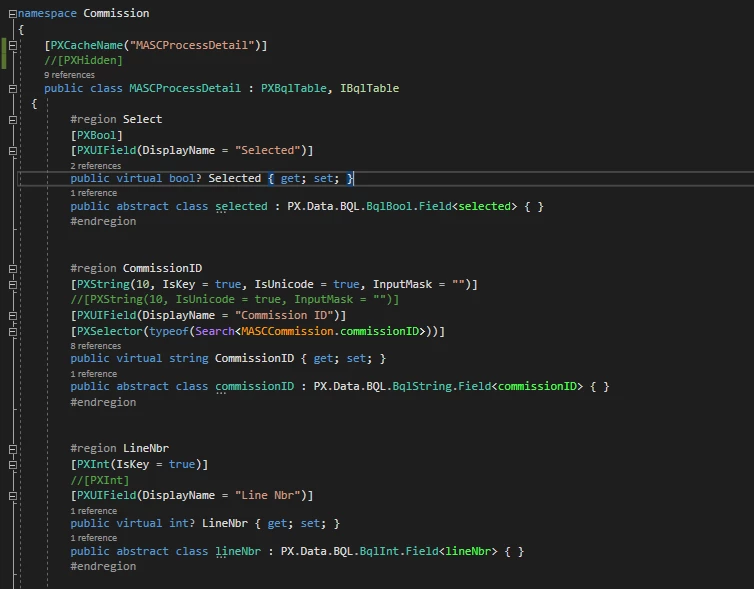
The MASCProcessDetail DAC is non persisted, and none of it’s properties are persisted (eg [PXDBInt], [PXDBDecimal],...).  There are 2 key fields CommissionID and Line Number which uniquely identify each record.
Everything works fine except that when you tick the select box on any line you get the following.
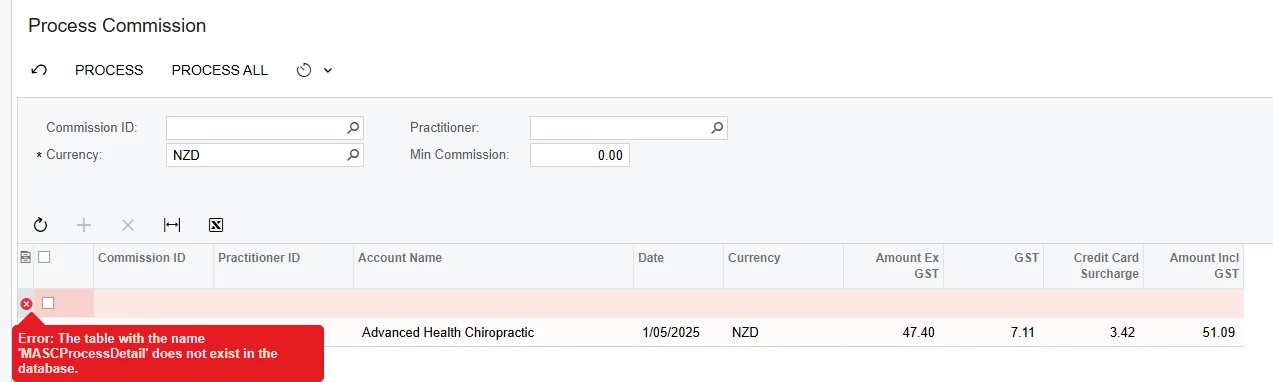
 

Process All works and the processing form loops through each line and “ticks” the select box on each row.


Any ideas on what I’m missing here re the select tick box error?


Thanks in advance for any help,

John.

 

8 replies

harutyungevorgyan
Jr Varsity I
Forum|alt.badge.img+2

Hello ​@JWS539 ,

Use the [PXVirtualDAC] attribute for your processing view to prevent the system from searching for DAC in the database.


Forum|alt.badge.img+1
  • Author
  • Varsity II
  • May 9, 2025

Hi ​@harutyungevorgyan 

Thanks for taking the time to review this topic and provide advice.  I tested this change out and whilst it did stop the error message I have another problem.


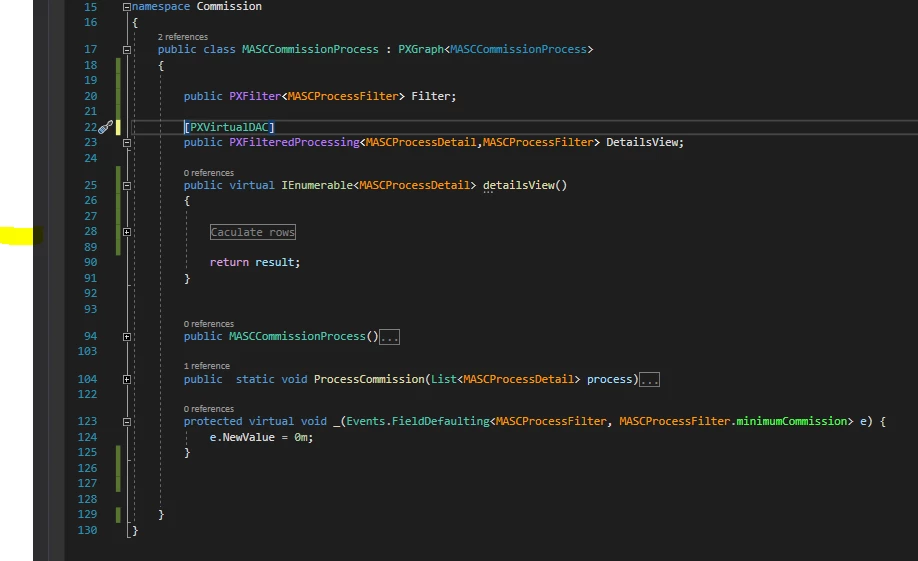
Added in the PXVirtualDAC on the view as reccomended:


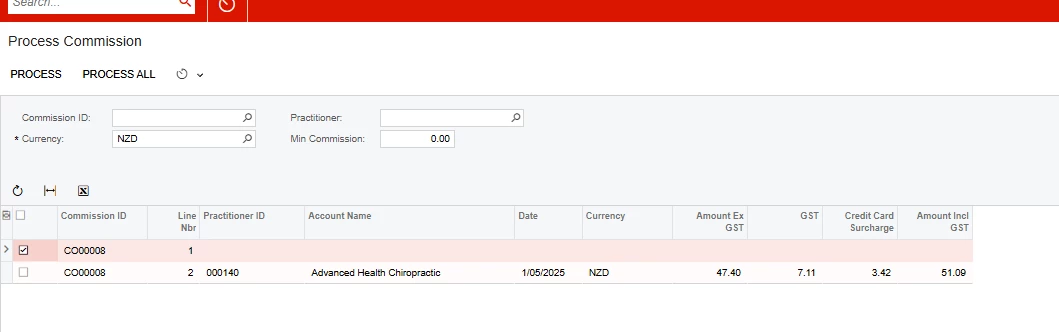
I then ran into a second issue. The screen shot below shows the state of the form prior to ticking any of the select boxes:

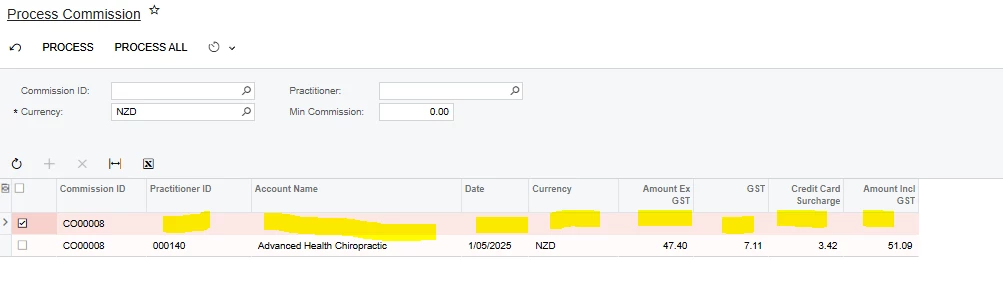
After ticking the Select for Line 1, the data on the line disappears:

Have tried making a few changes to thinks like Commit Changes but no joy.  Any ideas on what might be causing this second issue would be greatly appreciated.


Thanks,

JOhn.


Forum|alt.badge.img+1
  • Author
  • Varsity II
  • May 9, 2025

Further to the above,  have stepped through the code in the debugger and can confirm that after the select box is ticked, the View delegate is being rerun, and records are being returned with the correct data.  So, it’s just not displaying for some reason.


harutyungevorgyan
Jr Varsity I
Forum|alt.badge.img+2

Hello ​@JWS539 ,

Please remove your override of the IsDirty method, which currently always returns false. I believe you implemented this to prevent the system from searching the database or attempting to save data, but that's not the proper way to handle this situation.

Since you are aware that everything works fine when returning records, please check your keys. Try assigning some keys to your unbound Data Access Class (DAC) as this might resolve the issue. If you don’t have any key, the system may struggle to recognize that the old row and the newly changed row are the same when the details view is displayed.


Forum|alt.badge.img+1
  • Author
  • Varsity II
  • May 11, 2025

Hi harutyungevorgyan

Thanks for the extra tips.  Have tried them but no joy.


I think the Primary Key on the DAC was already correctly defined.  Have made this mistake before and understand why you need to have a primary key on the DAC even if there is no table in the database.

As you say, If you don’t have any key, the system may struggle to recognize that the old row and the newly changed row

The primary key is CommissionID and LineNbr shown above which uniquely identified the record. Also removed the override to IsDirty as suggested.

I couple of further points:

  1. Setting IsKey=true on other non-Key fields results in those fields being populated after the select box is ticked in the UI.  So I could just set Is Key=true on every field, but this surely can’t be the solution.
  2. A break point just after line 28 below shows that after the select box is ticked on a row, and the View delegate is called for the second time, the row selected is present in DetailsView.Cache.Updated with the Primary Key fields populated (ie CommissionID and LineNbr) but all others are null.  This might be part of the issue.  


What I have since done is create the table in the database, and removed the [PXVirtualDAC] on row 22 above.  Everything then works as required even though no data is ever persisted to the table. Can live with this approach for now even though it’s surely not the right answer either.  

Any further ideas?


Thanks,

John.


aaghaei
Captain II
Forum|alt.badge.img+10
  • Captain II
  • May 12, 2025

Hey ​@JWS539 ​I don’t see your view delegate code. Considering the Process All works I’m guessing the issue is with your view delegate code. Are you using View.Select()? If yes can you change it to Cache.Cached and try?


harutyungevorgyan
Jr Varsity I
Forum|alt.badge.img+2

Hello ​@JWS539,

Could you please share this information with DAC and Graph? I will review it when I have some free time.

Additionally, you might want to check whether your delegate view is written correctly. If you follow ​@aaghaei’s approach and return `Cache.Cached`, you should remove the typed `IEnumerable` return type. Instead, just use `IEnumerable` without any specific type, allowing you to return any enumerable object you prefer.


Chris Hackett
Community Manager
Forum|alt.badge.img
  • Acumatica Community Manager
  • July 3, 2025

Hi ​@JWS539 were you able to find a solution? Thank you!