Answer

Printing an invoice from AR301000 is not doing anything

  • August 19, 2025
  • 5 replies
  • 71 views

Joe Schmucker
Captain II
Forum|alt.badge.img+3

The title of this topic should be Printing an invoice on the Mobile App is not doing anything.

I wish I could change the title!

When I try to print an invoice on the Mobile App, nothing happens.

I read this previous topic and I think I am doing everything correctly.

I added AR301000 Invoices and Memos to the Mobile App.

I updated AR301000 to expose the printInvoice command on the mobile app

update screen AR301000 {
  update container "InvoiceSummary"  {
    add recordAction "PrintInvoice" {
          redirect = True
    }
  }
}

This is the command from WSDL

I exposed the action to the mobile app in the project editor.
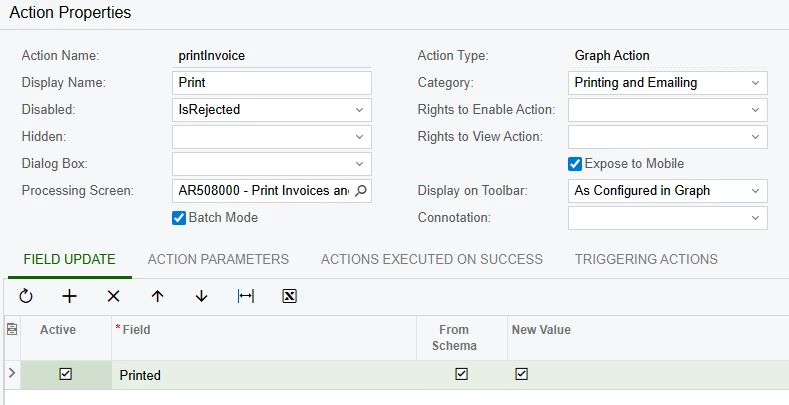
In the Mobile App, the Print option appears in the ellipse menu.

When I select Print, no report is shown.  Nothing seems to happen.

I verified that the invoice I am working with is available to be printed as I can print it from the UI.

Does it look like I’ve missed something?

 

Best answer by DipakNilkanth

Hi ​@Joe Schmucker,

Have you added the AR641000 screen in the Mobile Application section? I believe you also need to add the fields in order to display the data.

Hope it helps!

5 replies

Forum|alt.badge.img+8
  • Captain II
  • August 20, 2025

@Joe Schmucker 

Do you also need to expose the report screen to the mobile app?


Joe Schmucker
Captain II
Forum|alt.badge.img+3
  • Author
  • Captain II
  • August 20, 2025

@aiwan 

I wondered that too.  I’m not good at mobile app and I hesitated to do that because I thought it would show up on the app.  I’ll give it a try!


Forum|alt.badge.img+8
  • Captain II
  • August 20, 2025

I think that may be the issue then, I’m not too well versed in the mobile app either but the system can’t redirect to something that it can’t see, right!


DipakNilkanth
Pro III
Forum|alt.badge.img+13
  • Pro III
  • Answer
  • August 20, 2025

Hi ​@Joe Schmucker,

Have you added the AR641000 screen in the Mobile Application section? I believe you also need to add the fields in order to display the data.

Hope it helps!


Joe Schmucker
Captain II
Forum|alt.badge.img+3
  • Author
  • Captain II
  • August 20, 2025

If you are having this issue, this webpage solved it for me.

https://www.loganconsulting.com/blog/configuring-reports-in-the-acumatica-mobile-app-print-a-purchase-order/

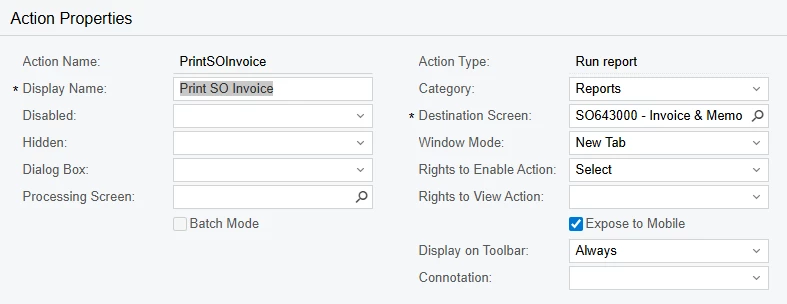
I ended up creating a custom action on the Sales Order screen.  The customer’s desire is to open a Sales Order on the Mobile app and print the related SO Invoice.

This is what I did to add the action and print the report:

Add the custom action to the SO301000 and expose it to the mobile app. 


Add the report to the Mobile App

In the code for this screen, I added this code:

add screen SO643000 {
  type = report
}

Update the MENU

update sitemap {
  add item "SO643000" {
    visible = false
    }
}

I can now print the invoice from the mobile app.

In my VS code, I disable the Print SO Invoice to only show if there is an SO Invoice associated with the Sales Order.