Answer

Preventing Duplicate lot#'s on Scan receive

  • April 29, 2025
  • 5 replies
  • 110 views

Forum|alt.badge.img+1

Hi,


I have a customisation that is attempting to prevent duplicate lot numbers from being scanned on the mobile App (IN301020) and Receipts (IN301000)


 INReceiptEntry is overriden to throw an exception whenever:

  1. There is a lot number already persisted to the database, or
  2. The Lot number already exists on the unpersisted receipt.

Condition a. works as required.  The screen shot below shows the outcome of attempting to scan lot # 1234 which already exists in the database.
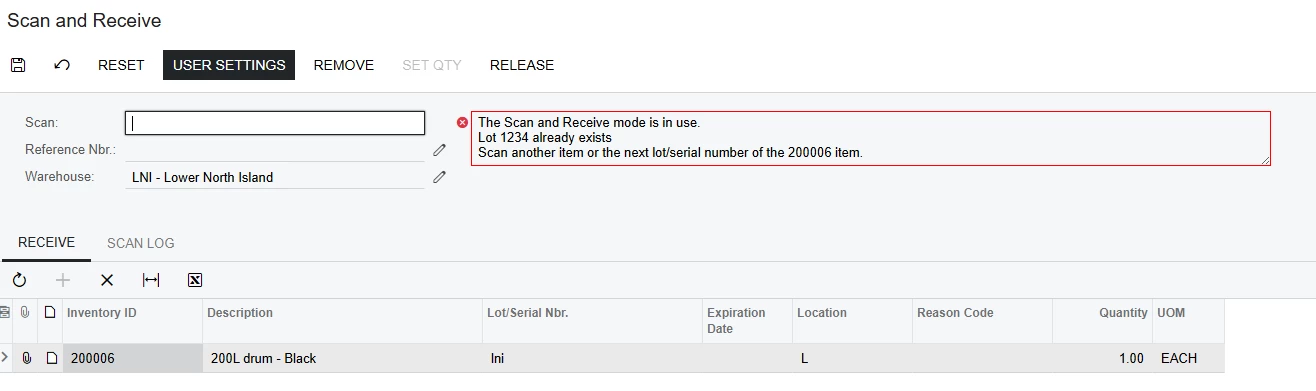
The error message is in the header, and this is visible when using the mobile App.

However condition b. behaves differently,  1234z doesn’t exist in the database.  On fist scan it gets added.
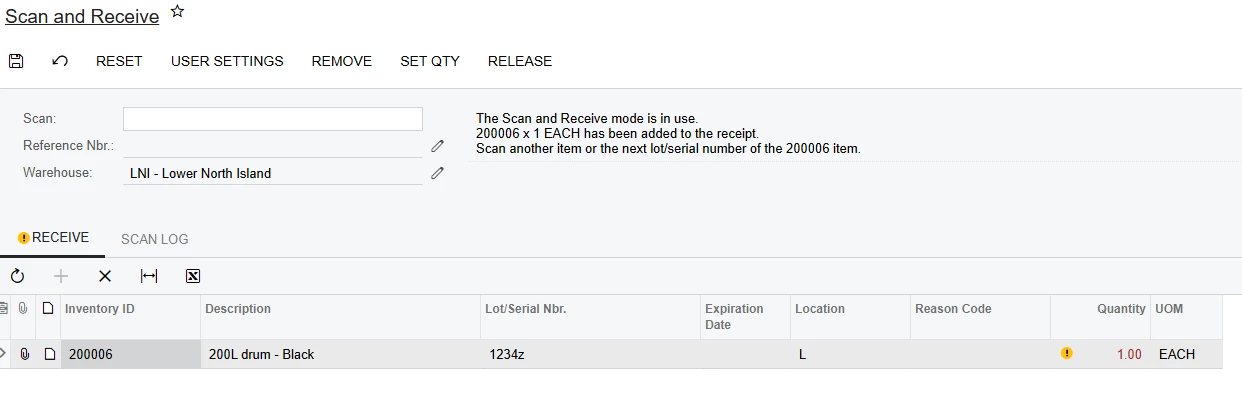
No problem there.  However when scanned again, the error messaging is appearing on the line, instead of the header.
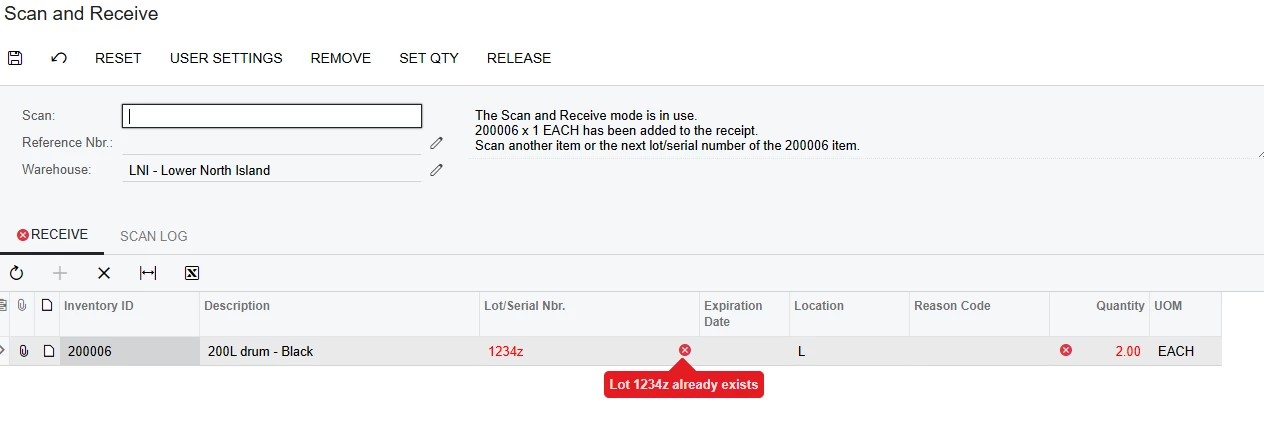
The issue I have is that this error messing isn’t visible on the Mobile App.  What I’m looking to acheive is to have an error message display on the header when condition b. ocurrs.

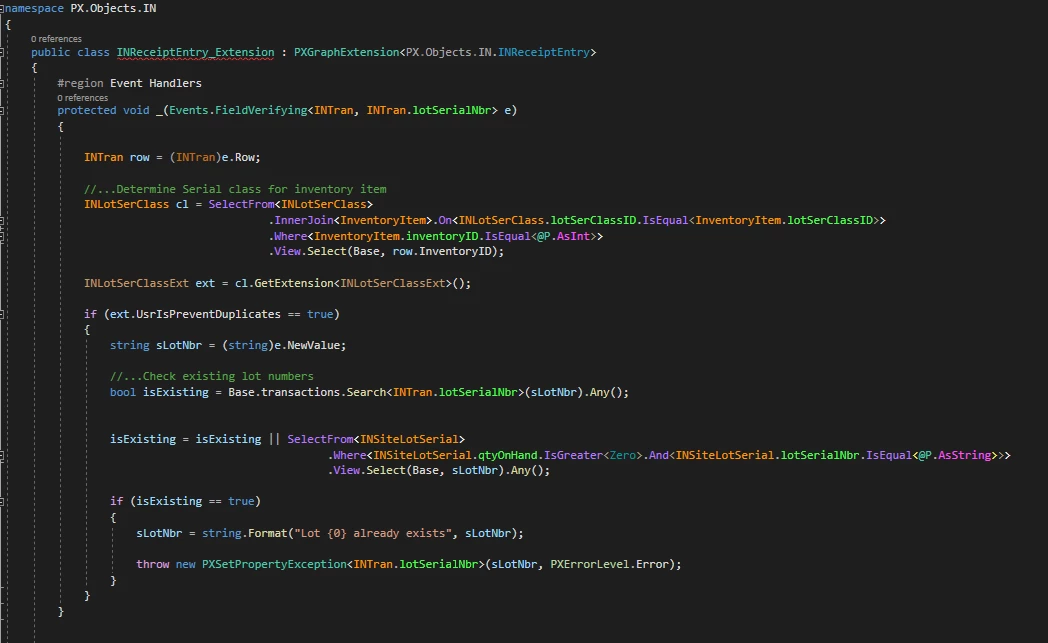
In terms of the cusomisation, there is a FeildVerifying event on INTran.lotSerialNbr
And another on INTran.qty (also in the INReceiptEntry extenstion).  The idea is that this detects condition b
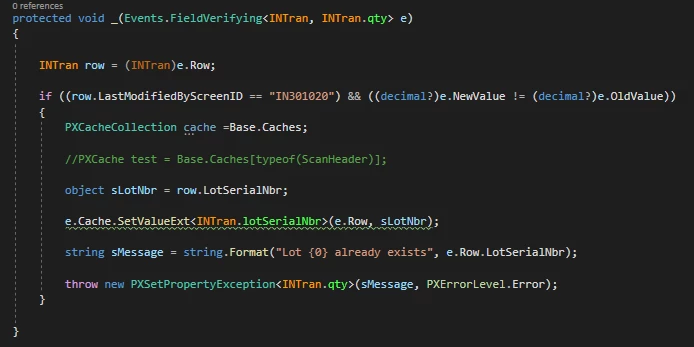
So, it appears that the FieldVerifying event when a row is being added to InTran is being treated slightly different than when a row is being updated.

My thinking (which may not be correct) is that the only way to resolve this is to extend the graph behind Scan and Receive (INScanReceive) as opposed to just Receipts (INReceiptEntry)

However, the INScanReceive code is a bit different to what I’m used to.  It has a Host member for INReceiptEntry
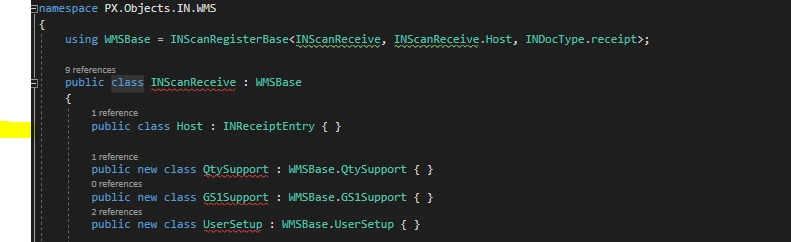
And when you attempt to extend it via the UI, the code generate is:

 

Which obviously doesn’t compile (due to the + in the name of the class).  I’m not sure what the signature of the class should be (or even if I’m on the right track).  Looking at what INScanReceive is derived from I see:

  • INScanReceive derives from WMBase
  • WMBase is defined as INScanRegisterBase<INScanReceive, INScanReceive.Host, INDocType.receipt>;
  • And then


I’ve also had a look at the DAC for the header of Scan Receive.  It’s ScanHeader,
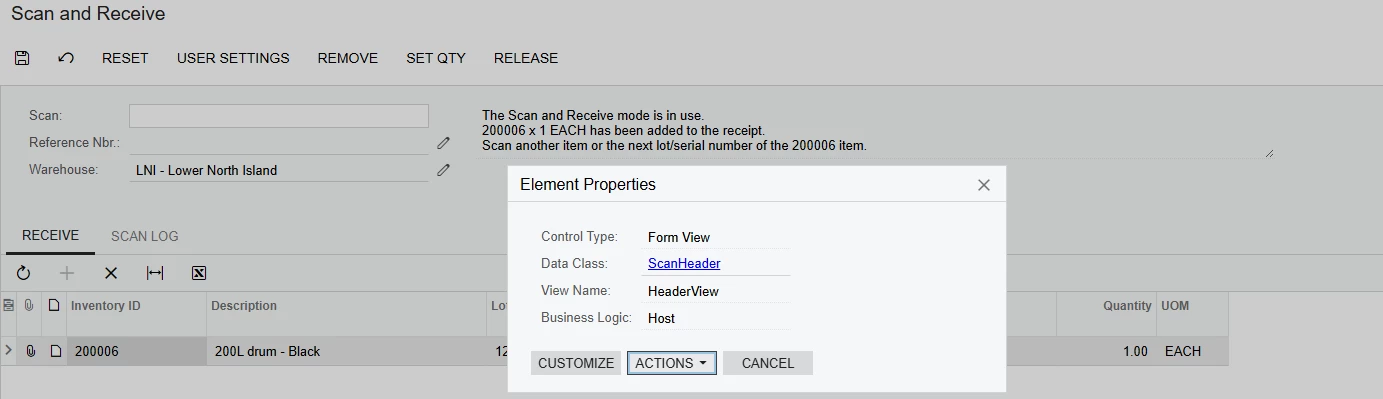
 

Which sits in  PX.BarcodeProcessing which is an external DLL.  After including the reference, I tried adding in the highlighted lines below:
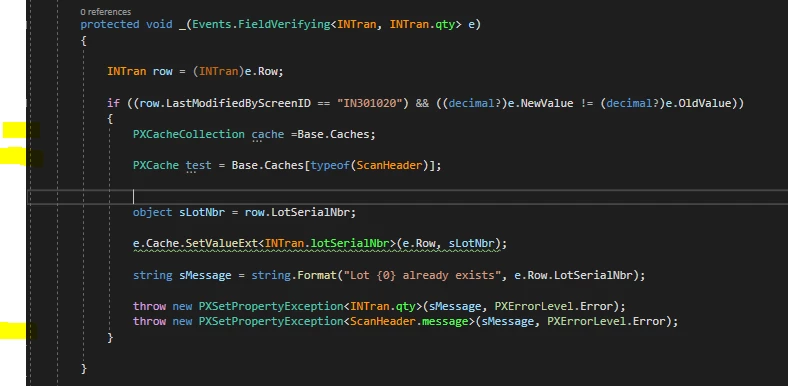
I can see a ScanHeader object sitting in the cache and am wondering if you can raise an exception on the object.  Perhaps this is possible and my syntax isn’t quite right.


Thanks in advance for any advice/solution on the above,

John.


Best answer by aiwan

@JWS539 


You can use something like this for validation:

itemState
.Intercept.Validate.ByAppend((basis, item) =>
{
(var xref, var inventory) = item;
if (inventory.CountryOfOrigin == "AQ")
return Validation.Fail(Msg.CannotReceiveItem,
inventory.InventoryCD);

return Validation.Ok;
});

I am learning this too, so might not give you the best answer first time round.

This may be of help: Barcode-Driven Engine Guide


5 replies

Forum|alt.badge.img+8
  • Captain II
  • April 30, 2025

Hi ​@JWS539 


For customising the WMS in Acumatica, it is a bit different, I recommend reading the knowledge base articles:

How to customize the new Automated Warehouse Operations Engine in Acumatica ERP 2021 R1 and later: Barcode Driven State Machine architecture | Community


It is a lot of trial and error but, you want something like this for tour graph extension

using RecBase = PX.Objects.IN.WMS.INScanRegisterBase<INScanReceive, INScanReceive.Host, INDocType.receipt>;
using WMSBase = WarehouseManagementSystem<INScanReceive, INScanReceive.Host>;
using qtySupport = PX.BarcodeProcessing.BarcodeQtySupport<INScanReceive, INScanReceive.Host>;
using Mode = PX.Objects.IN.WMS.INScanReceive.ReceiptMode;

public class YourExtensionName = YourScanGraphName.ScanExtension //Graph Extension Declaration

{

//Override the ScanState
[PXOverride]
public ScanState<INScanReceive> DecorateScanState(
ScanState<INScanReceive> original,
Func<ScanState<INScanReceive>, ScanState<INScanReceive>> originalMethod)
{
var state = originalMethod(original); //Get the current state of the barcode engine
if(state is RecBase.LocationState loc)//You might need a different state
{
loc.Intercept
.GetByBarcode
.ByOverride((rawBarcode /*Parameter for the input of the barcode*/, defaultParser /*Parameter for the DAC entry*/) =>
{
//Your Logic Here
});
}
}

}

Hope this helps!


Forum|alt.badge.img+1
  • Author
  • Varsity II
  • May 1, 2025

Hi ​@aiwan 

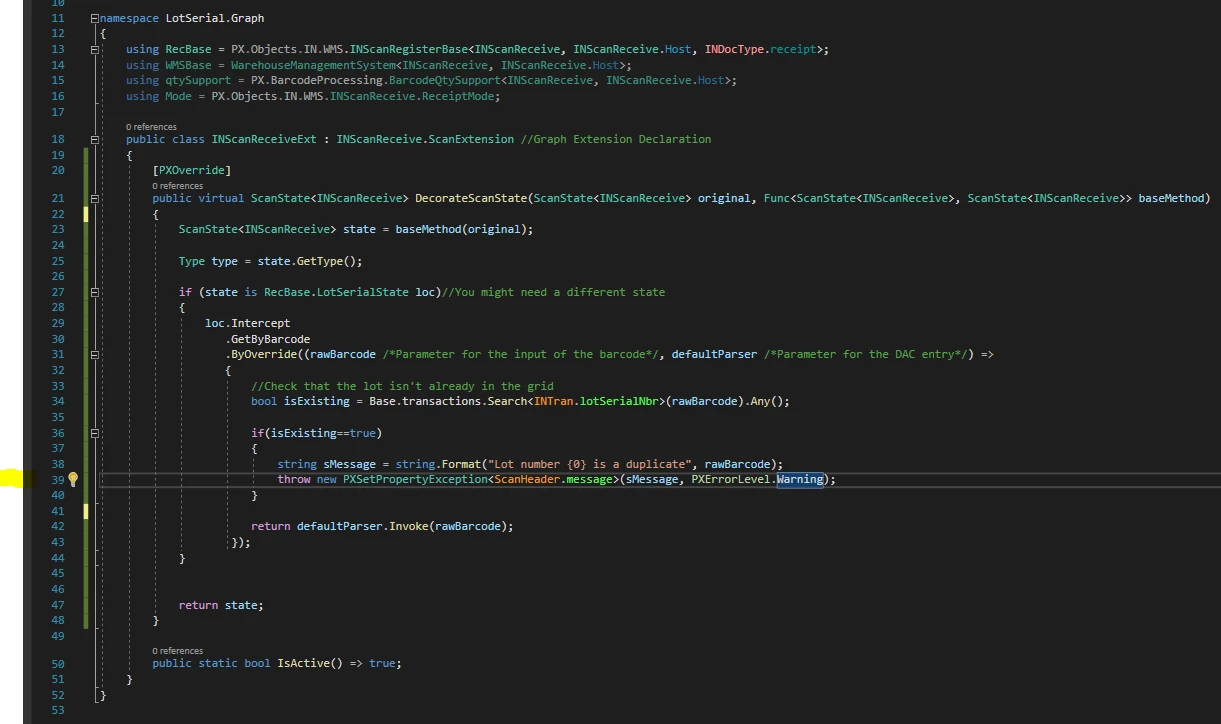
Thanks for taking the time to review this problem and for setting me on the right track.  After a bit of trial and error have come up with the below which is closer,

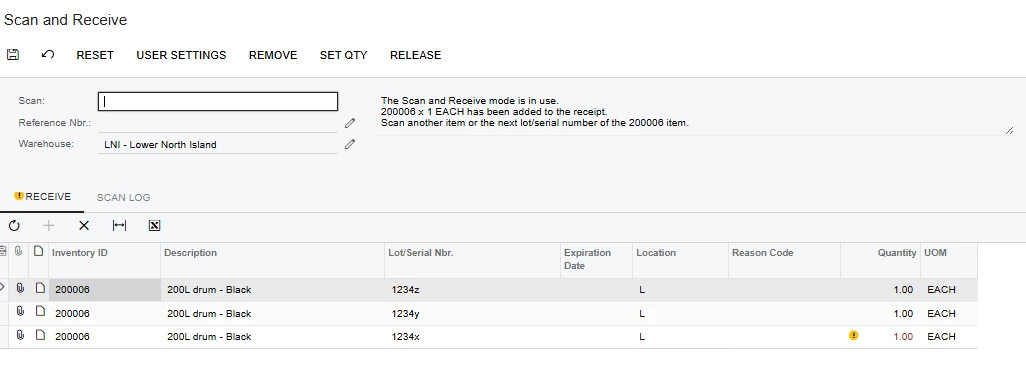
One issue though, the PXSetPropertyException is causing issues.  After entring 3 different lo#’s the form is in the state shown below:

​​​​

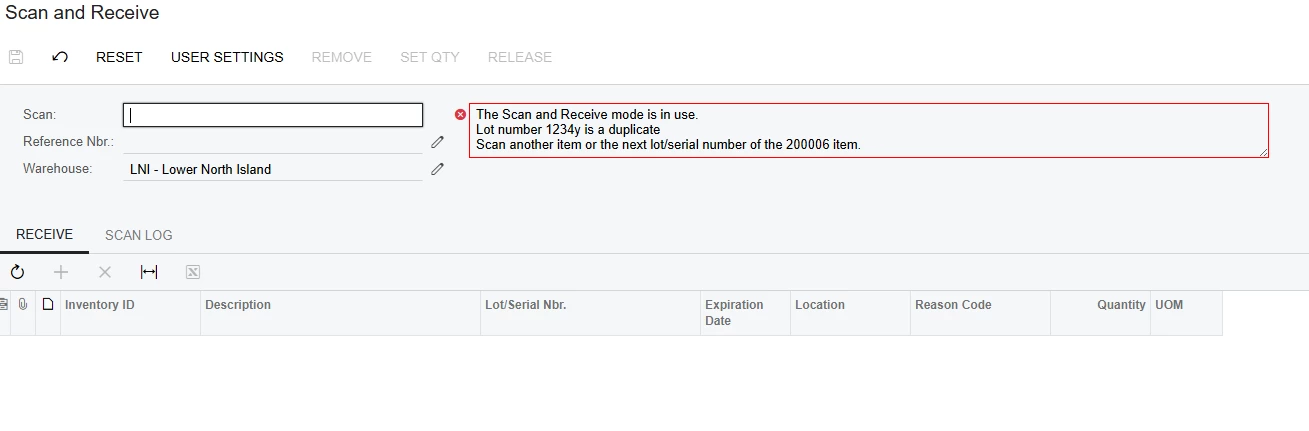
Then if the next entry is a duplicate (1234y), an error message get’s correctly displayed, however, problem is all of the lines disappear,

The behaviour we are needing to achieve is that duplicate lot number gets rejected (with the error message) and the details grid stays the same.  So I’m guessing we need to do something other than throw the exception.


Any ideas,


Thanks,

JOhn.


Forum|alt.badge.img+8
  • Captain II
  • Answer
  • May 1, 2025

@JWS539 


You can use something like this for validation:

itemState
.Intercept.Validate.ByAppend((basis, item) =>
{
(var xref, var inventory) = item;
if (inventory.CountryOfOrigin == "AQ")
return Validation.Fail(Msg.CannotReceiveItem,
inventory.InventoryCD);

return Validation.Ok;
});

I am learning this too, so might not give you the best answer first time round.

This may be of help: Barcode-Driven Engine Guide


Forum|alt.badge.img+1
  • Author
  • Varsity II
  • May 2, 2025

Hi @aiwin,


Thanks for the additional info. Really appreciate the “in-parallell” learning

Had a good read of the Barcode-Driven Engine Guide very interesting.  

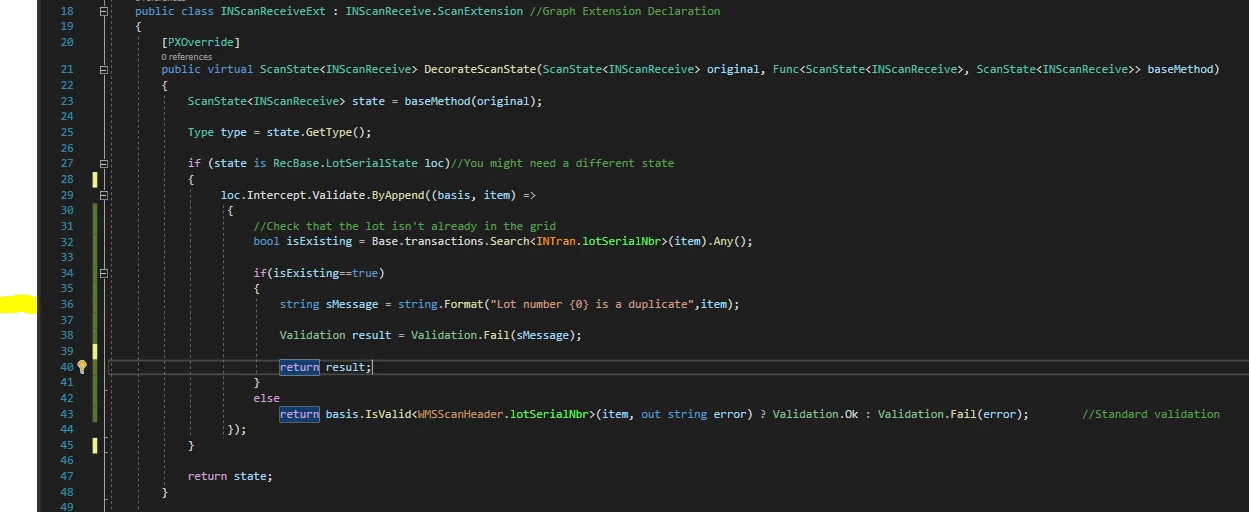
Have taken your code snippet and come up with the below which is closer to the answer:

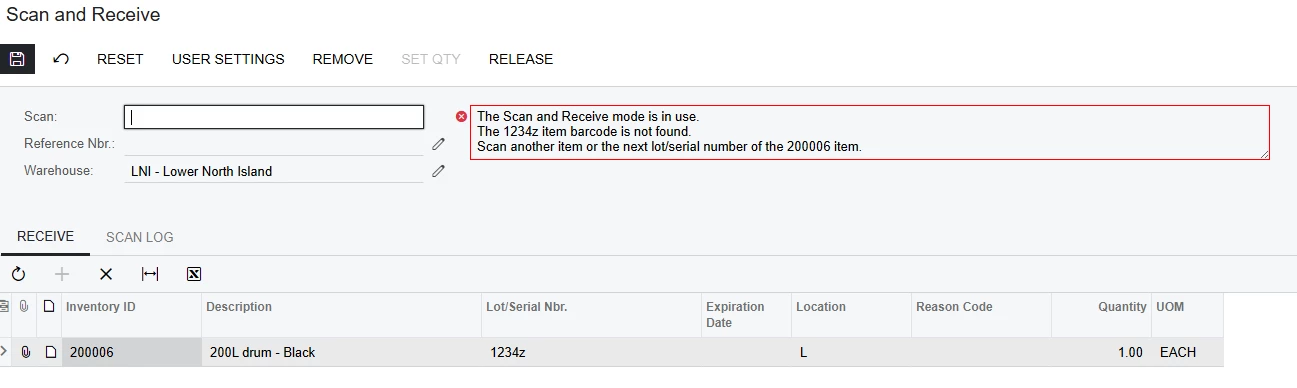
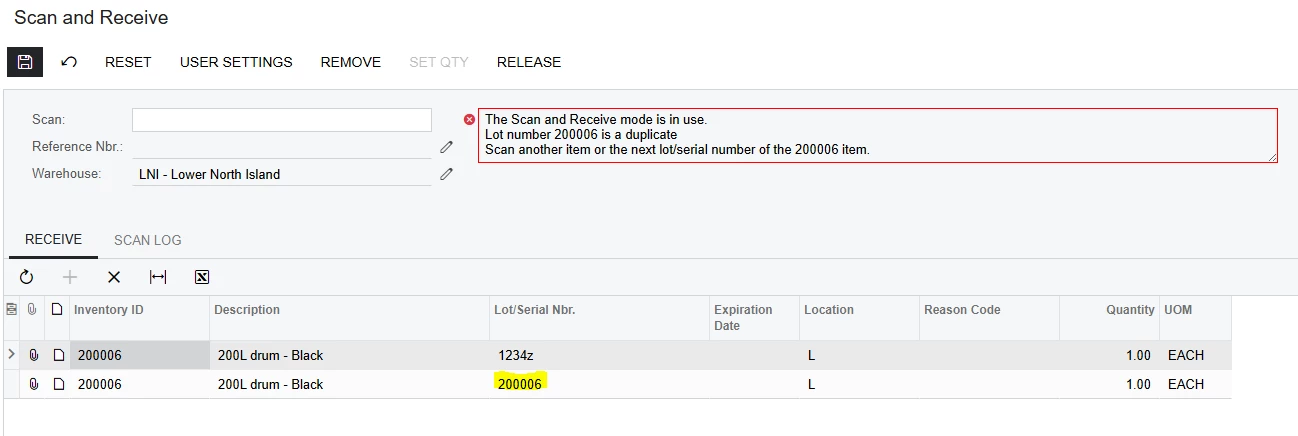
Next issue, which I’m still working on is that the Messaging from Line 36 above(highlighted) isn’t being displayed.  The screen shot below shows what happens on  a rescan of a duplicate lot#

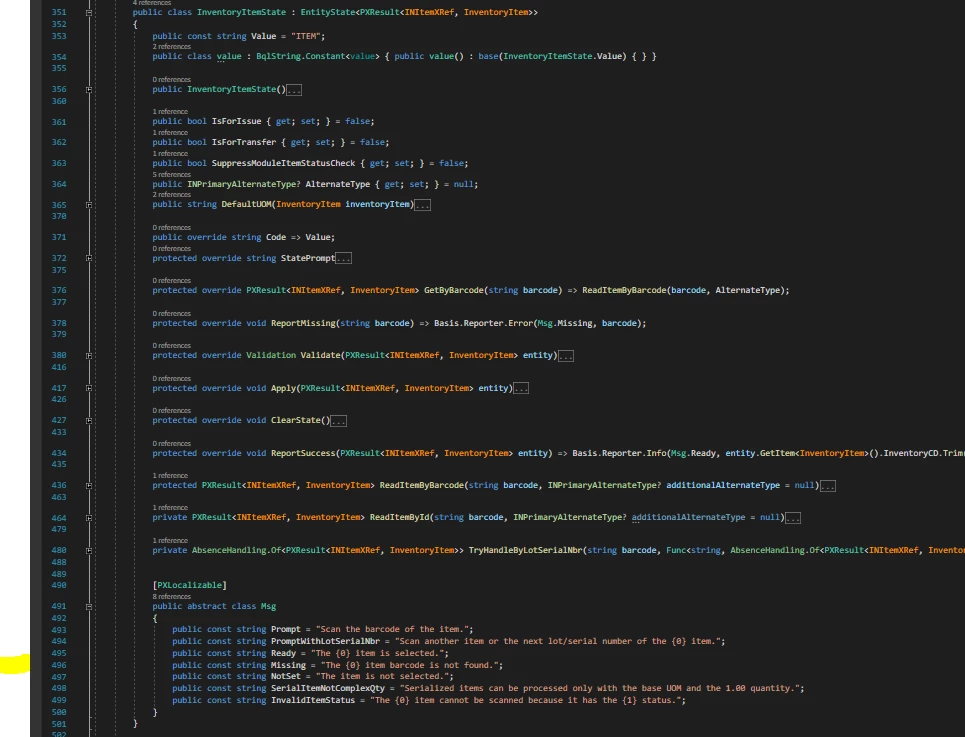
  The message I was attempting to display was “Lot Number 1234z” is a duplicate”.  The barcode not found message appears to be coming from the implementation of InventoryItemState:


My current theory is that when the custom validation.Fail is being called on the LotSerial# in INScanReceiveExt,  the standard logic is automatically resubmitting the lot # as an inventoryID, and this is then failing as there is no InventoryID with the same lot#.

To further substantiate this theory, if you enter in the InventoryID as the Lot#, the standard logic seems to get past the Lot#/InventoryID issue above and displays the correct messaging


Still working on it but I think that some how we need to back up the state, or somehow Stop the Lot# being passed back as an InventoryID

Thoughts?

Thanks,

John.


Forum|alt.badge.img+8
  • Captain II
  • May 2, 2025

@JWS539 


Parallel learning is always fun, sometimes AI can be helpful with this stuff as a start but as soon as you get to the more complex stuff it starts to hallucinate.


It is quite confusing for me too, but I am starting to wonder whether the input between these two stages (Inv. Item & Lot/Serial) dictates what state the barcode engine goes to.


Might be worth trying to push the validation in Inv Item state too.


If you would like, shoot me a private message and I’ll share my email. Happy to take this off-piste!


Aleks