Question

Override Email Quote Button – Change From and To Email Addresses

  • February 12, 2026
  • 7 replies
  • 0 views

Forum|alt.badge.img+2

Hi Team,

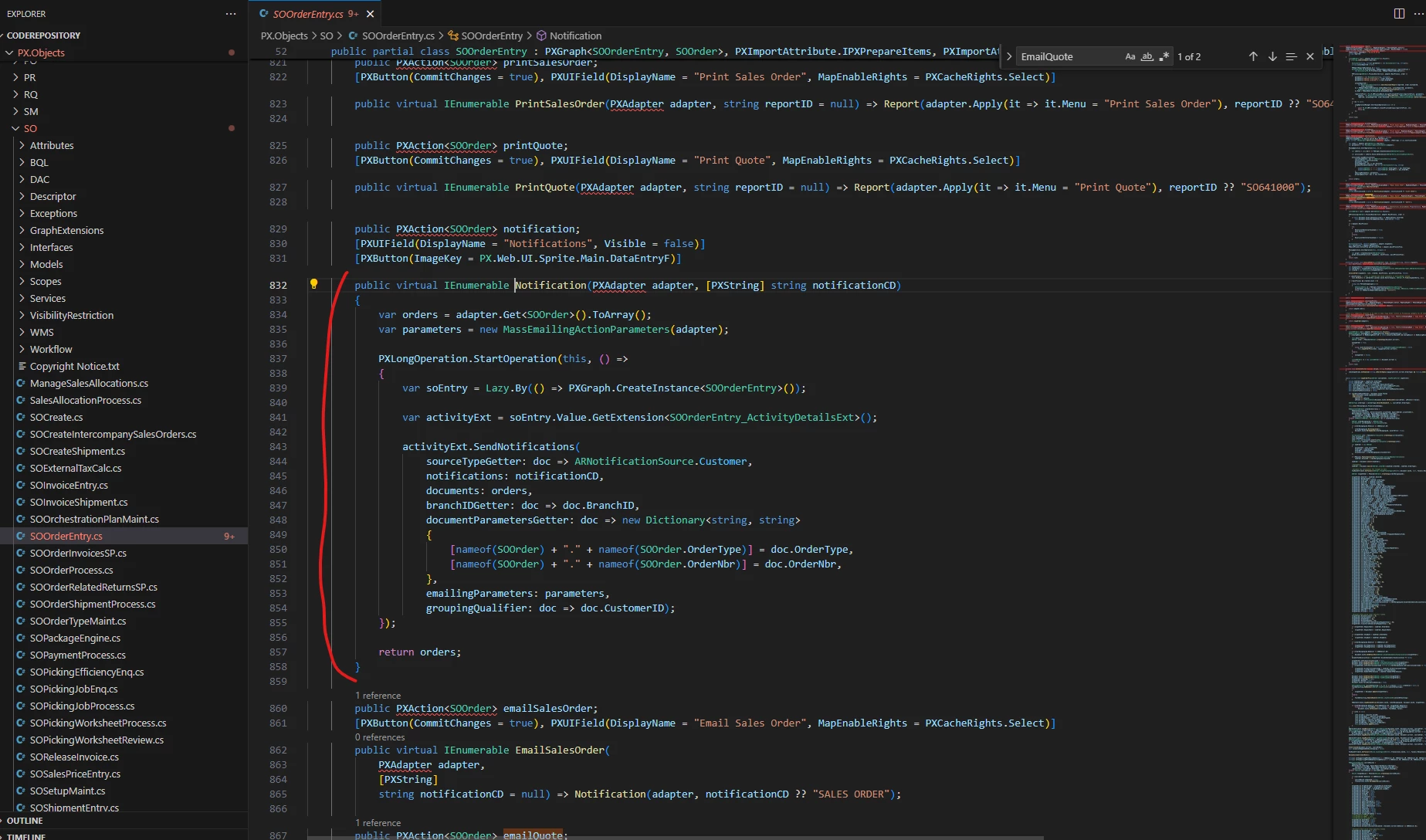
I need to override the Email Quote button on the Sales Order screen to change the default From and To email addresses.

How can I properly override this action in a Graph Extension and update these fields?


Thanks in advance!

7 replies

Samvel Petrosov
Jr Varsity II
Forum|alt.badge.img+9

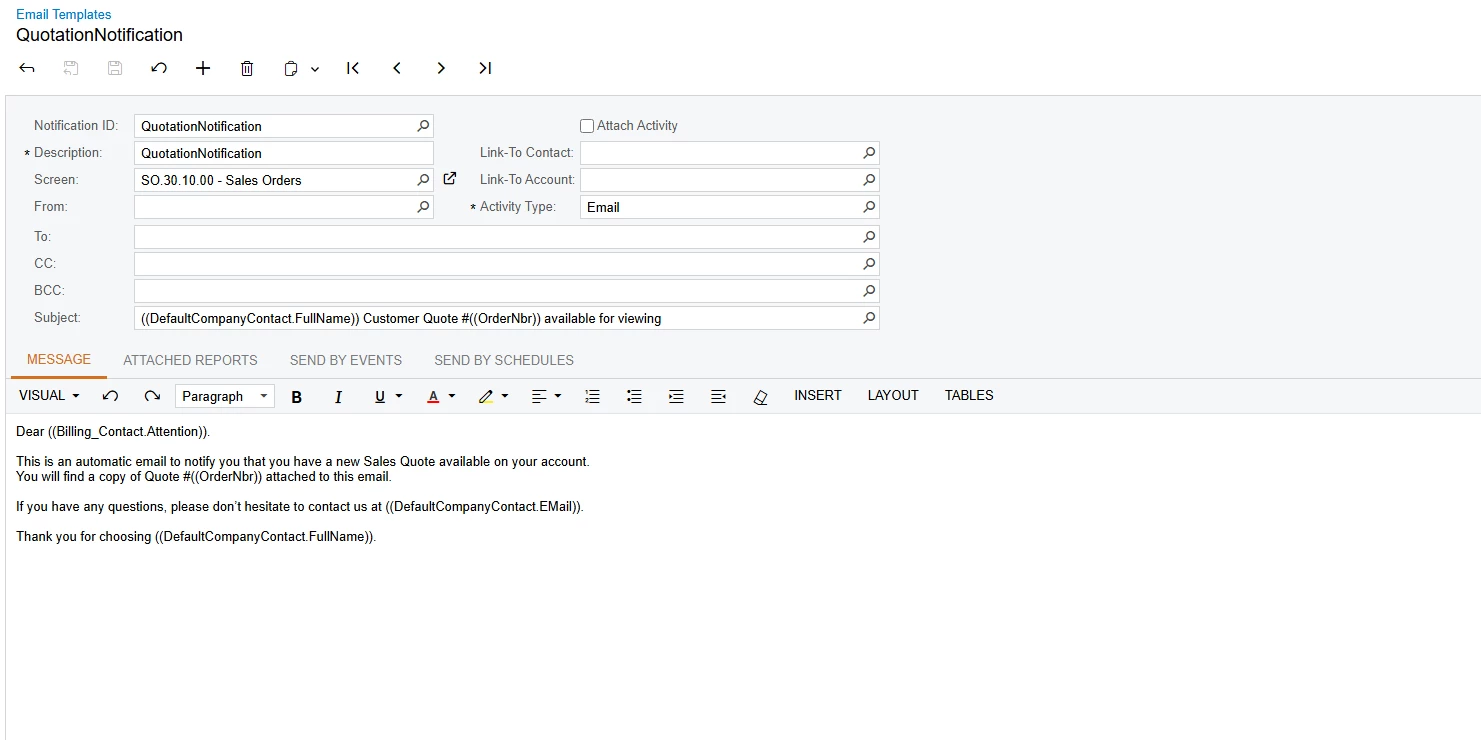
You should be able to do that from the Email Template setting of the Report or Email template itself.

Why do you want to do it from code?

The exact Notification ID depends on your system setup


Forum|alt.badge.img+2
  • Author
  • Pro III
  • February 12, 2026

Hi ​@Samvel Petrosov ,

Thank you for the quick response.

We are not looking to update the values directly within the Email Template. Our requirement is to dynamically pass the From and To email addresses through customization.

To achieve this, we are planning to override the Email Quote action so that these email values can be assigned programmatically based on our business logic.


Samvel Petrosov
Jr Varsity II
Forum|alt.badge.img+9

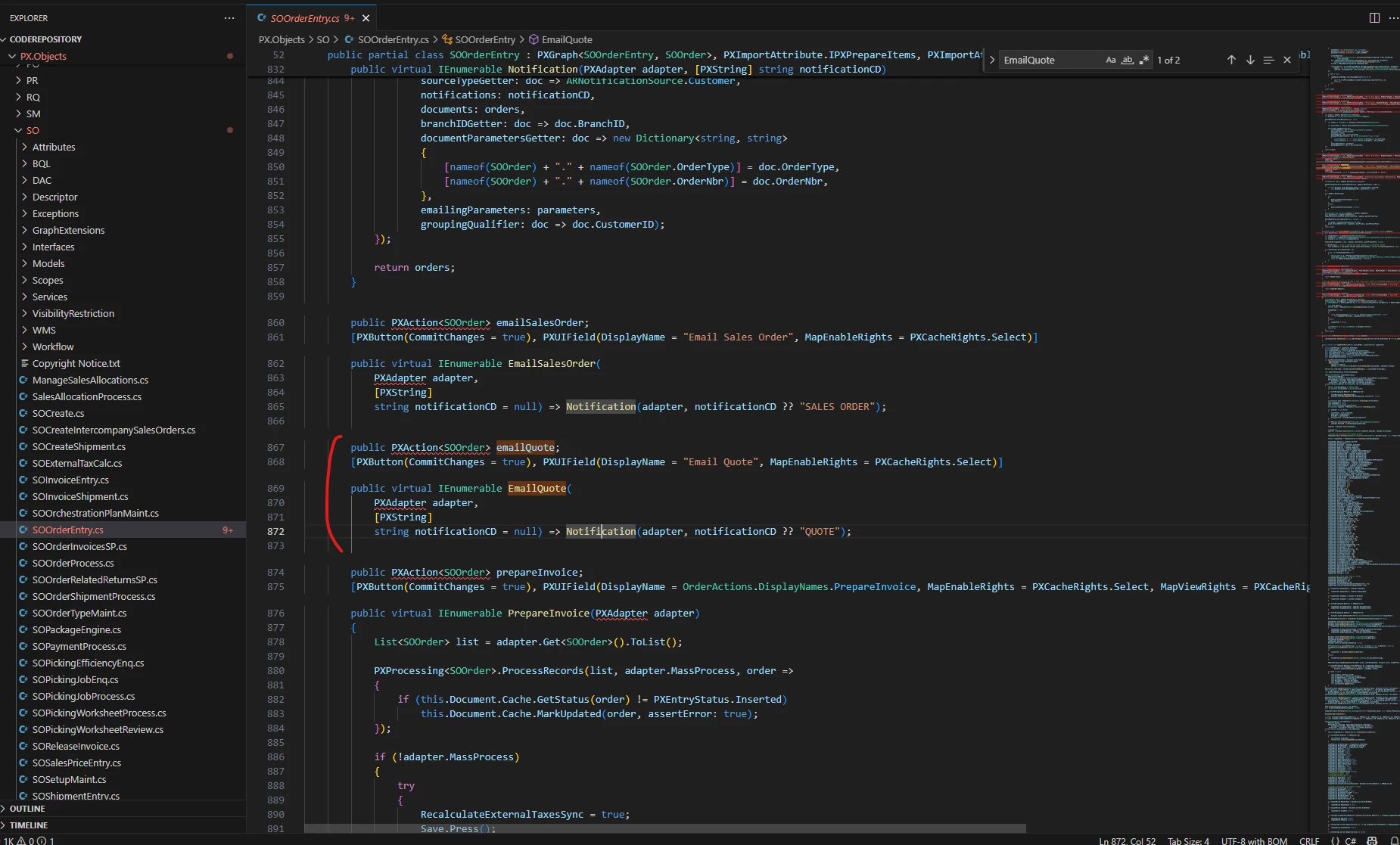
@SKV687 Ok, then you would probably want to override either the EmailQuote function directly or Notification function that is called in the EmailQuote. Technically emailing parameters are fed in the Notification function’s second line.

--UPDATE

The actual email addresses are decided way deeper in the NotificationGenerator.CreateMessages method.


Forum|alt.badge.img+2
  • Author
  • Pro III
  • February 13, 2026

@Samvel Petrosov Thank you for the explanation.

I understand that we can override the EmailQuote or the Notification function. However, I’m not sure how to override the From and To email addresses based on my customization.

Could you please share a sample code snippet demonstrating how to achieve this?


Jhon Reeve Penuela
Freshman I
Forum|alt.badge.img

Hi ​@SKV687 . I think i try this before but not exactly Email Quote on my end i override a Add Case Button in .

 public class SOOrderEntryExtension : PXGraphExtension<SOOrderEntry>

and this my sample override add case button

 public PXDBAction<SOOrder> addCase;
[PXUIField(DisplayName = PX.Objects.CR.Messages.CreateNewCase, FieldClass = PX.Objects.CS.FeaturesSet.customerModule.FieldClass)]
[PXButton]
public virtual void AddCase()
{

SOOrder row1 = Base.Document.Current;

var contactGraph = PXGraph.CreateInstance<ContactMaint>();

var contact = PXSelect<Contact>.Select(Base);

var contactCurrent = PXSelect<Contact, Where<Contact.contactID, Equal<Required<Contact.contactID>>>>.Select(Base, row1.ContactID);

contactGraph.Contact.Current = contact;

ContactCurrent.Current = contactCurrent;

var row = ContactCurrent.Current;

if (row == null || row.ContactID == null) return;

var currentUser = CommonServiceLocator.ServiceLocator.Current.GetInstance<ICurrentUserInformationProvider>().GetUserId();

BAccount account = SelectFrom<BAccount>.InnerJoin<EPEmployee>.On<EPEmployee.bAccountID.IsEqual<BAccount.bAccountID>>.Where<EPEmployee.acctName.IsEqual<@P.AsString>>.View.Select(Base, "Nica Diaz");

var graph = PXGraph.CreateInstance<CRCaseMaint>();

var newCase = (CRCase)graph.Case.Cache.CreateInstance();

var relation = (CRRelation)graph.Views["Relations"].Cache.CreateInstance();

newCase = PXCache<CRCase>.CreateCopy(graph.Case.Insert(newCase));

UDFHelper.CopyAttributes(ContactCurrent.Cache, row, graph.Case.Cache, graph.Case.Current, newCase.CaseClassID);

newCase.CustomerID = row.BAccountID;

newCase.ContactID = row.ContactID;

newCase.OwnerID = account.DefContactID;

newCase.CaseClassID = "ESCALATION";

newCase.Subject = $"Sales Order Case RE: {row1.OrderDesc}";

relation.Role = "CH";

relation.TargetType = "PX.Objects.SO.SOOrder";

relation.TargetNoteID = row1.NoteID;

try
{
graph.Case.Update(newCase);

graph.Views["Relations"].Cache.Update(relation);

}
catch { }

if (!contactGraph.IsContractBasedAPI)
PXRedirectHelper.TryRedirect(graph, PXRedirectHelper.WindowMode.NewWindow);

graph.Save.Press();

}


I hope you get an idea from the code I showed.


Forum|alt.badge.img+2
  • Author
  • Pro III
  • February 13, 2026

Hi ​@Jhon Reeve Penuela Thank you for sharing the code.

After reviewing it, I noticed that the implementation is quite different from what we are trying to achieve through the Email Quote functionality.

Could you please help us by sharing the relevant source code or reference that handles passing the From and To email addresses in the Email Quote process? That would greatly assist us in aligning our customization accordingly.

Thank you in advance for your support.


jhonlloydgelica69
Freshman I

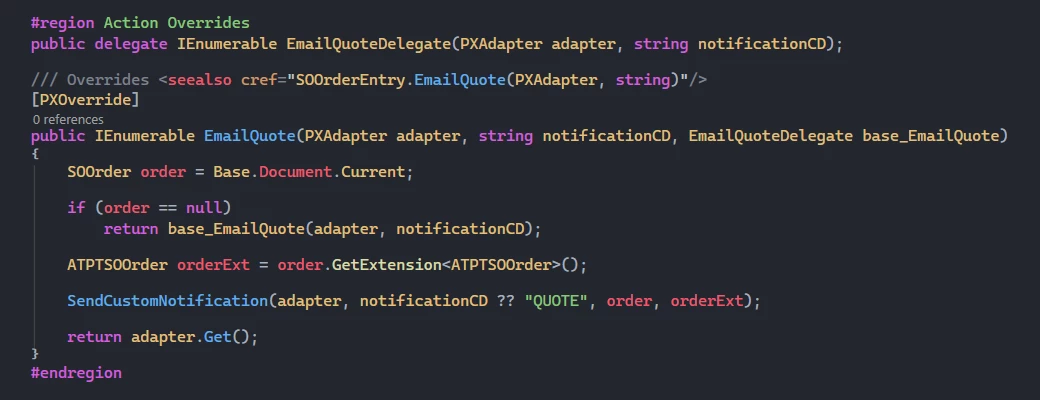
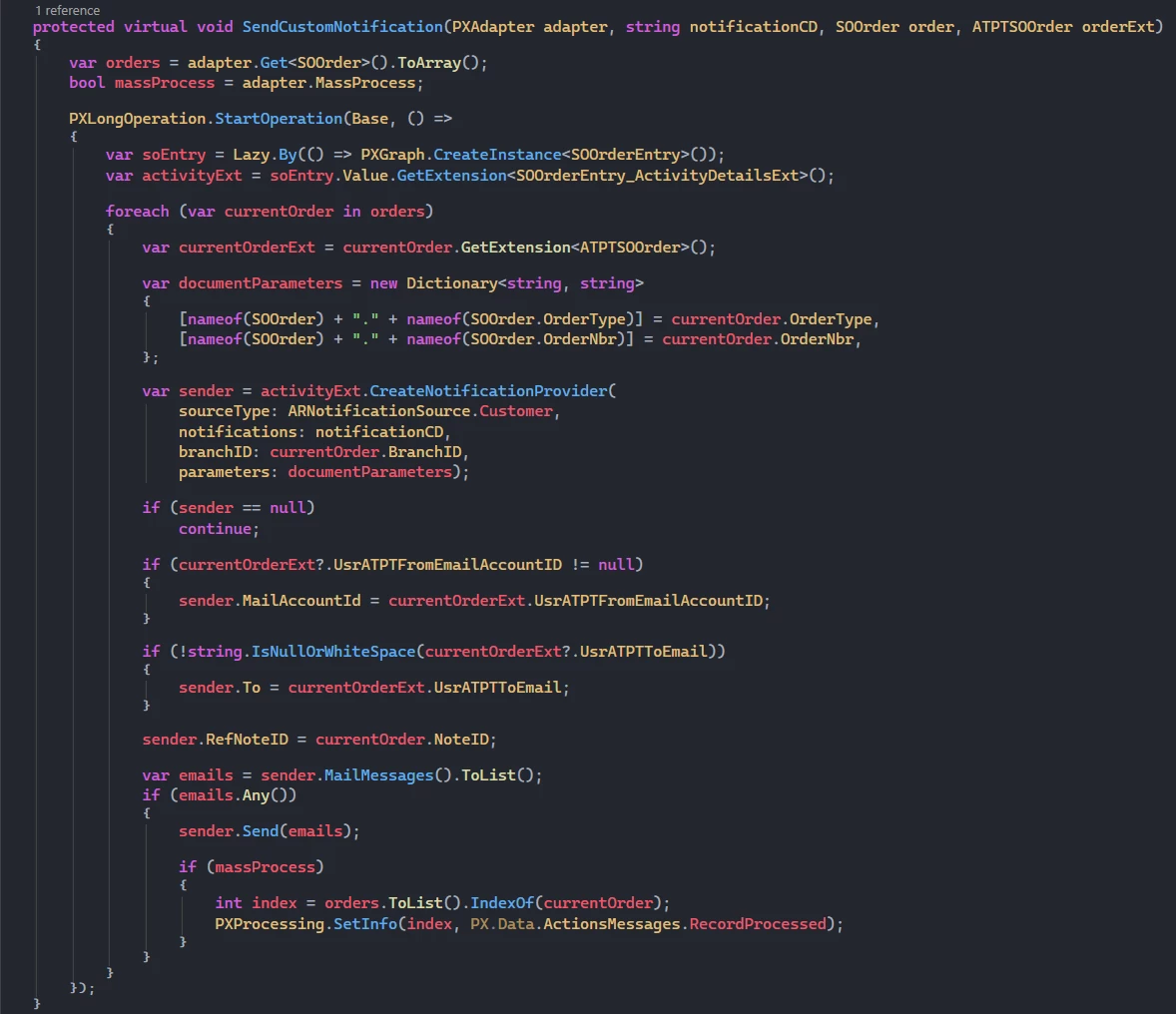
Hello ​@SKV687 you can try this one.